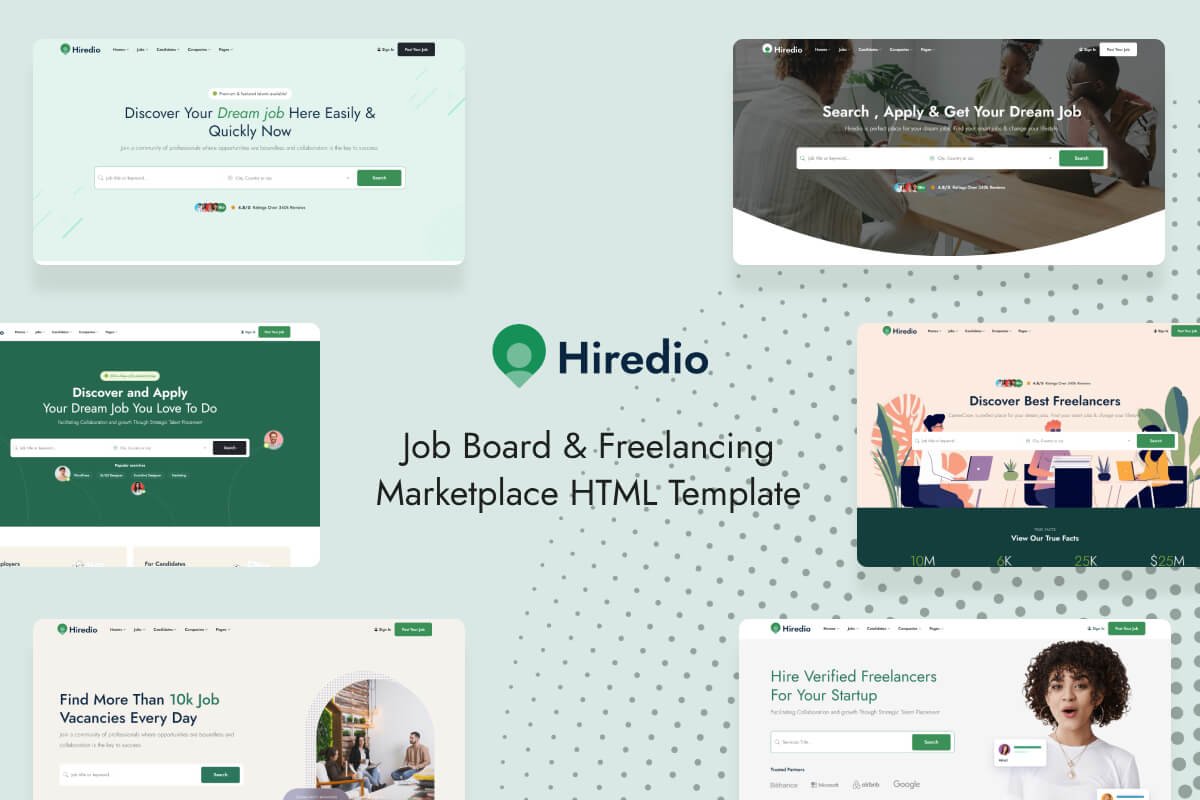
In today’s fast-paced digital landscape, businesses need agile solutions to connect with the right talent. Whether you’re managing a bustling startup, a thriving business, or building a freelancer marketplace, having an efficient and well-designed platform can make all the difference. That’s where Hiredio, a cutting-edge Job Board & Freelancing Marketplace HTML Template, comes in.
Designed for modern job boards, Hiredio simplifies hiring and freelance engagement processes, helping employers and freelancers connect quickly and efficiently. In this article, we’ll explore how Hiredio can elevate your website, its standout features, and why it’s the go-to choice for building a future-proof hiring platform.
1. The Rise of Online Hiring Platforms and Marketplaces
In the last decade, online hiring and freelancing platforms have seen exponential growth. Employers increasingly look to job boards and freelancing sites to find specialized talent quickly. Freelancers, on the other hand, thrive on these platforms, using them to showcase their skills and connect with global clients.
Hiredio is purpose-built for this evolving job market, offering a range of features that cater to both employers and freelancers, creating a seamless hiring experience. Whether you’re looking to set up a local job board or a global freelancing marketplace, Hiredio’s versatility and power can help you achieve your goals.
2. Key Features of Hiredio: What Makes It Stand Out?
Hiredio isn’t just another job board template—it’s designed with a forward-thinking approach, ensuring a superior user experience for both job seekers and employers. Let’s dive into its standout features:
- Modern, Responsive Design: Hiredio comes with a sleek and modern design that works seamlessly on all devices—desktops, tablets, and mobiles. Its fully responsive layout ensures users have a smooth experience, regardless of how they access the platform.
- Easy Customization: Hiredio offers extensive customization options, making it easy to adapt the template to fit any brand identity or niche. You can personalize color schemes, layouts, and content blocks without the need for extensive coding knowledge.
- Advanced Search Functionality: Job seekers and freelancers can easily navigate through listings thanks to advanced filters that allow for refined searches based on job type, skills, experience level, and more.
- Robust Employer and Freelancer Dashboards: Both employers and freelancers have access to dynamic, intuitive dashboards where they can manage job postings, applications, profiles, and portfolios. This keeps the hiring process organized and efficient.
- Built-in Messaging System: Hiredio offers an integrated messaging system that allows direct communication between employers and freelancers, speeding up the hiring process and making collaboration easier.
- Job Posting & Bidding System: For freelancing marketplaces, the bidding system allows freelancers to propose their rates, creating a competitive environment that benefits both parties.
3. The Perfect Tool for Employers and Recruiters
The ultimate goal for any hiring platform is to make it easier for recruiters to find the right talent. Hiredio helps achieve this with an array of tools that simplify and enhance the recruitment process. Here’s how:
- Post and Manage Jobs Efficiently: Employers can quickly post job openings, edit listings, and track applications from a centralized dashboard. The user-friendly interface allows even non-tech-savvy users to navigate the platform with ease.
- Track Applications: Recruiters can easily track applications and sort candidates based on pre-set criteria. This saves time and ensures that the right candidates are highlighted for every position.
- Collaboration Tools: Hiredio facilitates smooth communication with applicants through the messaging system, allowing employers to coordinate interviews, negotiate terms, and offer positions seamlessly.
4. Empowering Freelancers: A Marketplace for the Modern Worker
Hiredio isn’t just built for employers; freelancers will find it a powerful tool for advancing their careers. Here’s why freelancers love it:
- Portfolio Showcase: Freelancers can showcase their portfolios directly on the platform, making it easier for potential clients to assess their skills and experience.
- Bidding System: Freelancers can bid on projects, offering their services at competitive rates. This feature benefits both freelancers who want to stand out and employers looking for the best deal.
- Easy Profile Setup: Hiredio makes it easy for freelancers to create professional profiles, complete with skill tags, experience levels, and portfolio items.
- Security & Payment Integration: Hiredio offers built-in payment solutions that ensure smooth and secure transactions between employers and freelancers.
5. How to Get Started with Hiredio
Getting Hiredio set up is a breeze. Here’s a quick guide on how you can implement this template on your platform:
- Purchase and Download: Once you’ve purchased Hiredio from ThemeForest, simply download the template files and unzip them on your server.
- Customize Your Template: Whether you’re creating a local job board or a global freelancing marketplace, Hiredio’s user-friendly customization options make it easy to modify layouts, colors, fonts, and more to match your brand identity.
- Add Your Content: Start adding job listings, categories, and other relevant content to build your job board. Employers and freelancers can then start interacting with your platform right away.
- Optimize for SEO: Hiredio is SEO-friendly, but make sure you follow SEO best practices by adding meta descriptions, optimizing images, and using relevant keywords to help your platform rank higher on search engines.
6. Why Choose Hiredio for Your Job Board or Freelancing Marketplace?
In a saturated market, it’s crucial to choose a template that not only looks great but performs exceptionally well. Hiredio ticks all the boxes: it’s fast, responsive, and highly customizable, allowing you to build a platform that stands out in a crowded market.
Compared to other templates, Hiredio offers better design flexibility, built-in functionalities, and a smoother user experience. Whether you’re creating a simple job board or a large-scale freelancing marketplace, Hiredio has all the tools you need to succeed.
Conclusion:
In 2024, businesses and freelancers are looking for fast, reliable, and user-friendly platforms to connect and collaborate. Hiredio delivers exactly that. With its modern design, extensive features, and customizable interface, it’s the perfect solution for building a professional, highly functional job board or freelancing marketplace.