In the Beginning: Does the Divi Theme Still Holds Up? Let’s Find Out
There is a huge transformation in the WordPress ecosystem due to technological advancements. For example, Gutenberg has become more advanced; AI-powered tools have emerged globally, many other visual builders appear on the horizon, etc.
Despite all this, the Divi WordPress Theme continues to be as effective as ever. Experts give different reasons for this, but the most appropriate one is that it helps to accelerate the workflow. However, here comes the real challenge: Is it still the best visual builder for WordPress?
👉 If you want to explore Divi hands-on, you can check the official Divi Theme here.
To find the honest answer of the Divi theme review, we will evaluate Divi’s features, specialties, efficiency, benefits, cons, and more. This can help us determine if Divi is still the best WordPress page builder in 2026?
However, before that, let’s find steps to install it.
How to Use the Divi Theme for a WordPress Website? A Guide to It
This is an easy guide to install and use on your website. Follow these steps:
Step 1: Install Divi
Go to Elegant Themes, choose a suitable Divi plan, download the theme, and install it on your WordPress site.
Step 2: Select a Starter Layout
Pick your first layout from its huge library. Although, you can even build it manually.
Step 3: Start the Visual Blinder
Start the visual blinder and open its editing window.
Step 4: Include Modules, Rows, and Columns
Select and include modules to style text, form sections, gallery, CTAs, etc.
Step 5: Make Global Styles
Set your fonts, spacing, button colors, styles and headers according to styles that engage a global audience.
Step 6: Check Responsiveness
Find out your modules’ responsiveness with Divi’s device preview and real-time editing tools
Step 7: Make It Live
If you find it perfect, save the page and make it live on the website
What Makes Divi Special and Effective in 2026? An Overview
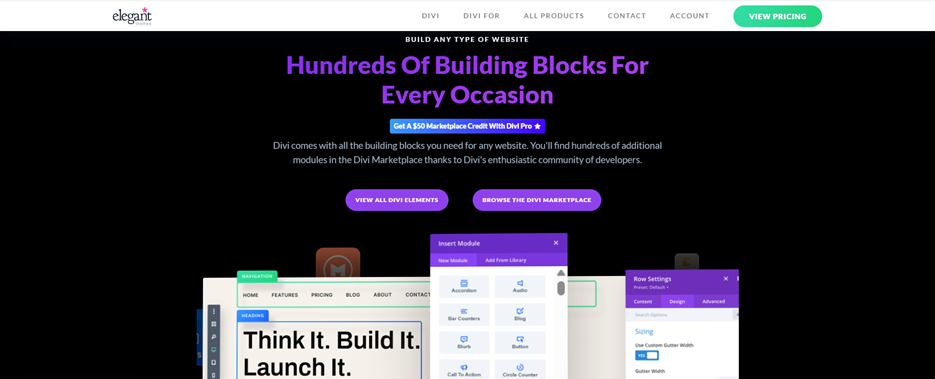
Divi is famous for its stunning visual editing along with seamless controls. The newly launched Elegant Themes Divi 2026 is one of the examples of its kind. For instance, it is not limited to a theme but a perfect combination of the theme, visual builder, and an amazing design framework.
Moreover, it has other features like responsive visual editing, a big library of trendy templates, modern plugins integration, built-in optimization, and WordPress 6.6+ compatibility. All these features give it an edge and flexibility over other visual builders. Even unlike many of its competitors, you can still run it as an independent builder inside a theme.
Above all, its biggest selling point is still its user-friendly interface. In my view, this flexibility is exactly what makes Divi stand out from other page builders. Beginners can start building professional-looking websites without writing a single line of code, thanks to its intuitive drag-and-drop interface and ready-made layouts.
At the same time, advanced users aren’t limited—they can dive deep into custom CSS, Divi theme templates, layouts, and trending design styles to create highly tailored experiences. This balance between simplicity and power is what truly sets it apart. In this Divi WordPress theme review it’s clear that Divi successfully caters to all kinds of users, making it one of the most versatile and user-friendly WordPress page builders available today.
Divi’s Visual Builder: Is It Still Promising? Find Here
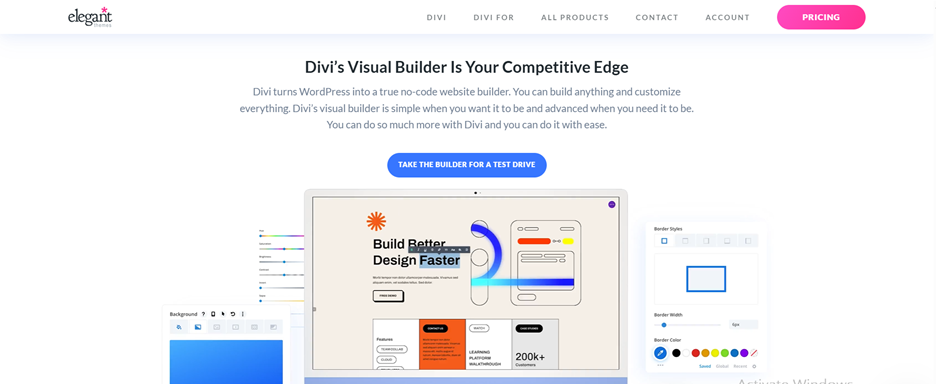
Developers love to work with a builder that can seamlessly pace up their workflow. Divi has made it its target. Its visual builder has now become quicker, cleaner, smarter, and more effective than its competitors.
Features that make its visual builder as effective as ever:
- Responsive Editing Option: Update any text, style, section, model quickly without waiting for minutes. Moreover, it even has different controls for different sets of gadgets.
- Style Assistance Powered by AI: The latest versions come with style assistance powered by artificial intelligence for better suggestions.
- Drag-and-drop workflow: System that allows just click, expand, and resize.
- Latest Animations and Effects: No competitors are currently matching its collection.
In short, these features give it an edge over other builders including Elementor, Gutenberg, Beaver Builder, etc.
If you’ve not used any of them yet, use them once and you will feel why Divi WordPress Theme is still ahead of them. Therefore, it is likely that it will continue to hold a significant market share in the upcoming future.
👉 If you’re looking for a powerful alternative to Elementor or Gutenberg,
How Flexible are Divi’s Customization Options? Here’s the Answer
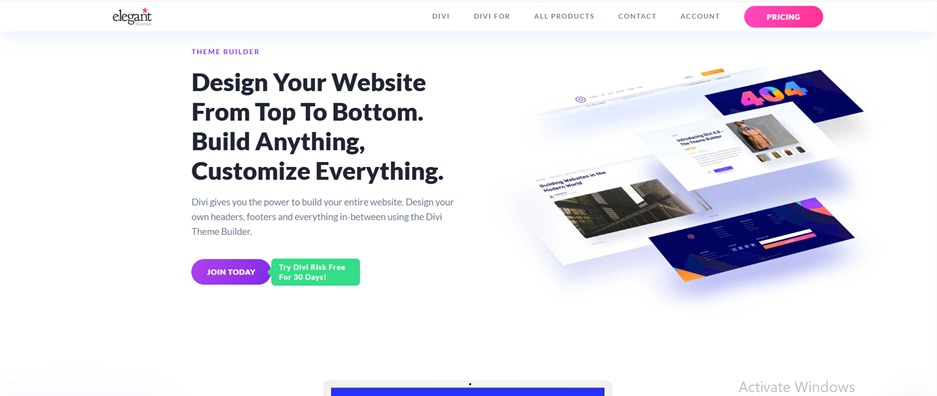
One of the most important aspects of any WordPress visual builder review is to find its customization impact, and this Divi WordPress theme review highlights how flexible and powerful those customization options are.
For Divi, we think that impact is phenomenal…!!! Why? Just read here.
Its customization options have varieties that include:
- Global Design System: Choose colors, buttons and layout styles, spacing, and typography that suit global audiences.
- Flexible Module Choices: More than sixty design modules to choose from. These include modules for galleries, CTAs, forms, testimonials, counters, and more.
- Theme Builder: Customization options for header, footer, search sections, archives, and plugin templates.
- Developer-Friendly Tools: Contain custom CSS inputs, hooks and filters for developers.
Moreover, the latest version of Divi has significantly improved its mobile editing. It has added features like quick device switching and viewport previews to provide amazing customization options without writing code.
These changes have made it one of the most accessible WordPress themes for the coming year.
Divi Theme Templates Packs: How Good Are They?

One of its powerful features is its huge library of theme templates and layout packs. Interestingly, this collection is continuously increasing every year. Right now, you can access its:
- More than 2000 preloaded templates.
- More than 300 premade layout packs.
- Styles available for various businesses including cafes, fitness, law firms, real estate, edtech, etc.
- Set of pre-built and beautifully made homepages, landing pages, and product and service pages.
Here, each layout has been prepared with top-grade design patterns to make it seamlessly adjustable across the globe.
Divi Theme Pros and Cons with Pricing: An Honest Comparison Among All
Pro:
- Very easy video editing options that are perfect for beginners.
- A complete package in a single theme (theme + builder + theme builder)
- Amazing design effects without CSS requirement
- AI integration available to quickly create styles and layouts
- Take one membership and get unlimited usage.
- Effective backup and quick support system.
- Better lifetime plan pricing compared to other builders like Elementor.
Cons:
- Advanced features are not easy to understand for newcomers or non-designers.
- You can feel loaded while using multiple animations or modules.
- Some options depend on third-party plugins.
- Not very quick as Gutenberg while designing minimalistic websites.
- Lack of variety in subscription plans. It’s either an annual or a lifetime model.
- It can be effective but not the quickest for very big websites
Here is another crucial part of the Divi theme review with pros, cons and pricing, the subscription models. It comes with two pricing models yearly and lifetime.
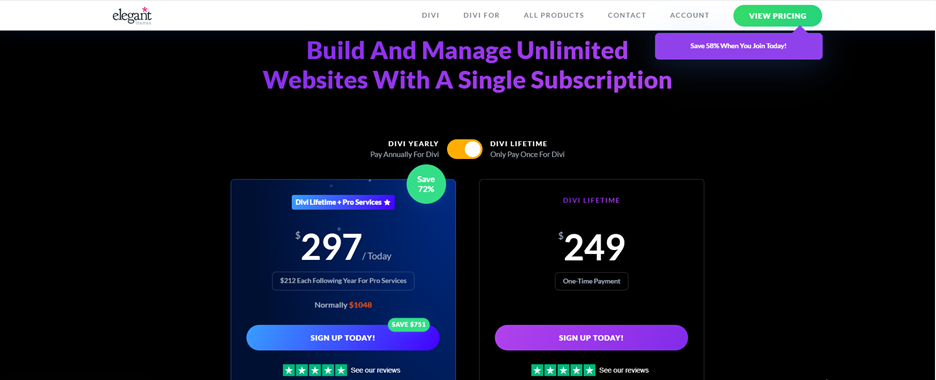
In “Yearly” there are two plans
- Divi: $89 per year
- Divi Pro: $277 per year
The same goes with “Lifetime” model
- Divi Lifetime: One-time payment of $249
- Divi Lifetime with Pro Services: $297 (One-time payment)
💡 Tip: If you’re a freelancer or agency, the Divi Lifetime plan offers much better value compared to yearly subscriptions.
Is Divi Pricing Worth It? Here’s is the Opinion
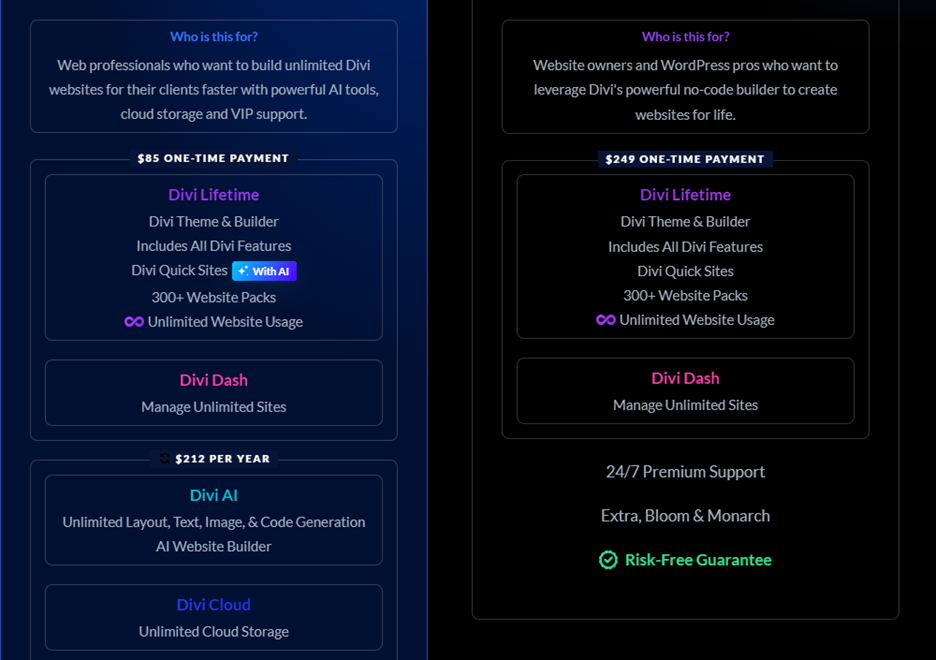
If we talk about them, both pricing models include these features; additional themes, website packs, builder plugins, unlimited usage, quick support, 3rd-party plugins like Bloom for marketing and Monarch for social sharing.
Therefore, comparing its cost with the pre-site plan cost of Elementor or with the SaaS price of Webflow, it still tops the list of the most budget-friendly WordPress builders for freelancers and companies.
Conclusion: Divi Theme Review 2026, The Final Verdict
The review began with a discussion around Divi theme customization options. After analyzing its various parameters including templates, layout packages, efficiency, scope of customization, and price point, we are concluding with the following point.
There’s no doubt that Divi is an exceptional tool that provides a perfect blend of design flexibility powered by lots of layouts, a robust visual editor, and amazing cost-effectiveness.
Therefore, the final verdict based on this Divi Theme Review 2026 is the answer to the question
Well, yes…!!! For most developers, new designers, and beginners, visiting Themehub, the best web design blog, helps you out.
“Is Divi still the best WordPress page builder?”
It is the best option to build globally appealing and visually stunning websites without writing a single line of code.
This is our Divi Theme review for bloggers, businesses, and eCommerce owners. So, whether you are operating or want to launch a website, you can analyze what to choose and why.
👉 Final Recommendation: If you want a flexible, beginner-friendly, and cost-effective WordPress builder in 2026, Build Your Website with Divi.
Affiliate Disclosure: This article contains affiliate links. If you purchase through these links, we may earn a commission at no extra cost to you.