WordPress runs a huge portion of the websites people use today. Building on it does not require any coding knowledge. A theme and a basic layout get you started. The hard part is picking the right theme. There are hundreds of them, and most look similar until you are actually inside one trying to build.
People in freelancing and agencies bring up Divi often, especially after trying a few other builders first. This review looks at what Divi actually is and how it performs on real WordPress projects.
Divi at a Glance
A powerful and flexible WordPress builder for creating professional websites.
Best For: Freelancers, Agencies, Designers & Business Websites
Rating: ⭐⭐⭐⭐⭐ 4.8/5
Pricing: Starts at $89/year (Divi Theme & Builder)
Divi Key Highlights
- Visual Drag-and-Drop Builder
- Divi Theme Builder
- 2,000+ Premade Layouts
- WooCommerce Builder
- Global Design & Style Controls
- Lifetime option available
Divi Pro Key Highlights
- All Divi Features
- Divi AI
- Divi Cloud
- Divi Dash
- Divi Teams
What Is Divi Theme?
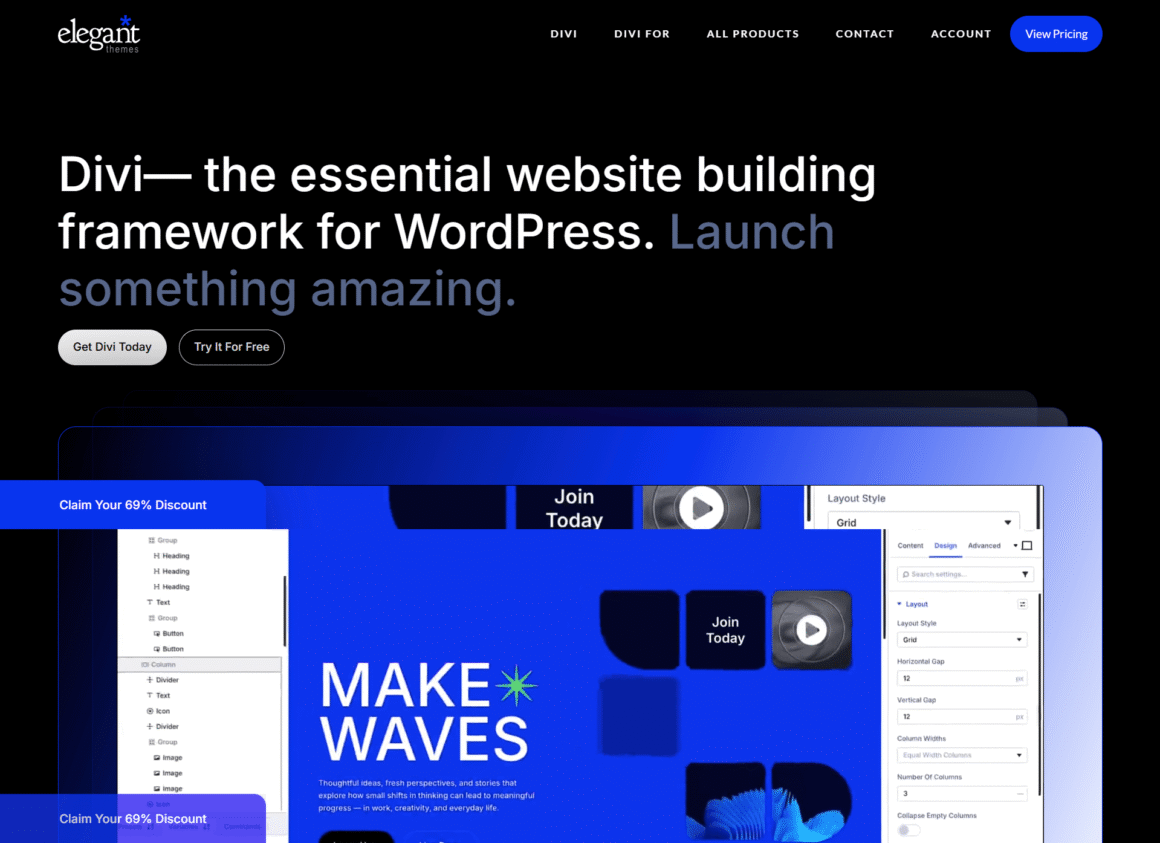
Divi is a premium WordPress theme from Elegant Themes. The page builder comes built into it. Most themes make you find a separate plugin for that. You usually install a theme and then realize you need a separate plugin just to control the design. You build right on the page. Changes that you make in the layout appear immediately on the screen. There is no preview tab and no guesswork.
| Item | Details |
|---|---|
| Theme | Divi |
| Developer | Elegant Themes |
| Best For | Agencies, Freelancers, Businesses |
| Starting Price | Annual / Lifetime |
| Free Version | No |
| WooCommerce | Yes |
| Visual Builder | Yes |
| AI Tools | Yes |
| Our Rating | 4.8/5 |
Key Features of Divi Theme
Divi already includes a lot of what people normally piece together through separate plugins. Less to install upfront, fewer things to maintain, and fewer places for something to break later.
Drag and Drop Visual Builder
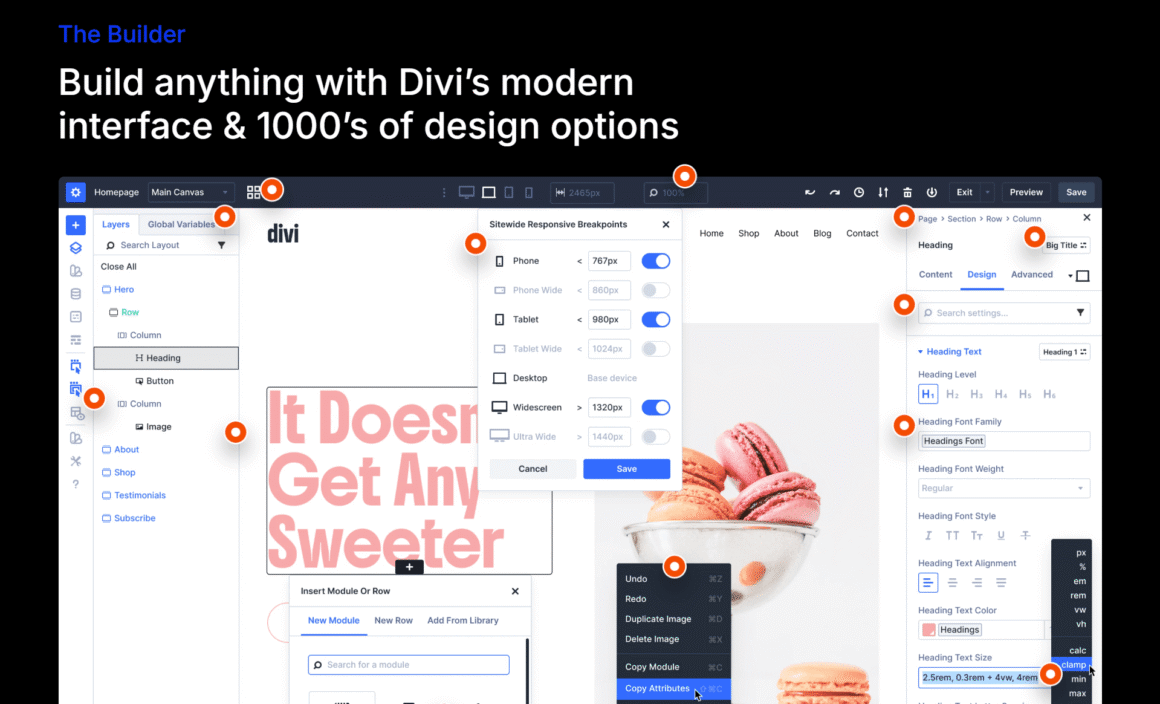
The Divi Website Builder puts you directly on the page while you work. You drag a text block in, and it appears. Same with images, buttons, forms, and videos. No preview screen. What you see on the screen is what goes live.
Ready-Made Templates and Layout Packs
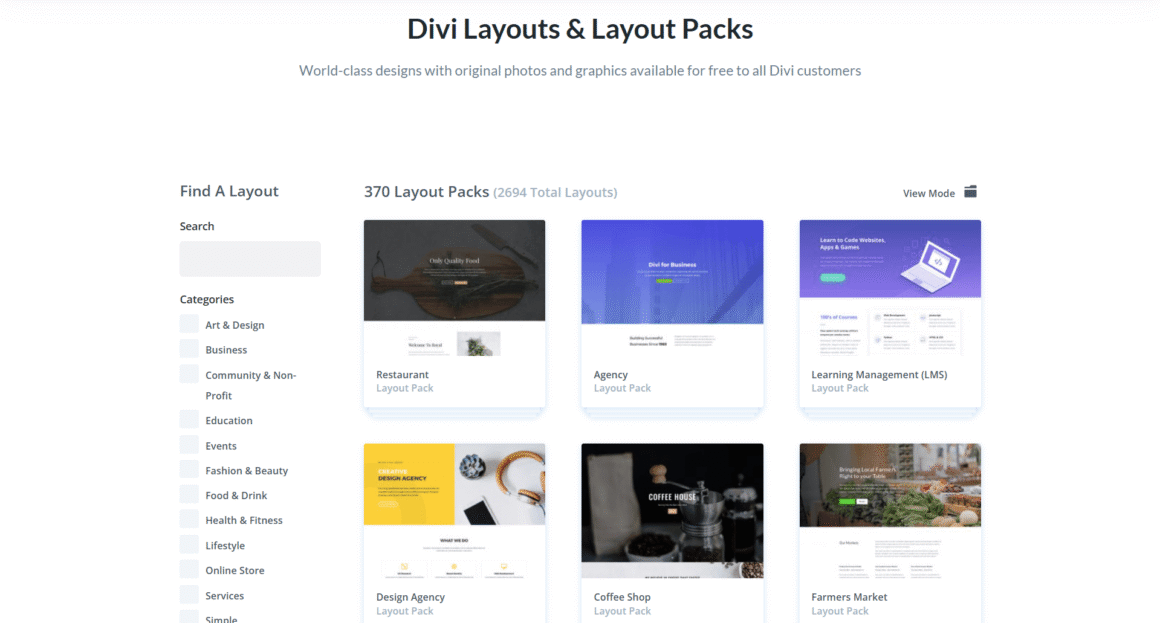
Divi comes with a template library covering many different site types. Restaurants, online stores, fitness studios, and schools each have dedicated layouts. When a deadline is tight, these save real time. Most layouts only need content swapped out and a few small adjustments rather than a full redesign.
Theme Builder for Full Website Design
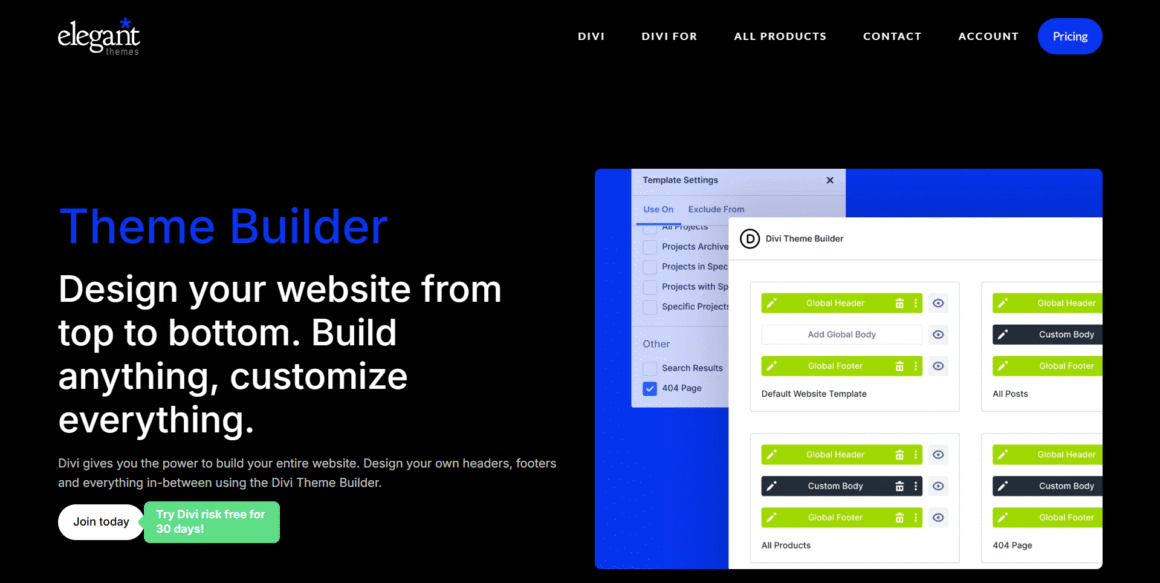
Most themes lock down things like headers, footers, and blog layouts. The Theme Builder opens those up. You can design all of them without writing code, which helps when you need every part of the site to look consistent.
Responsive Editing
Websites that look good on systems/laptops often break on smartphones. Divi lets you edit each screen size on its own. Fix the mobile layout without touching the desktop version.
WooCommerce Support
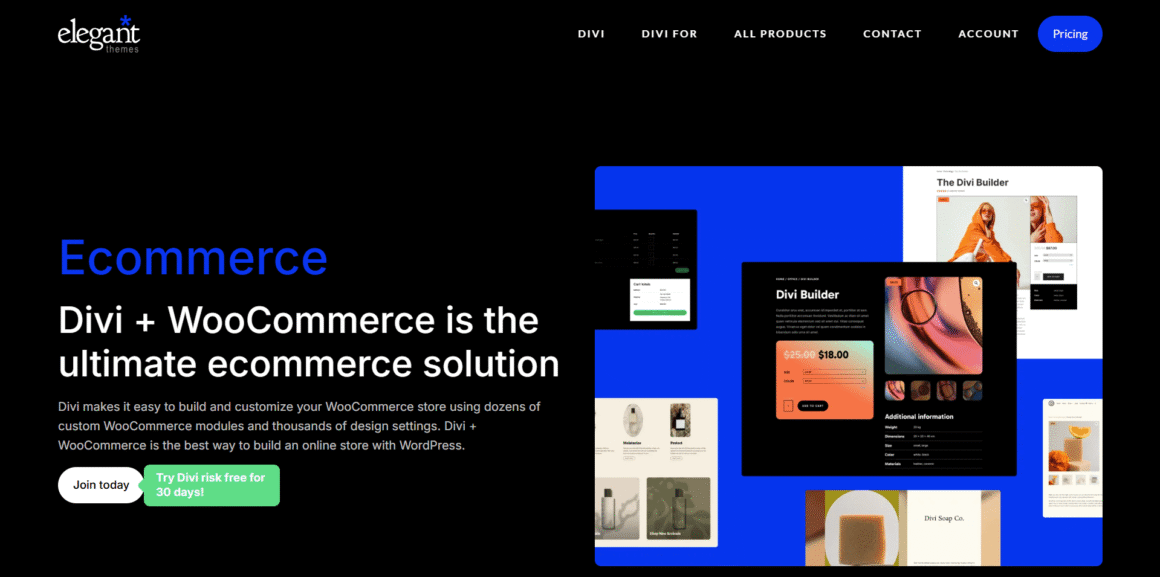
Running a store? Divi works well with WooCommerce. Product pages, shop layouts, and checkout sections can all be edited inside the same visual editor. No need to switch tools to handle the store side of the build.
To get the best performance from your WooCommerce store, pair Divi with a reliable WooCommerce hosting provider that offers optimized speed, security, and scalability.
Global Design Settings and AI Tools
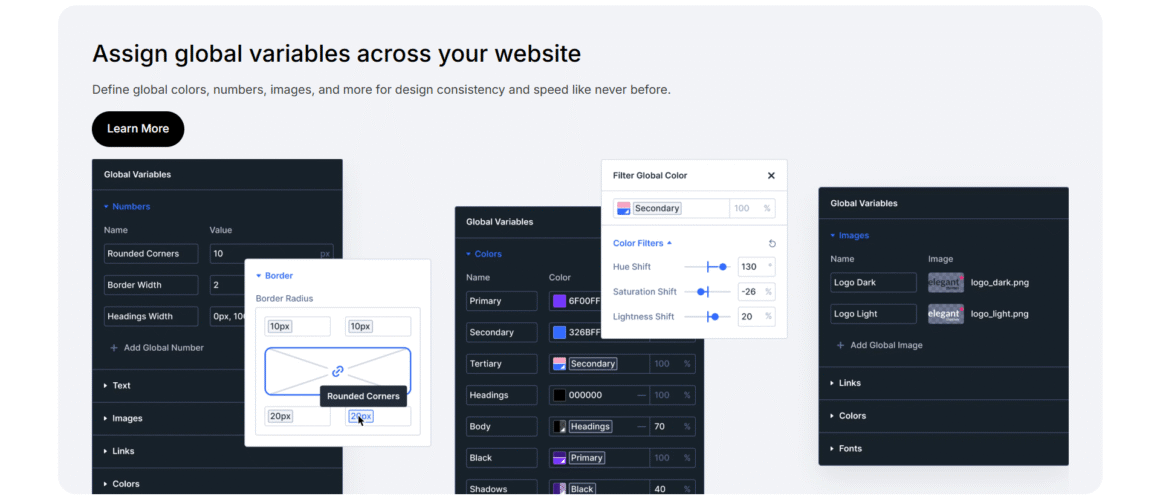
Divi global settings save a lot of time. Update your colors or fonts once, and every page on the site picks it up. The AI tools added in recent versions can write text and create images. They can also put together full-page layouts. I rewrite most of what they generate. It usually needs a good amount of editing before it fits the site.
Getting Started With Divi for WordPress
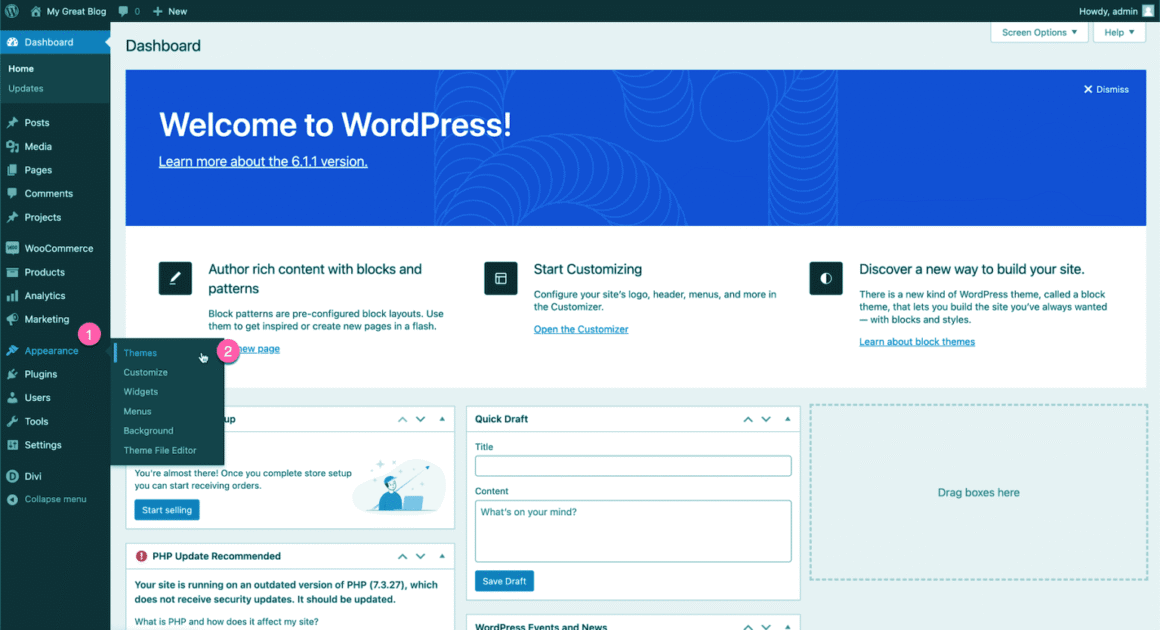
Installing Divi for WordPress takes no more than ten minutes. Upload the theme files and activate them. The interesting part comes when you create your first page. Divi asks you to choose between a blank page, a pre-built layout, or a full starter site. I go with a layout almost every time. Starting from nothing and figuring out where everything goes takes longer than just replacing someone else’s text and photos with mine.
It can take time to understand the visual editor because of so many settings and modules. That feeling does not last, though. Build two or three pages, and you will get to know where a certain setting or feature is located. Work gets faster from there. Most people close out that first session having built something that looks good without writing a single line of code to get there.
Divi Theme Templates
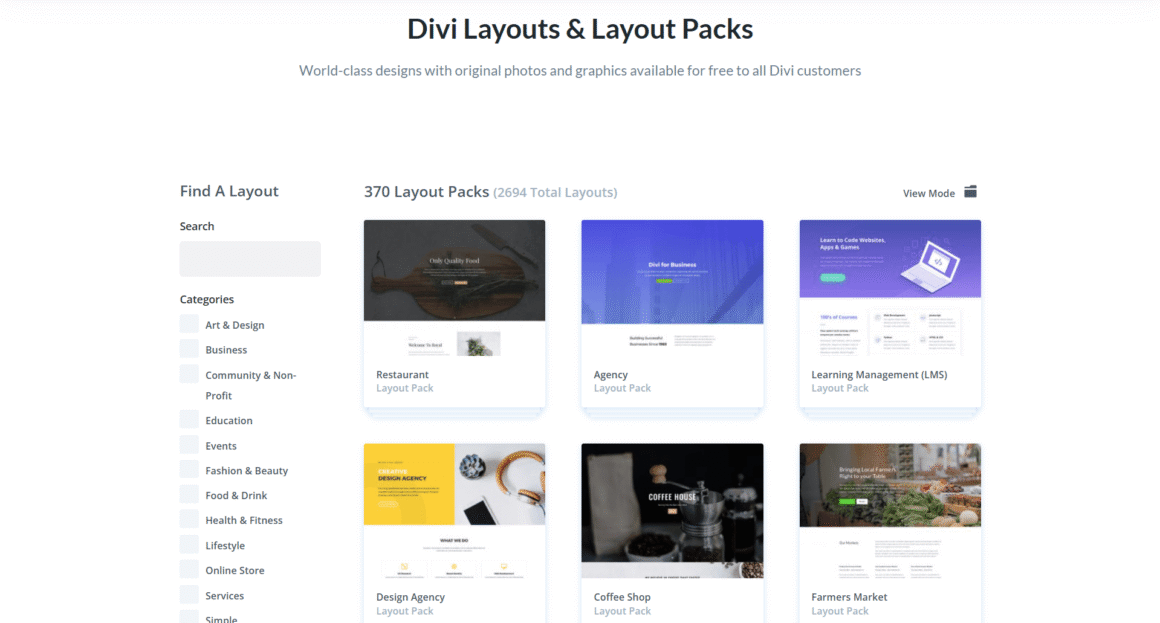
The template library is where the real-time savings show up, not just something Elegant Themes puts in their marketing. I go there first on almost every project, picking whatever is closest to what the client needs, a local business site, an online store, a blog, a portfolio, or something else entirely, depending on what is on the table. None of these templates count as finished work. They are just a head start, since the layout is already sorted and my actual time goes into swapping in real copy and real photos instead of fighting with spacing and figuring out where sections should sit. That habit is what lets me finish projects faster without every site looking like a repeat of the last one.
Nothing about a layout is permanent once you are inside the editor. Not happy with a section? Pull it out. Want the same one twice? Duplicate it. Need something the template does not have at all? Build it from scratch right there in the editor. The library is not static either. New layouts show up regularly, so what was not available six months ago might be there now.
These changes have made it one of the most accessible WordPress themes for the coming year.
Divi Theme Performance
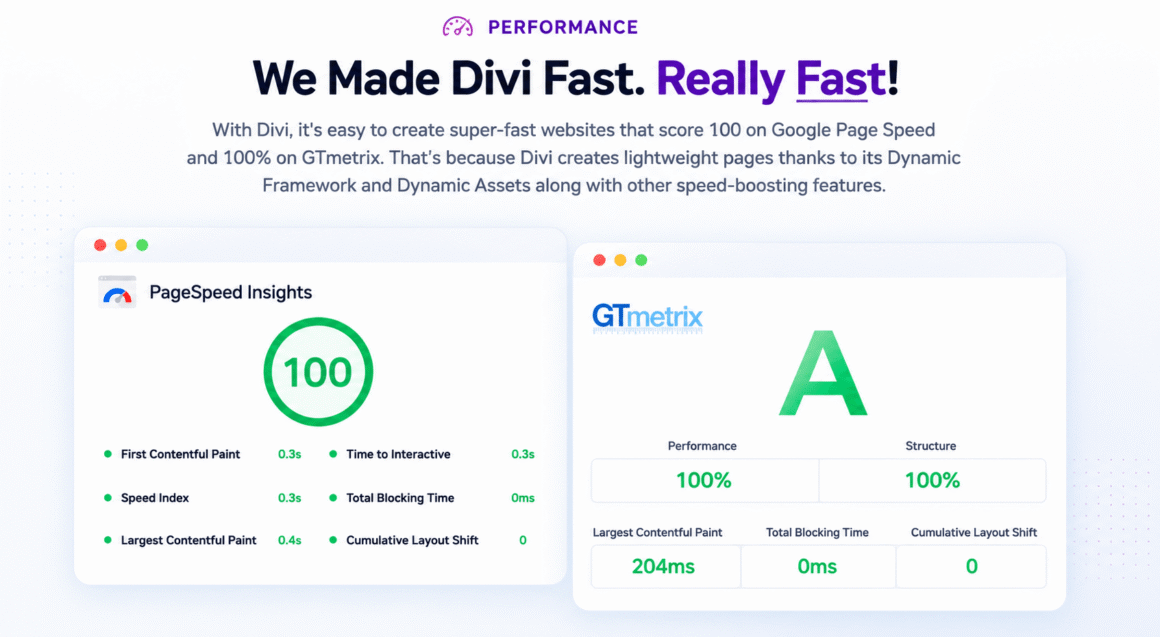
Performance is the one area where I have actually changed my mind about Divi. Older versions earned a reputation for feeling slow, and that criticism still comes up in conversations even now. The newer versions just do not match that reputation anymore. Divi is faster than it was, though your own build decisions still affect speed more than the builder itself does.
Heavy pages are slow pages. Large images take the biggest hit. Animations and too many modules add to it. Any builder will struggle with that, not just Divi. Clean design, compressed images, and decent hosting make a real difference. On my own projects, keeping things simple did more for speed than any tool change.
Divi also has built-in settings that help your website load faster. They take seconds to turn on, and I use them on every project. Add image optimization and caching, and the site feels faster. Divi has no SEO tools built in. It also does not touch whatever SEO plugin you are already running. Your regular SEO plugin works normally. You keep full control over headings, content structure, and metadata. It will not rank your site on its own, but it also will not be the reason your site does not rank, as long as the rest of your SEO work is in place.
For the best performance, I recommend hosting Divi on a managed WordPress hosting platform like WP Engine. It offers built-in caching, automatic updates, strong security, and infrastructure optimized for WordPress.
Divi Theme Pricing
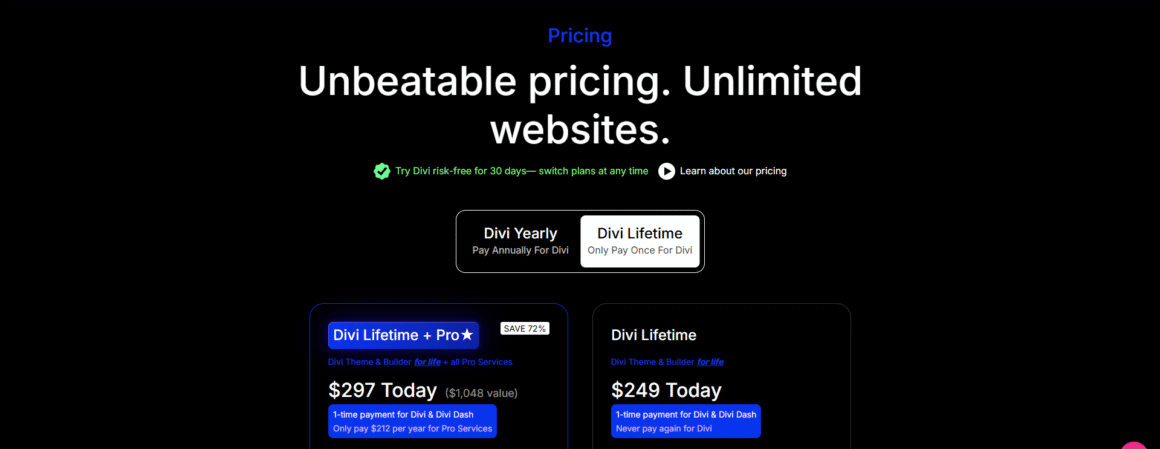
Divi pricing is simple. You pick between an annual plan and a lifetime license, and both include the theme, the builder, updates, support, and the full template library. The only real difference is paying once a year versus paying once and being done with it.
The annual plan works if you are still testing whether Divi fits how you work or if you only have one short-term project. A lot of freelancers start there before committing. If you build sites regularly, the lifetime plan saves money over time. Renewing every year adds up, particularly across multiple client projects. Before picking a plan, think about how much you will actually use Divi over the next couple of years. That tends to be more useful than just looking at the price difference.
Ready to get started with Divi? View Lifetime Deal
Divi Theme Demo
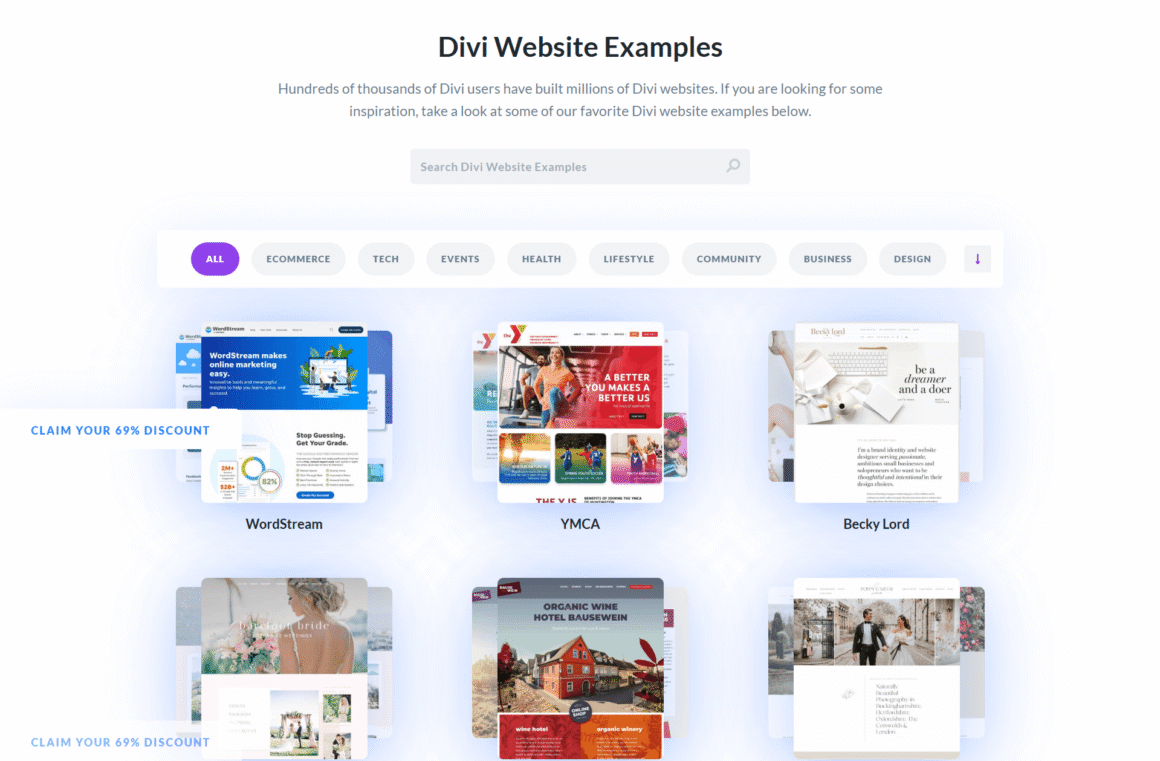
Before spending money, try the Divi Theme demo. It drops you into the actual interface so you can test modules and watch a page come together, all without touching your own site. It will not replace actually building something for a client, but it answers most of the early questions people have. A few minutes inside it is usually enough to tell whether the editor works the way you expect it to.
Divi vs Other Website Builders
Picking a page builder really just comes down to what annoys you least. Some people will not put up with a clunky interface and end up chasing whichever tool loads fastest. Others do not mind slowing down if it means more control over how things look. Divi sits right between those two groups, and that is probably the reason it has stayed relevant.
Divi vs Elementor
Open Elementor, and there is not much on the screen, just a panel and a lot of white space. Many people commit to it right there, before they have built a single section. Divi goes the opposite direction. Instead of trimming things down, it loads more into the core package from day one, so you reach for third-party add-ons far less often.
On projects with a lot of custom requirements, that difference shows up clearly. Working in Divi keeps everything in one place. You are not jumping between five plugins trying to remember which one handles what. If Elementor is already part of your workflow and doing the job, there is no strong reason to leave it. Switching tools halfway through a workflow you have already got down rarely pays off, unless something is genuinely broken. If you are starting fresh, though, you will not really know which one clicks until you have built something in each.
Divi vs Breakdance
Speed is Breakdance’s main pitch, along with an editing experience that feels more modern. Divi counters with something Breakdance cannot match yet: years of templates, a track record built on real client sites, and an ecosystem that has had time to mature. Need something to live fast with a deep library to pull from? Divi wins that one. Breakdance holds its own if a stripped-back interface is what you are after, but it still lags behind Divi in terms of ecosystem depth.
| Feature | Divi | Elementor | Breakdance |
|---|---|---|---|
| Visual Builder | ✅ | ✅ | ✅ |
| Lifetime License | ✅ | ❌ | ❌ |
| Templates | 2600+ | Large | Smaller |
| WooCommerce Builder | ✅ | ✅ | ✅ |
| AI Tools | ✅ | ✅ | Limited |
| Best For | Agencies | Beginners | Performance |
Pros and Cons of Divi Theme
Pros:
- ✅ Beginner-friendly drag-and-drop visual builder
- ✅ Hundreds of professionally designed templates and layout packs
- ✅ Full website customization with Theme Builder
- ✅ Excellent WooCommerce integration
- ✅ Global design settings save time across large websites
- ✅ AI tools for generating layouts, text, and images
- ✅ Lifetime license offers great long-term value
- ✅ Includes premium support and regular updates
Cons:
- ❌ Slight learning curve for first-time users
- ❌ Can feel heavy if pages aren’t optimized
- ❌ No free version available
- ❌ Too many settings may overwhelm beginners
- ❌ Performance depends on good hosting and optimization
Our Verdict: Divi is an excellent choice for freelancers, agencies, and business owners who want an all-in-one WordPress website builder. While it has a slight learning curve, its extensive design options, template library, and lifetime pricing make it one of the best long-term investments for WordPress users.
Tip: If you’re a freelancer or agency, the Divi Lifetime plan offers much better value compared to yearly subscriptions.
Our Ratings
| Category | Rating |
|---|---|
| Ease of Use | ⭐⭐⭐⭐☆ (4.5/5) |
| Design Flexibility | ⭐⭐⭐⭐⭐ (5/5) |
| Performance | ⭐⭐⭐⭐☆ (4.5/5) |
| WooCommerce Support | ⭐⭐⭐⭐⭐ (5/5) |
| Templates & Layouts | ⭐⭐⭐⭐⭐ (5/5) |
| Value for Money | ⭐⭐⭐⭐⭐ (5/5) |
Overall Rating: ⭐⭐⭐⭐⭐ 4.8/5
Who Should Buy the Divi Theme?
Anyone after a professional-looking site without writing code is a good fit for the Divi theme. That is especially true for freelancers and agencies, where a single license covering every client project matters a lot. Small business owners use it too. Even some bloggers and store owners do it to handle updates on their own. If you like working with layouts, then Divi will not disappoint you, as it tends to scale as your website grows.
Divi may not be for you if…
- You want the lightest possible builder.
- You prefer native Gutenberg.
- You dislike feature-rich interfaces.
- You’re building ultra-performance-focused websites.
Our Final Verdict
After using Divi on different types of websites, it holds up well among the stronger WordPress page builders available. The template collection is large enough that you will find something useful on almost every project. It is not the lightest builder available, but it covers everything needed to build any kind of site from start to finish. I have seen that hold up across different types of projects.
If you’re looking for an all-in-one WordPress website builder with a visual editor, AI tools, and lifetime pricing, Divi remains one of the best choices available.
Frequently Asked Questions
Is the Divi theme beginner-friendly?
The first session is rough. Buttons everywhere, too many panels open at once. The second page goes faster. By the third, most people have something that could pass for professional work, and they never opened a code editor to get there.
Is Divi better than Elementor?
Divi is more suitable if you want a single license for all your websites. It can handle most things by itself, so you don’t have to add extra plugins. If your requirement is a cleaner, simpler interface, then Elementor is a good option. But while using Elementor, you will have to install third-party plugins because it doesn’t offer features that Divi offers by default.
Divi vs. Breakdance: Which one to choose?
Divi has a deeper template library and a more mature ecosystem built over several years. Breakdance is the better pick if you want a simpler interface with less to manage. On most projects, Divi gives you more to start with.
Does Divi work with WooCommerce?
Yes. Store pages, shop layouts, and checkout sections are all editable inside the Divi visual editor.
Is the Divi theme worth the money?
That depends on how much you will use it. If you are building more than one site or plan to use it over several years, the lifetime plan pays for itself. For one or two short-term projects, the annual plan is enough. Check the latest Divi pricing here.
Editorial Note: We may earn a commission when you visit links on our website.