Every project brief seems to demand pixel-perfect interfaces delivered yesterday. Web designers feel the pressure as timelines shrink and clients expect stunning layouts out of thin air. The blank canvas in Figma can start to look more like a ticking clock than a playground for creativity.
Figma now powers over 10 million creatives and controls more than 40 percent of the design software world, yet many teams still waste hours rebuilding buttons and menus from scratch. Revenues have soared from just 4 million dollars in 2018 to 700 million by mid-2024, but that growth means tougher competition and no room for repeated work. When every minute counts, reinventing standard UI elements becomes a costly detour.
Take a look into the Figma UI kits 2025 and reclaim your time for true value. These prebuilt component libraries and templates let you prototype in a fraction of the time, whether you choose free Figma UI kits or invest in premium collections. With ready-made UI kits as your foundation, you can focus on unique branding and user experience instead of reinventing the wheel.
Overview Of Figma
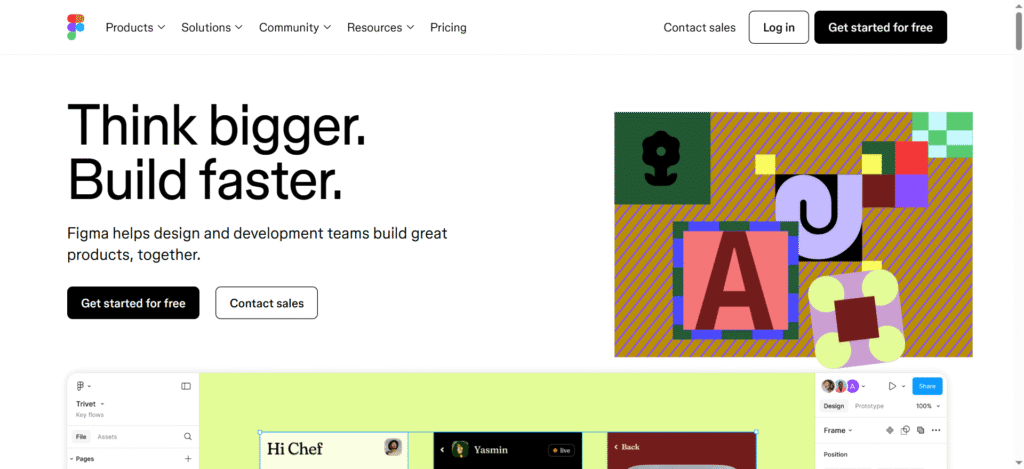
Figma is a design platform built for thinkers who move fast. It brings teams together
inside a shared digital space where ideas turn into real interfaces without the need for endless downloads or complicated setups. Collaboration happens in real time, making the design process feel lighter, quicker, and more connected.
What is a Figma UI Kit?
A Figma UI Kit is a collection of ready-made design components built to speed up the creative journey. It offers pre-designed buttons, forms, navigation bars, templates, and more.
Instead of building every element from scratch, the free Figma resources for designers helps them to have a strong foundation of customization of any web page.
Key Benefits of Using a Figma UI Kit
- Start faster with a library of polished components.
- Keep designs consistent across every screen and section.
- Save hours that would be lost recreating basic elements.
- Experiment with layouts without rebuilding from zero.
- Quickly align with client feedback and make edits on the fly.
- Build prototypes that look and feel closer to the final product.
- Work more fluidly with developers by handing off clean assets.
- Focus on high-value creative work rather than repetitive tasks.
Best Free Figma UI Kits for Web Designers in 2025
Best Figma UI Kits for Web Designers in 2025
| UI Kit / Design System | Best For | Components / Features | Price / Access |
| Untitled UI | All-purpose, large projects | 10,000+ components, 900+ styles, dark mode | Free / $129+ |
| iOS 18 & iPadOS 18 UI Kit | Apple ecosystem apps | Official templates, icons, color guides, adaptive components | Free (Apple) |
| Material 3 Design Kit | Android apps | Adaptive components, dynamic theming, responsive layouts | Free (Google) |
| Ant Design System for Figma | Enterprise web apps and React-based dashboards | 50+ ready-made components (tables, modals, forms), 30+ style presets, auto-layout | Free (Community-driven) |
| Carbon Design Kit | Accessible, high-compliance web applications | WCAG-friendly components, keyboard navigation states, Sketch-to-Figma support | Free (IBM open-source) |
| Eva Design System | Dashboards, e-commerce, cross-platform prototypes | 480+ UI components, light & dark theme variables, detailed documentation | Free (Akveo open-source) |
- Untitled UI Kit
➡ Perfect For: All-purpose, large-scale design projects
➡ Key Features:
- 10,000+ components
- 900+ styles
- Dark mode support
➡ Price: Free, with an upgraded version at $129+
➡ Why Is It Great?
Untitled UI offers a vast component library with versatile options for designing sophisticated interfaces. It’s suitable for both small startups and large corporations, especially for creating free Figma dashboard templates, or even entire websites.
The free version is incredibly generous, offering a range of components, styles, and templates, while the premium version includes an expanded toolkit with advanced components and additional styling options.
- iOS 18 & iPadOS 18 UI Kit
➡ Perfect For: Apple ecosystem apps (iPhone, iPad)
➡ Key Features:
- Official templates
- Apple icons
- Color guides and adaptive components
➡ Price: Free (Offered by Apple)
➡ Why Is It Great?
This official Figma UI kit offers everything needed for seamless app development within the Apple ecosystem. It’s designed to save time for mobile app designers by providing ready-made components, system icons, and color schemes that follow the latest Apple design guidelines.
iOS 18 mobile UI Kits, Figma comes at no cost, making it an invaluable resource for designers focused on building apps tailored for iOS and iPadOS devices.
3. Material 3 Design Kit
➡ Perfect For: Android apps and responsive web design
➡ Key Features:
- Adaptive components
- Exclusive theming and responsive layouts
➡ Price: Free (Offered by Google)
➡ Why Is It Great?
The Material 3 UI Kit is Google’s flagship toolkit for Android and cross-platform app designs. This free resource offers a complete set of components designed to adapt to various screen sizes and themes.
With its exclusive theming system, designers can build apps that look cohesive and polished across different devices. Material 3 is one of the best free Figma UI kits for web designers who aim to adhere to Android’s latest design principles.
4. Ant Design System for Figma
➡ Perfect For: Enterprise web apps and React-based dashboards
➡ Key Features:
- 50+ ready-made components (tables, modals, forms)
- 30+ text and color style presets
- Auto-layout grids for responsive design
➡ Price: Free (Community-driven)
➡ Why Is It Great?
Ant Design System for Figma brings the proven React UI framework into your design workspace. With production-ready components that follow enterprise UX patterns, you can prototype complex admin panels and data-heavy interfaces in minutes. Its built-in auto-layout ensures your designs adapt fluidly to different screen sizes, making it one of the best free Figma UI kits for web designers.
5. Carbon Design Kit
➡ Perfect For: Accessible, high-compliance web applications
➡ Key Features:
- Full suite of WCAG-friendly components
- Keyboard-navigation and focus states included
- Migration support from Sketch to Figma
➡ Price: Free (IBM open-source)
➡ Why Is It Great?
Carbon Design Kit embeds accessibility best practices into every element, so you don’t have to reinvent the wheel. Each component meets strict contrast and usability standards, helping you build inclusive interfaces without extra effort. This makes it a top pick among free Figma resources for designers who prioritize compliance and user comfort.
6. Eva Design System
➡ Perfect For: Dashboards, e-commerce, and cross-platform prototypes
➡ Key Features:
- 480+ UI components covering desktop and mobile
- Light and dark theme variables with live updating
- Comprehensive usage documentation and examples
➡ Price: Free (Akveo open-source)
➡ Why Is It Great?
Eva Design System offers a powerful theming engine that automatically applies your color and typography choices across all components. That means you can shift from light to dark mode or adjust brand colors with zero manual tweaks. Packed with dashboard and e-commerce templates, it’s one of the most flexible free Figma dashboard templates available.
Conclusion
In 2025, selecting the best Figma UI kits can make or break a project’s success. Whether you’re opting for free Figma UI kits like the 2025 Ultimate Design System for early-stage projects or investing in premium Figma UI kits like Glow UI for scalable, professional use, your toolkit shapes your workflow.
Hence, by understanding the features and capabilities of each kit, from responsive designs to advanced customizations, designers can save time and enhance productivity. No matter the budget, selecting the right Figma UI kit ensures a seamless, high-quality design process that drives impactful results.