• Website Builders
  • WP Themes
  • WP Plugins
  • Hosting
  • Resources
  • Deals
  • More
    • Recommend WP Themes
    • Recommend HTML Theme
WPEngine - Managed Hosting
WordPress Power Packs
  • WordPress themes vs. page builders
    WordPress Theme vs. Page Builder: What’s the Difference and Do You Need Both?
    • July 6, 2026
  • Build Digital Marketing Agency Using Divi Theme
    How to Build a Digital Marketing Agency Website with Divi (Step-by-Step Guide)
    • June 27, 2026
  • Divi vs. Oxygen Builder: Which is better WP builder?
    Divi vs Oxygen Builder 2026: Which WordPress Builder Is Better for Speed, SEO, and Design?
    • June 14, 2026
  • Website Builders
  • WP Themes
  • WP Plugins
  • Hosting
  • Resources
  • Deals
  • More
    • Recommend WP Themes
    • Recommend HTML Theme
Compare Wix, Webflow and WordPress in 2025
  • Website Builders

Wix vs Webflow vs WordPress: Which Website Builders Reigns Supreme in 2026

  • June 8, 2025
  • 5 minute read
  • Shaurya Preet
Total
0
Shares
0
0
0

Small business owners, designers and first-time website builders face a critical decision in 2026, i.e., which platform will power their online presence. Wix, Webflow and WordPress each promise distinct strengths. So how do you decide when it feels like everything’s riding on making the right move?

With around 71–72% of small businesses already owning a website, it’s clear just how vital it is to have a digital home base. But even with that in mind, the question keeps popping up, ‘Which platform is actually going to fit your unique goals?’ Pick the wrong one, and you could be staring down a path full of wasted time, extra costs, and no small amount of frustration. So in 2026, which one really delivers Wix, Webflow, or WordPress?

In this post, we’re diving deep into the pros and cons of each to help you cut through the noise. Whether your focus is a sleek portfolio, a business-ready site, or something built for SEO from the ground up, we’ll help you land on the right fit, so you can build smarter, not harder.

Wix vs Webflow vs WordPress The Right Website Builders

In 2026, stepping into the world of website creation means choosing between some seriously capable platforms and leading the pack are Wix, Webflow, and WordPress. But what really separates them? They might all be considered the best website builders in 2026, but each brings something different to the table.

Wix tops the popularity charts, grabbing a hefty 45% of the market and powering more than 8 million live sites. It’s all about ease perfect for anyone looking to get online fast without diving into complex tools. With its drag-and-drop builder, designing a sleek, professional-looking site is a breeze, even if you’ve never touched a line of code.

Webflow, by contrast, is a dream come true for designers and creatives. It offers unmatched design control, letting you fine-tune every detail. If you’re building a dynamic, visually polished site, Webflow’s advanced customization tools and powerful content management system have your back.

Then there’s WordPress, the veteran of the group. It’s built a reputation on being endlessly adaptable and highly scalable. Thanks to a massive plugin library, WordPress can morph into anything from a simple blog to a full-fledged e-commerce powerhouse.

So, how do these three stack up when it comes to features that really matter? Let’s take a closer look.

Wix vs Webflow vs WordPress: The Distinctions

When you’re choosing among the best website builders in 2026, Wix, Webflow and WordPress each shine in their own way. Let’s look at what makes each one fit your needs:

1. Wix: The Best No Code Website Builder, 2026
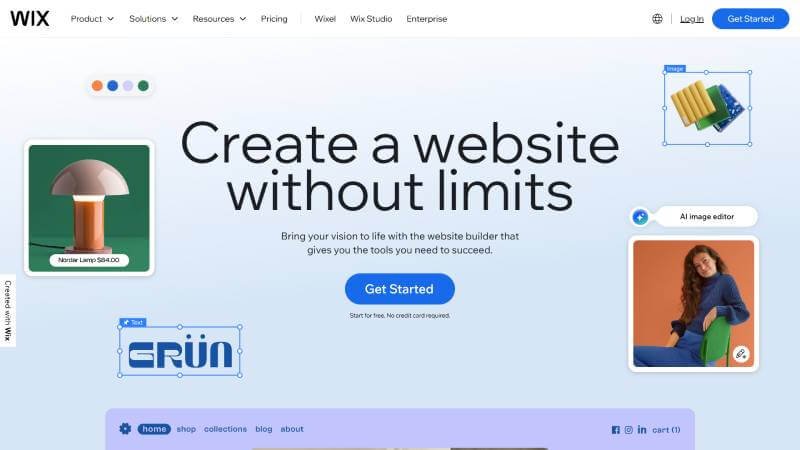
Wix Website builder

Visual Editor

    Drag and drop text boxes, images, buttons and video players onto your page canvas. Alignment guides appear so you place items precisely without guessing.

    Template Library

      Browse categories such as portfolio, restaurant and online store. Each template includes sample content and style settings. Replace the placeholder text and images, adjust fonts in the sidebar panel and publish.

      App Market

        Search for features like booking or chat to see ratings and install count. Add a module with one click. For example, the booking app lets you set service times, staff schedules and automatic reminder emails with no coding.

        Managed Environment

          SSL certificate, daily backups and platform updates happen automatically. If your site traffic spikes, Wix scales resources so pages load quickly.

          2. Webflow: The Drag and Drop Website Builder
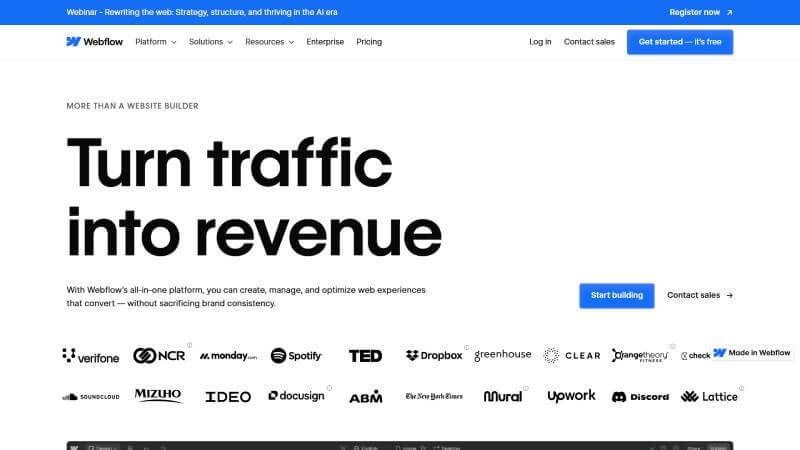
          Webflow Website Builder

          Style Panel Precision

            Select any page element and modify its margin, border or padding in the style panel. You can then copy the style settings it creates and send them to your developer.

            Interactions and Animations

              Choose a way such as scrolling or clicking then define a sequence of style changes like fade‑in or move. Preview in real time while the system writes the necessary scripts behind the scenes.

              Content Collections

                Create a content type such as blog post or product with fields for title, image and description. Design one template page and Webflow fills it with each entry automatically. Add new items in the editor and watch updates of pages without extra steps.

                SEO Settings

                  In the page settings panel edit the page title, description and social preview text. Turn on automatic sitemap generation and set up redirects without installing extra tools.

                  3. WordPress: The SEO-friendly Website Builder
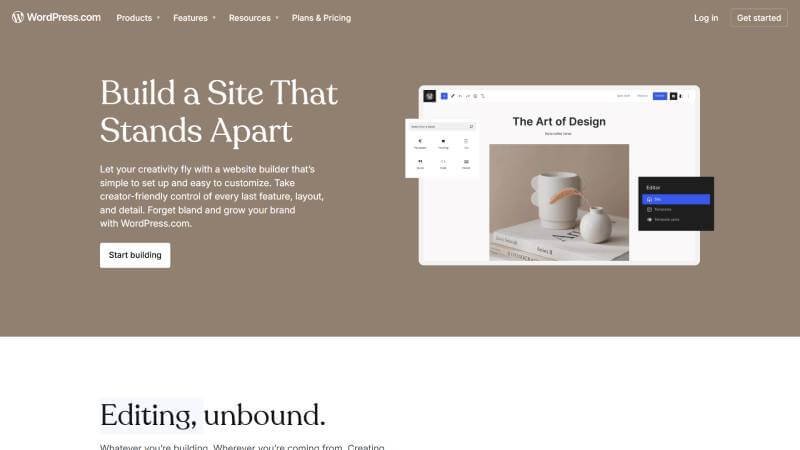
                  WordPress Website Builder

                  Extensive Plugins

                    Go to the plugins menu, search for a feature and install with a click. Plugins add tools for SEO, security, forms or online stores. Each one integrates into the dashboard for easy setup.

                    Theme System

                      Under appearance choose a theme to change your site’s look. To customize further you activate a child theme and adjust its template files. Updates to the main theme won’t overwrite your customizations.

                      Hosting Flexibility

                        Pick any server type such as shared, virtual private or dedicated. Install the software you need for performance tuning and caching. You decide how to back up and secure your site.

                        Developer Tools

                          Manage your site from the command line or use the built‑in editor to add custom functions. Connect external applications via the REST API for a headless setup if you want to run the front end separately.

                          Wix vs Webflow vs WordPress: Quick Comparison

                          ParametersWixWebflowWordPress
                          Ease of UseVery user-friendly, drag-and-dropSlightly steeper learning curve, but intuitiveRequires some technical knowledge, but beginner-friendly
                          Design Flexibility in Website BuildersLimited customizationHigh design control and customizationHigh customization with themes and plugins
                          TemplatesLarge selection of pre-built templatesCustom-built designs, no templates neededThousands of themes available, many customizable
                          SEO CapabilitiesBasic SEO optionsAdvanced SEO controlsExtensive SEO plugins and customizations
                          E-commerceBasic e-commerce featuresAdvanced e-commerce functionalityFull-scale e-commerce with plugins like WooCommerce
                          CMS FeaturesLimited CMS optionsPowerful CMS with dynamic content managementRobust CMS with extensive plugin options
                          Custom Code AccessLimited custom codeAllows full custom code integrationFull access to custom code and themes
                          Best ForSmall businesses, portfolios, simple websitesDesigners, portfolios, and advanced websitesBlogs, large businesses, long-term scalability
                          Support and Resources24/7 support, extensive help centerLimited, but great community forumsMassive community and extensive resources
                          ScalabilityLimited scalabilityScalable for custom websitesHighly scalable, suitable for businesses of all sizes

                          If you want to compare more visual editing platforms, check out our guide to the best drag-and-drop website builders.

                          Conclusion

                          Choosing between Wix and Webflow for a portfolio website, or Wix and WordPress for small businesses, really comes down to what you’re looking to achieve. Each platform brings something different to the table, so having a clear idea of your goals can make the decision a lot easier. 

                          Whether you want something quick and simple or a site that’s built to scale with your business in 2026, knowing the strengths of each tool is key. From a basic blog to a sleek portfolio or a full-blown e-commerce store, there’s a builder out there that’ll suit your vision just right.

                          If AI-powered website creation is your priority, see our comparison of the best AI website builders in 2026.

                          Total
                          0
                          Shares
                          Share 0
                          Tweet 0
                          Pin it 0
                          Shaurya Preet

                          Hey, I am Shaurya Preet. CEO & Founder of Themez Hub. I am frequently researching the latest trends in digital design and new-age Internet ideas.

                          Previous Article
                          Web Design Trends in 2025
                          • Web Design

                          Top 10 Web Design Trends You Shouldn’t Ignore in 2025

                          • June 5, 2025
                          • Shaurya Preet
                          View Post
                          Next Article
                          Figma UI Kits
                          • Figma
                          • UI/UX

                          Best Free & Premium Figma UI Kits for Web Designers in 2025

                          • June 11, 2025
                          • Shaurya Preet
                          View Post
                          You May Also Like
                          10 Best AI Website Builders in 2026: Features, Pricing & Comparison
                          View Post
                          • Best AI Website Builders
                          • Website Builders

                          10 Best AI Website Builders in 2026: Features, Pricing & Comparison

                          • Dhananjay kr.
                          • August 10, 2026
                          Best Drag-and-Drop Website Builder
                          View Post
                          • Website Builders

                          10 Best Drag-and-Drop Website Builders in 2026: Tested & Expert Reviewed

                          • Shaurya Preet
                          • July 10, 2026
                          WordPress themes vs. page builders
                          View Post
                          • Compare
                          • Website Builders
                          • WP Themes

                          WordPress Theme vs. Page Builder: What’s the Difference and Do You Need Both?

                          • Shaurya Preet
                          • July 6, 2026
                          Divi Vs. Bricks: Which is better wordpress builder
                          View Post
                          • Compare
                          • Website Builders

                          Divi vs. Bricks Builder 2026: Which WordPress Builder Is Better for Speed, Design, and SEO?

                          • Shaurya Preet
                          • June 7, 2026
                          Elementor #1 Page Builder for WordPress 2025
                          View Post
                          • Reviews
                          • Website Builders

                          Elementor Review 2026: Features, Pricing, Pros & Cons (Is It Worth It?)

                          • Dhananjay kr.
                          • December 7, 2025
                          Astra vs Elementor
                          View Post
                          • Website Builders

                          Astra vs Elementor: The Ultimate Comparison for WordPress Users

                          • Shaurya Preet
                          • November 29, 2025
                          Divi vs WPbakery
                          View Post
                          • Website Builders

                          Divi vs WPBakery: Which is Better for Designers in 2025

                          • Shaurya Preet
                          • October 22, 2025
                          Why People Loving Wix
                          View Post
                          • Website Builders

                          10 Reasons Why Beginners Love Wix for Website Creation

                          • Shaurya Preet
                          • October 11, 2025
                          Read What’s Trending Now
                          • 10 Best AI Website Builders in 2026: Features, Pricing & Comparison
                            10 Best AI Website Builders in 2026: Features, Pricing & Comparison
                            • August 10, 2026
                          • Godlike.Host Vs Bluehost
                            Godlike.Host vs Bluehost: Which Hosting Provider Offers Better Value in 2026?
                            • July 29, 2026
                          • Best WordPress Migration plugins
                            10 Best WordPress Migration Plugins to Move Your Website Without Downtime (2026)
                            • July 25, 2026
                          • How To Improve Core Web Vitals 2026
                            How to Improve Core Web Vitals in 2026: 15 Proven Optimization Tips
                            • July 21, 2026
                          Elementor Website builder
                          ThemezHub

                          © 2026 Themezhub Powered By BootstrapWire Technologies. All Rights Reserved. This site is not affiliated with the WordPress® Foundation. WordPress® is a registered trademark of the WordPress Foundation.

                          Social Links
                          Likes
                          Followers
                          Followers
                          Followers
                          Followers
                          Followers
                          Join Our Mailing List

                          • Write For Us
                          • About Us
                          • Advertisement
                          • Say Hi
                          • Privacy

                          Input your search keywords and press Enter.

                          Manage Consent

                          We use cookies to ensure you get the best experience on our website. View our privacy policy.

                          Functional Always active
                          The technical storage or access is strictly necessary for the legitimate purpose of enabling the use of a specific service explicitly requested by the subscriber or user, or for the sole purpose of carrying out the transmission of a communication over an electronic communications network.
                          Preferences
                          The technical storage or access is necessary for the legitimate purpose of storing preferences that are not requested by the subscriber or user.
                          Statistics
                          The technical storage or access that is used exclusively for statistical purposes. The technical storage or access that is used exclusively for anonymous statistical purposes. Without a subpoena, voluntary compliance on the part of your Internet Service Provider, or additional records from a third party, information stored or retrieved for this purpose alone cannot usually be used to identify you.
                          Marketing
                          The technical storage or access is required to create user profiles to send advertising, or to track the user on a website or across several websites for similar marketing purposes.
                          • Manage options
                          • Manage services
                          • Manage {vendor_count} vendors
                          • Read more about these purposes
                          View preferences
                          • {title}
                          • {title}
                          • {title}