Editorial Note: We may earn a commission when you visit links on our website.
If you’ve ever Googled “how to start a blog” or “how to build a website,” chances are you’ve stumbled across both WordPress.com and WordPress.org—and closed the tab more confused than before. Trust me, you’re not alone. The same name, two completely different products. It trips up pretty much everyone when they’re starting out, and honestly? It makes total sense that it does.
I’ve worked with a lot of people trying to get their first website off the ground—bloggers, freelancers, small businesses, affiliate marketers, you name it. And the same mistake comes up more than any other: they pick the wrong WordPress and then have to backtrack. Sometimes weeks, sometimes months of wasted work. This guide exists so you don’t have to learn that the hard way.
WordPress.com vs WordPress.org
Go with WordPress.com if you just want to get something up without dealing with the technical side of things. It works well for a personal blog, a portfolio, or a straightforward site that doesn’t need much beyond the basics. The tradeoff is that you’re working within their rules—limited customization, a restricted plugin library, and some real roadblocks if you eventually want to monetize.
Go with WordPress.org if you’re planning to grow your website over time. Whether you’re starting a blog, an affiliate website, a business site, or an online store, it gives you complete control. You can install any plugins, use any theme, and monetize your website however you like.
Overall WordPress.org wins for almost every serious use case in 2026.
What Is WordPress.com?
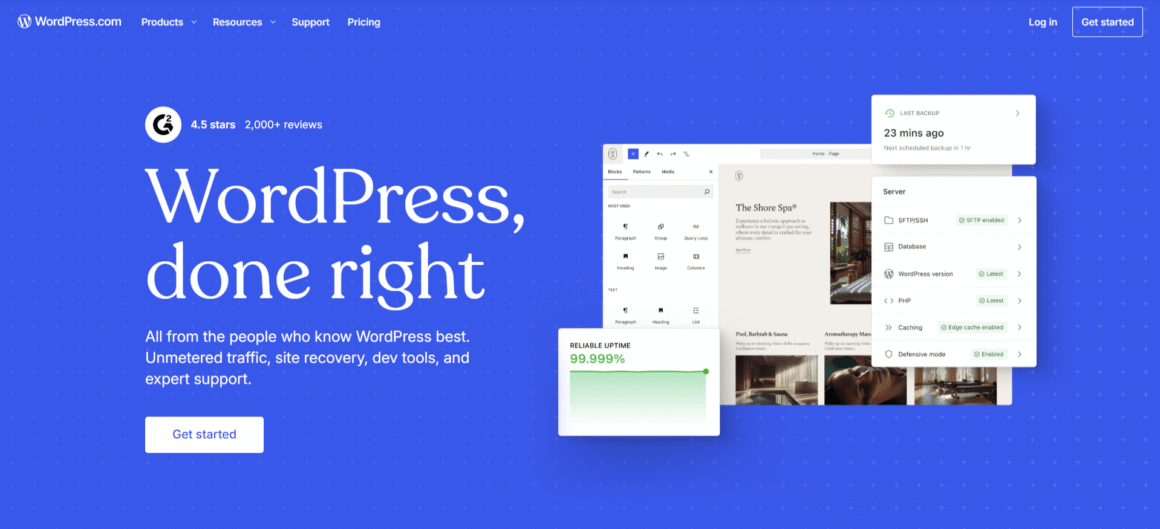
WordPress.com is a hosted platform run by Automattic — the company Matt Mullenweg, one of the original WordPress co-creators, started. The basic idea is that everything’s handled for you. Hosting, updates, security — Automattic takes care of all of it behind the scenes. You just create an account and start building.
How WordPress.com Works
You create a free or paid account, choose a plan, pick a theme, and start publishing. No server setup. No domain registration required on free plans (though you can add one). Everything is managed for you.
WordPress.com Pros
- No technical setup — ideal for absolute beginners
- Free plan available (with limitations)
- Automatic security, backups, and updates
- Built-in CDN and decent loading speeds
- No hosting bill to manage separately
WordPress.com Cons
- Severely limited WordPress Plugins on lower plans
- You can’t install custom WordPress Themes unless you’re on expensive plans
- WordPress SEO capabilities are restricted—no full access to plugins like Yoast or RankMath on basic plans
- Limited monetization options (Automattic takes a cut or restricts ads)
- Website Ownership is murky—Automattic can suspend your site
- Locked into their ecosystem; hard to migrate later
- Feels watered-down compared to the real thing
What Is WordPress.org?
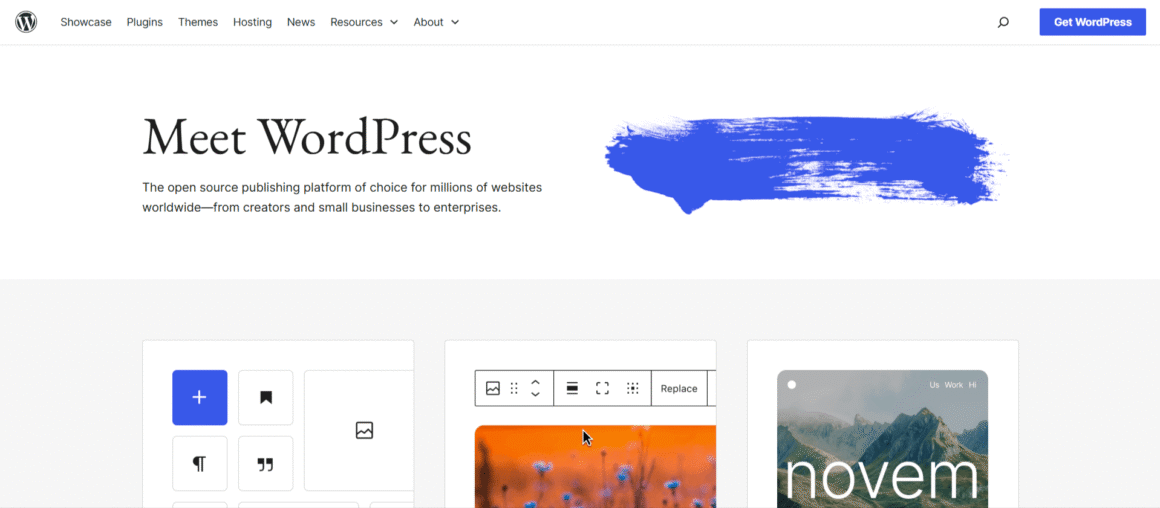
WordPress.org is where you download the actual WordPress software — free, open-source, yours to install on whatever hosting you choose. When someone in the industry just says “WordPress,” this is what they mean. It runs somewhere around 43% of the entire internet as of 2026, everything from tiny personal blogs to major media outlets.
How WordPress.org Works The basic setup goes like this:
You register a domain, pick a hosting plan—shared, managed, or cloud—and install WordPress. Most hosts do this in a single click these days. Once that’s done, everything is yours. The files, the database, the content. Nobody else has a claim on any of it.
This is self-hosted WordPress, and it gives you complete freedom.
WordPress.org Pros
- 100% ownership and control of your website
- Access to 60,000+ WordPress Plugins (free and premium)
- Thousands of WordPress Themes, including premium options
- Full WordPress SEO control via Yoast, RankMath, and more
- Complete monetization freedom — ads, affiliates, memberships, eCommerce
- Unlimited scalability
- Portable — you can move hosts anytime
WordPress.org Cons
- You manage your own hosting (though Managed WordPress hosting removes most of this burden)
- Small learning curve upfront
- Responsible for your own backups and security (again, managed hosts handle this)
- Monthly hosting costs (though budget options start under $5/month)
WordPress.com vs WordPress.org: Comparison
| Feature | WordPress.com | WordPress.org |
|---|---|---|
| Pricing | Free to $45+/month | Hosting from ~$3–$30/month |
| Customization | Limited on free/basic plans | Unlimited |
| Themes | Limited selection unless on high-tier plans | 60,000+ (free + premium) |
| Plugins | Restricted to approved plugins | 60,000+ plugins, install anything |
| SEO | Basic SEO requires paid plans; advanced SEO requires paid plans | Full control with dedicated SEO plugins |
| Monetization | Restricted; Automattic takes cut on lower plans | Unlimited — ads, affiliates, WooCommerce |
| Security | Handled by Automattic | Your responsibility (or your managed host’s) |
| Ease of Use | Very beginner-friendly | Slight learning curve, but still accessible |
| Ownership | Automattic controls the platform | You own everything |
| Scalability | Hits a ceiling quickly | Scales from blog to enterprise |
WordPress.com vs WordPress.org for Different Users
Bloggers
If you’re just writing for friends and family with no real ambition to grow it, WordPress.com’s free plan can get the job done. But the moment you want to build an audience, run ads, do affiliate marketing, or put any kind of brand behind what you’re doing—WordPress.org is the move. Yes, there’s a learning curve. It’s real, and it’ll probably frustrate you at some point. But people figure it out every day, and what you get on the other side is worth it.
Affiliate Marketers
WordPress.org, without question. Affiliate marketing lives and dies on WordPress SEO, site speed, and plugin flexibility. You need full control over technical SEO, schema markup, internal linking structures, and page builders. None of that is achievable on WordPress.com’s lower tiers. If how website speed impacts SEO and conversions matters to your business—and it does—you need self-hosted WordPress on a quality host.
Small Businesses
WordPress.org. Period. A business website is a business asset. You can’t afford to have your site suspended by Automattic, and you can’t afford limited customization when trying to differentiate your brand. With self-hosted WordPress and a good theme or page builder like Elementor or Kadence, you can build a professional site for far less than hiring a web agency.
Freelancers
WordPress.org is the right call for portfolio sites and client work. It also lets you offer WordPress management as a service — a lucrative add-on. If you’re building sites for clients, you’ll want to be intimately familiar with self-hosted WordPress anyway.
Agencies
WordPress.org on managed WordPress hosting, every time. Agencies need things to be fast, reliable, and preferably white-labeled—and managed WordPress hosts are built exactly for that. WP Engine and Kinsta are the names that come up most in this space, and for good reason. These aren’t your standard shared hosting setups. They’re infrastructure built from the ground up around WordPress performance.
eCommerce Stores
WordPress.org with WooCommerce. Full stop. WordPress.com does offer WooCommerce on its Commerce plan, but you’re paying a premium for less flexibility than you’d get by simply self-hosting. If you’re comparing hosting options for a store, check the Best WooCommerce Hosting Providers in 2026 for the top performers.
SEO: WordPress.com vs WordPress.org
This is where the gap between the two platforms is most obvious.
Control
On WordPress.org, you control your URL structure, canonical tags, robots.txt, XML sitemaps, redirects, and schema markup. On WordPress.com, much of this is either automatic and unchangeable or locked behind expensive plans.
Plugins
WordPress SEO plugins like Yoast SEO and RankMath are available only on WordPress.com’s Business plan ($25+/month). On WordPress.org, they’re free to install on any hosting plan.
Technical SEO
Core Web Vitals, page speed, image optimization, lazy loading, caching—all of these are configurable on self-hosted WordPress through plugins like WP Rocket, Imagify, or Smush. On WordPress.com, you take what Automattic gives you.
Site Speed
Speed is a Google ranking factor. Managed WordPress hosts like Kinsta and WP Engine run on Google Cloud and AWS infrastructure, respectively, with server-level caching and global CDNs that genuinely outperform WordPress.com’s infrastructure. If this matters to your business — and again, it does — self-hosted wins.
Monetization: WordPress.com vs WordPress.org
Ads
On WordPress.com’s free and personal plans, Automattic can run their own ads on your site and pocket the money. If you want to run your own ads—Google AdSense, Mediavine, whatever you’re using—you’ll need to upgrade to a paid plan first. On WordPress.org, none of that applies. You control where the ads go, and you keep everything you earn right from the start.
Affiliate Marketing
WordPress.org is the clear winner. You can install dedicated affiliate link management plugins (ThirstyAffiliates, Pretty Links), build comparison tables, and create landing pages with full A/B testing capabilities—none of which is freely available on WordPress.com.
Selling Products
WordPress.com does offer WooCommerce on their Commerce plan, but you’re paying $45 a month for it—and honestly, you’re not getting $45 a month’s worth of value. The same thing on WordPress.org, paired with a solid host like SiteGround or Cloudways, will cost you significantly less and give you a lot more room to work with.
Membership Websites
MemberPress, Restrict Content Pro, Paid Memberships Pro—these are WordPress plugins that transform your site into a full membership platform. They’re available only on WordPress.org. WordPress.com simply doesn’t support this level of customization on reasonable plans.
Pricing Breakdown: What You’ll Actually Pay
WordPress.com Plans (2026)
- Free — Your site lives on a wordpress.com subdomain; Automattic ads may appear; no custom plugins
- Personal (~$9/month) — Custom domain, no ads, still very limited
- Premium (~$18/month) — More themes, basic monetization tools
- Business (~$25/month) — Plugin access finally unlocked; this is where it starts resembling real WordPress
- Commerce (~$45/month) — WooCommerce included
WordPress.org (Self-Hosted) Real-World Costs
- Domain: Choose a good domain name from Namecheap ~$10–$15/year.
- Shared Hosting: $3–$8/month (SiteGround, Bluehost, Hostinger).
- Managed WordPress Hosting: $20–$50/month (WP Engine, Kinsta, or Cloudways).
- Premium Theme (optional): $40–$100 one-time.
- Premium Plugins (optional): Varies; many excellent free options exist.
Personal Thoughts: A solid WordPress.org setup with managed hosting costs roughly the same as WordPress.com’s Business plan—but gives you 10x the control. For most serious users, the math isn’t close.
Common Beginner Mistakes
- Starting on WordPress.com and trying to migrate later. It’s possible, but painful. Start right the first time.
- Choosing WordPress.org but skimping on hosting. Cheap shared hosting can make your site slow and unreliable. If budget is a concern, check the difference between managed WordPress hosting vs. shared hosting to understand what you’re trading off.
- Ignoring backups. On WordPress.org, this is your responsibility unless your host handles it. Use UpdraftPlus or choose a host with daily backups built in.
- Installing too many plugins. Quality over quantity. Bloated plugin stacks kill site speed and create security vulnerabilities.
- Not connecting Google Search Console and Analytics from day one. These are free and essential for tracking your WordPress SEO progress.
Frequently Asked Questions
Is WordPress.com actually free?
There is a free plan, but it’s stripped down to the point where it’s hard to do much with it. No custom plugins, limited ways to make money, and your URL ends up as yoursite.wordpress.com. If you’re building anything you actually care about, you’ll end up on a paid plan pretty quickly.
Is WordPress.org actually free?
The software is free. What you’re paying for is hosting and a domain, which for a new site can run as little as $50–$100 a year. That’s it.
Can I move from WordPress.com to WordPress.org later?
You can, but it’s more work than most people expect. You’ll export your content and set up hosting from scratch, and if your URLs change in the process, you could take a hit on SEO. It’s doable, just not fun. Starting on the right platform saves you all of that.
Do I need to know how to code to use WordPress.org?
No. Page builders like Elementor, Kadence Blocks, and Beaver Builder are fully visual — you’re dragging, dropping, and clicking, not writing code. Most beginners can put together something that looks genuinely professional over a weekend.
Which one is better for SEO?
WordPress.org, and it’s not particularly close. You get full plugin access, real control over technical SEO, and the freedom to pick a fast host. If search traffic matters to you at all, it’s the obvious choice.
What hosting should I use for WordPress.org?
Depends on where you’re at. Starting out, shared hosting from SiteGround or Hostinger gets the job done without breaking the bank. Once you start getting real traffic, managed WordPress hosts like Kinsta or WP Engine are worth the upgrade — better performance, better security, and actual support when something breaks.
Final Verdict: Which WordPress Should You Choose in 2026?
Here’s the honest truth after years of working with both platforms:
WordPress.com is a solid product — for a very narrow use case. If you’re keeping a personal journal, building a simple hobby blog with zero monetization goals, or need a temporary page for an event, it gets the job done with minimal friction.
But for everyone else — bloggers who want to grow, affiliate marketers, small business owners, freelancers, agencies, and anyone building an eCommerce store — WordPress.org is the only sensible choice.
The argument for WordPress.com essentially boils down to “it’s easier.” And yes, the setup is simpler. But the price you pay for that simplicity is website ownership, flexibility, SEO power, and monetization freedom. Those aren’t small things. They’re the foundation of any serious online business.
With self-hosted WordPress on a quality host, you get a platform that scales from zero to seven figures. Your data is yours. Your revenue is yours. Your site does what you tell it to do.
Start with the right foundation. Choose WordPress.org.