Disclosure: Some links on Themezhub are affiliate links. We may earn a commission if you make a purchase through them.

- Header Builder
- Site Builder
- WooCommerce
- Footer Builder
- Integrations and responsive controls
- Colors & Typography
- Blog Layouts

- Visual Drag-and-Drop Builder
- 200+ Design Elements
- 2,000+ Layouts
- Theme Builder
- Divi 5 Flexbox & CSS Grid
- WooCommerce Integration
- 1000’s of design Options
Starting out? You’ve probably hit the wall wondering—Astra vs Divi 2026 this year? One’s quick and clean, the other’s packed with tools. Designers use both, no doubt. Still, what really matters now is how fast your site loads, how much you can tweak it, and whether it’s worth the money you’re investing.
So let’s dig into which one truly leads today—not hype, just facts. We’re comparing pros and cons, pricing, and performance, making it easier for agencies, small businesses, and freelancers to pick right.
Quick Glance: Astra vs Divi Comparison
| Feature | Astra | Divi |
|---|---|---|
| Type | WordPress Theme | WordPress Theme + Visual Builder |
| Page Builder | Works with Elementor, Gutenberg & others | Built-in Divi Builder |
| Starter Templates | Starter Templates library | Divi Layouts & Starter Sites |
| Visual Editing | Through compatible page builders | Built-in Visual Builder |
| WooCommerce | Strong WooCommerce customization | WooCommerce modules & visual customization |
| Theme Builder | Available with Astra Pro | Built into Divi |
| Performance | Lightweight theme foundation | More design features built into the platform |
| Best For | Flexible theme + page builder setups | All-in-one visual website building |
| Free Version | Yes | No traditional free version |
| Paid Pricing | Astra Pro + AI starts at $99/year* | Divi plans vary by current offer |
| Main Strength | Flexibility and lightweight theme approach | Visual design and built-in builder |
What is Astra?
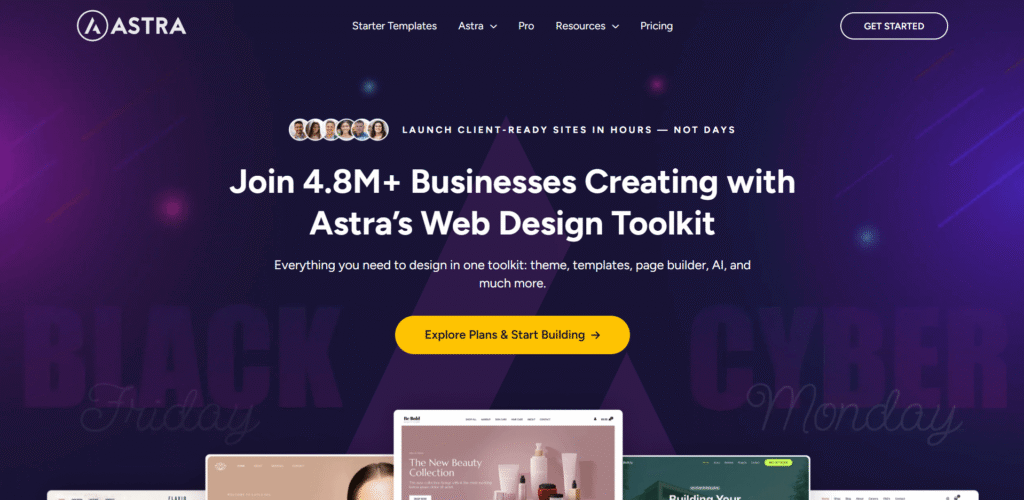
Astra runs light, fires up pages fast, and plays well with editors like Elementor or Gutenberg. It’s built around small, separate modules, letting people create unique websites with minimal bloat. This is why many call it the best WordPress theme of 2026 when you want full control.
What is Divi?
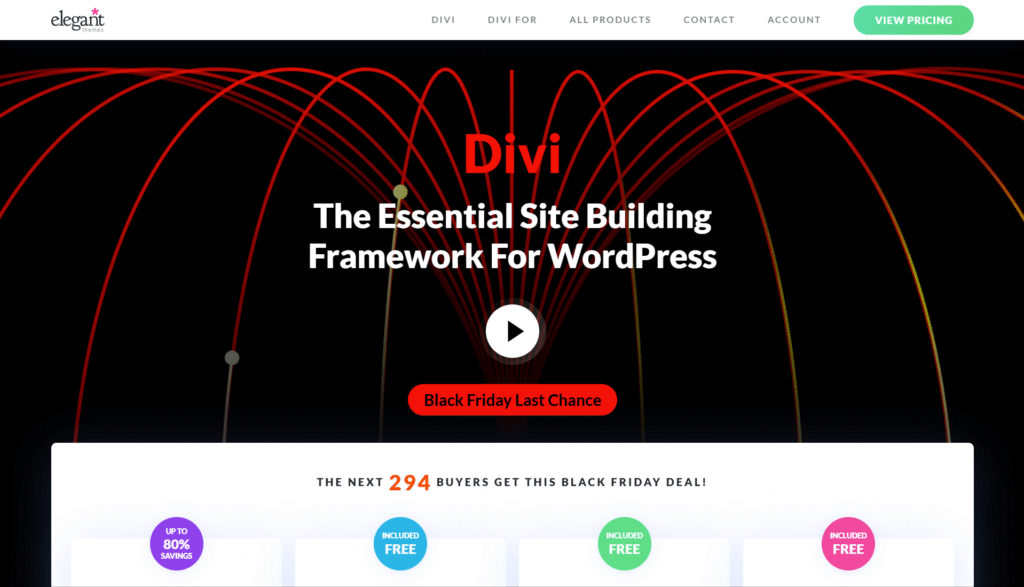
Divi Builder by Elegant Themes is a complete toolkit mixing a strong drag-and-drop builder, tons of pre-made templates, live test features, and integrated marketing tools. People like Divi because complex sections and flexible grids are easy to set up even if you don’t write code. In 2026, Divi shines for creative teams wanting everything in one go.
Astra vs. Divi Features: How Do They Differ in 2026?
What does Astra bring?
- Super slim coding helps pages run quicker and respond faster.
- More than 250 starting templates are available—for personal blogs, companies, stores, and more.
- Plays well with Elementor, Beaver Builder, and the Gutenberg block editor.
- Fine-tune fonts, craft headers/footers, and tweak shop details with ease.
- Supports AMP so phones get instant loading and better search ranking
- Works smoothly with LMS platforms for teachers and trainers
What Does Divi Include?
- The visual editor shows changes instantly, giving tight design and layout precision.
- Over 350 sets of layouts fitting nearly any field or niche
- Built-in split testing (A/B), email opt-in module (Bloom), and sharing tool (Monarch)
- Modules for carousels, image grids, forms, sliders, CTAs
- Responsive controls for mobile, tablet, and desktop—all while you design.
- Lifetime pricing option with unlimited site use
Astra vs Divi: Starter Templates
Astra and Divi both offer pre-built websites. You can use one instead of starting from scratch. Astra uses its Starter Templates library. Divi has its own layouts and Divi 5 Starter Sites.
Astra’s Starter Templates are available through the Starter Templates plugin. The library includes a large collection of pre-built websites. These are complete websites rather than single homepage designs. You can import a complete site and then replace the demo content. The import can include pages and menus, along with other parts of the site.
Divi has a large library of layouts too. Its current layout library includes hundreds of layout packs and thousands of individual layouts. Divi 5 also has Starter Sites that can be imported through Quick Sites. These sites can include pages, menus, Theme Builder templates, and global styles.
The main difference is how the Astra vs Divi templates fit into each product. Astra’s templates can work with the block editor and Elementor. Divi’s layouts are built around the Divi builder.
Both libraries cover common website types. Blogs get covered here. So do agencies, stores, portfolios, and service businesses. Which editor you plan to use matters here. So does how much you want to change after importing the design.
If you prefer a faster way to build a website with AI-assisted tools instead of starting with a traditional template, you can also explore our guide to the best AI website builders in 2026.
Astra vs Divi for WooCommerce
Astra and Divi both work with WooCommerce, though customizing a store looks different on each. That makes Astra vs Divi WooCommerce more about the design tools you actually want, rather than basic WooCommerce compatibility.
Astra works with WooCommerce in both its free and Pro versions. Astra Pro adds more WooCommerce controls. You can change parts of the shop and product pages. There are also options for the cart, checkout, product galleries, and other store elements.
Astra also adds features such as product filters and quick view. Variation swatches are available too. There are also more options for the cart and checkout.
Divi takes a more visual approach. Its WooCommerce modules work inside the Divi builder. You can use them when building product and shop pages. Cart and checkout pages can be customized there too.
For Astra vs Divi e-commerce, Astra gives you more theme-level WooCommerce controls. Divi puts more of the store design inside its visual builder. Both can handle a WooCommerce store, but the workflow is different.
Running a large WooCommerce store? Managed hosting can handle high traffic, growing product catalogs, and database-heavy plugins more reliably than basic shared plans. Compare your options in our guide to the best WooCommerce hosting.
Divi vs Astra Performance
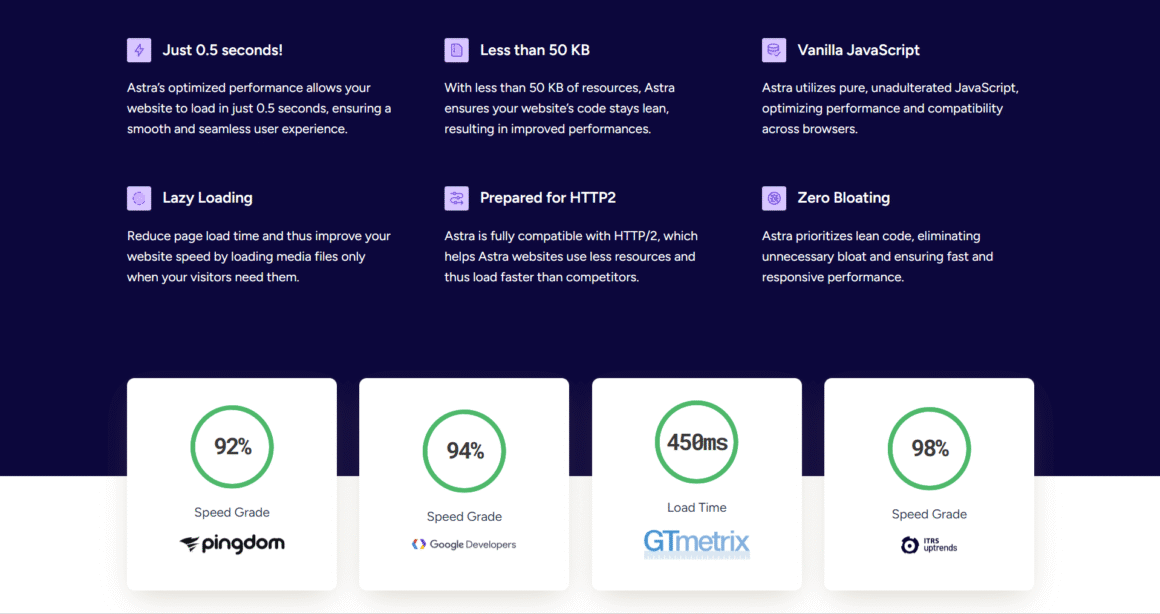
Astra loads noticeably faster, especially on basic servers or handheld devices. Its light structure (no builder overhead) and AMP help to boost rankings and keep visitors happy.
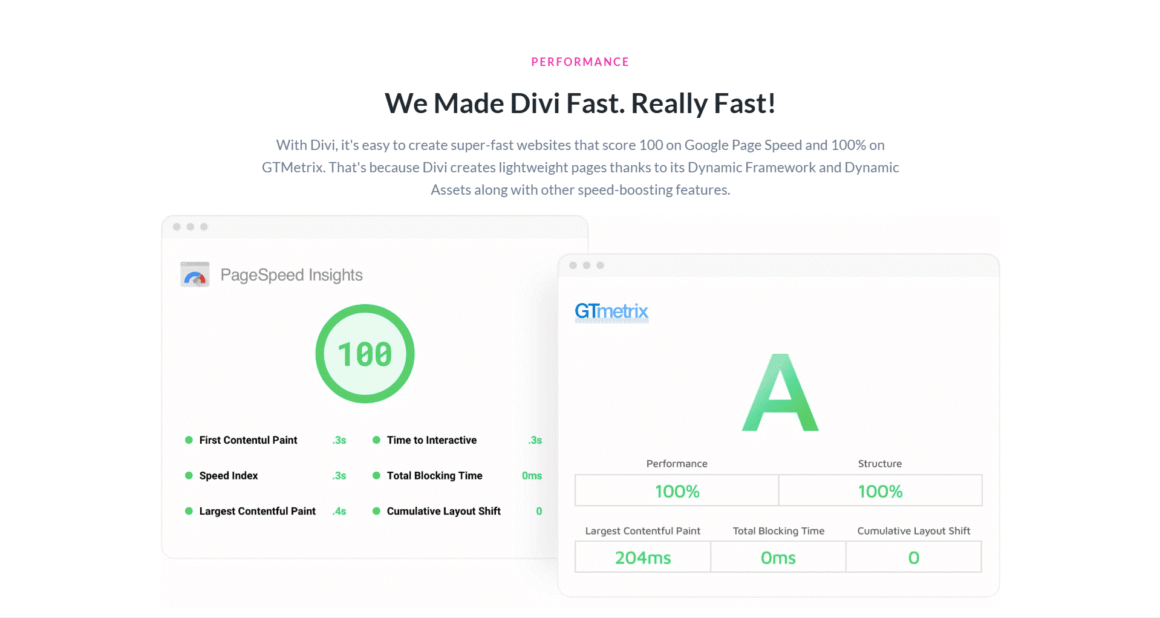
Divi has improved its modular CSS, caching, and loading performance this year, but it remains a heavier theme due to its built-in builder and rich suite of visual tools. With high-quality hosting and proper optimization to optimize WordPress Core Web Vitals, Divi runs smoothly—especially for sites where stunning visuals matter more than absolute speed.
Your theme or page builder matters, but hosting has a big say in how fast your WordPress site loads. Server speed, caching, and available resources all play a part. If you want a host built for WordPress, see our guide to the best managed WordPress hosting providers.
Astra vs Divi: Support and Documentation
Support can matter once you start changing the theme or building more complex pages. In an Astra vs Divi support comparison, both products provide documentation along with direct support options.
Astra has a knowledge base with guides and tutorials covering its main features. Its current paid plans also include support, with Astra listing 24/7 priority support on its higher-tier plans. The Astra dashboard also has a Learn section with tutorials and videos.
Divi has a large documentation library as well. Divi 5 now includes a Support Center inside WordPress. It provides access to documentation and help articles from the dashboard. The Support Center also includes tools such as Safe Mode, debug logs, system status information, and remote access for support.
The documentation covers more than basic setup. There are guides for the Visual Builder and Theme Builder. Divi also has documentation for Dynamic Content and newer Divi 5 features.
For Astra vs Divi documentation, both have plenty of written material available. Astra keeps much of its help around the theme and its related tools. Divi’s documentation goes deeper into its builder and the features added to Divi 5.
Astra vs Divi: SEO
Astra and Divi both bring features that help build an SEO-friendly WordPress site. Neither one replaces a dedicated SEO plugin though. That is important when looking at Astra vs Divi seo.
Astra includes SEO-related basics in the theme. It adds structured data for different parts of the site, including content and navigation. Astra Pro can also add breadcrumbs through its Page Headers module.
Divi gives you control over the page structure and the content you build with its editor. Divi 5 also adds semantic HTML options. You can use them where they fit the page. This gives you more control over the HTML structure.
Page structure is only one part of SEO though. Titles and descriptions still matter. So do content quality, internal links, indexing, images, and site speed. An SEO plugin can handle many of the controls that sit outside the theme or page builder.
Astra has SEO-related features built into the theme itself. Divi gives you more control over page structure through its builder. Neither one guarantees search rankings.
Astra vs Divi for Web Designers and Developers
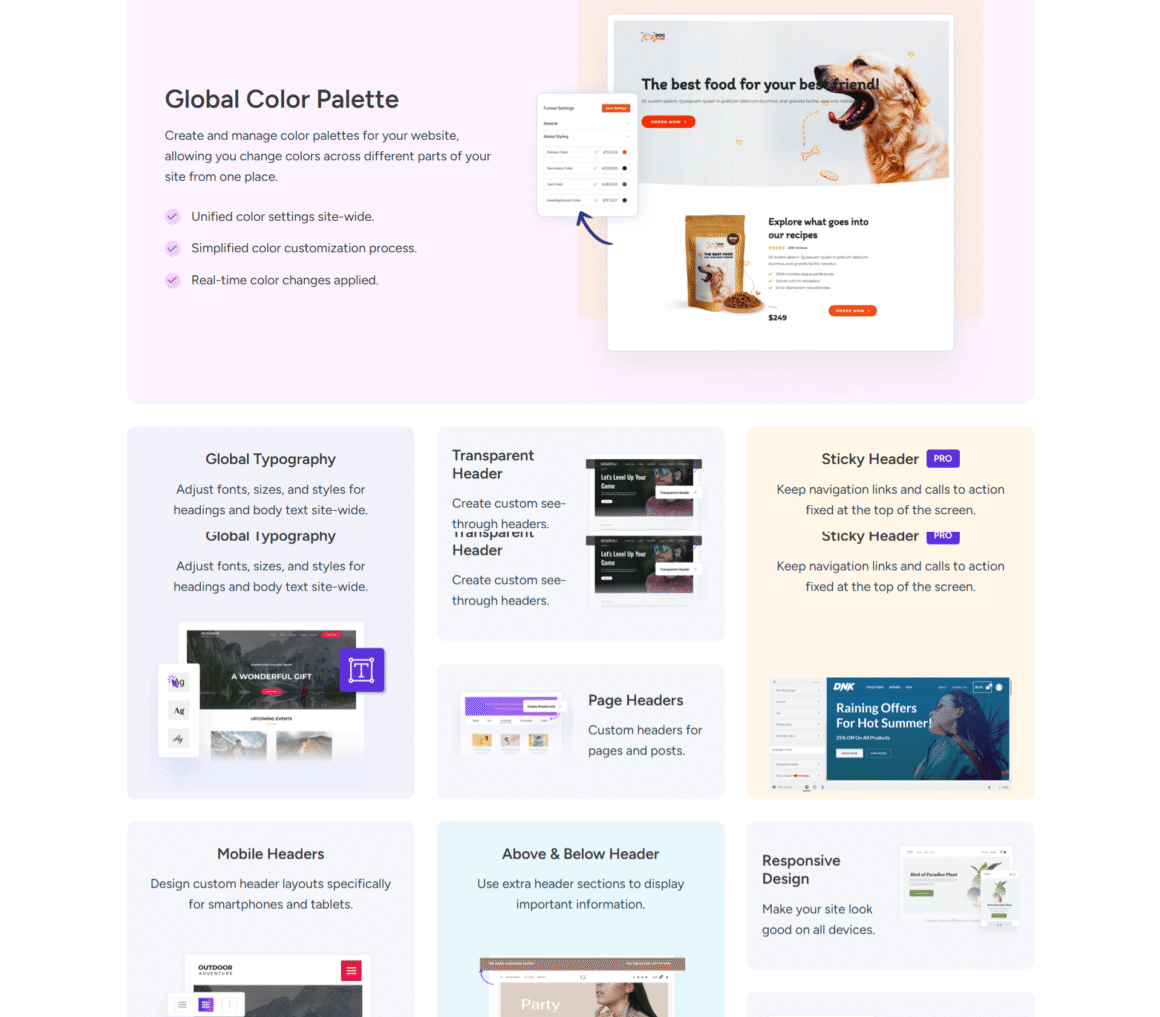
Astra is a favorite for those who rely on external builders and want clean, flexible sites. When choosing between Astra or Divi, its deep customization options let coders and designers build custom navigation, blogs, or online stores from the ground up.
Divi Hands creates an all-in-one editing, design, and promo environment—perfect if you want everything pre-integrated and don’t want to juggle multiple plugins.
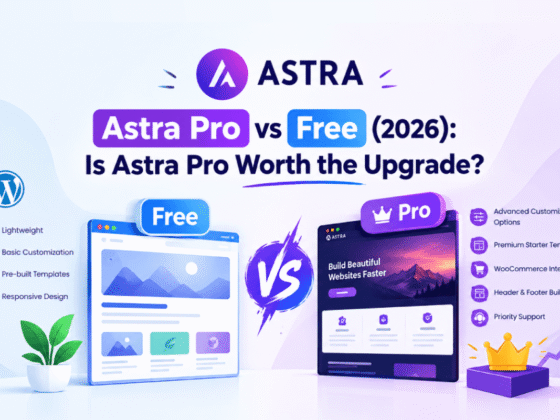
Astra Pro vs Divi 5
Astra Pro vs Divi 5 is slightly different from a basic Astra vs Divi comparison. Astra Pro extends the Astra theme. Divi 5 combines its theme with its visual builder.
Astra Pro features add more controls to the theme. You can create custom headers and footers. Astra Pro also adds more layout controls. There are additional options for site-wide design as well. WooCommerce gets more customization options too.
If you’re also comparing Astra with another popular WordPress page-building solution, see our detailed Astra vs Elementor comparison.
Divi 5 features put more of the website-building process inside its visual editor. Flexbox and CSS Grid are part of the newer system. You can also nest modules inside other modules.
The Theme Builder plays a big role in Divi 5 too. It lets you create templates for different parts of the site. Headers and footers are covered. So are posts, pages, and product categories. You can assign the templates to the content you want.
Astra Pro can also be used with other page builders. You can keep Astra as the theme and use Elementor or another compatible builder for page design. That gives Astra a different setup from Divi 5.
The main difference is the way you work. Astra Pro adds more features to the Astra theme. Divi 5 combines the theme and visual building tools in the same product. If you prefer using different builders with your theme, Astra gives you more flexibility. If you want the theme and builder to work as one system, Divi 5 takes that approach.
Both Astra and Divi can be used to create highly customized WordPress websites, but they take different approaches to visual design and page building. If you’re comparing them with other visual website-building options, see our guide to the best drag-and-drop website builders.
Astra vs Divi Pricing (2026 Edition)
Price matters big time for anyone when considering Astra vs. Divi performance if you’re a freelancer, run a small business, or handle agency work where every dollar counts. Picking one often boils down to how much bang you get for your buck.
Astra kicks off with a solid free version, good enough for simple websites without extra fluff. Need more power? Go for Astra Pro, which runs roughly $69 yearly. Toss in bigger packs—the Essentials or Growth tier—and prices climb toward $187 annually. Those extra features, like advanced page tools, design sets, online store upgrades, and e-learning support, fit projects from small projects to complex setups.
Whereas Divi doesn’t have any free tier; it’s paid-only, right out of the gate. You can grab it yearly for $89 or drop about $249 once for lifetime access that makes it the best WordPress theme in 2026. That single fee covers the theme, the drag-and-drop editor, and all of Elegant Themes’ lineup—including niche tools such as Bloom (for capturing emails) and Monarch (to boost social shares). For teams churning out site after site, that lifetime plan slashes long-term bills fast.
In the Astra vs. Divi pricing comparison, Astra’s pay-for-what-you-use model works well if you only need the basics. However, in a Divi theme review, Divi’s all-inclusive package stands out by offering more right out of the box. Users who want a seamless, no-hassle setup often prefer Divi’s one-time deal rather than hunting for extra add-ons.
| Feature | Astra | Divi |
|---|---|---|
| Free Version | Yes | No |
| Entry Paid Plan | Astra Pro + AI – $99/year | Divi – $89/year |
| Annual Renewal | $149/year | $89/year |
| Lifetime Plan | $279 one-time for Astra Pro + AI | $249 one-time for Divi |
| Website Usage | Up to 3 websites on Astra Pro + AI | Unlimited websites |
| Theme + Builder | Astra theme + Astra Pro features; works with compatible builders | Divi Theme + Visual Builder |
| AI Features | Included in Astra Pro + AI | Included in separate Divi Pro plans |
| Best For | Users wanting Astra’s theme features and flexibility with other builders | Users wanting an all-in-one theme and visual builder |
| Refund / Guarantee | 14-day refund guarantee | 30-day money-back guarantee |
| Button | Get Astra | Get Divi |
Pros and Cons of Astra vs Divi 2026
Let’s overview the Astra vs. Divi features in detail, highlighting their pros and cons:
Astra Pros:
- Lightweight and built for fast loading—hits great performance numbers without slowing things down.
- Works smoothly with various page builders, particularly Gutenberg and Elementor, without any restrictions.
- The best part is you get to try and buy with Astra since it comes with a free tier, which helps small sites or new blogs save cash upfront.
- Handles key SEO tools right inside, including AMP and schema tags for better indexing.
- Its modular layout gives precise tweaks per section, while extra features plug in easily when needed. Updates roll out often, always sharpening speed and keeping everything up-to-date.
Astra Cons:
- Although Astra has a free tier, it often needs outside tools to customize layouts, which means extra time to learn plus update hassles now and then.
- Paid upgrades are often locked behind big packages—spending adds up fast when stacking several advanced add-ons.
- First-time users might struggle at first since there’s no drag-and-drop editor baked right in, unlike something incredible Divi offers.
Divi Pros:
- A user-friendly drag-and-drop editor comes packed with flexible, adjustable layouts.
- It comes with promo features such as A/B testing and signup forms, while also supporting social media sharing, all in a single suite.
- A lifetime purchase gives lasting benefits plus access across any number of websites.
- Strong design functions work instantly, without relying on outside apps, unlike Astra. Adjust the layout live for phones or tablets, thanks to built-in mobile optimization.
- Ideal for teams or freelance professionals who want fast launches for clients yet wish to keep full creative control.
Divi Cons:
- It’s a heavier theme and can experience slower load times on basic hosting, making performance more dependent on the best hosting providers. Additionally, it lacks a free version, so the upfront cost may deter beginners or those on tight budgets.
Some folks might feel lost using Divi because it packs so many features and blocks. It doesn’t play well with other builders or outside add-ons. Astra wins points for being fast and letting you pick only what you need—great if speed matters to you. Meanwhile, Divi works better for creative types wanting everything built in, from design controls to promo tools.
Astra vs. Divi: Which Is the Better WordPress Theme in 2026?
Astra leads for speed, tight load times, modular builds, and easy ranking. It’s perfect for anyone who wants immediate results plus powerful control using their favorite page builder.
Whereas Divi excels in full creative control, killer design features, built-in marketing tools, and long-term value—especially when paired with Managed WordPress Hosting to support interactive, visually rich layouts that truly wow visitors.
So the detailed comparison of Astra and Divi themes in 2026 shows: Go Astra for pure performance and builder flexibility; pick Divi for integrated design, advanced tools, and marketing firepower.
Best Theme for Building Websites: Astra or Divi?
➢ Choose Astra if you want a fast, versatile site that integrates with top builders, ranks well, and won’t slow you down—no matter the hosting or device.
➢ Choose **Divi** if you want to push creativity, rely on pre-built layouts, and need full-suite marketing and design features out of the box.
FAQs
1. Is Astra faster than Divi in 2026?
Yes, Astra runs quicker from the start, thanks to lean code and AMP—great for phones and basic hosting.
2. Which theme offers better SEO optimization—Astra or Divi?
Astra offers top SEO features and compatibility; Divi needs a few tweaks but offers deep controls once optimized.
3. Can both Astra and Divi themes be used with Elementor and other page builders?
Astra plays perfectly with top builders. Divi uses its built-in tool but is compatible with others if set up right.
4. Which is more affordable for agencies?
Divi’s lifetime offer lets agencies use it forever on unlimited sites; Astra requires annual or lifetime add-on fees for premium features.
5. Are there free versions of both themes?
Astra has a free tier for simple sites; Divi is premium-only, but its all-in-one feature set is often worth the price for businesses and design agencies.