Disclosure: Some links on Themezhub are affiliate links. We may earn a commission if you make a purchase through them.
01. Under the Hood: The Structural Cloud Architecture
Kinsta — The Isolated Hyperscaler Container Ecosystem

Kinsta’s 2026 production model is architected around a single, unambiguous mandate: eliminate every shared-resource boundary between tenants at the hypervisor level. The platform runs exclusively on Google Cloud Platform (GCP), deploying WordPress workloads on two primary VM lineages: Compute-Optimized C2 machines across 35+ global zones and the newer C3D High-Memory Virtual Machines—the latter powered by AMD EPYC Genoa processors clocked at up to 3.7 GHz with a dedicated Infrastructure Processing Unit (IPU) offloading network switching, storage I/O, and cryptographic operations from the primary CPU pipeline. Kinsta’s internal benchmarks registered 20%–50% response time improvements moving from C2 to C3D host VMs—a non-trivial delta in environments where TTFB directly compresses checkout funnel throughput.
The critical architectural differentiator is the isolation primitive. Each WordPress site is sealed inside a Linux LXD container—specifically, an LXD-managed host running orchestrated LXC software containers—providing a complete, self-contained software stack per site: Linux kernel, Nginx, PHP-FPM, MariaDB, and all associated runtime libraries. No resource pool is shared between containers. CPU core allocation, RAM segments, and NVMe I/O queues are dedicated per container. This structure surgically eliminates the “noisy neighbor” processing bleed endemic to shared-tenant VM slices: a traffic spike on one LXD container cannot starve PHP worker processes or saturate MySQL InnoDB buffer pool resources on an adjacent container.
Looking for enterprise-grade WordPress hosting with isolated containers and Google Cloud infrastructure? Try Kinsta →
Network routing leverages Google’s Premium Tier Network—a private fiber-optic global backbone that routes traffic entirely on Google-owned infrastructure rather than traversing public internet exchange points. For a checkout request originating in Southeast Asia resolving to a US-East origin server, the Google Premium Tier routes across dedicated subsea cables rather than multi-hop BGP paths. Every Kinsta plan includes a native Cloudflare Enterprise integration with edge caching across 300+ PoPs, further collapsing TTFB for cached payloads to sub-50ms globally.
For platform telemetry, Kinsta ships Kinsta APM natively on all plans at zero incremental cost—a purpose-built application performance monitoring engine that operates at the code level. Kinsta APM captures timestamped traces across PHP process execution chains, MySQL query compilation latency, and external HTTP call durations, surfacing complete stack traces for slow-request decomposition. Engineers can isolate whether TTFB degradation is attributable to a specific WP_Query call, a rogue plugin hook, or a database index miss—without routing through a third-party APM license. Optional integrations with Blackfire or New Relic extend profiling depth for teams requiring enterprise-grade instrumentation.
Want built-in application monitoring without paying extra for third-party tools? Check out Kinsta’s APM features →
VM Layer / Processor
GCP C3D (AMD EPYC Genoa 3.7GHz + IPU)
GCP C2 (legacy compute-optimized)
Container Runtime
LXD-managed host
LXC per-site software containers
Network Fabric
GCP Premium Tier (private fiber)
Cloudflare Enterprise (300+ PoPs)
Telemetry Engine
Kinsta APM (PHP + MySQL + HTTP traces)
Blackfire / New Relic integrations
WP Engine — The EverCache + Multi-Cloud Cluster Stack
WP Engine’s architecture is constructed around throughput scaling at the cache layer rather than raw compute isolation at the container layer. The platform’s foundational differentiator is EverCache® — a proprietary, WordPress-native front-end caching system engineered to intercept and fulfill browser requests before they reach the application server or execute a database query cycle. EverCache® moves hundreds of millions of daily HTTP hits through its routing layer by maintaining a continuously audited ruleset of WordPress-specific cache directives.
The critical engineering complexity EverCache® addresses is the WooCommerce cookie-bypass problem. Standard WooCommerce behavior sets woocommerce_cart_hash and wp_woocommerce_session_* cookies at the moment a visitor adds an item to the cart, and legacy cache configurations respond by disabling full-page cache across the entire site for that session—doubling server response times for every subsequent page load. EverCache’s Live Cart-Aware Caching engine resolves this at the server layer: it evaluates the cookie state granularly and continues serving cached pages for static content (product listing pages, category pages, content pages) while only bypassing cache for explicitly user-specific routes — /cart, /checkout, /my-account. The result is a reported 90% increase in cache-eligible pages for active shopping sessions, delivering 2× faster browsing without checkout functionality regression.
Need WooCommerce-optimized hosting with EverCache and advanced deployment workflows? Explore WP Engine →
WP Engine’s infrastructure operates on a multi-cloud cluster model, with primary deployments on Google Cloud Platform and selectable AWS regions, with historical Azure availability for enterprise contracts. Sites run on shared-tenant cluster VMs rather than isolated containers, with WP Engine’s 2026 modernized platform incorporating some containerized components for individual services. Their three-environment workflow—development, staging, and production—ships on all plans, enabling version-controlled deployment pipelines with Git push-to-deploy and a local development tool for offline environment mirroring.
The 2026 WP Engine stack for WooCommerce integrates NitroPack as an optimization layer providing dynamic plugin loading that reduces per-page plugin overhead by up to 30%, improving Lighthouse scores and Core Web Vitals interaction metrics. The platform also ships Instant Store Search—an AI-driven predictive search engine capable of returning results within milliseconds under peak load. WP Engine’s Smart Plugin Manager (SPM) automates plugin update deployments with automated regression testing, reducing the operational risk of plugin conflicts breaking production checkout flows. Security infrastructure includes a managed Web Application Firewall (WAF), real-time DDoS protection, automated daily backups, and enterprise global security options.
Cloud Infrastructure
GCP primary + AWS selectable
Azure enterprise (legacy availability)
Caching Engine
EverCache® (Live Cart-Aware)
WooCommerce cookie-bypass layer
Dev Workflow
Dev / Staging / Production (all plans)
Git integration and local tools
Optimization Layer
NitroPack + Dynamic Plugin Loading
Smart Plugin Manager (SPM)
02. The Edge-to-Compute Transaction Lifecycle
The following sequence traces a dynamic, non-cached customer checkout request — cart contents populated, WooCommerce session active, form submission initiated — through both platform stacks from perimeter interception to fulfilled DOM payload delivery.
KINSTA — GCP Isolated Container Stack
Perimeter Edge Interception
The request enters Cloudflare Enterprise Edge—natively integrated at the platform level on all plans. Cloudflare’s anycast network resolves the request at the geographically nearest PoP. The Cloudflare WAF ruleset executes the following: bot scoring, rate-limit evaluation, and TLS 1.3 termination occur here. Because the session carries active woocommerce_cart_hash and wp_woocommerce_session_* cookies, Cloudflare’s edge cache returns a cache MISS—the request is proxied to the GCP origin over Google’s private backbone rather than the public internet.
Global Backbone Transport
After Cloudflare PoP to GCP origin handoff, the request travels exclusively on Google’s Premium Tier private fiber-optic backbone. Cold-start hop count is minimized — Google’s network routes traffic via its own submarine cables and terrestrial dark fiber, bypassing commercial transit peering points. This translates to measurably lower and more consistent inter-PoP RTT variance versus public BGP routing. The Premium Tier network path selection is deterministic and optimized for latency, not cost-per-hop.
Compute Isolation Processing
The request reaches the GCP C3D virtual machine hosting the target site’s Linux LXD container. The container’s dedicated Nginx reverse proxy receives the connection. PHP-FPM processes the request using an allocated worker from the site’s dedicated pm.dynamic pool — CPU cycles and RAM segments are not shared with any adjacent container. The AMD EPYC IPU handles I/O offloading at the VM level, preventing storage I/O contention from saturating the PHP execution CPU. OPcache serves compiled PHP bytecode from memory, eliminating re-compilation overhead for known execution paths.
Database String Execution
WordPress core bootstraps and executes the checkout template. WP_Query objects compile MySQL SELECT strings targeting the site’s dedicated MariaDB instance—isolated within the same LXD container, with no shared InnoDB buffer pool contention. Kinsta’s APM MySQL query tracer timestamps each query_exec_time. Order creation writes hit the dedicated MariaDB instance with NVMe SSD I/O. The wp_options autoload dataset is served from memory via the container’s in-process object cache. Total DB round-trip latency is bounded by the container’s dedicated memory allocation.
DOM Payload Serialization
PHP renders the order-confirmation HTML. Nginx applies Brotli compression (br) where the Accept-Encoding header indicates browser support, falling back to Gzip. The compressed payload is returned via the Cloudflare Enterprise edge proxy, which stamps CF-Cache-Status: BYPASS the dynamic checkout response. Static assets (CSS bundles, JS modules, and image assets) on the order-confirmation page are served from the Cloudflare CDN edge cache at full cache-HIT speed. The Cache-Control: no-store header is applied to the checkout HTML response to prevent PII leakage into shared edge nodes.
WP ENGINE — EverCache Multi-Cloud Cluster
Perimeter Edge Interception
The inbound request hits WP Engine’s custom security firewall and managed WAF. DDoS scrubbing, IP reputation scoring, and SSL offloading occur at the perimeter. EverCache’s cookie evaluation layer begins its session classification routine at this stage—inspecting request headers for woocommerce_cart_hash presence. The checkout URL pattern (/checkout) triggers a forced cache-bypass flag for this route specifically, regardless of cookie state, routing the request to the application cluster.
Global Backbone Transport
The request routes over the cloud provider’s transit grid—GCP Premium Tier or AWS Global Accelerator depending on the selected datacenter region. In multi-cloud configurations, cross-provider transit introduces additional routing hops and potential inter-AS latency variance for requests traversing GCP-to-AWS segments. For same-provider routing (request → GCP origin), network performance is comparable to Kinsta’s path. The global CDN layer serves static assets from edge nodes, but the dynamic checkout payload is routed directly to the cluster origin.
Compute Isolation Processing
The request is routed to a cluster VM slice within WP Engine’s application tier. WP Engine’s 2026 modernized platform incorporates containerized components at the service layer—individual WordPress, database, and caching system components run in containers—but the underlying resource model still operates within a shared cluster tenancy rather than full per-site container isolation. The EverCache layer has already determined this checkout request requires a full PHP execution pass, so the application container receives the full request payload. PHP worker processes are provisioned within the cluster’s resource allocation boundaries.
Database String Execution
EverCache’s cookie-aware bypass logic has already confirmed this is a live-session checkout route — the /checkout endpoint receives a full uncached PHP + DB execution pass. WordPress bootstraps, executes WooCommerce checkout action hooks, and fires MySQL writes transactions for order creation, wp_postmeta writes, and session state persistence. WP Engine’s database layer benefits from server-level object caching for repeat reads. The Live Cart feature reduces unnecessary AJAX fragment refresh calls that would otherwise trigger additional database reads during the checkout submission cycle.
DOM Payload Serialization
The rendered checkout confirmation HTML is compressed via Gzip/Brotli at the application server layer and delivered through WP Engine’s CDN proxy layer. EverCache marks the /checkout response as cache-excluded per its WordPress-specific exclusion ruleset. Static assets on the confirmation page—already present in the edge cache—are served at CDN-HIT latency. NitroPack’s asset optimization pipeline (if active) applies CSS minification, JS defer/async compilation, and image WebP conversion to reduce total transfer payload weight and improve Largest Contentful Paint (LCP) metrics on the confirmation DOM.
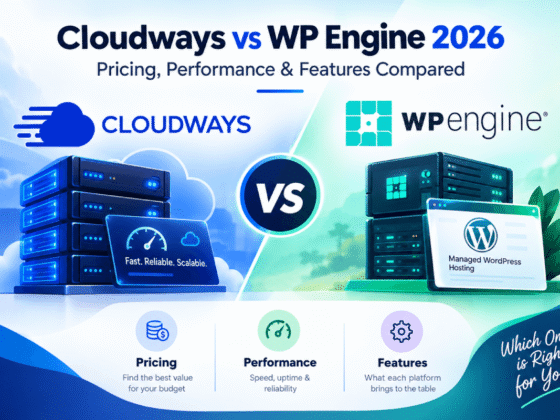
Both Kinsta and WP Engine are leading managed WordPress hosting providers designed for businesses, agencies, and WooCommerce stores that need better performance than traditional hosting.
03. 2026 Enterprise Infrastructure Optimization Matrix
Direct engineering metric comparison: Kinsta Enterprise GCP Stack vs. WP Engine Advanced Scale Plan. Advantage indicators reflect performance-per-metric leadership, not absolute platform superiority.
| Engineering Metric | Kinsta — Enterprise GCP Stack | WP Engine — Advanced Scale |
|---|---|---|
| Virtualization Layer Strategy | Isolated Linux LXD containers per site. Dedicated CPU core pools, RAM segments, Nginx, PHP-FPM, and MariaDB instances. Zero shared-tenant resource bleed. C3D AMD EPYC Genoa + IPU at VM layer. | Shared-tenant cluster VMs with containerized service components (WordPress, DB, cache) on modernized 2026 stack. Resource boundaries are enforced at the cluster allocation level rather than per-site container isolation. GCP or AWS underlying VM fabric. |
| Network Routing Backplane & CDN | GCP Premium Tier private fiber backbone for all origin-bound traffic. Native Cloudflare Enterprise CDN integration on all plans (300+ PoPs, edge caching, automatic image optimization, DDoS). Zero additional CDN licensing cost. | GCP Premium Tier or AWS Global Accelerator depending on region selection. Integrated global CDN. Multi-cloud routing introduces potential inter-AS variance for cross-provider paths. CDN included; enterprise security/CDN add-ons available at premium tier. |
| Performance Telemetry & Diagnostics Engine | Native Kinsta APM — code-level profiling engine for PHP process chains, MySQL query execution times, external HTTP latency, and full stack traces. Free on all plans. Optional Blackfire and New Relic integrations. 720 uptime checks/day per site. | Platform-level monitoring dashboard with site health metrics. No equivalent native code-level APM. Third-party integrations (New Relic, Datadog) are available via plugin or external instrumentation. Smart Plugin Manager provides plugin-level regression testing as a proxy for performance regression detection. |
| Dynamic E-commerce Scaling | Container auto-scaling assigns additional CPU and RAM from the VM’s resource pool under traffic spikes. Per-site resource isolation ensures spikes on one store do not throttle adjacent containers. Kinsta APM provides WooCommerce-specific slow-query identification tooling. | EverCache® Live Cart–Aware Caching delivers superior cache coverage for active WooCommerce sessions (90% more cache-eligible pages during cart-active browsing). Live Cart eliminates redundant AJAX cart fragment calls. NitroPack dynamic plugin loading reduces per-page overhead by up to 30%. WooCommerce-specific infrastructure tuning at the eCommerce plan tier. |
| Configuration Sovereignty & System Access | SSH access, SFTP, WP-CLI, and Git on all plans. Full wp-config.php access. Nginx reverse proxy configuration rules via MyKinsta dashboard. Ability to configure custom server-level cache exclusion rules and PHP worker counts. No plugin restrictions beyond known-problematic categories. | SSH, SFTP, WP-CLI, Git access. Full wp-config.php access. Nginx configuration access is more constrained than Kinsta—server-level customization is routed through WP Engine support tiers. A three-environment Dev/Staging/Prod workflow provides a superior deployment pipeline structure. Certain server-side configurations require WP Engine support intervention. |
| Global Deployment Precision | 35+ GCP data center zones globally with per-site region selection. C3D machines available in 11+ expanding locations; C2 machines across all 35. New zones added quarterly. The full list includes the Americas, Europe, Asia-Pacific, the Middle East, and Africa regions. Per-site granularity—each site selects its own optimal region independently. | Datacenter locations on GCP and AWS spanning the Americas, Europe, and Asia-Pacific. Region selection available at plan level. Fewer discrete zone options than Kinsta’s 35+ GCP deployment footprint. Multi-cloud availability provides provider redundancy but not equivalent per-zone deployment granularity. |
04. Architectural Conclusion & Verdict
The core architectural question is not “Which platform is faster?”—it is “Where in the infrastructure stack does your workload’s primary performance constraint live?” These two platforms apply fundamentally different engineering philosophies to WordPress performance, and each is empirically superior in its target operating envelope.
Engineering teams must commit to Kinsta’s isolated container architecture when the dominant performance variable is compute isolation fidelity—high-concurrency workloads where PHP execution consistency, sub-millisecond TTFB predictability under load, or multi-site agency deployments requiring zero cross-contamination risk define the success criteria. Kinsta’s C3D LXD stack is also the definitive choice when native code-level telemetry is a non-negotiable operational requirement: no competitive managed host ships a built-in APM engine at this instrumentation depth at zero additional cost. The Google Premium Tier backbone with Cloudflare Enterprise integration delivers the most deterministic global routing architecture available at the managed WordPress tier.
If you’re comparing hosting options for a WordPress website that already receives significant traffic, see our guide to the best WordPress hosting for high-traffic websites.
Engineering teams must deploy WP Engine’s EverCache multi-cloud stack when the dominant performance constraint is WooCommerce dynamic session cache coverage—specifically when the revenue model depends on maximizing cache-hit rates for cart-active shoppers across high-traffic promotional events (Black Friday, flash sales, product drops). The Live Cart–Aware EverCache engine solves the WooCommerce cookie-bypass problem at the server layer in a way that requires zero custom caching plugin configuration, and the NitroPack integration provides front-end optimization depth that reduces Core Web Vitals friction for conversion-sensitive product pages. The three-environment Dev/Staging/Production pipeline is also a decisive advantage for teams running iterative deployment workflows against live WooCommerce stores.
Choose Kinsta when:
- Compute isolation and zero noisy-neighbor risk are non-negotiable
- Sub-50ms TTFB consistency under load spikes is a hard SLA requirement
- Code-level APM and MySQL query tracing are needed natively
- Managing 10+ sites requiring per-site regional deployment precision
- Security-sensitive workloads requiring SOC 2 Type II + ISO 27001 isolation
- Maximum GCP zone coverage across 35+ global data centers required
Need predictable performance, isolated resources, and built-in APM? Start with Kinsta
Choose WP Engine when:
- WooCommerce session cache coverage during cart-active browsing is the primary KPI
- Structured Dev/Staging/Prod pipeline with Git-push deployment is required
- NitroPack-level frontend optimization (LCP, CLS, FID) drives conversion goals
- Smart Plugin Manager automated regression testing reduces deployment risk
- Live Cart AJAX reduction is needed to prevent checkout timeout failures at peak traffic
- Multi-cloud provider redundancy (GCP + AWS) is an organizational requirement
Running a WooCommerce store and want maximum cache coverage? Try WP Engine
Engineering Verdict — 2026
For systems architects optimizing raw compute isolation and microsecond TTFB predictability across high-concurrency PHP workloads, Kinsta’s GCP C3D LXD container stack represents the current performance ceiling in managed WordPress infrastructure — its dedicated resource model, Google Premium Tier backbone, and native APM telemetry are unmatched at this tier. For engineering teams whose primary profitability constraint is WooCommerce dynamic-session cache coverage and structured deployment workflow, WP Engine’s EverCache Live Cart-Aware architecture solves the cookie-bypass performance problem at the server layer with a depth and out-of-the-box completeness that no competing cache configuration can replicate without significant custom engineering overhead. The platforms are not interchangeable: commit to the architecture whose operating envelope matches where your revenue actually bleeds.