For agency owners and senior developers evaluating their WordPress stack in 2026, the question is no longer whether Divi works — it’s whether your competitors are already using it more efficiently than you are. This article examines the current state of the Divi Theme 2026 ecosystem through a technical and commercial lens, analyzing performance benchmarks, AI integrations, agency management tooling, and the hard economics of the Divi Theme lifetime license value in 2026.
The short answer: Divi has matured from a visual page builder into a full agency operations framework. The longer answer — covering Divi 5’s architecture, Core Web Vitals improvements, AI-driven design tools, and the newly refined Divi Dash — follows below.
👉 Ready to try Divi for your agency website? Start Building with Divi Today
The State of the WordPress Page Builder Market in 2026
The WordPress page builder market share in 2026 tells a clarifying story. Despite years of competition from Elementor, Bricks Builder, Oxygen, and the increasingly capable native Gutenberg editor, Divi continues to power a disproportionate share of professional agency-built sites—particularly in the SMB and mid-market segments across the USA, UK, and India.
Several factors explain this persistence. Many agencies built their first 50–200 client sites on Divi. Switching costs are real, but so is accumulated expertise. The question smart agencies ask is, “Does Divi still justify continued investment?” The 2026 answer is yes — not out of nostalgia, but on technical grounds.
The Elegant Themes lifetime license model remains one of the few genuinely agency-friendly pricing structures in the WordPress ecosystem. A single license covers unlimited sites, which directly impacts Divi ROI for web agencies at scale. And Divi 5, rolled out through late 2024 and refined through 2025 and into 2026, addressed the legitimate criticisms of earlier versions head-on. The architecture is not the same product.
Divi vs Elementor 2026 comparison discussions still dominate forum threads, Reddit boards, and agency Slack channels. The consensus among senior developers is increasingly nuanced: Elementor has cloud infrastructure advantages and a larger third-party ecosystem, while Divi holds the edge in licensing economics, Core Web Vitals performance post-Divi 5, and — critically — the depth of its AI integration layer.
If you want faster page building with AI-powered design tools, try the latest Divi 5.
Divi 5 Performance Benchmarks — What the Numbers Actually Show
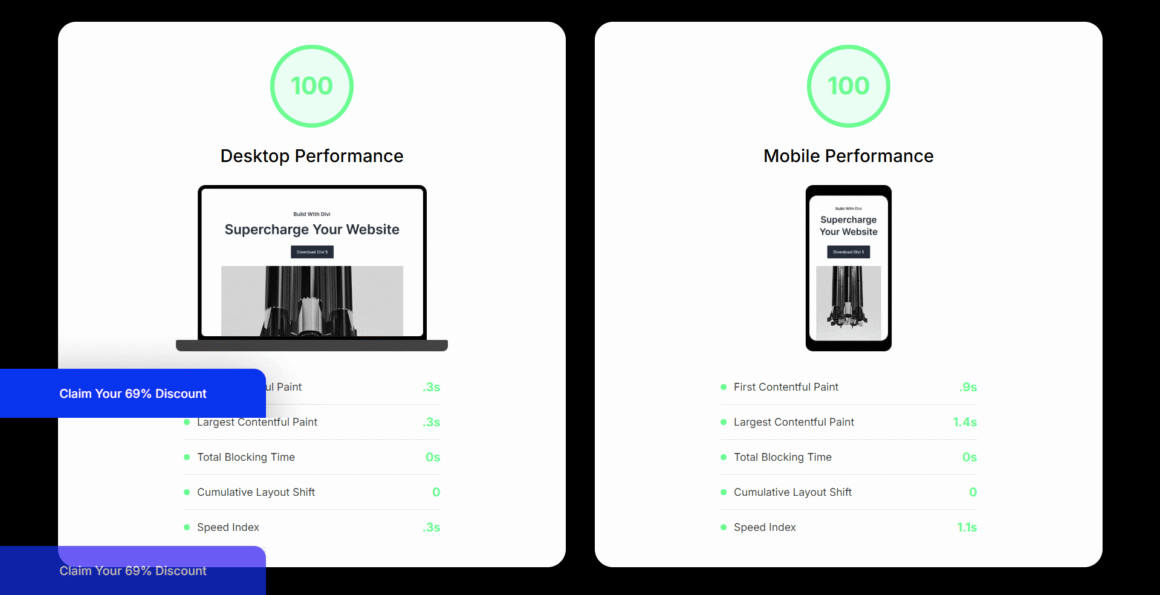
No Divi Theme 2026 review is complete without addressing performance, because this was historically the builder’s weakest point. Divi 5’s architectural rewrite changed that calculus substantially.
The Architecture Shift Under Divi 5
Earlier versions generated bloated inline styles, redundant CSS classes, and JavaScript payloads that made Divi Core Web Vitals optimization a labor-intensive manual process. Divi 5 moved to a component-based rendering model that outputs leaner, more semantic HTML. The practical results are significant.
CSS scoping by module means that rather than loading all module styles globally, Divi 5 generates scoped CSS per component, substantially reducing unused CSS on any given page—a direct contributor to improved Largest Contentful Paint (LCP) and Cumulative Layout Shift (CLS) scores. Critical CSS extraction is now handled automatically: Divi 5 identifies and inlines above-the-fold critical CSS, eliminating a task that previously required separate plugins or manual developer intervention. JavaScript deferral and chunking mean non-essential scripts are deferred by default, with the builder’s own JS split into smaller chunks loaded contextually rather than monolithically.
Divi 5 Performance Benchmarks in Real Conditions
Independent developer testing published on GTmetrix, WebPageTest, and PageSpeed Insights through 2025 showed Divi 5 sites — on competent shared hosting — achieving LCP scores below 2.5 seconds for standard landing pages without heavy customization. On managed WordPress hosting, the numbers improve further.
Divi Theme speed optimization for mobile in 2026 has been a particular area of improvement. Mobile-first rendering priorities, combined with Divi’s responsive editing controls operating at a more granular breakpoint level, mean developers can fine-tune mobile layouts without overriding desktop styles through hacked CSS specificity rules. The practical result is cleaner responsive code and fewer post-launch mobile performance issues.
The Hosting Stack Multiplier
Infrastructure choices compound the performance gains substantially. Divi paired with Kinsta or WP Engine creates what the community has come to call a reliable production baseline. Both hosts offer full-page caching at the server level that integrates cleanly with Divi’s output, PHP 8.2+ environments that Divi 5 is optimized for, and CDN integration that serves Divi’s static assets from edge nodes.

Agencies that standardize on either Kinsta or WP Engine as their preferred hosting recommendation — and build their Divi workflow around those environments — report significantly fewer performance support tickets from clients post-launch. The combination is not magic; it’s engineered compatibility tested at scale.
“Experience the lightning-fast future of web design—Get Divi 5 and boost your agency’s productivity today!”
Divi AI — Practical Capability, Not Marketing Noise
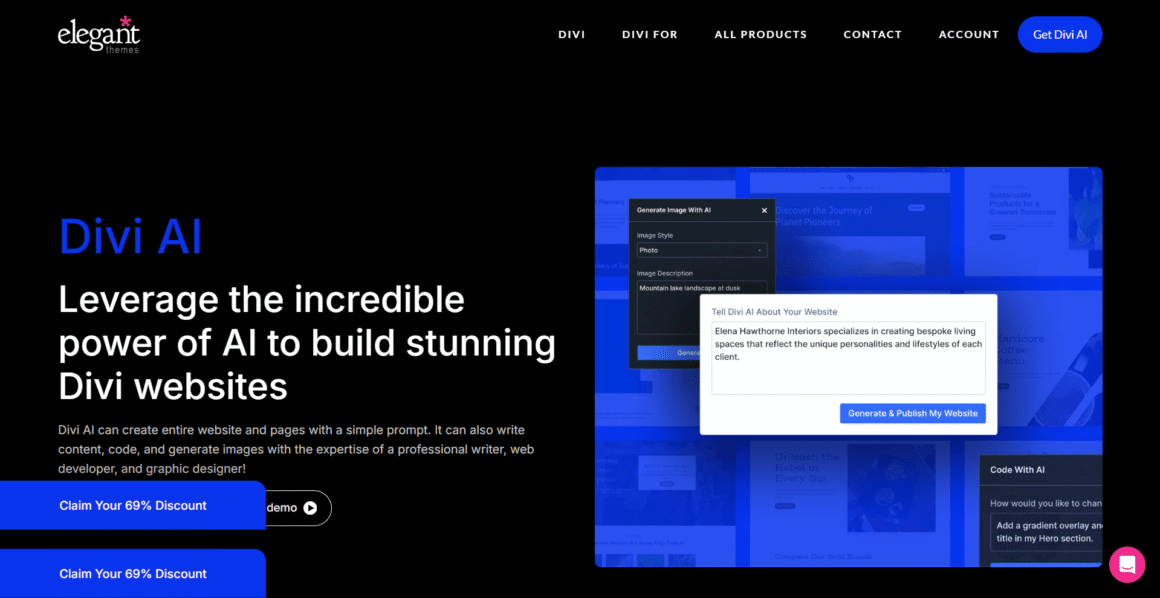
Customizing Divi with AI tools is no longer a beta conversation. Divi AI, the native AI layer built directly into the Visual Builder, has matured into a production-ready feature set that directly addresses the two largest time costs in agency web development: content creation and layout decision-making.
What Divi AI Actually Does in 2026
The AI integration operates at the module level within the builder, meaning context is always page-aware. This architectural choice separates it from bolted-on AI writing tools that have no knowledge of page structure or design intent.
Content generation with layout context means that when generating a copy for a hero section, Divi AI reads the existing page structure, detected business type, and section intent. The output is more calibrated than generic prompt-response AI because the builder passes contextual parameters with each request.
Image generation and replacement allows Divi AI to generate, swap, and stylistically match images within modules. For agencies building templated sites at volume — a common pattern in the Indian market where web studios often deliver 10–30 similar sites per month — this reduces the stock photography sourcing and editing step considerably.
CSS suggestion and generation is technically the most useful feature for developer teams. When a developer opens the Custom CSS field within a module, Divi AI can suggest or write targeted CSS rules based on the visual state of the element. This is particularly useful for junior developers who can describe a desired visual change in natural language and receive syntactically correct, scoped CSS. It does not replace CSS knowledge — it accelerates the iteration cycle.
Layout generation from prompts allows a developer to generate a complete section or page layout from a blank page using a text description. Generated layouts use appropriate visual hierarchy and are responsive out of the box, making them credible first drafts rather than placeholder scaffolding.
For agencies comparing AI-powered website creation beyond Divi, see our guide to the best AI website builders in 2026.
What Divi AI Does Not Replace
It is worth being direct: Divi AI does not replace a competent designer or developer. Generated layouts require curation, brand alignment, and technical review before client delivery. Agencies that treat AI output as a first draft — not a finished product — extract the most value. Used as a scaffolding tool rather than a replacement workflow, reducing website development time with Divi through AI tooling is measurable: many agency leads report 30–40% reductions in initial layout build time on templated project types.
“Stop building from scratch. Let Divi AI handle the heavy lifting while you focus on scaling your business.”
The Divi Dash — Agency Operations at Scale
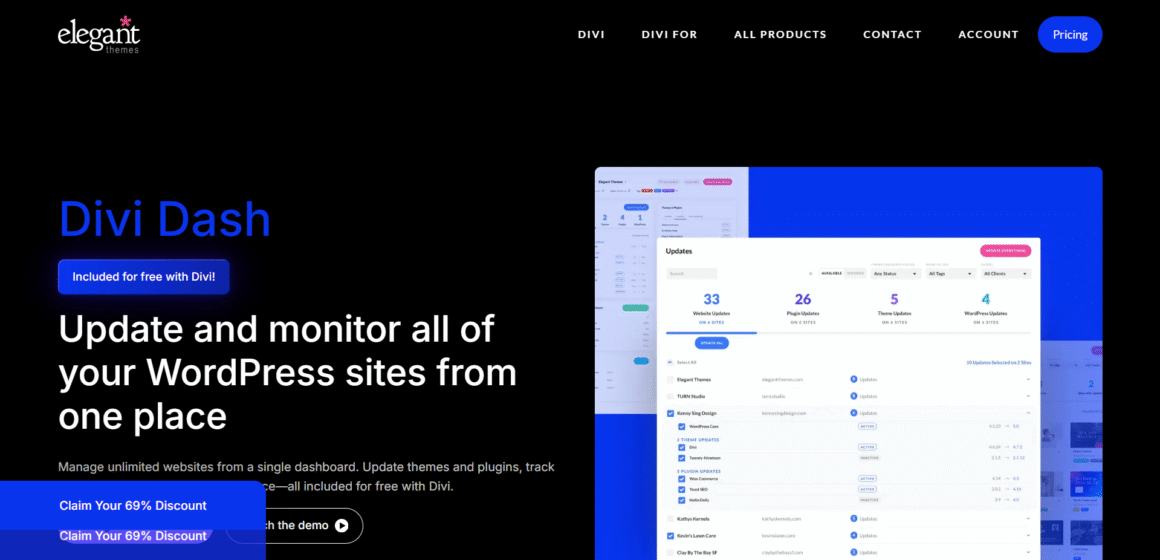
White-label WordPress solutions for agencies have historically required assembling multiple tools: MainWP or ManageWP for multi-site management, separate billing integrations, client reporting dashboards, and uptime monitoring. Divi Dash consolidates the management layer directly within the Elegant Themes ecosystem, and it represents one of the most underappreciated components of the Divi value proposition for agencies.
Core Divi Dash Capabilities
Centralized site management means all client sites registered under an agency’s Elegant Themes license appear in a single dashboard. Updates—core WordPress, plugins, themes — can be pushed individually or in bulk across the entire client portfolio without SSH access or site-by-site manual logins.
White-label client access allows agencies to provision Divi Dash access for clients with custom branding, removing Elegant Themes branding entirely. This is standard functionality on agency-tier plans, not an add-on cost — a meaningful distinction when evaluating total platform cost.
Performance monitoring surfaces basic Core Web Vitals tracking within the dashboard, giving account managers a single view of site health without requiring separate Google Search Console logins per client. Proactive performance monitoring changes the support model from reactive to preventative.
Team collaboration through role-based access controls allows agencies to assign developer, designer, or client roles with appropriately scoped permissions, preventing accidental structural changes by clients with editing access.
For larger agencies managing 50–200+ active client sites, the operational consolidation Divi Dash provides has genuine cost implications. Replacing a $50–100/month multi-site management subscription with a feature already included in the lifetime license is a straightforward and repeatable line-item improvement.
“Stop wasting hours on manual updates. Manage all your client sites from one powerful dashboard with Divi Dash.“
The Developer Experience — Design Freedom vs. Clean Code
This section addresses the question senior developers actually care about: why developers choose Divi for large-scale projects and whether the technical trade-offs remain acceptable in 2026.
The Historical Criticism, Honestly Addressed
Divi’s legacy architecture was legitimately criticized for producing HTML that was difficult to maintain, custom post type integrations that required cumbersome workarounds, and a CSS output layer that fought against developers attempting to implement custom design systems. These criticisms were fair for Divi 3 and, to a lesser extent, Divi 4. Any Divi Theme 2026 review that ignores this history is providing incomplete analysis.
What Divi 5 Changed for Developers
Semantic HTML improvements are among the most technically significant changes. Divi 5’s output uses appropriate heading hierarchies, landmark elements, and ARIA attributes more consistently than prior versions. Accessibility audits on Divi 5 sites pass at higher rates without manual remediation, which matters as accessibility compliance requirements tighten in the UK and EU markets.
Custom CSS architecture reflects the new CSS scoping model. Developer-written custom styles no longer compete with inline Divi styles at the same specificity level as frequently. Developers working with design tokens or CSS custom properties report significantly less friction. The ability to write CSS that behaves predictably is foundational to maintainable long-term builds.
Theme.json compatibility means Divi 5 respects WordPress’s theme.json specification more faithfully, so global styles set at the theme level propagate correctly rather than being overridden by builder defaults. This matters for agencies implementing consistent design systems across multi-site networks — a common requirement for franchise and multi-location business clients.
The child theme workflow remains Divi’s primary extensibility model. In 2026, this is still a reasonable architectural choice. Child themes created for Divi 5 are cleaner to maintain than those written against older versions, and the hooks/filters documentation has improved substantially, reducing the reverse-engineering that previously characterized Divi child theme development.
The Honest Trade-Off
Divi is not the right choice for agencies whose entire value proposition is bespoke, code-first development where the builder is a liability rather than an asset. For those firms, Bricks Builder or a headless WordPress setup with a custom block library may be more appropriate. Divi’s sweet spot—and where the developer experience genuinely shines—is the middle tier: client sites that need substantial visual customization, ongoing client editing capabilities, and maintainability by developers who did not build the original site. The Visual Builder’s learning curve for site maintenance is measurably shorter than alternatives, which has direct implications for scalable web design frameworks at the agency level. An agency whose junior developers can maintain and extend any site in the portfolio is structurally more scalable than one where each site is only maintainable by its original developer.
Why Clients Prefer Divi’s Visual Builder Over Gutenberg
Agency owners frequently cite client satisfaction with the editing experience as a retention factor. The comparison between Divi’s Visual Builder and Gutenberg is instructive here, particularly for agencies whose client relationships extend to ongoing maintenance and content management.
The Gutenberg Gap
Gutenberg’s block editor has improved significantly since its initial release. For content editing — adding paragraphs, swapping images, updating text within existing blocks — it is adequate. For structural page editing—changing layouts, modifying section spacing, adjusting responsive behavior—it remains non-intuitive for non-technical users.
The core issue is a conceptual model mismatch. Gutenberg’s block paradigm is developer-logical: content is structured data composed of typed blocks. This works well for editors who think in content types and information architecture. It works poorly for clients who think visually and want to drag a call-to-action button to a different position on the page.
Divi’s Visual Builder UX for Clients
The Divi Visual Builder presents a what-you-see-is-what-you-get editing surface that maps to client mental models more closely. Clicking text on the page to edit it is more intuitive than navigating to a sidebar panel. Padding and margin controls that appear as visual handles on the live page are more comprehensible than numbered fields in a settings panel. And the section/row/module three-tier structure is learnable within a single training session for most non-technical clients — something that cannot reliably be said about Gutenberg’s full-site editing capabilities.
Agencies that conduct post-launch client training consistently report shorter onboarding sessions for Divi than for Gutenberg-based sites of equivalent complexity. Shorter training sessions translate directly into fewer support requests, which is a measurable operational cost saving that compounds across an agency’s client portfolio over time.
Backward Compatibility and Migration Considerations
Divi’s Approach to the Divi 5 Transition
One legitimate concern for agencies with large existing Divi site portfolios was whether Divi 5 would break existing builds. Elegant Themes’ approach was conservative: Divi 4 layouts import and render in Divi 5 with a compatibility layer, and the migration path is opt-in per site rather than forced at the platform level.
This matters for agencies managing 50–200 client sites. The ability to migrate sites to Divi 5 incrementally—new builds go straight to Divi 5, and existing sites migrate on a scheduled basis during natural maintenance windows—eliminates the emergency risk of a forced upgrade breaking live client sites simultaneously.
Migrating from Elementor to Divi 5
Migrating from Elementor to Divi 5 is a question agencies increasingly ask as Elementor’s pricing model has shifted and subscription costs have grown at scale. There is no automated migration tool that converts Elementor layouts to Divi layouts; the honest answer is that full migrations require manual rebuilds.
However, agencies report that rebuilding an Elementor site in Divi 5—using Divi AI for layout scaffolding and leveraging Divi’s improved starter template library—takes 40–60% of the time a net-new build would require. For agencies managing client relationships with 3+ year histories, the migration conversation is often positioned as a site refresh rather than a platform change, which clients receive more positively and which often creates legitimate upsell opportunities.
ROI Analysis — The Economics of the Divi Lifetime License
The Licensing Mathematics
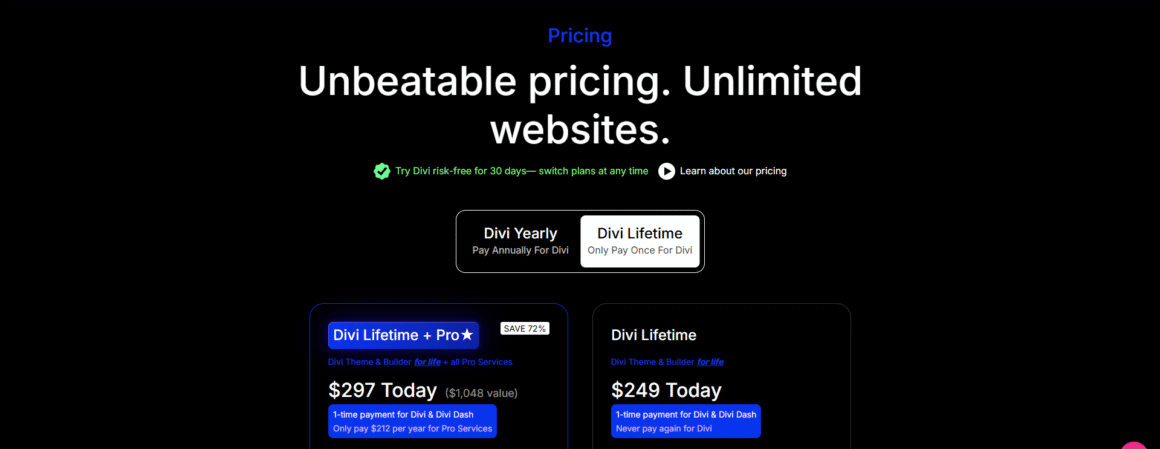
The Divi Theme lifetime license value in 2026 is easiest to understand through an agency revenue lens. At current pricing—Elegant Themes has maintained the lifetime license structure—a single agency license covers unlimited websites. For an agency delivering 2–5 new sites per month, the per-site amortized licensing cost in year one is negligible compared to per-site or per-site-per-year licensing models. By year three and beyond, the marginal licensing cost for Divi on each additional site is effectively zero.
Compare this to Elementor Pro’s per-site or tiered agency pricing, where scaling to 100+ active client sites generates meaningful recurring license costs annually. The compounding difference over a 5-year agency operation is not trivial.
The ROI argument is sharpest for agencies in the Indian market, where project margins are often tighter and licensing overhead has a proportionally higher impact on profitability. But it holds at all scales.
Time-to-Delivery Implications
Reducing website development time with Divi has direct revenue implications that are straightforward to model. If a standard 5-page business site takes 20 hours to build on a competitor platform and 14 hours on Divi—using templates, AI scaffolding, and practiced team workflows—the difference is 6 billable hours per project. At $75/hour across 30 projects annually, this represents $13,500 in recovered capacity, either retained as margin or reinvested in sales and business development. At higher agency billing rates common in the USA and UK markets, the figure scales accordingly.
💡 Agencies and freelancers can save more with the Divi Lifetime Deal.
Is Divi Still Relevant in 2026?
Is Divi still relevant in 2026? This is the question the article has been building toward, and it requires separating two distinct dimensions: technical relevance and commercial relevance.
Technically, yes. Divi 5’s architecture is competitive with current-generation page builders. Core Web Vitals performance on properly configured hosting is within an acceptable production range for the vast majority of agency client use cases. The AI tooling is functional and time-saving. The developer experience has improved materially. The codebase is actively maintained with a documented roadmap.
If you want to compare more visual website-building platforms, see our guide to the best drag-and-drop website builders.
Commercially: Yes, and more strongly. The combination of unlimited site licensing, Divi Dash for agency operations, AI-assisted development, and an established client-facing editing experience creates a bundled value proposition that competing tools struggle to match at comparable total cost. The best WordPress theme for agencies in 2026 designation is not a single-answer conclusion, but Divi occupies a defensible position at the top of that category for volume-oriented agencies.
The agencies best positioned to extract value from Divi in 2026 treat it as a platform investment—standardizing on it across their delivery workflow, training their teams systematically, and leveraging Divi Dash to reduce operational overhead—rather than evaluating it project-by-project against alternatives.
Conclusion
The concerns that were legitimately raised about earlier Divi versions—bloated CSS output, developer friction, and Core Web Vitals performance deficits—have been addressed in Divi 5 with real architectural changes. The AI integration is production-capable, not a marketing checkbox. The Divi Dash consolidates agency management in ways that have tangible operational cost implications. And the licensing model continues to reward agencies that build at scale.
For agency owners evaluating their stack, the practical recommendation is a structured comparative build: a standard 6–8 page business site in Divi 5 on WP Engine or Kinsta, using Divi AI for initial layout scaffolding and Divi Dash for post-launch management. Measure hours-to-completion, PageSpeed Insights scores, and client training duration. For the majority of agencies operating in the volume-production segment, the numbers support continued investment in Divi as a core platform.
Disclosure: Some links on Themezhub are affiliate links. We may earn a commission if you make a purchase through them.