I’ve been building WordPress sites professionally for over a decade now, and if there’s one plugin that’s been sitting in my toolkit through nearly every version of that journey, it’s Elementor. I’ve watched it grow from a scrappy alternative to Divi into the page builder that now runs on more than 15 million websites. I’ve also watched it get heavier, pricier, and occasionally frustrating in ways it wasn’t back in 2018.
So this Elementor Review 2026 isn’t a “top 10 reasons Elementor is amazing” post written by someone who signed up for an affiliate account last week. It’s what I actually tell clients, agency owners, and CTOs when they ask me whether Elementor is worth their budget this year. I’ll walk through the Elementor features that matter, what I’d skip, current Elementor pricing, how it stacks up against Divi, Gutenberg, and Bricks Builder, and where it fits—or doesn’t—depending on who you are: a freelancer, an agency, or an in-house team.
Elementor Pro at a Glance
Best For: Bloggers, Small Businesses, Agencies, Freelancers, WooCommerce Stores
Rating: ⭐⭐⭐⭐⭐ 4.8/5
Pricing: Starts at $60/year (Essential Plan)
Key Highlights:
- Beginner-Friendly Drag & Drop Builder
- 118+ Pro Widgets
- AI Features Included
- Theme & WooCommerce Builder
- Huge Template Library
- Form Builder
What Exactly Is Elementor?

Elementor is a visual, drag-and-drop page builder plugin for WordPress. Instead of writing PHP templates or fighting with the block editor’s limitations, you build pages by dragging widgets—text, images, buttons, forms, and sliders—onto a canvas and adjusting everything visually. What you see in the editor is close to what visitors see live.
If you’re comparing Elementor with other no-code platforms, see our guide to the best drag-and-drop website builders to explore how Elementor compares with Wix, Webflow, Divi, and other visual website builders.
The free version is genuinely usable and has been for years. Elementor Pro, the paid tier, unlocks the Theme Builder (headers, footers, archive pages, and single post templates), the Popup Builder, a proper Form Builder, WooCommerce design tools, and roughly 90 additional widgets on top of the free set.
If you’ve used WordPress at all in the last five years, you’ve almost certainly landed on an Elementor-built site without realizing it. Small business sites, agency portfolios, and even parts of larger corporate sites—it’s everywhere. That’s part of why this Elementor Pro review keeps getting requested from me: people want to know if the thing running a chunk of the internet is still the right pick or if it’s coasting on reputation.
My Honest Take After a Decade of Using It
I started using Elementor around version 1.9, back when it was still fighting for market share against Divi and Visual Composer. My opinion has shifted over the years, and I think that’s worth being upfront about rather than pretending I’ve felt the same way since day one.
Early years (2016–2019): It was a breath of fresh air. Visual editing that didn’t feel clunky, a decent widget selection, and a free version that actually let you build real pages, not just a watered-down teaser.
Middle years (2020–2023): This is when Elementor really came into its own. The Theme Builder changed how I worked entirely—I stopped hand-coding headers and footers for every client and started building them once, visually, then reusing that logic across sites.
Recent years (2024–2026): This is where my feelings get more mixed, honestly. The plugin has gotten heavier. Sites I build today need more careful performance work than sites I built in 2019 to hit the same Core Web Vitals scores. Elementor pricing has also climbed, and the plan structure has been reshuffled more than once, which has annoyed longtime users — myself included, on more than one renewal invoice.
None of that means I’ve stopped using it. It means I use it with open eyes now, and that’s the mindset I’d push anyone reading this Elementor review to adopt too.
Core Elementor Features Worth Knowing About
The Drag-and-Drop Editor
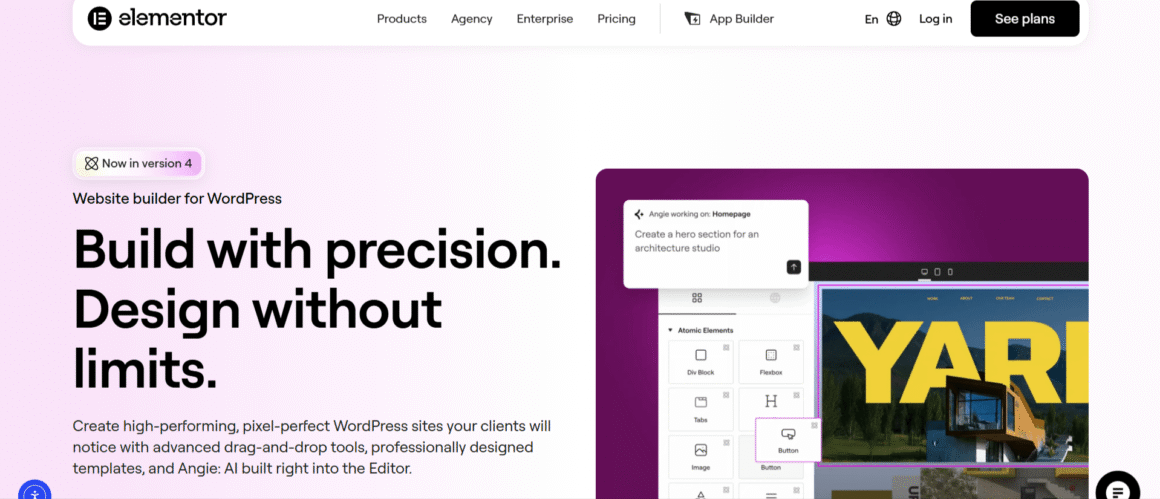
This is still the heart of the product, and honestly, it’s still one of the smoothest visual editors in the WordPress space. You get real-time previews, responsive editing controls for desktop, tablet, and mobile, and a structure panel that lets you see your page hierarchy without hunting through nested divs like it’s 2015.
What I appreciate most after years of daily use is the small stuff: copy-paste behavior between sections is reliable, and the revision history has saved me more than once when a client—or, honestly, I—broke a layout at 11pm before a launch.
Theme Builder
This is the feature that made Elementor Pro worth paying for, in my opinion, full stop. You design your header, footer, single post template, archive pages, and even 404 pages visually, then set display conditions for where each template applies. For agencies managing a handful of similar client sites, this alone can cut build time by a third, sometimes more once your team has a solid header/footer kit to start from.
Popup Builder
Built-in popups triggered by exit intent, scroll depth, time on page, or clicks. I use this constantly for lead-gen sites, and it removes the need for a third-party pop-up plugin—which is one less thing slowing down the site and one less subscription line item for the client to sign off on.
Form Builder
Solid, flexible, and it integrates with most CRMs and email tools out of the box (Mailchimp, ActiveCampaign, HubSpot, and others through native integrations or Zapier). It’s not as feature-dense as a dedicated form plugin like Gravity Forms, but for the majority of client projects it’s more than enough, and it saves a plugin slot you’d otherwise need to fill.
WooCommerce Builder
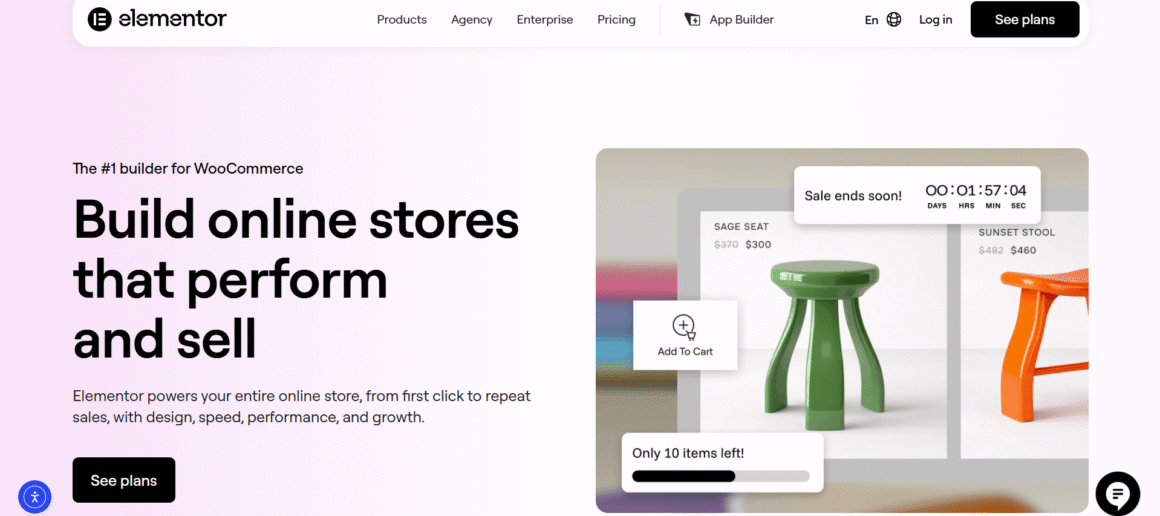
Available on advanced plans and above. You can design product pages, the cart, checkout, and shop archive visually instead of relying on your theme’s default WooCommerce templates. If you build eCommerce sites regularly, the Elementor WooCommerce Builder is a genuinely time-saving tool—though I’d still recommend pairing it with one of the better-performing WooCommerce themes on the market, since WooCommerce plus a heavy builder can slow things down if you’re not paying attention.
Elementor AI
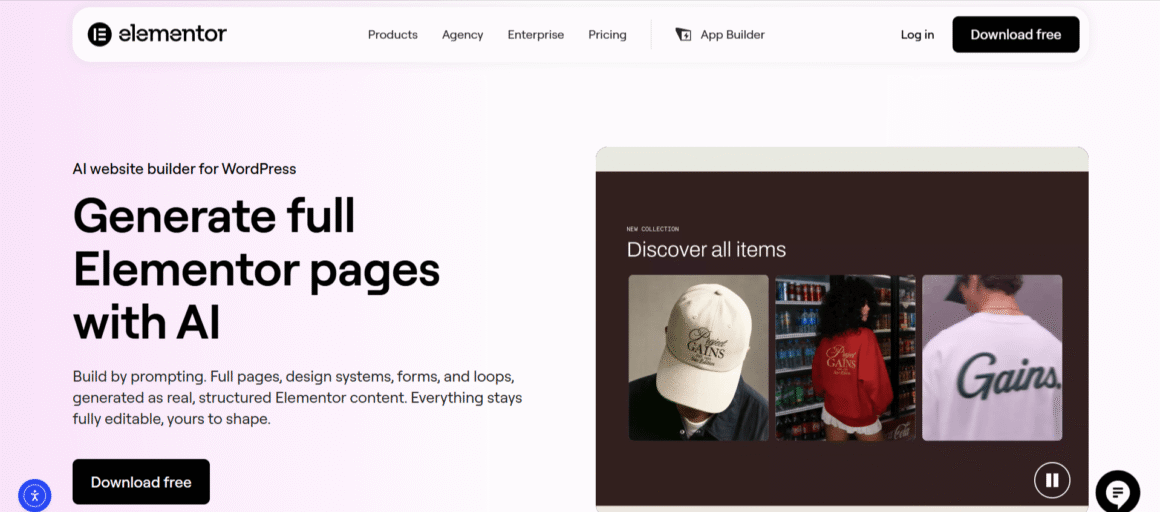
Elementor has leaned harder into AI over the past couple of years—text generation, image generation, and a “container converter” style AI layout assistant are now built into the editor as an add-on, with AI credits bundled into certain plans (more on that in the pricing section below). I use Elementor AI occasionally for first-draft copy or quick image variations, but I still hand-edit almost everything it spits out. Treat it as a starting point, not a finished product—it’s useful, not magic.
If you’re also considering AI-first platforms beyond WordPress, our guide to the best AI website builders in 2026 compares Elementor with other AI-powered website creation tools.
Widget and Template Library
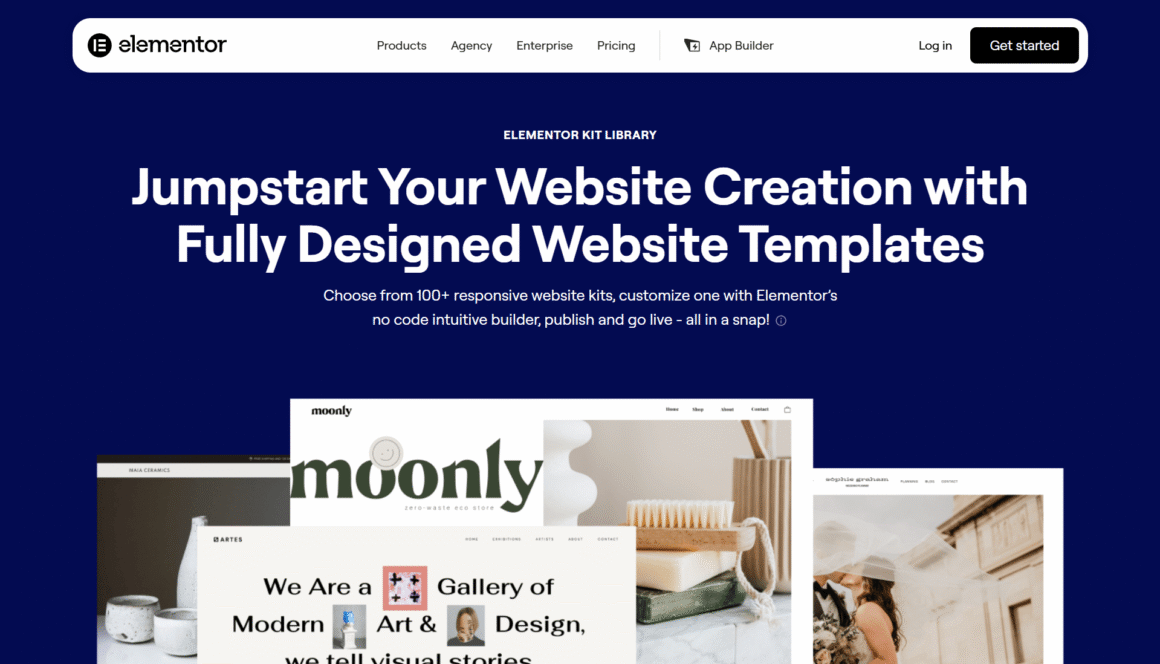
Pro plans give you access to hundreds of professionally designed website kits and templates across industries—restaurants, law firms, agencies, SaaS, eCommerce, you name it. For freelancers on tight timelines, starting from an Elementor template and customizing it is genuinely faster than building from a blank canvas, and clients rarely notice or care that you started from a kit.
Elementor Performance: The Part Nobody Wants to Talk About
I’ll be direct here because I think most reviews gloss over it: Elementor adds overhead. It’s not the leanest way to build a WordPress site, and if you’re coming from a hand-coded theme, you will notice a difference in raw page weight and load time.
That said, in my experience, the performance concerns get overstated when people compare a poorly optimized Elementor site to a well-optimized custom theme. With decent hosting, a caching plugin, an optimized image pipeline, and disciplined use of animations and effects (I mean this — turn off entrance animations you don’t actually need), I regularly get Elementor sites into the “good” range on Core Web Vitals. It takes more deliberate work than it used to, but it’s achievable, and I say that as someone who checks PageSpeed scores obsessively.
My practical recommendation for CTOs and technical owners evaluating Elementor performance: budget time for optimization as part of the build, not as an afterthought. Don’t expect it to be fast out of the box the way a static site generator would be—that’s simply not the tradeoff you’re making with a visual builder.
Elementor Pricing in 2026
Elementor introduced a refreshed pricing model in 2026, making it easier to choose a plan based on whether you only need the page builder or a complete website creation platform. There are now two main categories: Editor Pro for users who want Elementor’s visual builder and Elementor One for those who need an all-in-one solution with AI, hosting, and website management tools.
Editor Pro Plans
If you’re looking for the standalone Elementor page builder, these plans are the best fit.
| Plan | Annual Price | Websites | Best For |
|---|---|---|---|
| Essential | $60/year | 1 Site | Personal websites, portfolios, blogs |
| Advanced Solo | $84/year | 1 Site | Business websites, WooCommerce stores, advanced users |
Elementor One Plans
These plans include the complete Elementor ecosystem, including AI-powered tools and website management features.
| Plan | Annual Price | Websites | Includes |
|---|---|---|---|
| One | $180/year | 1 Site | Elementor Pro, hosting, AI credits, website management |
| One Agency | $432/year | Unlimited Sites | Everything in one plus unlimited websites and significantly higher AI credits |
Which Elementor Plan Should You Choose?
After reviewing the available plans, here’s what I recommend for different users:
- Essential – A great choice for bloggers, freelancers, or anyone building their first WordPress website.
- Advanced Solo – The best value for most users who need advanced design features, WooCommerce Builder, Theme Builder, and Popup Builder.
- One – Ideal if you want an all-in-one website creation platform with built-in hosting, AI tools, and website management.
- One Agency – Designed for agencies, developers, and professionals managing multiple client websites.
Our Recommendation: For most ThemezHub readers, Advanced Solo offers the best balance of price and features. If you’re running an agency or maintaining several client websites, One Agency provides the best long-term value.
Elementor also offers a 30-day money-back guarantee, allowing you to try the platform without long-term risk. Since pricing and promotional discounts may change throughout the year, it’s always worth checking the latest offer before purchasing.
A few pricing notes worth flagging honestly, because I think this is where most reviews get lazy:
- All paid tiers unlock the same core Pro feature set — the Theme Builder, Popup Builder, Form Builder, and Pro widgets. The real differentiator between tiers isn’t the feature list, it’s how many sites you can activate the license on.
- Elementor doesn’t run a free trial in the traditional sense, but they do offer a 30-day money-back guarantee on new purchases, which functions similarly if you’re on the fence.
- If your license expires, your existing website will continue to work, but you’ll lose access to future updates, premium templates, support, and security patches. For business or client websites, keeping your license active is generally recommended to ensure compatibility with future WordPress releases and plugin updates.
Pros: What Elementor Genuinely Gets Right
- Visual editing that non-developers can actually use. I’ve handed off Elementor sites to clients who have zero coding background, and they’ve been able to make basic edits themselves without breaking the layout.
- Theme Builder saves real hours on multi-page, multi-template builds, especially for agencies working across similar site structures.
- Huge template and kit library, which shortens the time from kickoff call to first draft dramatically.
- Active plugin ecosystem. Third-party add-ons (Essential Addons, PowerPack, Crocoblock/JetPlugins) extend functionality well beyond the core product if you need something specific.
- Large community and documentation. When something breaks or behaves oddly, there’s almost always a forum thread, YouTube tutorial, or support doc already addressing it.
Cons: What I’d Push Back On
- Page weight and performance require real effort to manage, especially on animation-heavy or widget-dense pages.
- Pricing structure changes have frustrated longtime users. The shift from three site activations on the entry plan down to one, a few years back, was a genuine sore point in the community, and I still hear about it from clients who bought in early.
- Vendor lock-in is real. If you ever move away from Elementor, your page layouts don’t translate cleanly to standard WordPress content. Migrating off it later is more work than migrating off the block editor would be.
- AI features are still catching up to dedicated AI writing and design tools. Useful as a starting point, not a replacement for a human pass.
Who Should Actually Use Elementor in 2026
Freelancers: If you’re building client sites regularly and want to move fast without sacrificing design quality, Elementor on the Advanced plan gives you strong margins. The template library alone can turn a two-week build into a five-day build.
Agencies: The Theme Builder and multi-site licensing make Elementor a solid backbone for teams handling several client sites at once, particularly if your designers aren’t all comfortable hand-coding. Just build performance QA into your process rather than treating it as optional.
CTOs and technical decision-makers: Elementor is a reasonable choice for marketing sites, landing pages, and content-driven properties where speed to launch and non-technical editability matter more than shaving every last millisecond off load time. For your core product or app, you’ll still want a proper front-end stack—Elementor isn’t trying to be that, and it shouldn’t be used for it.
Business owners managing their own site: If you want control over your own content without hiring a developer for every text change, Elementor Essential or Advanced is genuinely one of the friendlier options on the market right now.
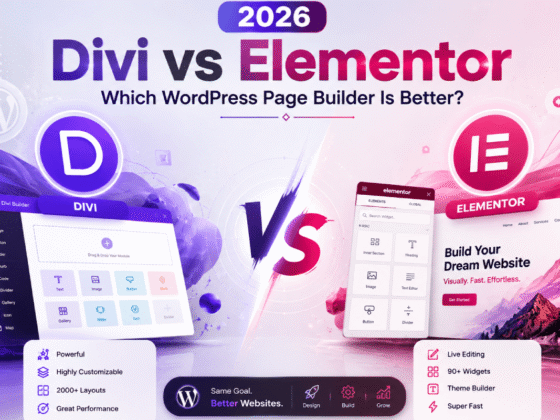
Elementor vs Divi: Which Builder Wins in 2026?
This is probably the comparison I get asked about the most, since both have been around forever and both have loyal fanbases who’ll defend their pick to the death.
Ease of use: Both are drag-and-drop and both are beginner-friendly. Elementor’s interface feels slightly more modern to me, and new users tend to get comfortable a bit faster. Divi’s Visual Builder is close behind, though the sheer number of settings per module can feel overwhelming at first.
Performance: Roughly a wash out of the box, and both need the same kind of optimization work—caching, image compression, and trimming unused CSS. Neither one is going to hand you a fast site by default, and anyone who tells you otherwise is selling something.
Theme Builder: Elementor’s Theme Builder is more mature and more widely documented. Divi’s Theme Builder has closed the gap significantly over the last couple of years, but I still find Elementor’s a bit more intuitive for building conditional templates.
Templates: Divi’s template library is huge and arguably more design-forward in places. Elementor counters with sheer volume and the fact that its templates are organized more cleanly by industry, which matters when you’re on a deadline and just need something usable fast.
Pricing: Divi’s yearly plan runs cheaper for unlimited sites, which is a real advantage for agencies with a large site count. Elementor’s per-site-tier model can get pricier as you scale, though it’s more flexible if you only manage a handful of sites.
Best for: If you manage dozens of sites and want unlimited-site pricing, Divi has the edge. If you want a more polished editing experience and don’t mind paying per activation tier, Elementor is the better day-to-day tool. My own take: for freelancers under 10 sites, I lean toward Elementor; for larger agencies, I’d at least run the numbers on Divi. If you want the deeper breakdown, that’s really a topic for a dedicated Divi review rather than a paragraph here.
Elementor vs Gutenberg: Do You Even Need a Page Builder?
Speed: Gutenberg, paired with a lightweight block theme, is genuinely faster out of the box than Elementor. There’s less JavaScript and CSS being loaded, and fewer wrapper divs cluttering the markup.
Flexibility: Elementor still wins here for complex, highly custom layouts. Gutenberg has improved a lot with full site editing, but it can still feel restrictive once you’re building something outside a typical content page.
Learning curve: Gutenberg is arguably easier for a first-time WordPress user since it’s built into core. Elementor has more settings and more depth, which means more to learn, but also more control once you’ve learned it.
Design freedom: Elementor for beginners still tends to be the friendlier on-ramp for people who want pixel-level control without writing CSS. Gutenberg requires either a well-built block theme or some comfort with custom CSS to get the same level of polish.
SEO: Functionally, both can produce SEO-friendly output—clean headings, fast enough load times, and mobile responsiveness—as long as you build carefully. Gutenberg’s leaner markup gives it a slight natural edge, but it’s rarely the deciding factor in real-world rankings compared to content quality and site structure.
Best use cases: Gutenberg makes sense for simple blogs, content sites, and anyone who wants to stay as close to WordPress core as possible. Elementor makes more sense once you need popups, a real theme builder, WooCommerce customization, or a client who wants to edit visually without touching a settings sidebar.
Elementor vs Bricks Builder: The Developer’s Perspective
Bricks Builder has picked up a lot of momentum with developers over the last two or three years, and it’s worth addressing directly since I get this question constantly from more technical clients.
Performance: This is where Bricks tends to pull ahead. It’s built with a cleaner, more minimal output, and it only loads scripts and styles on pages that actually use them, rather than loading a broader asset library site-wide. In side-by-side testing on comparable layouts, Bricks generally comes out faster than Elementor.
Developer friendliness: Bricks was built with developers in mind from day one — it exposes more granular CSS controls, has stronger support for custom code and dynamic data, and feels closer to hand-coding than Elementor does. If you’ve got a technical team, that’s a real advantage.
Visual editing: Elementor’s editor is more approachable for non-developers and clients. Bricks is powerful but has a steeper learning curve, and I wouldn’t hand a Bricks site off to a non-technical client to self-edit without some training first.
Dynamic content: Bricks has strong native dynamic data support, which makes it appealing for directories, real estate listings, and other data-heavy sites. Elementor can do this too, usually with the help of a plugin like JetEngine, but it’s not as baked-in.
Pricing: Bricks pricing sits in a similar range to Elementor’s paid tiers depending on the plan and site count you need, and it’s worth comparing current numbers on both official pricing pages since Bricks has adjusted its structure a few times.
Best users: Developers and technical agencies building performance-sensitive or data-heavy sites tend to gravitate toward Bricks. Freelancers and agencies serving non-technical clients, or anyone who values a bigger template ecosystem and easier handoffs, are usually better served sticking with Elementor.
Elementor Alternatives Worth Knowing About
If Elementor isn’t the right fit for a specific project, here’s a quick rundown of where I’d point people instead:
- Divi – A strong all-around competitor with unlimited-site pricing that appeals to larger agencies.
- Bricks Builder – The developer-favorite option, leaner output, and steeper learning curve.
- Beaver Builder – Lighter and generally faster than Elementor, with a smaller but loyal following and a simpler feature set for teams that don’t need everything Elementor offers.
- Breakdance—A newer entrant that’s been gaining attention for its performance-focused approach and clean editor, worth watching as it matures.
- Gutenberg – The native WordPress editor, now genuinely competitive for simpler sites when paired with a solid block theme.
I’ll likely put together a dedicated roundup of the best WordPress page builders at some point, since this is a fast-moving space and the “right” answer keeps shifting year to year.
How Elementor Compares to the Alternatives at a Glance
I get asked this constantly, so here’s a quick recap based on hands-on experience with each, beyond the deeper comparisons above:
- Divi: Comparable feature depth, arguably a cleaner design system out of the box, but I’ve found the Elementor community and add-on ecosystem to be larger, which matters when you need something niche.
- Beaver Builder: Lighter and generally faster than Elementor, with a smaller but very loyal following. If raw performance is your top priority and you’re comfortable with a smaller widget library, it’s worth a look.
- WordPress Block Editor (Gutenberg) + a good theme: The gap has narrowed here. Gutenberg has genuinely improved, and pairing it with a solid block theme is now a legitimate lightweight alternative. But it still doesn’t match Elementor’s Theme Builder or Popup Builder for client work without stacking additional plugins.
Final Verdict
Elementor earns its spot as one of the top page builders in WordPress, and I don’t say that lightly after ten years of watching plugins come and go. It’s not the lightest tool on the market, and the pricing has crept up over the years in ways that have irritated a fair number of longtime users. But the combination of visual editing, the Theme Builder, and the sheer size of the template and add-on ecosystem still makes it one of the fastest ways to get a professional WordPress site live.
My honest recommendation: if you’re a freelancer or small agency building client sites regularly, the ROI on an advanced or expert plan is straightforward—it pays for itself within your first one or two projects. If you’re a CTO evaluating it for a marketing site or content hub, go in with a performance plan already sketched out, and you’ll avoid most of the pain points people complain about online. And if performance is your absolute top priority and you’ve got a technical team, it’s at least worth running a comparison against Bricks Builder before you commit.
Ready to Build Your Website with Elementor?
Whether you’re creating your first blog, an online store, or managing client websites, Elementor offers one of the most complete website-building experiences available today.
Frequently Asked Questions
Is Elementor worth buying in 2026?
For most freelancers and agencies, yes. The combination of the Theme Builder, Popup Builder, and template library still saves real hours on client work, and the pricing tiers scale reasonably well with the number of sites you manage. Where it’s less worth it is if you’re building a single, highly performance-sensitive site and have the technical skill to hand-code or use a leaner builder instead. Weigh your own workflow and client base before assuming the Pro upgrade is automatic — for casual bloggers, the free version alone might genuinely be enough.
Is Elementor better than Divi?
Neither is objectively better across the board—it depends on your situation. Elementor generally offers a slightly more polished editing experience and a larger add-on ecosystem, while Divi’s unlimited-site pricing tends to work out cheaper for agencies managing a large number of client sites. I’d lean toward Elementor for smaller freelance operations and suggest agencies run the numbers on both before committing long-term.
Does Elementor slow down WordPress?
It can add more page weight than a hand-coded theme if left unoptimized, since it loads additional CSS and JavaScript to power its visual features. In practice, with good hosting, caching, image optimization, and mindful use of animations, I’ve consistently gotten Elementor sites to score well on Core Web Vitals. It just requires more deliberate optimization work than a barebones theme would.
Is Elementor good for SEO?
Yes, with the right setup. Elementor doesn’t hurt SEO directly — it supports clean heading structures, alt text, schema through some Pro widgets, and mobile-responsive layouts. The main SEO risk comes from page speed if a site is built carelessly, so pairing it with good hosting and image optimization matters more for rankings than the builder itself.
Is Elementor free or paid?
Both. The free version, available directly from the WordPress plugin repository, is fully functional for basic page building. Elementor Pro is the paid tier, starting at $59/year, and unlocks the Theme Builder, Popup Builder, Form Builder, WooCommerce tools, and the bulk of the Pro widget library.
What is the difference between Elementor Free and Pro?
Elementor Free gives you the core drag-and-drop editor and a solid set of basic widgets — enough to build real pages. Elementor Pro adds the Theme Builder for headers and footers, the Popup Builder, the Form Builder, WooCommerce design tools, roughly 90 additional Pro widgets, and access to the full template and kit library. If you need anything beyond basic page layouts, you’ll hit the free version’s ceiling fairly quickly.
Can beginners use Elementor?
Yes, this is genuinely one of its strengths. The drag-and-drop interface, live preview, and huge template library make Elementor for beginners a much friendlier starting point than hand-coding or even Gutenberg in some cases. I’ve handed off completed Elementor sites to clients with zero technical background, and they’ve gone on to make their own text and image edits without issue.
Is Elementor good for WooCommerce?
Yes, particularly from the Advanced plan upward, which includes the WooCommerce Builder. You can visually design product pages, cart, checkout, and shop archive pages instead of relying on default theme templates. I’d recommend pairing it with a lightweight, WooCommerce-optimized theme and keeping product page widgets lean to avoid slowdown on high-traffic shop pages.
Does Elementor work with every WordPress theme?
Mostly, yes—Elementor is designed to work with the vast majority of WordPress themes. That said, for the smoothest experience, especially if you’re using the Theme Builder, I’d recommend a lightweight, Elementor-friendly theme like Hello Elementor or another minimal base theme rather than a heavily opinionated theme that fights the builder for control over styling.
If you’re deciding between a dedicated WordPress theme and Elementor for your website, our detailed Astra vs Elementor comparison breaks down their features, customization options, performance, pricing, and ideal use cases.
What are the best Elementor alternatives?
Divi is the closest all-around competitor, especially for agencies wanting unlimited-site pricing. Bricks Builder appeals more to developers who prioritize raw performance and cleaner output. Beaver Builder is a lighter, simpler option for those who don’t need Elementor’s full feature set, Breakdance is a newer performance-focused option worth watching, and Gutenberg is a legitimate free option for simpler content-driven sites.
Disclosure: Some links on Themezhub are affiliate links. We may earn a commission if you make a purchase through them.