• Website Builders
  • WP Themes
  • WP Plugins
  • Hosting
  • Resources
  • Deals
  • More
    • Recommend WP Themes
    • Recommend HTML Theme
Featured Web Templates
  • Real Estate HTML Templates
    Best Real Estate HTML Templates for Property Listing Websites 2025
    • December 4, 2025
  • Comparing Resido and RentUP
    Resido vs. RentUP: Which Real Estate HTML Template is Right for You?
    • June 11, 2024
  • jobstock-workscout
    Job Stock vs. WorkScout: Which Job Board HTML Theme is Right for You?
    • June 8, 2024
Recommended #1 WP Theme
TheLargestLibraryofPre-BuiltWebsites-1200x1200
  • Freebies
  • Plugins
  • Resources
  • Templates
  • Tutorials
  • UI/UX
  • Compare
  • Website Builders
  • WP Themes
  • WP Plugins
  • Hosting
  • Resources
  • Deals
  • More
    • Recommend WP Themes
    • Recommend HTML Theme
Speed Up Wordpress Plugin
  • Plugins
  • WordPress

5 Best powerful WordPress plugin To Speed Up Your WordPress Site

  • December 19, 2018
  • 3 minute read
  • Shaurya Preet
Total
0
Shares
0
0
0

In the present day, WordPress is considered as the most popular CMS platform which has attracted a huge number of users towards it by supporting them in various activities like blogging, enhancing their writing skills and many more. As the load is increasing upon the WordPress, caching could help in speeding up the WordPress site and hence it will boost the performance. In simple words, the cache contains lots of temporarily stored data which is used for quick access based on the user’s command. Visiting your WordPress site, when other visitors are also visiting makes the load slower and cause inconvenience to you. But, caching helps you in skipping a lot of steps, thus, reduces the load on the server. Instead, of going through the whole process, the caching plugins makes the copy of the loaded page, and present it to you when you try to frequently visit the site. Having a faster website helps you to drive more traffic towards your website, which will even affect your SEO ranking. Therefore, using a powerful WordPress plugin will help in speed up the WordPress site in the most effective and efficient manner.

W3 Total Cache

W3 Total Cache is a most productive plugin for your WordPress. It comes with the compatibility for mobile-friendly sites that uses SLL. It improves the performance of the site by x10 times. It is excel in reducing the page loading time which could increase the visitor time on the website leading more visitors to the website. It even saves the 80% of the bandwidth by compressing HTML, CSS and other file formats. Beginners might find W3 Total Cache difficult to install and use, but it offers a wide range of facility to the users like object cache, gzip compression, CDN Support, limited minification support and many more.

Autoptimize

Autoptimize is owned Frank Goossens who is a seasoned web technology based out of Ghent in Belgium. Autoptimize easily optimizes the page which decreases the load on the site. It even comes with an extra option which could even allow you to optimize the Google font, images JavaScripts and many more. It improves the performance of the site even when you are already on HTTP/2. It is available in 24 different languages making it compatible worldwide with different users from different regions. The latest version of Autoptimize is 2.4.4 which optimizes the page more effectively than before.

WP Super Cache
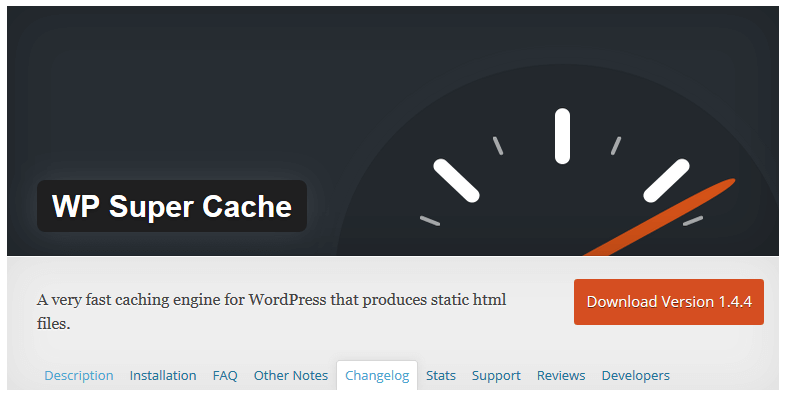
WP Super Cache is of the most widely used cache plugin available for the WordPress. It comes with a pack of easy installation method but has some extra settings for the advanced users. It could support multiple caching types like PHP, Legacy, and Mod_rewrite. It has the facility of CND support, serve static HTML files and cache preload. The best part of WP Super Cache is, all the facilities of it comes in free of cost making it more adaptable with the current market scenario. With all the needed features it comfortably optimizes the website, hence speed up the process of loading and allows greater traffic in it.

WP Fastest Cache

WP Fastest Cache comes with a great set of features along with a well-balanced ease of use. Some plugins which are available in the current market are too basic, and some are too complex, but WP Fastest Cache falls on the middle of it offering the level as per the user’s requirement. You just need to install the plugin, activate it and run the program. It even minify the HTML and CSS easily. It has the feature of setting the expiration time for all the posts, pages and URL strings along with the CND integration. It even comes in a premium pack having extra features.

Asset CleanUp: Page Speed Booster
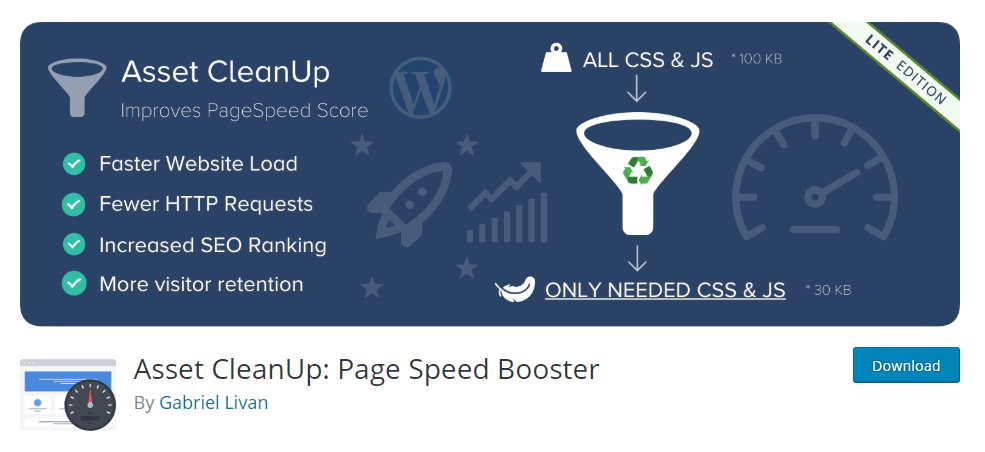
Asset Cleanup is a page speed optimizer plugin owned by Gabriel Livan. It makes your page load very faster by decreasing the number of HTTP requests and even removes the conflicts between the theme and plugins. It is very efficient in providing a smoother experience to its users. It even makes the codes easier to scan and make the website enough faster so that it can be ranked higher in the search engines. The basic fundamental of Asset Cleanup is to make the page load faster, which makes the visitors happy and hence a number of users would be attracted to Asset Cleanup.

Conclusion
If you are struggling for speeding up your WordPress, you must go for the powerful cache plugins, which effortlessly makes your job easier and makes the website faster like before. With the growing number of visitors every day it is very essential for every WordPress user to have a plugin in their system so that their experience could be enhanced with ease.


Total
0
Shares
Share 0
Tweet 0
Pin it 0
Shaurya Preet

Hey, I am Shaurya Preet. CEO & Founder of Themez Hub. I am frequently researching the latest trends in digital design and new-age Internet ideas.

Previous Article
icons
  • Icons

10+ Top Websites to Get Best Free & Premium Icons

  • December 19, 2018
  • Shaurya Preet
View Post
Next Article
unminify
  • Resources

10 best free online un-minify CSS tools for web designers

  • January 17, 2019
  • Shaurya Preet
View Post
You May Also Like
Razorpay Setup
View Post
  • Plugins
  • Tutorials

How to Set Up Razorpay in WooCommerce: Step-by-Step Guide for Indian Payments

  • Shaurya Preet
  • December 2, 2025
woocommerce payment gateway
View Post
  • Plugins

Top 7 Best Payment Gateway Plugins for WooCommerce in 2025

  • Shaurya Preet
  • November 14, 2025
Divi Add-ons
View Post
  • Divi Plugins

Divi Supreme Pro vs DiviPixel vs Divi Torque – The Ultimate Divi Add-ons Review (2025)

  • Shaurya Preet
  • November 7, 2025
Divi Plugins
View Post
  • Divi Plugins

10 Best Divi Plugins 2025: Must-Have Addons for Stunning Websites

  • Shaurya Preet
  • October 29, 2025
Woocommerce Addon
View Post
  • Plugins

Best WooCommerce Plugins for Paint, Coatings & Finishing Products

  • Shaurya Preet
  • October 19, 2025
Best Contact Form WP Plugins
View Post
  • Plugins

7 Best Contact Form Plugins for WordPress (Free & Paid)

  • Shaurya Preet
  • October 6, 2025
Figma & Adobe XD Plugins
View Post
  • Plugins
  • Web Design

Best Figma & Adobe XD Plugins for Faster Design Workflow

  • Shaurya Preet
  • June 21, 2025
WooCommerce PDF Invoice and Shipping Documents Plugins
View Post
  • Articles
  • Plugins
  • WordPress

12 Best WooCommerce PDF Invoice and Shipping Documents Plugins

  • Shaurya Preet
  • February 5, 2024

Leave a Reply Cancel reply

You must be logged in to post a comment.

Read What’s Trending Now
  • Bluehost Review 2026
    Bluehost WordPress Hosting Review 2026: Is It the Best Host
    • December 25, 2025
  • Best WordPress Themes – Expert Picks
    Best WordPress Themes – Expert Picks
    • December 22, 2025
  • Divi Review 2026
    Divi Theme Review 2026: Is It Still the Best Visual Builder for WordPress?
    • December 18, 2025
  • Full-Stack Development Tools
    Best Essential Full-Stack Development Tools and Resources in 2025
    • December 15, 2025
ThemezHub
© 2025 Themezhub. All Rights Reserved.

This site is not affiliated with the WordPress® Foundation. WordPress® is a registered trademark of the WordPress Foundation.

Social Links
Likes
Followers
Followers
Followers
Followers
Followers
Join Our Mailing List

  • Write For Us
  • About Us
  • Advertise
  • Say Hi
  • Privacy

Input your search keywords and press Enter.

Manage Consent

We use cookies to ensure you get the best experience on our website. View our privacy policy.

Functional Always active
The technical storage or access is strictly necessary for the legitimate purpose of enabling the use of a specific service explicitly requested by the subscriber or user, or for the sole purpose of carrying out the transmission of a communication over an electronic communications network.
Preferences
The technical storage or access is necessary for the legitimate purpose of storing preferences that are not requested by the subscriber or user.
Statistics
The technical storage or access that is used exclusively for statistical purposes. The technical storage or access that is used exclusively for anonymous statistical purposes. Without a subpoena, voluntary compliance on the part of your Internet Service Provider, or additional records from a third party, information stored or retrieved for this purpose alone cannot usually be used to identify you.
Marketing
The technical storage or access is required to create user profiles to send advertising, or to track the user on a website or across several websites for similar marketing purposes.
  • Manage options
  • Manage services
  • Manage {vendor_count} vendors
  • Read more about these purposes
View preferences
  • {title}
  • {title}
  • {title}