Disclosure: Some links on Themezhub are affiliate links. We may earn a commission if you make a purchase through them.
If you’re just starting to build a WordPress website, you’ve probably stumbled across two terms that seem to mean the same thing but don’t: theme and page builder. Most beginners assume a theme controls how your site looks, install one, and then wonder why they can’t move things around or build a custom homepage without writing code. That’s usually when they discover page builders—and then the confusion doubles.
Understanding how these two tools work—and how they work together—can save you hours of frustration and help you avoid the kind of setup that quietly tanks your website performance before you’ve even published your first page. Let’s break it down.
Quick Answer
Do You Need Both a WordPress Theme and a Page Builder?
In most cases, yes—but not always. A WordPress theme provides the structural foundation of your site: the header, footer, typography, and global styling. A Page Builder gives you drag-and-drop control over individual page layouts. Most serious websites use both. However, theme-only setups work well for simple blogs, and some modern page builders like Divi and Elementor Pro can replace certain theme functions entirely.
What Is a WordPress Theme?
A WordPress theme is a collection of templates, stylesheets, and PHP files that determine the overall look and structure of your WordPress website. Think of it as the blueprint of your house—it defines where the walls go, what the roof looks like, and the general vibe of the space.
What Does a Theme Control?
- Header — logo placement, navigation menus, top bar
- Footer — footer widgets, copyright text, links
- Blog layout — post archives, category pages, single post templates
- Typography — font families, sizes, line heights
- Colors — global color palette, link colors, button styles
- Global Styling — spacing, container widths, responsive breakpoints
Popular themes like GeneratePress, Kadence, and Astra are built specifically to be lightweight and fast, giving developers and designers a solid, customizable base to work from.
Advantages of Using a Theme
- Establishes consistent website design across every page
- Controls global elements you don’t want to rebuild per page
- Lighter themes load faster and support better Core Web Vitals scores
- Easier to update and maintain over time
- Reliable fallbacks for pages not built with a builder
Limitations of Themes
- Limited layout flexibility without custom code
- Most themes don’t offer pixel-precise drag-and-drop builder controls
- Customizing beyond the theme’s options usually requires a child theme or custom CSS
- Switching themes can break your site’s appearance entirely
What Is a Page Builder?
A WordPress page builder (also called a visual website builder or drag-and-drop builder) is a plugin or integrated tool that lets you design individual pages visually—no code required. Instead of editing theme templates, you’re placing sections, columns, widgets, and blocks directly onto the canvas and seeing the result in real time.
What Does a Page Builder Control?
- Landing pages — full-width promotional or lead capture pages
- Homepages — custom hero sections, feature grids, CTAs
- Custom layouts — any page that needs a unique structure
- Sales pages — long-form conversion-focused content
- WooCommerce pages — product layouts, shop pages, cart customization
Popular options include Elementor, Divi, Bricks Builder, Beaver Builder, and the native Gutenberg editor that ships with WordPress.
Advantages of Page Builders
- Website Customization without touching code
- Responsive Design controls built into the interface
- Pre-built templates and section libraries speed up workflow
- Real-time visual editing reduces guesswork
- Non-developers can build professional layouts independently
Limitations of Page Builders
- Some add significant code bloat, hurting website performance
- Switching builders later often leaves shortcode or block remnants
- Heavy builders can conflict with certain themes
- Over-reliance can lead to inconsistent design across a site
WordPress Theme vs Page Builder: Key Differences
| Feature | WordPress Theme | Page Builder |
|---|---|---|
| Purpose | Site-wide structure & global styling | Individual page layout design |
| Customization | Global: colors, fonts, headers/footers | Granular: sections, columns, elements |
| Ease of Use | Moderate-settings-based | High-visual drag-and-drop |
| Design Flexibility | Limited by theme’s options | High — near-unlimited layouts |
| Performance | Lightweight themes = faster loads | Varies; some add significant overhead |
| Learning Curve | Low to moderate | Low (Elementor/Divi) to moderate (Bricks) |
| SEO Impact | Affects site structure and speed | Affects page structure and content flow |
| Maintenance | Theme updates, child theme management | Plugin updates, builder compatibility |
| Cost | Free to $200+ one-time or annual | Free to $200+/year |
How Themes and Page Builders Work Together
This is the part most tutorials skip, and it’s where most beginners go wrong.
Theme Handles the Foundation
Your theme manages everything that stays consistent across your entire site. When a visitor lands on your homepage, blog post, or contact page, the header at the top and footer at the bottom come from the theme. Global font choices, background colors, and spacing defaults are set in the theme’s customizer or settings panel.
Think of a theme like the frame of a painting. It doesn’t dictate what’s inside the canvas—it just holds everything together and gives it context.
Page Builder Handles the Layout
Once the theme sets the frame, the page builder fills the canvas. For your homepage, you might use Elementor to build a hero section with a background image, headline, and CTA button — none of which the theme controls. Your About page might use a two-column layout with an image on one side and text on the other. Your services page might feature an icon grid. All of that is the page builder’s territory.
A practical example: if you’re using Astra as your theme and Elementor as your page builder, Astra controls the header, footer, and global colors. Elementor controls every individual page layout. Together, you get a consistent brand wrapper with full creative freedom on each page.
This is why most professional WordPress website design projects use both. The theme prevents visual chaos at the global level, and the page builder enables creativity at the page level.
Can a Page Builder Replace a Theme?
Some page builders have expanded their functionality to the point where they can manage theme-level elements — and in those cases, a separate theme becomes optional.
Divi
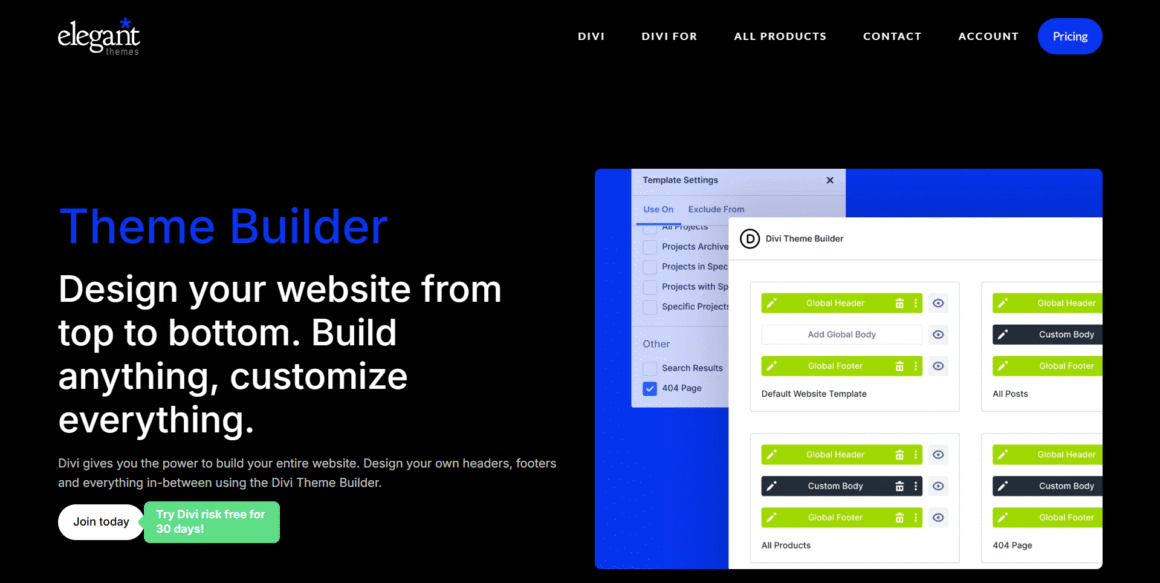
Divi by Elegant Themes is both a theme and a builder. The Divi Builder handles page layouts, while the Divi theme manages headers, footers, and global styles. You can use it without any other theme. The full site-building capabilities in Divi 5 (currently in development) are closing the gap further. For a deeper look, check out our Divi Review 2026.
Key Features of Divi:
- Visual Builder: Edit content directly on the front end, no separate backend screen. Intuitive for beginners, though large pages can occasionally feel sluggish.
- Theme Builder: Design headers, footers, and archive templates site-wide. It saves serious time on bigger sites but takes some getting used to initially.
- Global Elements: Reuse modules like CTAs across multiple pages, updating one changes all instances. Handy for consistency, but easy to forget where they’re used.
- Design Presets: Save styling choices as reusable presets for buttons, text, and sections. Speeds up repetitive design work considerably, especially on larger projects.
- WooCommerce Builder: Customize shop and product pages without extra plugins. Works well for most stores, though complex catalogs need extra layout planning.
- Split Testing: Test different headlines or layouts against real visitor data. Useful for conversion-focused pages, though it requires decent traffic to matter.
- Divi AI: Generate text, images, and code suggestions inside the builder. Speeds up first drafts, but still needs human editing afterward.
- Marketing Integrations: Connect email platforms like Mailchimp or ActiveCampaign directly through forms. Saves setup time, though some services require third-party workarounds still.
- Responsive Editing: Adjust breakpoints for desktop, tablet, and mobile independently. Straightforward once learned, but tablet view sometimes gets skipped during quick edits.
- Template Library: Access hundreds of pre-built layouts across different industries. Great starting point, though customization is still needed for unique branding.
Elementor Pro
Elementor Pro’s Theme Builder allows you to design custom headers, footers, archive pages, and single post templates. Paired with a minimal “Hello Elementor” theme (which is essentially a blank canvas), it can function as a near-complete full site editing solution. For a detailed comparison, see Divi vs. Elementor comparisons.
Key Features of Elementor:
- Live Visual Editor: Edit directly on the page with instant visual feedback. Beginner-friendly, though larger pages sometimes lag with too many widgets loaded.
- Theme Builder: Customize headers, footers, and archive pages without touching code. It’s powerful for full site control but takes practice to master properly.
- Popup Builder: Create exit-intent or timed popups for offers and signups. Works well for lead capture, though overuse annoys returning site visitors.
- WooCommerce Builder: Design product pages and checkout flows visually inside Elementor. Great for small stores, though large catalogs need careful template planning.
- Motion Effects: Add scroll animations, parallax, and hover effects without custom CSS. It looks polished when used sparingly and overwhelming when applied everywhere at once.
- Global Styles: Set typography and colors once across the entire site. Useful for brand consistency, though changes require care on established sites.
- Form Builder: Build contact and lead forms with conditional logic included. Covers most use cases, but advanced automations still need external plugins sometimes.
- Large Widget Library: Access dozens of built-in widgets for common layout needs. Convenient variety, though it can feel bloated on simpler, smaller sites.
- Responsive Controls: Fine-tune desktop, tablet, and mobile views independently and easily. Straightforward once learned, though tablet breakpoints get overlooked occasionally during edits.
- Template Library: Choose from hundreds of ready-made blocks and full page templates. Speeds up projects considerably, though customization is still usually necessary.
Breakdance
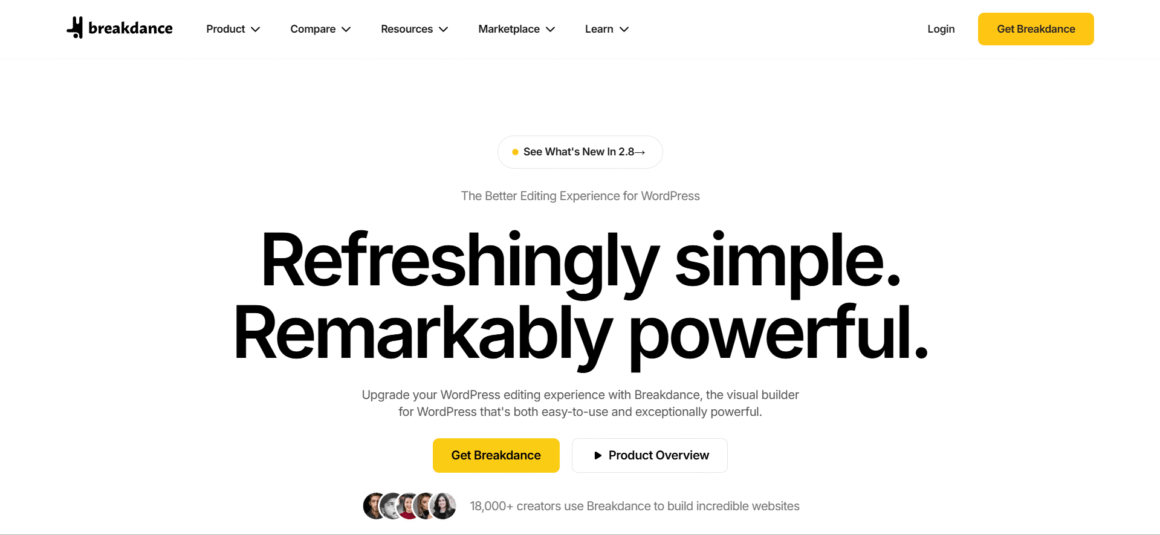
Breakdance is a visual page builder for WordPress, created by Josh Ramsey and a small team with backgrounds in other popular builders. That experience shows in how the editor feels, cleaner and less cluttered than most. Freelancers, agencies, and store owners tend to pick it up because it lets them design pages without touching code, and changes appear instantly as you work.
WooCommerce support is built right in, so styling product and checkout pages doesn’t require a developer. Performance holds up well too, since the code stays lean compared to older builders. The overall editing experience feels closer to modern design software than a typical plugin. Here’s a closer look at what makes it work.
Key Features of Breakdance:
- Visual Drag-and-Drop Builder: Drag elements anywhere and see instant results. Great for quick client edits, though heavy nesting can look messy on smaller screens.
- Global Styles: Set fonts and colors once, apply them everywhere. Rebranding a site takes minutes, not hours of hunting through individual pages.
- Header & Footer Builder: Build sticky navs or custom footers without extra plugins. Conditional display across page types needs a little upfront planning, though.
- WooCommerce Builder: Customize product and checkout pages visually. Store owners skip developer requests for simple tweaks, though heavy customization adds maintenance later.
- Dynamic Data: Pull content from custom fields automatically. Perfect for property listings or directories, but overkill for a simple five-page site.
- Performance Optimization: Cleaner code means better speed scores. Helps with Core Web Vitals, though hosting and image sizes still matter just as much.
- Form Builder: Create contact and lead forms without another plugin. Handles most needs fine, but lacks advanced payment or multi-page logic.
- Popup Builder: Set exit-intent or scroll-triggered popups visually. Useful for promotions, though stacking too many annoys visitors and hurts bounce rates.
- Responsive Editing: Adjust desktop, tablet, and mobile layouts independently. Easy to use, but tablet view often gets overlooked during quick edits.
- Template Library: Pre-built pages speed up initial builds significantly. Quality varies between templates, so expect some spacing and styling adjustments afterward.
Altogether, these features handle the everyday demands of real projects, from layout to stores to lead capture, without unnecessary complexity getting in the way.
Bricks Builder
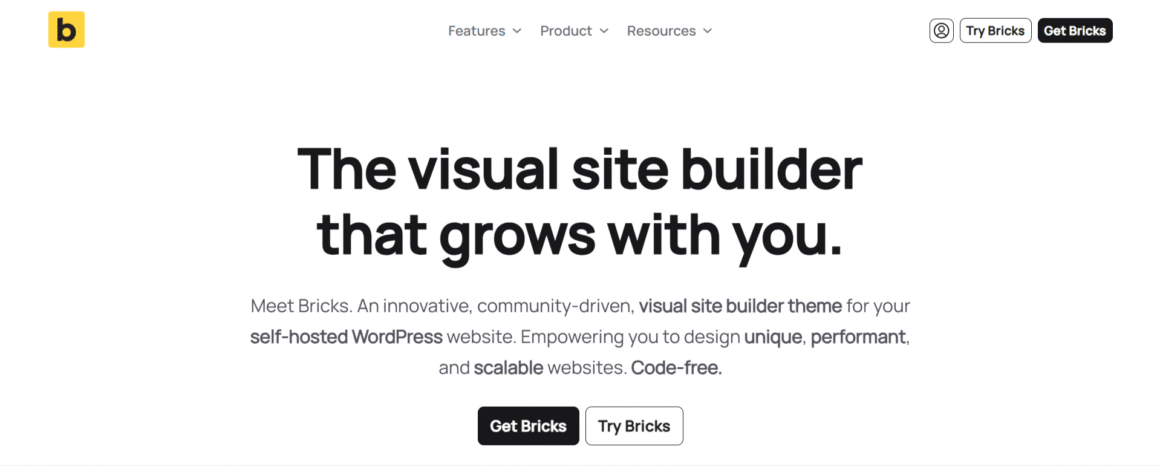
Bricks is a theme and page builder in one. It’s aimed at developers and advanced users who want performance without the bloat of mainstream builders. Bricks replaces both your theme and your traditional page builder.
Key Features of Bricks Builder:
- Visual Drag-and-Drop Builder: Build layouts visually with instant feedback on every change. Cuts down guesswork compared to editing theme files directly.
- Performance-Focused Architecture: Generates lean, minimal code without bloated framework overhead. Sites tend to load noticeably faster than with heavier builders.
- Full Site Editing: Control headers, footers, archives, and single templates from one place. Reduces reliance on separate theme settings entirely.
- Dynamic Data Support: Pull content from custom fields and post types directly into templates. Saves serious time on repetitive, data-heavy layouts.
- Query Loop Builder: Display custom post types, products, or filtered content without writing PHP queries. Genuinely useful for portfolios and directories.
- WooCommerce Builder: Customize shop, product, and cart pages visually. Store owners adjust layouts without touching WooCommerce template override files.
- Global Classes & Variables: Define styles once and reuse them site-wide through classes. Keeps designs consistent and updates far less tedious.
- Responsive Design Controls: Adjust layouts independently across devices using visual breakpoint controls. Prevents awkward spacing issues on smaller screens.
- CSS Grid & Flexbox Support: Build complex layouts using modern CSS methods without writing code manually. Gives far more layout flexibility than older builders.
- Developer-Friendly Features: Access custom code elements, hooks, and clean markup for deeper customization. Appeals strongly to developers wanting more control.
- Conditional Logic: Show or hide elements based on user roles, devices, or specific conditions. Useful for personalized or role-based content.
- Template Library: Start projects using pre-built sections and pages instead of blank canvases. Speeds up early-stage design work considerably.
- Theme Builder: Design archive pages, single posts, and search results without extra plugins. Keeps the entire site consistent and manageable.
- Custom Breakpoints: Add breakpoints beyond the standard three device sizes for precise control. Handles unusual screen sizes more accurately.
- Accessibility & SEO-Friendly Markup: Outputs semantic HTML that supports better accessibility and search engine crawling. Reduces manual cleanup work for developers afterward.
Gutenberg
Gutenberg is WordPress’s native block editor. With Full Site Editing enabled (available in block-based themes like Twenty Twenty-Four), Gutenberg can manage headers, footers, and template parts—replacing the need for a separate page builder entirely. It’s free, fast, and improving rapidly.
The limitation: Most of these all-in-one approaches still require some theme context, even if it’s a minimal wrapper. And switching later is more painful than with a cleanly separated theme + builder setup.
Which Is Better for Beginners?
Theme-Only Approach
Best for bloggers who don’t need custom layouts and are happy with the default blog post and page templates. Zero plugin overhead, fastest load times, and the simplest maintenance. The trade-off is limited website layout design control.
Theme + Page Builder Approach
The most common approach for beginners building business sites, portfolios, or affiliate sites. You get the stability of a theme with the visual freedom of a builder. Elementor‘s free version and the Divi builder are both popular starting points.
Full Site Builder Approach
Using Divi Theme + Builder, Bricks, or Elementor with Hello Theme gives beginners one tool to learn instead of two—but it raises the ceiling on what you need to understand before things make sense. For truly non-technical users, a conventional theme + page builder pair is usually more forgiving.
Website Performance Comparison
Speed Impact
A lightweight theme (GeneratePress, Kadence, or Astra) with no page builder will almost always load faster than any theme + builder combo. But performance gaps narrow when builders are configured correctly — especially with modern builders like Bricks that generate minimal CSS and JS output.
Core Web Vitals
Core Web Vitals—Largest Contentful Paint, Cumulative Layout Shift, and Interaction to Next Paint—are directly affected by how much code your theme and builder output. Heavy builders that load all their assets site-wide will hurt your scores. Most modern builders now offer asset loading controls to limit this.
Page Load Times
Elementor and Divi have historically been criticized for adding too much overhead. Both have made significant performance improvements, but they still add weight compared to a native Gutenberg or Bricks setup. A well-optimized Divi website on fast managed hosting can still score well — see How to Speed Up a Divi Website for practical steps.
If you’re unsure which host to choose, check out our guide to the best managed WordPress hosting providers in 2026 to compare the fastest and most reliable managed hosting services. If your website starts outgrowing shared or managed hosting, upgrading to a VPS hosting plan can provide more dedicated resources, better performance, and greater control.
SEO Considerations
Slow pages hurt WordPress SEO. Google uses page speed as a ranking signal, and poor Core Web Vitals can suppress your search visibility. That said, a slow builder on fast hosting often outperforms a fast builder on cheap hosting. Get your hosting right first.
SEO Comparison
Site Structure
Themes control your site-wide HTML structure—heading hierarchies, nav landmarks, and schema output. A well-coded theme like GeneratePress outputs clean, semantic HTML that search engines can parse easily.
User Experience
Website user experience is a ranking factor. Page builders that enable engaging, well-organized layouts can actually help SEO by reducing bounce rates and increasing time on page.
Mobile Optimization
Most modern themes and builders offer responsive design controls. Where they differ is in how much manual work is needed—Bricks and newer Elementor versions handle responsive behavior more predictably than older builder setups.
Technical SEO
A theme controls your <head>, canonical tags (with an SEO plugin) and URL structures. Neither themes nor page builders replace a WordPress SEO plugin like Rank Math or Yoast.
Does a Page Builder Hurt SEO?
Directly, no. Indirectly, yes — if it slows your site significantly. The code a builder outputs doesn’t confuse search engines. The performance overhead might. Use a caching plugin, optimize images, and choose a fast host to offset the impact.
Popular Combinations in 2026
GeneratePress + Elementor
A reliable workhorse combo. GeneratePress is one of the fastest lightweight themes available, and Elementor adds a mature builder ecosystem with thousands of templates. Strong choice for agencies building multiple client sites.
Kadence + Gutenberg
Kadence’s deep Gutenberg integration makes this one of the best native block-editing setups available. Full site editing support, fast performance, and a growing block library. Great for bloggers and SEO-friendly website builders who want to stay within the WordPress ecosystem.
Astra + Spectra
Astra’s deep integration with the Spectra block builder (formerly Ultimate Addons for Gutenberg) provides a smooth, performant setup without leaving the block editor. Good for content-heavy sites that don’t need extreme website layout design flexibility.
Divi Theme + Divi Builder
The original all-in-one setup. Divi handles everything from global styling to individual page layouts. Best for designers who want one unified interface. The Divi ecosystem includes hundreds of pre-made layouts and third-party extensions. For more details, compare the options Divi vs. Oxygen Builder.
GeneratePress + Bricks
The performance-first combination for advanced users. GeneratePress (or even the minimal Bricks theme wrapper) paired with Bricks Builder gives you a developer-grade setup with excellent Core Web Vitals scores. See Best WordPress Page Builders in 2026 for a broader comparison.
Best Setup for Different Users
Bloggers
Kadence + Gutenberg or a clean theme-only setup. Bloggers rarely need custom page layouts—fast load times and a clean reading experience matter more.
Affiliate Marketers
Astra or GeneratePress + Elementor Pro or Divi. You need landing page flexibility, fast loading, and easy A/B testing. Both setups support these requirements well.
Freelancers
Divi or GeneratePress + Elementor. Freelancers benefit from a single builder they know deeply. Divi‘s template library and client handoff workflow make it particularly appealing. The Best Divi Hosting Providers in 2026 guide covers where to deploy client projects.
Agencies
GeneratePress + Elementor Pro or Bricks. Agencies need speed, flexibility, and the ability to build repeatable systems. A clean, lightweight theme with a powerful builder keeps projects maintainable.
WooCommerce Stores
Astra + Elementor Pro or Kadence + Gutenberg. Both offer WooCommerce-specific layouts and product page customization. Astra’s WooCommerce integration is particularly mature.
Small Businesses
Divi Theme + Builder or Kadence + Gutenberg. Small businesses want something easy to update independently. Divi‘s visual interface and all-in-one approach reduce the technical barrier.
Common Mistakes Beginners Make
Installing multiple page builders. Each builder adds its own CSS and JS. Running Elementor and Divi simultaneously is a performance disaster. Pick one and commit.
Choosing a heavy theme. Starting with a feature-heavy multipurpose theme (often marketed as “all-in-one”) and then adding a page builder doubles the overhead. Start with a minimal theme designed for builders.
Ignoring performance. Website performance isn’t an afterthought—it directly affects SEO and conversion rates. Enable caching, compress images, and monitor Core Web Vitals from day one.
Using unnecessary plugins. Each plugin adds HTTP requests and potential conflicts. Before installing a plugin, check whether your theme or builder already handles that function.
Focusing only on design. A beautiful site that loads in 8 seconds ranks below an average-looking site that loads in 1.5 seconds. Balance aesthetics with performance.
Real-World Scenarios
Launching a Blog
Use a lightweight theme like Kadence or GeneratePress with Gutenberg. You don’t need a page builder. Focus on clean typography, fast loading, and a simple layout. You can always add a builder later if you need landing pages.
Creating a Business Website
Use Astra or GeneratePress + Elementor Pro. You’ll need a custom homepage, service pages, and probably a contact or booking page. A page builder handles these comfortably.
Building an Online Store
Use Kadence + WooCommerce or Astra + Elementor Pro. Prioritize performance, checkout flow, and mobile UX. Heavy page builders on product pages slow down the buying experience.
Creating a Portfolio Website
Divi or Bricks works well here. Portfolios live or die on WordPress website design quality, and both builders give you the visual control to create distinctive layouts.
Pros and Cons Summary
WordPress Themes — Pros
- Fast load times when using lightweight options
- Consistent global styling across all pages
- Low maintenance overhead
- Strong SEO foundation
WordPress Themes — Cons
- Limited per-page layout control
- Can require code for advanced customization
- Switching themes can break your site’s design
Page Builders — Pros
- Visual drag-and-drop design—no code needed
- Highly flexible page layouts
- Pre-built templates accelerate development
- Growing support for WooCommerce and dynamic content
Page Builders — Cons
- Performance overhead (varies by builder)
- Vendor lock-in—migrating away is painful
- Can create inconsistent design if used without a solid theme foundation
- Additional learning curve for advanced features
Frequently Asked Questions
What is the difference between a WordPress theme and a page builder?
A WordPress theme controls your site’s global structure—header, footer, typography, and brand styling. A page builder controls individual page layouts using a visual drag-and-drop interface. They serve different functions and work best together.
Do I need both a theme and a page builder?
For most websites beyond a simple blog, yes. The theme provides consistency; the builder provides flexibility. Some builders like Divi and Elementor Pro can handle both roles, but most setups benefit from both.
Can Elementor replace a theme?
Elementor Pro’s Theme Builder can design headers, footers, and templates, effectively replacing many theme functions. Paired with the Hello Elementor theme, it’s a workable all-in-one setup—but a dedicated theme still offers better performance and stability for global elements.
Can Divi replace a theme?
Yes. Divi is both a theme and a builder. You don’t need a separate theme—the Divi Theme handles site-wide structure while the Divi Builder handles page layouts.
Does a page builder slow down WordPress?
It can, yes. Page builders add CSS, JavaScript, and HTML to your pages. The impact ranges from negligible (Bricks, newer Elementor) to significant (older, misconfigured setups). Proper caching, image optimization, and a fast host offset much of the impact.
Which is better for SEO—a theme or a page builder?
Neither is inherently better or worse for WordPress SEO. What matters is page speed, clean HTML output, and mobile usability. A lightweight theme or builder that performs well will support better rankings than a bloated one. Use an SEO plugin regardless of your setup.
Which setup is easiest for beginners?
Divi or Elementor + a lightweight theme. Both have extensive documentation, large communities, and beginner-friendly interfaces. Gutenberg is also improving rapidly and requires no additional plugin.
Final Verdict: WordPress Theme vs. Page Builder — Which Do You Really Need?
There’s no single right answer—but there is a right answer for your situation.
Choose a Theme Only If…
You’re building a blog or content site that doesn’t need custom page layouts. You want the fastest possible load times. You’re comfortable with the theme’s default page and post templates.
Choose a Theme + Page Builder If…
You’re building a business website, portfolio, affiliate site, or WooCommerce store. You need custom homepage and landing page designs. You want visual control without writing code.
Choose Divi If…
You want an all-in-one solution with one tool to learn, a large template library, and an active community. Divi suits freelancers, small businesses, and agencies building client sites.
Choose Gutenberg If…
You want to stay within the native WordPress ecosystem, minimize plugin dependencies, and invest in a future-proof editing experience. Pair it with a full site editing-compatible theme for maximum flexibility.
Choose Bricks or Elementor If…
You’re a developer or power user who needs precise control, clean code output, and advanced dynamic content features. Both are strong choices for custom WordPress development at a professional level.
The best setup is the one you’ll actually use consistently—one that fits your workflow, performs well for your audience, and doesn’t leave you fighting your own tools every time you publish a page.