Disclosure: Some links on Themezhub are affiliate links. We may earn a commission if you make a purchase through them.
Managed VPS hosting gives you a virtual private server of your own. The provider handles part of the technical work for you. Server maintenance and security updates are common examples.
It suits website owners who need more resources than shared hosting offers but don’t want to manage a server themselves.
This guide compares 10 VPS hosting providers. Some are managed and some are self-managed. For each one, we look at pricing and features. Support and management options get the same attention. The motive is to help you choose the right fit for your website.
10 Best Managed VPS Hosting Providers at a Glance
VPS hosting plans differ in how much server management the provider handles for you. Some plans include maintenance and monitoring, while others require you to manage the operating system and applications yourself. Check what’s included before comparing prices.
| Provider | Starting Price | CPU / RAM | Storage | Management | Best For |
| ScalaHosting | $29.95/mo* | Configurable | NVMe SSD | Managed cloud VPS | Businesses needing managed VPS hosting with SPanel |
| Liquid Web | From $5/mo* | 1 vCPU / 1 GB RAM | 30 GB SSD | Check selected management level | Businesses needing flexible management |
| DreamHost | $8.99/mo introductory* | 2 vCPU / 4 GB RAM | 75 GB NVMe | Self-managed VPS | Users comfortable managing their own server |
| Hostinger | $6.49/mo* | 1 vCPU / 4 GB RAM | 50 GB NVMe | Self-managed VPS | Budget-conscious users comfortable with server administration |
| Cloudways | $11/mo* | 1 vCPU / 2 GB RAM | 50 GB | Managed cloud platform | WordPress and PHP websites |
| InMotion Hosting | From $13.99/mo* | Confirm managed-plan specs | Confirm managed-plan specs | Managed VPS for agencies | Businesses needing server administration support |
| Hosting.com (formerly A2 Hosting) | Varies by configuration | 2–8 CPU cores | 100–300 GB | Fully managed Linux VPS | Businesses needing managed Linux hosting |
| InterServer | $24/mo for managed support* | 4 CPU cores / 16 GB RAM | 320 GB SSD | Managed support from eight slices | Users needing affordable managed support |
| Kamatera | From $4/mo* | 1 vCPU / 1 GB RAM | 20 GB NVMe | Management add-on | Custom server configurations |
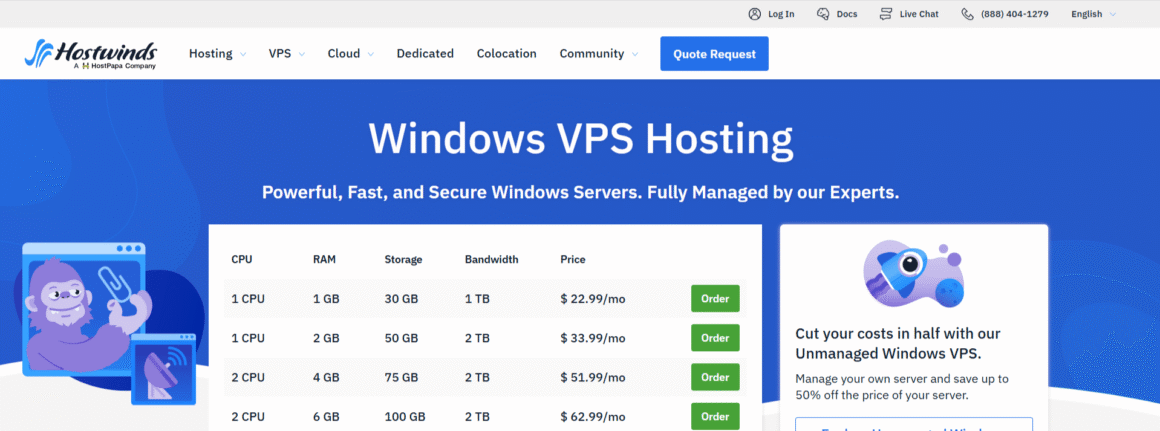
| Hostwinds | $7.14/mo promotional; $10.99/mo regular* | 1 CPU / 1 GB RAM | 30 GB SSD | Managed Linux VPS; verify selected plan | Entry-level managed hosting |
Prices and plan specs can change. Look at each provider’s current pricing and management terms before you buy.
What Is Managed VPS Hosting?
With a managed virtual private server, the provider handles the server tasks included in your plan. That cuts down your own technical work. How much it cuts depends on the plan.
How Managed VPS Hosting Works
A virtual private server runs on a physical server next to other virtual servers. Each VPS gets a set amount of CPU time and RAM. Storage is allocated to it separately. The result is its own hosting environment.
On a managed VPS, the provider takes care of certain maintenance tasks. Operating system updates and security patches are typical examples. Some services add monitoring and backups. A few services go further and fix server problems for you.
Managed vs. Unmanaged VPS Hosting
The two differ mainly in who handles server administration.
On an unmanaged VPS, you generally set up the server yourself. You install and update the software. Security and troubleshooting land on you. The provider maintains the underlying infrastructure, but most server administration is still your job.
How We Picked the Best Managed VPS Hosting Providers
We compared each provider’s resources and pricing. Then we checked its support and management options. We checked scalability. We also marked where server management costs extra or where you have to run your own VPS.
Support and security were important parts of the comparison. We checked what each provider says it handles, including server maintenance, monitoring, and backups. Control panel options and pricing helped us assess how much value each plan offers.
Our goal was to identify meaningful differences between the providers rather than judge them by their advertised prices alone.
1. ScalaHosting – Best Overall

Best for: Businesses that want server administration handled for them and need room to scale.
- SPanel control panel
- AI-powered SShield security
- Vertical and horizontal scaling
- Redundant network infrastructure
- AI-powered SShield security
- Seamless resource upgrades
- Daily automated backups & easy restore
- Free SSL certificates
$29.95/mo
Starting Price
ScalaHosting is worth considering if you want a managed VPS without handling routine server administration yourself. Its managed cloud plans include SPanel, the company’s own control panel for managing websites and server settings.
The service also includes SShield security protection and automated backups. ScalaHosting offers 24/7 support. Its team will help migrate your site, so moving an existing site to a VPS is easier.
The renewal price is the main drawback. It’s considerably higher than the introductory offer.
ScalaHosting Managed VPS pricing
| Plan | Introductory price | Renewal price | CPU | RAM | Storage |
| Build #1 | $29.95/mo | $54.95/mo | 2 cores | 4 GB | 50 GB NVMe |
| Build #2 | $44.95/mo | $96.95/mo | 4 cores | 8 GB | 100 GB NVMe |
Pros and Cons of ScalaHosting
Pros:
- Managed server administration.
- SPanel control panel.
- SShield security protection.
- Daily automated backups.
- Zero-downtime site migration
Cons:
- Higher renewal prices.
- Limited resources on the entry-level plan (4 GB RAM and 50 GB storage).
- Scaling up can increase hosting costs.
2. Liquid Web – Best for Flexible VPS Management

Best for: Businesses that want server administration handled for them and need room to scale.
- Dedicated CPU and RAM resources
- 10 Gbps network connectivity
- DDoS protection
- Self-managed, core-managed, and fully managed options
- SSD storage
- Root access
- Dedicated IP address
- Built-in backups on fully managed plans
$5.00/mo
Starting price
Liquid Web’s managed VPS plans fit businesses that need server administration but don’t want every maintenance task on their plate. Management levels differ, so check which services your plan includes.
Its fully managed service includes operating system updates and security patches. Liquid Web includes monitoring and control panel support. Its team answers technical questions around the clock, every day of the year, and helps with migration. You can pick cPanel or Plesk. InterWorx is available as a third choice. Control panel licensing may cost extra.
Businesses can choose a management level that matches their technical requirements, although fully managed service may cost more than an unmanaged VPS.
Liquid Web managed VPS pricing
| Plan | Monthly Price | CPU | RAM | Storage | Bandwidth |
| 1 GB RAM plan | $5/mo | 1 vCPU | 1 GB | 30 GB SSD | 1 TB |
| 4 GB RAM plan | $8.50/mo promotional; $17/mo regular* | 2 vCPU | 4 GB | 80 GB SSD | 3 TB |
| 8 GB RAM plan | $22.50/mo promotional; $45/mo regular* | 4 vCPU | 8 GB | 240 GB SSD | 5 TB |
| 16 GB RAM plan | $45/mo promotional; $90/mo regular* | 6 vCPU | 16 GB | 440 GB SSD | 7 TB |
Promotional prices apply for the first two months to the eligible plans. After that, the 4 GB plan is going to cost $17 per month, and the 8 GB plan costs $45. The 16 GB plan runs $90 per month. The 1 GB plan starts at $5 per month. Confirm the management level and the included services first. Then check the final price.
Pros and Cons of Liquid Web
Pros:
- Flexible server management options.
- Dedicated CPU and RAM resources.
- Root access and DDoS protection.
- Backups included with fully managed plans.
Cons:
- Higher costs for fully managed hosting.
- Additional control-panel licence fees.
- Extra charges for some services.
- Promotional prices last only two months.
- Features vary by management level.
3. DreamHost – Best for Growing Websites
Best for: Website owners who want full root access and can run a VPS on their own.
- AMD EPYC processors
- Full root access
- Docker and KVM support
- One-click app library
- NVMe SSD storage
- Unmetered bandwidth
- Choice of Linux operating system
- DDoS protection and 24/7 support
$8.99/mo
Starting price
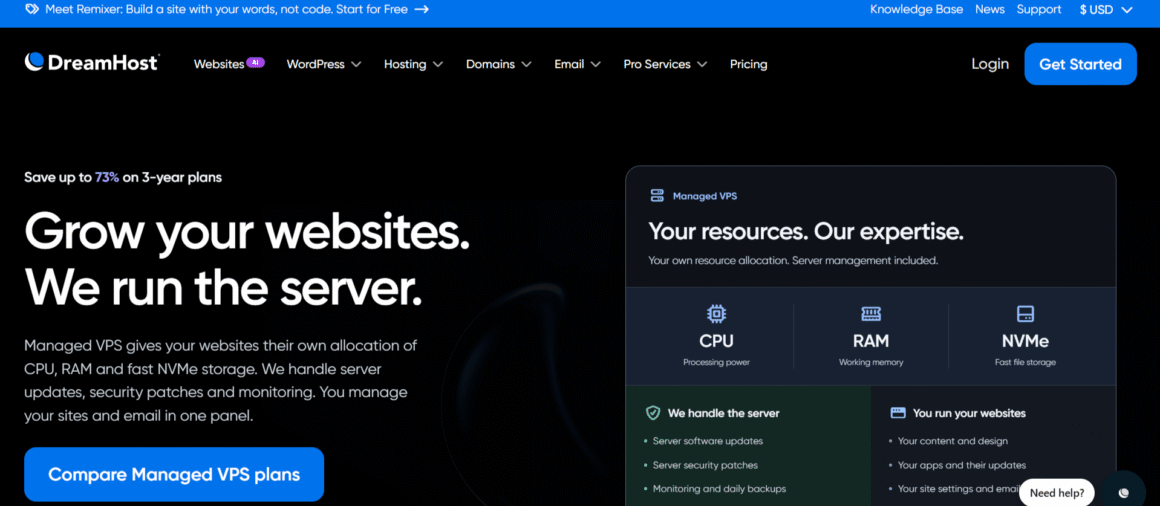
DreamHost’s VPS hosting suits users who have outgrown shared hosting and want full root access. Its VPS plans are self-managed, though. You handle server configuration and maintenance. Security is your responsibility.
Full root access gives you control over server configuration and software. Since the plans are self-managed, you’re also responsible for routine maintenance and security updates. In case something goes wrong, you will have to take care of troubleshooting.
DreamHost could be a good option if you are comfortable managing your own server. But, if you can’t, it’s better to choose a managed VPS plan instead.
DreamHost VPS pricing
| Plan | Introductory price | Renewal price | vCPU | RAM | Storage |
| Stack 4 | $8.99/mo* | $15.99/mo | 2 | 4 GB | 75 GB NVMe SSD |
| Stack 8 | $13.99/mo* | $21.99/mo | 2 | 8 GB | 150 GB NVMe SSD |
| Stack 16 | $22.99/mo* | $34.99/mo | 4 | 16 GB | 250 GB NVMe SSD |
The introductory prices apply for the first three months. Renewal prices are $15.99, $21.99, and $34.99 per month, respectively. Confirm the current billing term and renewal rate on DreamHost’s pricing page before purchasing.
Pros and Cons of DreamHost
Pros:
- Full root access.
- Unmetered bandwidth.
- AMD EPYC processors and NVMe storage.
- Docker and KVM support.
- 24/7 customer support.
Cons:
- Requires hands-on server management.
- Technical knowledge needed for maintenance and security.
- Higher prices after the first three months.
- Limited CPU resources on the entry-level plan.
4. Hostinger – Best for Budget-Conscious Users
Best for: Budget-conscious users who want control over their server setup and don’t mind managing their own VPS.
- AMD EPYC processors
- 1 Gbps network speed
- Free weekly backups and manual snapshots
- DDoS protection
- NVMe SSD storage
- Managed firewall
- AI-powered Hostinger Agent in the Web Terminal
- Full root access
$6.49/mo
Starting price
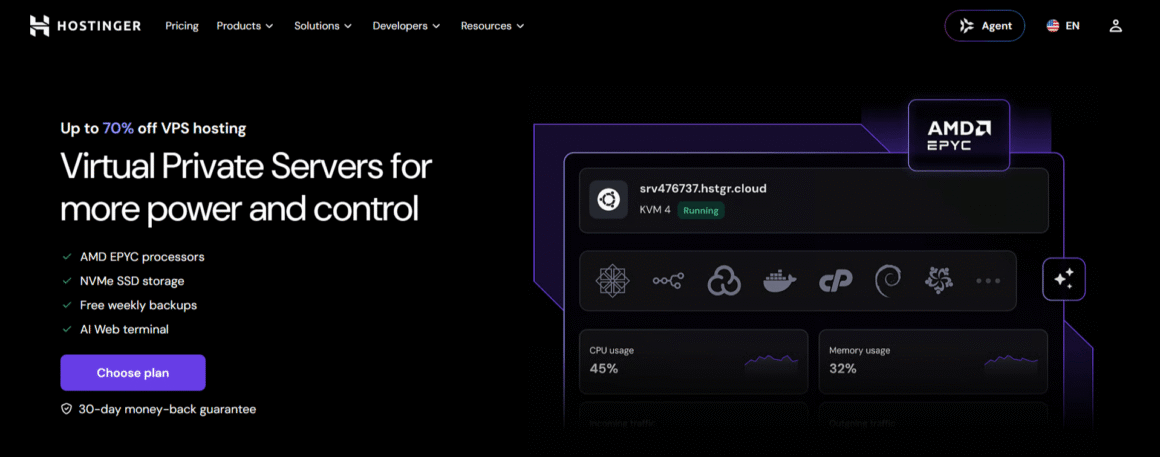
Hostinger’s low-cost VPS hosting comes with dedicated virtual resources and root access. Its plans can run websites and applications that need a configurable server environment.
Hostinger’s VPS hosting is self-managed, not fully managed. You set up the server yourself. Software and security upkeep is on you. Hostinger maintains the underlying infrastructure and offers tools for server management. It doesn’t take over routine server administration.
Weekly backups come with Hostinger’s plans. Before you sign up, check the renewal rate and the total upfront payment for your subscription term.
Hostinger VPS pricing
| Plan | Introductory Price | CPU | RAM | Storage | Bandwidth |
| KVM 1 | $6.49/mo* | 1 vCPU | 4 GB | 50 GB NVMe | 4 TB |
| KVM 2 | $8.99/mo* | 2 vCPU | 8 GB | 100 GB NVMe | 8 TB |
| KVM 4 | $12.99/mo* | 4 vCPU | 16 GB | 200 GB NVMe | 16 TB |
Introductory monthly prices are based on paying upfront for the selected term. Renewal prices are $11.99, $14.99, and $28.99 per month, respectively. Confirm current pricing and billing terms on Hostinger’s website before purchasing.
Pros and Cons of Hostinger
Pros:
- Affordable introductory pricing.
- AMD EPYC processors and NVMe storage.
- Weekly backups and manual snapshots.
- Root access and built-in security features.
Cons:
- Requires hands-on server management.
- Higher renewal prices.
- Upfront payment for the selected term.
- Limited CPU resources on the entry-level plan.
5. Cloudways – Best for Managed Cloud VPS Hosting

Best for: Website owners and businesses that want managed cloud hosting and don’t want to run the server day to day.
- Managed cloud hosting
- One-click application deployment
- Server monitoring tools
- Free SSL certificates
- DigitalOcean Premium cloud servers
- Vertical server scaling
- Built-in firewall and DDoS protection
- 24/7 customer support
$14.00/mo
Starting price
Cloudways’ managed cloud hosting gives website owners more control over their hosting environment without server management on their end. Through the platform, you pick your cloud infrastructure. Providers such as DigitalOcean and AWS are available, and so is Google Cloud.
Cloudways handles routine server management. You get tools to monitor performance and manage applications. You get automatic backups of your website. Security features help keep it safe. The support team is there 24/7 and helps with website migration.
You can pay hourly or monthly. Upgrading server resources as your website grows doesn’t lock you into a traditional long-term hosting contract. Your cloud provider and server configuration set the total cost. Off-site backup storage and some optional services may cost extra.
If you want to compare more cloud infrastructure options, check out our guide to the best cloud hosting providers, which covers different platforms, management options, and pricing models.
Cloudways pricing
Cloudways’ current entry-level configuration gives you a starting point to compare costs. Before you buy, check the cloud provider and configuration you’ve selected.
| Cloudways plan | Price (USD/month) | RAM | vCPU | NVMe storage | Transfer bandwidth |
| Micro | $14 | 1 GB | 1 | 25 GB | 1 TB |
| Small | $28 | 2 GB | 1 | 50 GB | 2 TB |
| Medium | $54 | 4 GB | 2 | 80 GB | 4 TB |
| Large | $99 | 8 GB | 4 | 160 GB | 5 TB |
Prices are in USD and don’t include taxes. Cloudways bills pay-as-you-go. Check current rates and any additional charges first.
Pros and Cons of Cloudways
Pros:
- Managed server administration.
- One-click app deployment.
- Flexible resource scaling.
- Hourly, pay-as-you-go billing.
- Built-in security and monitoring tools.
Cons:
- More expensive than managing a cloud server directly.
- No root access to the underlying server.
- Off-site backup storage incurs an additional charge.
- Costs increase as resources and paid add-ons grow.
6. InMotion Hosting – Best for Self-Managed VPS Resources
Best for: Businesses that want VPS resources and reliable technical support, with the option to pay for additional server administration when needed.
- Full root and SSH access
- NVMe SSD storage
- 1 Gbps network speed
- Always-on DDoS protection
- Dedicated CPU and RAM resources
- 5 TB bandwidth on the entry-level plan
- On-demand server snapshots
- 24/7 hardware and network support
$13.99/mo
Starting Price
InMotion Hosting gives you VPS resources plus access to server administration support. Its managed hosting services can help with server setup and security configuration. Hands-on help with other technical tasks is available.
Technical support is available 24/7, and eligible VPS plans get free migration. VPS configurations come with dedicated virtual resources and NVMe storage. Root access is part of the package. You can use a control panel to manage websites. Check whether your plan includes the license or charges an additional fee.
InMotion sells managed and self-managed VPS options. Look at what the management covers and which add-ons cost money. Then judge the total cost.
InMotion Hosting VPS pricing and management options
| Plan | Introductory price (monthly) | Renewal price (monthly) | vCPU | RAM | NVMe storage | Bandwidth |
| VPS 4 vCPU | $13.99 | $26.99 | 4 | 8 GB | 160 GB | 5 TB |
| VPS 8 vCPU | $21.99 | $56.99 | 8 | 16 GB | 260 GB | Unlimited |
| VPS 12 vCPU | $32.99 | $86.99 | 12 | 24 GB | 360 GB | Unlimited |
| VPS 16 vCPU | $44.99 | $121.99 | 16 | 32 GB | 460 GB | Unlimited |
The introductory prices apply only to a 24-month term. After that, renewal prices are $26.99, $56.99, $86.99, and $121.99 per month, respectively. Server management services and control panel licences may cost extra on some plans. Ask which services your plan includes and what the extra costs are.
Pros and Cons of InMotion Hosting
Pros:
- Dedicated server resources.
- Full root access for customization.
- Unlimited bandwidth on higher-tier plans.
- On-demand snapshots and DDoS protection.
- 24/7 hardware and network support.
Cons:
- Requires hands-on server administration.
- Control panel licences cost extra.
- Free migration isn’t included with the standard self-managed setup.
- Renewal prices are considerably higher than introductory rates.
7. Hosting.com (formerly A2 Hosting) – Best for Fully Managed Linux VPS
Best for: Businesses that want managed Linux VPS hosting with cPanel and daily backups. The provider also helps keep the server secure.
- Fully managed Linux VPS hosting
- AMD EPYC processors
- CloudLinux OS
- Daily automated backups
- cPanel and WHM
- NVMe SSD storage
- Monarx malware protection and server firewall
- 24/7 server monitoring and support
$23.20/mo
Starting Price
Hosting.com’s fully managed Linux VPS hosting is for businesses that want their provider to handle server maintenance. Plans come with cPanel and WHM. These give you a graphical interface to manage websites and hosting accounts.
The company handles operating system updates and security patches. It runs daily backups and round-the-clock server monitoring. For security, you get CloudLinux and Monarx malware protection. A server firewall is included. Hosting.com advertises a 99.99% uptime guarantee along with customer support that runs around the clock.
The servers run on AMD EPYC processors with NVMe storage. The RAM depends on the configuration you pick, anywhere from 4 GB to 16 GB. Start with the amount your site needs today, then check which upgrades are available for later.
Fully managed hosting doesn’t give you root access, and that’s one limitation. The provider can then maintain and secure the underlying system. Low-level server customization is limited as a result. For root access, go with an unmanaged VPS instead.
Hosting.com Managed VPS Configurations
| Plan | Promotional Price | CPU Cores | RAM | Storage | Bandwidth |
| Managed cPanel 4GB | $23.20/mo | 2 | 4 GB | 100 GB NVMe SSD | 1 TB/mo |
| Managed cPanel 8GB | $36/mo | 4 | 8 GB | 150 GB NVMe SSD | 2 TB/mo |
| Managed cPanel 16GB | $56/mo | 8 | 16 GB | 300 GB NVMe SSD | 3 TB/mo |
| Managed cPanel 32GB | $92/mo | 16 | 32 GB | 400 GB NVMe SSD | 4 TB/mo |
Confirm current prices and billing terms on Hosting.com’s website before purchasing. These specifications come from its managed Linux VPS page.
The introductory prices apply to a one-year term. Renewal prices are $58, $90, $140, and $230 per month, respectively. Confirm current pricing and billing terms on Hosting.com’s website before purchasing.
Pros and Cons of Hosting.com
Pros:
- Fully managed server maintenance and security.
- cPanel and WHM included.
- Daily backups and 24/7 monitoring.
- Dedicated CPU cores and guaranteed RAM.
- Free website migration.
Cons:
- No root access for advanced server customization.
- Higher renewal prices.
- Extra licence charges for additional cPanel accounts.
- Limited resources on the 4 GB entry-level plan for demanding websites.
8. InterServer – Best for Affordable Managed VPS Hosting
Best for: Users who want affordable VPS resources with managed support included, starting at the eight-slice tier.
- Slice-based VPS resources
- KVM virtualization
- 10 Gbps shared network port
- Linux and Windows operating system options
- Managed support on Linux plans with 8 or more slices
- SSD storage
- Root access
- cPanel, DirectAdmin, Plesk, and Webuzo options
$24.00/mo
Starting Price
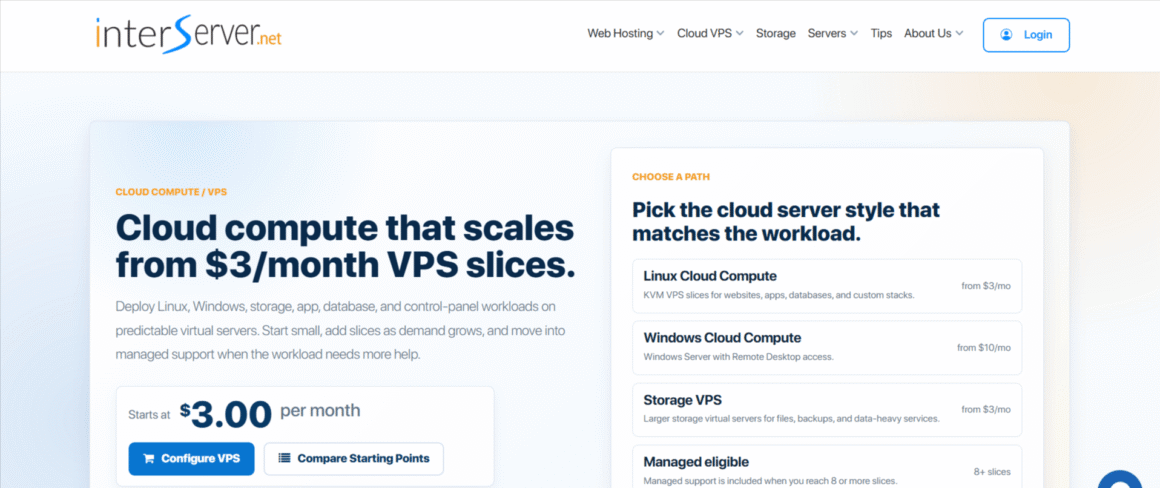
InterServer’s slice-based VPS model lets you add resources as your needs change. Managed support only comes with plans of eight slices or more. Entry-level options don’t fit well if you want the provider to run the server for you.
The eight-slice plan costs $24 per month. It has four CPU cores and 16 GB of RAM. You get 320 GB of SSD storage and 16 TB of data transfer. Managed support is included with Linux VPS plans of eight slices or more; smaller plans don’t include the same support.
You can run cPanel or DirectAdmin on it. Plesk is another option. These panels simplify website and account management. Licensing may cost extra. InterServer gives you root access. Managed support covers operating system and control panel software management. Help diagnosing common server issues is included.
Managed support doesn’t necessarily cover every application or website problem. For help beyond server-level troubleshooting, check the support terms first.
InterServer managed VPS pricing
| Plan | Monthly price | CPU cores | RAM | Storage |
| 8 slices | $24 | 4 | 16 GB | 320 GB SSD |
| 12 slices | $36 | 6 | 24 GB | 480 GB SSD |
| 16 slices | $48 | 8 | 32 GB | 640 GB SSD |
Prices are in USD and billed monthly. Managed support is included with Linux VPS plans of eight slices or more. Control panel licences and additional services may cost extra.
Pros and Cons of InterServer
Pros:
- Affordable monthly pricing.
- Resources scale as you add slices.
- Managed support included with the listed Linux plans.
- Root access for server customization.
- Generous data-transfer allowances.
Cons:
- No money-back guarantee for VPS hosting.
- Control-panel licences may cost extra.
- Managed support doesn’t cover every third-party application.
- The 10 Gbps network port is shared, not dedicated.
9. Kamatera – Best for Customizable Managed VPS
Best for: Businesses and developers who need customizable cloud resources and want to add server management when required.
- Customizable CPU, RAM, and storage
- On-demand resource scaling
- Optional managed service and daily backups
- Root access on self-managed servers
- Hourly and monthly billing
- Global data center locations
- Linux and Windows operating systems
- NVMe SSD storage
$4.00/mo
Starting Price
Kamatera lets you build a cloud server around your website’s resource needs. You pick the CPU and memory. Storage and data center location are up to you. A few fixed plans don’t limit you.
Billing is hourly or monthly. You can scale resources as your workload changes. However, standard cloud servers are self-managed. Kamatera’s managed service is an add-on. It’s what gets the company to handle operating system maintenance and server configuration.
Kamatera’s configurable servers suit specific workloads. The base price excludes management, though. Compare the full monthly cost, including management and backup services, before you choose a configuration.
Kamatera managed VPS pricing
| Cost component | Monthly price | What it covers |
| Basic cloud server | From $4 | 1 vCPU, 1 GB RAM, 20 GB NVMe storage, 5 TB transfer |
| Standard cloud server | $25 | 2 vCPU, 2 GB RAM, 20 GB NVMe storage, 5 TB transfer |
| Pro cloud server | $39 | 2 vCPU, 4 GB RAM, 20 GB NVMe storage, 5 TB transfer |
| Pro Managed service | $50 | Optional server management add-on |
| Premium Managed service | $150 | Higher-tier server management add-on |
Server and management prices are separate. The Basic server includes 5 TB of internet traffic. Your final bill depends on the configuration and selected services. Confirm the current quote with Kamatera before purchasing.
Pros and Cons of Kamatera
Pros:
- Flexible server configurations.
- Pay-as-you-go billing.
- Resources can scale as needs change.
- Global data center options.
- Root access on self-managed servers.
Cons:
- Server management costs extra.
- Daily backups require an additional fee.
- Final costs depend on the configuration and add-ons.
- Self-managed servers require technical knowledge.
10. Hostwinds – Best for Affordable Managed VPS Hosting
Best for: Small businesses and website owners who want managed Linux VPS hosting with technical support behind it.
- Fully managed Linux VPS hosting
- SSD storage
- Server monitoring
- Multiple data center locations
- Dedicated CPU and RAM resources
- 1 Gbps network ports
- Enterprise firewall
- Free website migration
$7.14/mo
Starting Promotion Price
Hostwinds’ managed Linux VPS hosting suits website owners who need allocated virtual resources but don’t want to handle all server administration themselves. They just don’t want to handle all the technical work themselves. Its managed plans include full support for server-related issues, including help with configuration and troubleshooting.
Several server configurations are available. SSD storage and bandwidth grow with each tier. Pick a data center location for your server. When you need more resources, you can upgrade it. Server monitoring and nightly backups are available. Check your plan’s add-ons, since these services can affect the final cost.
The advertised entry price is low, but it’s a promotional rate. The regular price is higher. For custom applications, ask whether your support plan covers troubleshooting.
Hostwinds managed Linux VPS pricing
| Plan | Monthly Price (USD/mo) | CPU | RAM | Storage | Bandwidth |
| 1 | $7.14/mo promotional; $10.99/mo regular* | 1 CPU | 1 GB | 30 GB | 1 TB |
| 2 | $14.29/mo promotional; $21.99/mo regular* | 1 CPU | 2 GB | 50 GB | 2 TB |
| 3 | $25.99/mo promotional; $39.99/mo regular* | 2 CPU | 4 GB | 75 GB | 2 TB |
Prices are listed in USD. The offer and the billing cycle can change a promotional rate. Monitoring and backups may raise your total cost. Check current pricing and what’s included.
Pros and Cons of Hostwinds
Pros:
- Managed server administration and technical support.
- Free migration on managed plans.
- Flexible resource upgrades.
- Root access for server customization.
- 99.9999% network and power uptime guarantee, subject to the SLA’s terms.
Cons:
- Nightly cloud backups cost extra.
- Regular prices are higher than promotional rates.
- cPanel licences cost extra.
- Custom application troubleshooting may fall outside support coverage.
Key Features to Look for in Managed VPS Hosting
Support and server control change a lot from one managed VPS plan to the next. So look at what each provider takes care of for you. Then look at the resources you get and any services that push the price up.
Server Management and Technical Support
Some plans cover operating system updates and security patches. Other plans keep monitoring and troubleshooting for a higher support tier.
Support hours and coverage differ between providers, so confirm both. A provider may fix server issues but not problems from your website’s code or third-party applications.
CPU, RAM, and Storage
Your website may need more server resources as traffic grows or applications become more demanding. CPU cores process requests while RAM supports applications and background processes. SSD and NVMe storage can improve file and database access speeds. Choose enough storage capacity for your website and its data
You need to find out the configuration needed for your current workload and then keep some spare capacity for growth.
If your WordPress website receives substantial traffic or experiences frequent traffic spikes, explore our guide to the best WordPress hosting for high-traffic websites to compare hosting solutions designed for demanding workloads.
Security and Backups
Regular security updates and server monitoring should come with the plan. Certain plans also come with firewalls and malware protection.
Every managed VPS hosting provider has different backup schedules and retention periods. Ask whether a restore costs extra. A separate copy of your website’s data, stored by you, gives you one more layer of protection.
Scalability and Control
Upgrading server resources shouldn’t mean a complicated migration. Some providers need downtime or a plan change for an upgrade, so ask which applies to you.
Then there is root access. With it, you get more control over server configuration. Some managed hosting providers restrict it to maintain the server environment. When root access isn’t available, a control panel still makes routine website and account management easier.
Pricing and Renewal Costs
The advertised introductory price that you see is only one part of the cost. You will have to check the renewal rate along with the billing term required for the offer.
Your total cost can rise with add-on services, such as control panel licences and extra backups. Migration help and advanced support may depend on your plan. Compare the full cost with the resources and management services you get.
Managed VPS vs. Shared Hosting
Shared hosting usually works well for smaller websites with modest traffic. It’s affordable and easy to manage. The catch is that other customers share the same server resources.
With managed VPS hosting, a set of virtual server resources is allocated to your VPS. This gives you more flexibility and more room to run demanding workloads. The provider handles the server tasks your plan covers.
| Feature | Shared hosting | Managed VPS hosting |
| Cost | Usually lower | Usually higher |
| Resources | Shared server environment | Allocated virtual resources |
| Server maintenance | Handled by the host | Depends on the managed plan |
| Customization | More limited | Generally greater, subject to provider restrictions |
| Best suited for | Small websites and blogs | Growing websites and resource-intensive applications |
A growing website doesn’t mean you have to upgrade right away. Managed VPS hosting makes sense when your plan keeps hitting its resource limits. It also fits if you need more control. Some applications need a setup that shared hosting can’t offer.
Final Verdict
With managed VPS hosting, you get more server resources and don’t have to handle every maintenance task. ScalaHosting is our overall pick. Cloudways and Liquid Web are worth a look too, if your needs are different.
Look at the renewal price. Check what your plan includes. Things like backup policies and management fees can raise the overall cost. Read everything carefully to avoid paying extra for the chosen plan.
Pick a provider that fits what you need now. Make sure you have room to grow later. Don’t pay for things you won’t use.
Frequently Asked Questions
Is managed VPS hosting worth it?
It really comes down to what you’re after. If you want your own dedicated server resources without the hassle of managing the server yourself, the extra cost is worth it. You’ll especially benefit if your business doesn’t have someone on staff who can handle server administration.
What is the difference between managed and unmanaged VPS hosting?
A managed VPS hosting provider takes care of the server tasks in your plan. With an unmanaged VPS, you set up the server yourself. Even security updates and troubleshooting falls into your scope of work.
Does managed VPS hosting include backups?
Not always. Some providers include automated backups, while others charge extra for them. Or, they include the feature on certain plans. Before you choose a provider, find out how often it backs up your site. Ask how long it keeps those backups. Then ask if getting your data back costs extra.