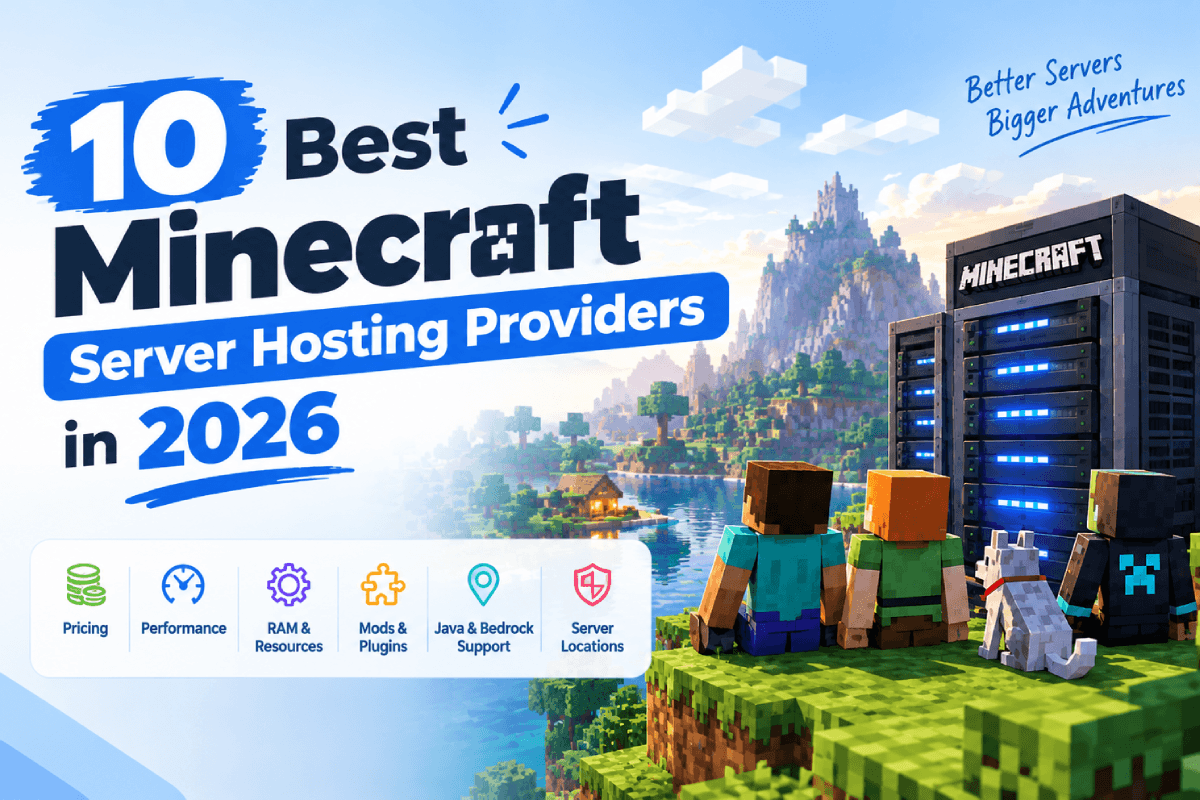
Playing Minecraft with a couple of friends is easy enough. Running a server for a bigger group works differently, though. You need enough resources to handle the load and ensure stable performance. You also need to ensure that there is enough capacity for however many players you expect to join. The right setup depends on several factors. Java or Bedrock is one of them. Mods matter for some setups, and a specific server location can matter for others.
This guide compares the 10 best Minecraft server hosting providers. Parameters compared include features, pricing, performance, server management tools, and support.
What Is Minecraft Server Hosting?
A Minecraft server needs a computer somewhere to run the game world. That computer also handles player connections and game processes. Minecraft server hosting lets you rent those resources from a provider instead. You skip running everything on your own machine. The provider manages the underlying hosting infrastructure, while you manage the server itself.
Hosting plans differ from one provider to the next. RAM, CPU resources, storage, player capacity, and server location vary between plans. Many plans also include backups and DDoS protection. You will even get support for mods, plugins, and different Minecraft versions.
Why Do You Need Minecraft Server Hosting?
Running a Minecraft server on your own computer works fine at first. It gets harder once more players start joining, though. A hosting service provides the server resources needed to keep your world online. Your PC doesn’t need to run around the clock anymore. And there are providers that offer control panels, backups, DDoS protection, and tools for installing mods and plugins.
Uptime becomes particularly important for public or continuously available servers. Server location plays a bigger role too, along with available resources and how many players you can support. The provider takes care of the underlying infrastructure as well, so you don’t have to maintain the physical server yourself.
Best Minecraft Server Hosting Providers at a Glance
Pricing is one factor that sets Minecraft server hosting providers apart from each other. Hardware, server management, mod support, and where servers are located matter too. Some build around a simple setup. Others hand you more control over server resources and configurations instead. The table below provides a quick comparison of these Minecraft server hosting providers before we look at each option in detail.
| Provider | Best For | Starting Price* | Java/Bedrock | Mod Support | Server Locations | Key Feature |
| Godlike.host | Community servers | From $2/mo | Java + Bedrock | Yes | Multiple regions | Custom server plans |
| BisectHosting | Modded Minecraft | From $2.99/mo | Java + Bedrock | Yes | 21 locations | 2,300+ modpacks |
| Apex Hosting | Beginners | Varies by plan | Java + Bedrock | Yes | Multiple locations | Easy server management |
| Hostinger | VPS-level control | From $6.99/mo | Java + Bedrock | Yes | Worldwide data centers | Full root access |
| Nodecraft | Multi-game users | From $4.17/mo | Java + Bedrock | Yes | Multiple locations | Save & Swap |
| Sparked Host | Budget hosting | Varies by plan | Java + Bedrock | Yes | Multiple locations | Apollo control panel |
| ScalaCube | Multiple servers | From $2/mo | Java + Bedrock | Yes | Multiple locations | Multiple server support |
| PebbleHost | Low-cost hosting | From $1/GB | Java + Bedrock | Yes | North America, Europe, Australia, Asia | Budget plans |
| Shockbyte | Minecraft hosting | From $3.99/mo | Java + Bedrock | Yes | Multiple regions | Modpack and plugin installer |
| Host Havoc | Performance-focused servers | From $3.75/mo | Java | Yes | Multiple locations | NVMe storage |
*Prices shown are starting rates where available. Promotional offers can change the final price. So can billing terms, taxes, and plan availability.
10 Best Minecraft Server Hosting Providers in 2026
1. Godlike.Host

Best for: Beginners, modders, and growing communities.
- 12–20 GB RAM Plans
- DDoS Protection
- Multiple Server Locations
- 24/7 Support
- 200+ Player Support
- High-Performance Hardware
- Mod & Plugin Support
- Custom Server Configs
$2.0/mo
for the first month
Godlike.Host runs Minecraft server hosting for both Java and Bedrock, with plans that can scale as your server grows. Ryzen processors power its current Minecraft infrastructure, paired with NVMe SSD storage. The Godlike Panel handles server settings. Modpack and plugin installs go through it too. Version changes are just as simple, without a complicated setup process.
Modded Minecraft works here too. Fabric, Forge, and Paper are all supported. One-click installation covers modpacks from CurseForge, Modrinth, and FTB. DDoS protection ships with the hosting. Automatic backups come standard as well.
Pricing shifts by plan and by promotion. Minecraft plans on the current site start around $2.0 per month. Some promotional offers knock the first month down even further.
Main limitation: Entry-level plans come with limited RAM. Larger modpacks or busy community servers may need a higher-tier plan because of that.
Who it suits: Godlike.host fits well if you want Minecraft server hosting with modern hardware. Mod support matters to you too, along with global locations. A control panel that keeps routine management simple rounds out the appeal.
Pros:
- Ryzen 9 9950X3D, DDR5, NVMe Samsung 990 PRO
- Forge, Fabric, Spigot, Paper, RLCraft, and ATM10 presets
- Built-in installer for 22000+ modpacks
- Automatic backups up to three times a day
- Variety of hosting plans for any budget
- Responsive 24/7/365 support
Cons:
- The free plan is time-limited
- Premium plans are pricier than budget hosts
- No hourly billing, and activation occasionally lags
2. BisectHosting

Best for: Modded Minecraft & Growing Communities
- 2,300+ Modpacks
- NVMe SSD Storage
- 21 Global Locations
- 24/7/365 Support
- One-Click Modpack Install
- Free DDoS Protection
- Instant Server Setup
- Free Server Backups
$2.99/mo
Starting Price
BisectHosting focuses on modded Minecraft server hosting. There are more than 2,300 Minecraft mods and modpacks available on its current platform. The custom control panel covers one-click modpack installation. Plugin and datapack management sit alongside that, along with configuration editing, backups, and server performance monitoring.
Both Java and Bedrock hosting are supported, and 21 server locations are available worldwide. NVMe storage comes standard on every plan. DDoS protection does too. Support runs 24/7/365 through live chat and tickets. BisectHosting also gives you an Instance Manager. You can use it to make new server instances and switch between them from the control panel.
Main limitation: If you only need a small vanilla server, its extensive modding and management features may be more than you need.
Who it suits: BisectHosting makes sense for players who want Minecraft modpack server hosting with easy installation, multiple locations, and enough management tools to handle a more customized server.
Pros:
- Over 2,300 Minecraft mods and 8,000 plugins
- Configurable backups
- 21 worldwide server locations
- 24/7/365 customer support
- Automated modpack installation
- DDoS protection included
- Full FTP/file access
Cons:
- Advanced features and additional resources can increase the overall cost
- Limited information about the server’s hardware
3. Apex Hosting

Best for: Beginners who want simple Minecraft server management
- Java & Bedrock Support
- Premium Hardware
- 24/7 Support
- Free DDoS Protection
- One-Click Modpack Install
- Free Server Transfers
- FTP & MySQL Access
- 99.99% Uptime SLA
$14.99/mo
Starting Price
Apex Hosting keeps things focused on Minecraft server hosting, and the setup process stays relatively simple throughout. Both Java and Bedrock Edition work here. A web-based control panel handles server settings, files, maps, and mods. One-click installation extends to modpacks and plugins too, so a customized server comes together without much manual work.
Automated backups ship standard. DDoS protection does too, alongside FTP access and 24/7 support. Standard plans run on high clock speed CPUs with NVMe storage, while the EX Series adds dedicated vCores for anyone running more demanding servers. Server locations span different regions, and you can test ping yourself to pick the right one.
Main limitation: The regular plans get pricier as RAM goes up. The 4 GB Java plan runs $14.99 per month once the introductory price ends. Higher RAM plans cost more still.
Who it suits: Apex Hosting suits users who want Minecraft server hosting with an easy setup. Modpack support matters too, along with multiple server locations. A straightforward control panel rounds things out.
Pros:
- Premium hardware and low-latency infrastructure
- Automatic backups and updates
- Advanced DDoS protection
- 24/7 live chat and ticket support
- Full FTP access
- Easy-to-use Multicraft-based control panel
Cons:
- Pricing is relatively higher than some budget-focused Minecraft hosts
- Entry-level plans may not be ideal for large or heavily modded servers
4. Hostinger

Best for: Users who want more control over their Minecraft server
- AMD EPYC Processors
- Full Root Access
- Free Weekly Backups
- 2,000+ Modpacks
- NVMe SSD Storage
- DDoS Protection
- One-Click Installation
- Worldwide Data Centers
$6.99/mo
Starting Price
Hostinger takes a different route with Minecraft hosting. Its Game Panel plans hand you a VPS with a preconfigured Game Panel, rather than a traditional managed Minecraft server. The entry plan runs $6.99/month on a 24-month term right now. 1 vCPU core comes with that. 4 GB of RAM comes with that, plus 50 GB of NVMe storage. The price goes up to $11.99/month at renewal.
Full root access comes with the Game Panel. Both Java and Bedrock Edition are supported through it. Mods and plugins install directly. Custom worlds upload the same way, and server configurations change just as easily, with the option to switch between supported server types. DDoS protection ships with current Game Panel plans. One-click installation does too, along with automatic weekly backups.
Main limitation: The added control also means more server administration falls on you. Configuration, updates, and other server-level tasks become your job.
Who it suits: Hostinger is a good fit for users who want Minecraft server hosting with VPS resources, root access, and greater control over their server setup.
Pros:
- Competitive pricing for Minecraft VPS hosting
- NVMe SSD storage and AMD EPYC processors
- Full root access
- Mod and plugin support
- Multiple worldwide data center locations, including India
- 99.9% uptime guarantee
- Automatic weekly backups
Cons:
- Plans are paid upfront rather than simply month-to-month at the advertised monthly equivalent
- VPS-based setup can require more technical knowledge than a fully managed game-hosting panel
- Higher resource plans become considerably more expensive at renewal
5. Nodecraft

Best for: Players who want Minecraft hosting with multi-game flexibility
- AMD Ryzen 9 & EPYC CPUs
- Cloud Backups
- One-Click Modpack Install
- SFTP File Access
- DDoS Protection
- Easy Control Panel
- Unlimited Player Slots
- 24/7 Pro Servers
$4.17/mo
Starting Price & Renew at $5.96/mo
Nodecraft runs Minecraft server hosting for Java and Bedrock, split across two main options. Lite servers hibernate when nobody’s using them. Pro servers stay online around the clock instead. Lite pricing starts at $4.17 for the first month right now, renewing at $5.96 per month after. Pro opens at $6.99 for the first month. Renewal runs $9.98 per month after that.
AMD Ryzen 9 or AMD EPYC processors power the hardware here. SSD storage backs the hardware, along with ECC RAM. The control panel covers file management. DDoS protection sits there too, along with cloud backups and one-click installation for Minecraft modpacks and plugins. Multi-game users get real value from the Save & Swap feature specifically, since it lets you save a server and switch between supported games or modpacks without losing your existing setup. More than 28 locations are listed worldwide right now.
Main limitation: Lite servers are not continuously online, so players who want 24/7 availability need a Pro plan.
Who it suits: Nodecraft fits users who want Minecraft hosting services with simple management and the flexibility to run multiple games.
Pros:
- User-friendly game server control panel
- Cloud backups
- One-click game/server installation
- Server Save & Swap functionality
- Elegant UI of the control panel
- Reliable hardware and server connection
- Full Java JVM flag access
Cons:
- Some advanced features are part of Nodecraft Pro
- Premium features can make it more expensive than basic budget hosting
- Large communities may need higher-resource plans
6. Sparked Host

Best for: Budget-conscious Minecraft server owners
- Ryzen 7900X/9900X CPUs
- NVMe SSD Storage
- One-Click Plugin Install
- 99.9% Uptime
- DDR5 RAM
- One-Click Modpacks
- Free DDoS Protection
- 24/7 Expert Support
$1.00/mo
Starting Price
Sparked Host runs budget Minecraft server hosting for Java and Bedrock. Vanilla and modded setups both work here. Its Apollo Panel handles files, server settings, versions, plugins, and modpacks. One-click options extend to installing supported modpacks, plugins, worlds, and specific Minecraft versions too.
Hardware tiers vary here rather than staying uniform across every plan. The Budget tier uses Xeon processors with SSD storage. Enterprise and Extreme generally move to newer Ryzen hardware with NVMe storage, although hardware varies by location. DDoS protection ships across all tiers. Automatic backups do too, along with 24/7 support. As for the servers, they are available across North America, Europe, Asia, and Australia.
Main limitation: The Budget tier uses less advanced hardware than the higher tiers. Larger or heavily modded servers may benefit from upgrading because of that.
Who it suits: Sparked Host fits users looking for cheap Minecraft server hosting with mod support, flexible hardware options, and a control panel that simplifies routine server management.
Pros:
- Variety of cheap hosting plans
- User-friendly Apollo control panel
- Over 100,000 successfully deployed servers
- NVMe storage and modern Ryzen hardware
- One-click modpack and plugin installation
- Supports Java, Bedrock, Forge, Fabric, Spigot and Sponge
Cons:
- Hardware and location availability can vary by plan
- Budget hardware tiers may not be suitable for large or heavily modded communities
- Some advanced users may prefer more traditional/custom server management options
7. ScalaCube

Best for: Users who want to host multiple game servers
- 3,298+ Modpacks
- Java & Bedrock Support
- Free Server Website
- Full File Management
- One-Click Installation
- Automatic Backups
- DDoS Protection
- Server Monitoring
$2.00/mo
Starting Price
ScalaCube runs Minecraft server hosting for Java and Bedrock. Vanilla servers work here, and so do plugins, mods, and modpacks. Its control panel offers one-click installation for thousands of modpacks. Server settings, files, and Minecraft versions are all managed from one place. Current Minecraft plans start at $2 per month, though that price reflects a promotional discount.
Running multiple game servers on a single VPS stands out as a key feature here. Different supported games install side by side, and you allocate the available CPU and RAM between them based on what you actually need. DDoS protection comes standard. Automated backups come standard too. FTP access does as well, along with full file management.
Main limitation: Running several demanding servers on one VPS means sharing the available CPU and RAM. Sharing resources this way limits what you can run at once. A higher-tier plan helps if your setup needs more.
Who it suits: ScalaCube is a great option for users looking for cheap Minecraft server hosting with mod support. It also offers them flexibility to manage multiple game servers from one account.
Pros:
- 3,298+ modpacks advertised
- Advanced server management tools
- Full FTP/file access
- Plans starting from a low entry price
- Unlimited player slots
- Full mod and plugin support
Cons:
- Performance depends heavily on the hardware/RAM selected
- Very large communities may require upgrading to higher-resource plans
- No clear information about servers’ hardware.
8. PebbleHost

Best for: Low-cost Minecraft hosting based on RAM
- From $1/GB
- NVMe SSD Storage
- One-Click Modpacks
- Unlimited Player Slots
- Ryzen 9 9900X CPUs
- Up to 800Gbps DDoS
- Free Daily Backups
- Global Locations
$1/GB/mo
Starting Price
PebbleHost focuses on cheap Minecraft server hosting, with Budget plans starting at $1 per GB of RAM. Its Minecraft hosting supports major Java Edition versions, and Bedrock hosting is also available. The custom game panel handles files, settings, versions, and scheduled tasks. One-click installation covers more than 12,000 modpacks through that same panel.
Two main Minecraft tiers exist here. Budget plans run on Ryzen 7 5700X or equivalent hardware. NVMe storage comes with that, plus 480 Gbps DDoS protection and unlimited slots. Premium plans step up to faster Ryzen 9 hardware. DDR5 memory comes with that tier, along with 800 Gbps DDoS protection and additional backup features. Singapore and India join North America, Europe, and Australia on the Premium locations list.
Main limitation: The Premium tier costs more than Budget, so users running larger communities or demanding modpacks may need the additional hardware.
Who it suits: PebbleHost fits users looking for budget Minecraft server hosting with RAM-based pricing, modpack support, and flexible performance tiers.
Pros:
- Excellent option for players with a limited budget
- Budget plans starting at $1/GB
- Premium plans with modern Ryzen hardware
- Unlimited player slots & DDoS protection
Cons:
- Budget and premium hardware are quite different, so plan selection matters
- Low-budget plan users get slightly outdated hardware
- No free trial period or money refund guarantee
9. Shockbyte

Best for: Minecraft hosting with broad Java and Bedrock support
- Java & Bedrock Support
- Mod & Plugin Installer
- 99.9% Uptime
- Custom Server Plans
- Instant Server Setup
- DDoS Protection
- Automatic Backups
- 24/7 Support
$3.99/mo
Starting Price
Shockbyte specializes in Minecraft server hosting, covering both Java and Bedrock Edition. Instant setup comes standard on its current plans. DDoS protection does too, along with 24/7 support, automatic backups, and a control panel for managing server settings, files, configurations, and modpacks. The standard Java range starts at $3.99 per month for 1 GB of RAM right now, and promotional pricing can knock that down further.
Modded servers get plenty of support too. Forge, Fabric, NeoForge, CurseForge, Feed The Beast, Technic, and ATLauncher are all covered. The installer opens up thousands of modpacks, and manual uploads work for custom modpacks as well. Bedrock Dedicated Server and PocketMine-MP round out the Bedrock side.
Main limitation: The 1 GB entry plan has limited resources, so larger communities and heavier modpacks may require a higher-RAM plan.
Who it suits: Shockbyte fits users looking for Minecraft server hosting providers with Java and Bedrock support, extensive modpack compatibility, and straightforward server management.
Pros:
- Budget-friendly hosting plans
- 99.9% uptime guarantee
- One-click modpack and plugin installer
- Supports both Java and Bedrock
Cons:
- Entry-level plans have limited RAM
- Larger modpacks and communities require more expensive plans
- Overwhelming UI of the control panel
10. Host Havoc

Best for: Performance-focused Minecraft servers
- NVMe SSD Storage
- Java & Bedrock Support
- Automatic Backups
- Global Server Locations
- DDoS Protection
- Instant Setup
- Free Server Transfers
- 24/7 Support
$3.75/mo
Starting Price
Host Havoc builds its Minecraft server hosting around dedicated CPU threads. NVMe SSD storage backs the hardware while DDoS-protected data centers add network protection. It offers the Minecraft plans at $3.75 per month for 1 GB of RAM. Users can opt for higher tiers to support more players. They handle bigger modded servers too. Scheduled backups are included. So is full FTP access alongside 24/7 support.
The Multicraft control panel manages Minecraft servers here. Console access comes with that, plus file management, automatic modpack installation, scheduled tasks, and sub-user accounts. Forge, Fabric, Paper, and Spigot all work here, alongside vanilla setups. Modpacks install with one click from sources like CurseForge and Modrinth.
Main limitation: Entry-level plans have limited RAM and aren’t recommended for modded servers. Bigger communities need a higher-tier plan. So do servers running heavier modpacks.
Who it suits: Host Havoc works well if you want strong hardware. Modpack support matters too, along with multiple locations. Detailed server management tools round out the pick.
Pros:
- High-performance hardware
- Money-back guarantee
- Plans designed around specific player counts
- Automatic modpack installation
- Easy-to-use control panel
- NVMe SSD storage & DDoS protection
- 24/7 expert support
Cons:
- Not positioned as a budget Minecraft host
- Starting plans have relatively modest player/resource capacity
- Dedicated IP costs extra on some plans
How We Evaluated the Minecraft Server Hosting Providers
For this comparison, performance came first. Reliability mattered too, along with management and overall value for a Minecraft server. Resources played a role in that. So did the features that make a hosting plan easier to live with over time.
- Server performance: CPU, RAM, storage, and the hardware that runs each Minecraft server.
- Server locations: How close a server sits to your players, which shapes connection latency.
- Java and Bedrock support: The Minecraft editions and server software a provider supports.
- Mods and modpacks: Forge and Fabric support, plus Paper, plugins, and modpacks, with one-click installation wherever it’s offered.
- Backups and DDoS protection: What backup options exist, and what network protection comes with the service.
- Control panel: Tools for installing software. File management too, along with settings and server monitoring.
- Customer support: Which support channels exist, what hours they run, and anything else worth knowing.
- Pricing and plan value: Starting prices, included resources, renewal rates where available, and what each plan provides.
These criteria stretched the comparison past price alone. They helped point to which services actually fit different server requirements.
How to Choose the Best Minecraft Server Hosting
It depends on your specific requirements. A small server for a few friends has different needs than a busy community server. Look past the advertised price before settling on a plan. The resources are important as well. So are the software support and the management features that come with it.
Consider Your Player Count
Start with how many players you expect online at once. A small server needs fewer resources than a busy community one does. Leave room for growth too, so an upgrade doesn’t hit the moment your player base starts climbing.
Check CPU, RAM, and Storage
RAM matters, but CPU performance matters too. It affects world generation and entity processing. It also affects server tick performance. SSD or NVMe storage helps too, speeding up file operations and loading. When comparing Minecraft server hosting, look at the actual CPU and RAM allocation. Don’t pick a plan based on player slots alone.
Choose a Server Location Close to Your Players
Network latency ties directly to server location. Pick a data center close to where most of your players actually are. Running a community spread across several regions? A provider with multiple locations gives you more room to work with.
Check Java and Bedrock Compatibility
Confirm the provider supports whichever Minecraft edition your players use. Minecraft Java server hosting and Minecraft Bedrock server hosting run on different software, with different setup requirements. Cross-play requires compatible software. Check whether the provider supports the setup needed to connect players across both editions.
Consider Mods, Plugins, and Modpacks
Planning a modded Minecraft server? Check which server software and mod loaders are supported first. Forge and Fabric are mod loaders, while Paper is server software. For Minecraft modpack server hosting, one-click installation saves real time compared with uploading and configuring files by hand.
Look for Backups and DDoS Protection.
Backups give you a way back if something breaks. How often do they run? How many copies get stored? Manual backups matter too, if that option exists. DDoS protection matters here too, especially for public servers.
Compare the Actual Long-Term Price
Don’t judge cheap Minecraft server hosting on its introductory price alone. Check the regular renewal rate. Billing period matters too, along with included RAM and CPU resources, backup limits, and paid add-ons. A higher-priced plan can still be worth it, if it actually gives your server what it needs.
How Much Does Minecraft Server Hosting Cost?
What you need to run your server drives most of the hosting cost. RAM, CPU performance, storage, player capacity, and mod usage can all affect the monthly price. Introductory rates start lower on many plans. Renewal changes that.
Here’s roughly what different setups tend to cost:
| Server Type | Approximate Monthly Cost |
| Small private server | $2–$6 |
| Standard multiplayer server | $5–$15 |
| Modded or modpack server | $8–$25+ |
| Larger community server | $20–$50+ |
These are general ranges rather than fixed market prices. A small vanilla server for a few friends may need only a basic plan, while a modded server with more players can require significantly more RAM and CPU resources. Some providers charge based on RAM. Others package resources into fixed plans instead.
Check the regular renewal rate when comparing Minecraft server hosting pricing. Don’t focus only on the introductory offer. Backups can cost more too. DDoS protection can add to the cost. The same applies to additional storage, extra server locations, and higher CPU allocations.
Small servers usually cost only a few dollars per month. Costs rise from there. Every extra player or mod nudges it up. Extra resources do the same.
How Much RAM Do You Need for a Minecraft Server?
Player count shapes how much RAM you need. Server type plays a role too, along with mods, plugins, world size, and simulation settings. RAM matters, but it isn’t the only factor behind performance. CPU performance matters too, especially for world generation and entity processing.
As a general starting point, these ranges can work for different server setups:
| Server Type | Suggested RAM |
| Small vanilla server | 2–3 GB |
| 5–10 players | 4–6 GB |
| Plugin-based server | 4–6 GB |
| Light modpack | 5–8 GB |
| Heavy modpack | 8–12+ GB |
| Larger community server | 10–16+ GB |
These figures are starting points rather than fixed requirements. A small vanilla server may run fine on less RAM. A larger world with several plugins or mods may need considerably more. The number of players online at once matters more than how many people have access to the server overall.
Don’t pay for memory you’re unlikely to use when deciding how much RAM your Minecraft server hosting actually needs. Leave some headroom, though, since that helps as your world and player base grow. Running out of memory regularly? Increasing the RAM allocation can help. It won’t fix every performance issue, though. CPU limitations, inefficient plugins, high simulation distances, and other server settings can also cause lag.
For modded Minecraft server hosting, check the RAM recommendation for the specific modpack before choosing a plan. Larger modpacks can require significantly more memory than a standard vanilla server.
Conclusion
What you plan to run decides the best Minecraft server hosting for you, along with how much control you actually want. A small vanilla server for friends doesn’t need the same resources as a large community setup or a heavily modded one. Player count matters here. So do RAM, CPU performance, and server location. Edition support and management features matter too.
Apex Hosting keeps things simple with Minecraft server management. BisectHosting goes the other way, built around mods and modpacks. PebbleHost and Sparked Host both run lower-cost plans, just with different hardware behind them. Hostinger goes the VPS route instead, built for users after more server control.
No two users need the same Minecraft server hosting provider. Your server requirements should decide your pick. Budget matters too. So does the player count. Technical experience factors in as well.
FAQs
What is the best Minecraft server hosting in 2026?
No single provider works for every server. Player count shapes the choice. Budget does too, along with server type, mod requirements, and locations. How much server management you want to handle yourself matters as well.
How much does Minecraft server hosting cost?
Small servers can cost a few dollars a month. Larger or heavily modded servers can cost $20 to $50 or more. But don’t look at the first-month price alone. Look at what the plan actually costs once it renews.
How much RAM do I need for a Minecraft server?
A small vanilla server can start on around 2 to 4 GB of RAM. More players push that number up. Plugins and mods do too, sometimes to 4 to 8 GB or beyond. Large modpacks can push that number up considerably.
What is the best Minecraft server hosting for mods?
Match the provider to the mod loader and modpacks you’re planning to run. BisectHosting, Apex Hosting, and Shockbyte offer modpack installation and management tools.
Is free Minecraft server hosting worth it?
Free hosting can work for testing or for small private servers. Resource limits or restricted features often come with it, though. Paid hosting usually gives you more consistent resources and control.
Can Minecraft Java and Bedrock players use the same server?
Java and Bedrock cannot natively play together. Software such as Geyser can bridge the two editions on a compatible Java server. Check that it’s supported before choosing a plan.
Self-Hosted Minecraft Server or a Hosting Provider: Which is Better?
Self-hosting hands you direct control. Hardware becomes your job, though. So do networking, security, backups, and updates. A hosting provider takes much of that infrastructure off your hands instead.
What should I look for in a Minecraft server hosting provider?
CPU and RAM matter first. Server locations and edition support come next. Mod compatibility, backups, and DDoS protection are also important, along with control panel features. Customer support and renewal pricing round out the list. Don’t focus only on the advertised starting price.