Disclosure: Some links on Themezhub are affiliate links. We may earn a commission if you make a purchase through them.

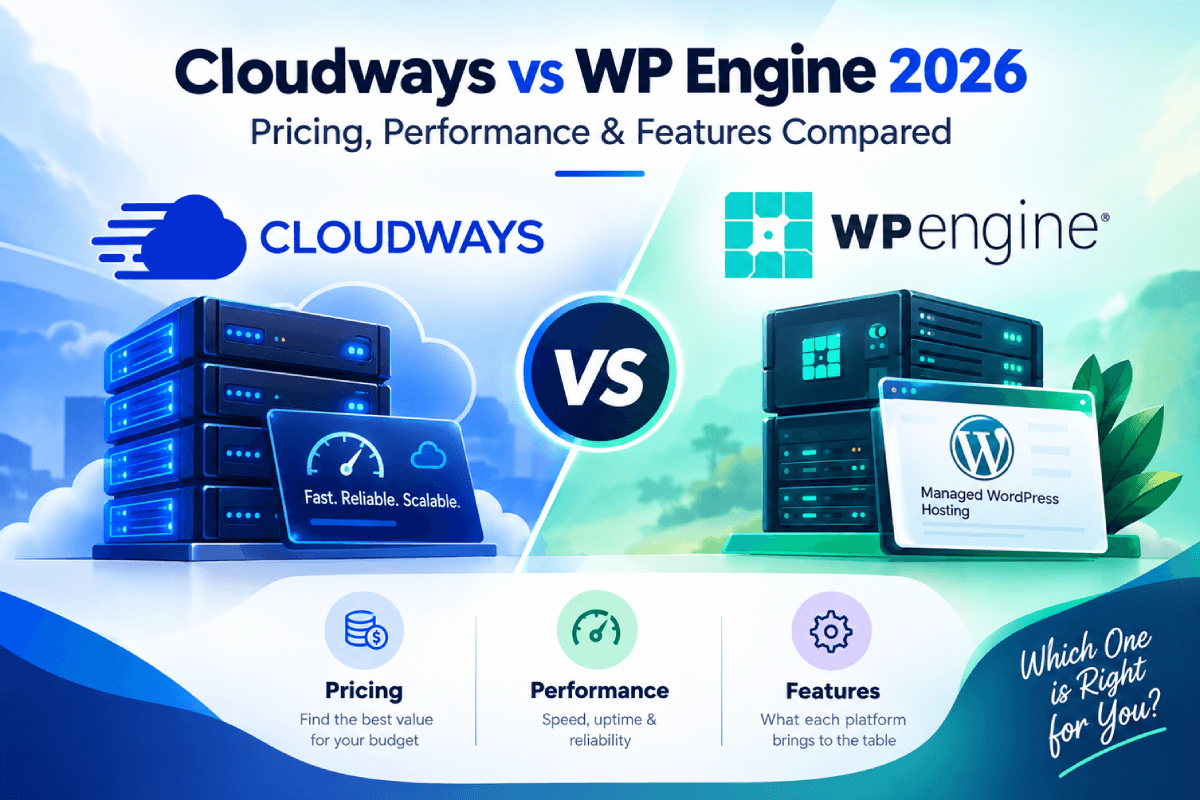
- Managed Cloud Hosting
- Choice of AWS, Google Cloud, DigitalOcean, Linode & Vultr
- 1-Click Staging & Cloning
- Automated Backups
- Vertical Scaling
- Cloudflare Enterprise CDN
- Built-in Firewall & DDoS Protection

- Fully Managed WordPress Hosting
- EverCache Performance Technology
- Cloudflare CDN
- Automated Backups
- Staging & Development Environments
- Managed WordPress Updates
- Enterprise-Grade Security
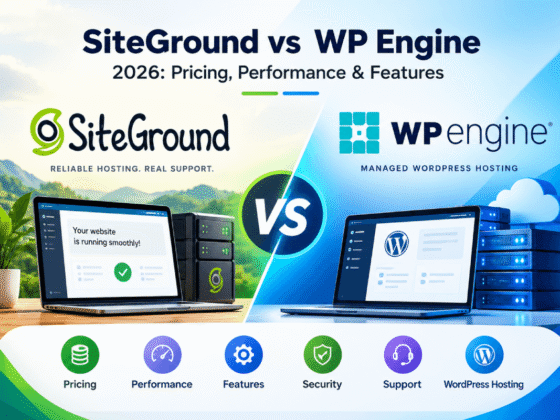
Cloudways and WP Engine both offer managed hosting, but they take different approaches. Cloudways hosting uses a managed cloud hosting model. Several infrastructure providers are on the table, and applications like WordPress, WooCommerce, and Magento all run on them. Cloudways handles much of the server management, but you still keep more control over the hosting environment than a fully managed platform would give you.
WP Engine hosting is built mainly around managed WordPress hosting. The platform takes care of much of the technical work behind a WordPress website, including security, caching, backups, and other maintenance tasks.
That difference matters when comparing the two. Cloudways gives you more choice over infrastructure and how your hosting environment is set up. WP Engine keeps the experience more focused on WordPress.
Both work for businesses, agencies, and growing websites alike. How much control you want decides the better fit, along with whether WordPress alone covers your hosting needs. Pricing gets covered in this Cloudways vs WP Engine comparison. So do performance, features, security, support, and WordPress tools.
Cloudways vs WP Engine: Quick Comparison
| Feature | Cloudways | WP Engine |
| Hosting type | Managed cloud hosting | Managed WordPress hosting |
| Infrastructure | AWS, Google Cloud, DigitalOcean, Linode, and Vultr | Managed WordPress hosting infrastructure |
| WordPress | Supported with flexible hosting options | WordPress-focused hosting |
| Other applications | WordPress, WooCommerce, Magento, Laravel, and other PHP applications | Primarily WordPress |
| Performance | Server-level caching, CDN options, and scalable cloud resources | EverCache, CDN, image optimization, and managed performance tools |
| Security | Firewall, DoS protection, IP controls, and optional malware protection | Managed firewall, vulnerability scanning, SSL, and DDoS protection |
| Backups | Automated and on-demand backups with configurable settings | Automated and manual backups with 30 days of backup checkpoints |
| Staging | Available | Production, staging, and development environments |
| Scalability | Scale server resources based on requirements | Plan-based resources, with Autoscale available for supported setups |
| Support | 24/7 support with additional support options | 24/7 support, with options varying by plan |
| Best suited for | Developers, agencies, and businesses wanting more infrastructure control | Businesses, agencies, and teams focused mainly on WordPress |
Cloudways gives you more choice over the infrastructure and server resources. WP Engine keeps the experience focused on WordPress and manages more of the technical setup for you.
Cloudways vs WP Engine: Hosting Approach
Cloudways Hosting
Cloudways hosting uses a managed cloud hosting model. Pick the cloud provider yourself, along with the server resources, and Cloudways takes care of much of the server management from there.
Cloudways currently supports five infrastructure providers. DigitalOcean and Vultr are two of them. Linode, AWS, and Google Cloud round out the list. Server sizes, locations, and pricing all shift depending on which one you pick. You can scale the server resources as your needs grow.
The platform supports more than WordPress. You can host WooCommerce, Magento, Laravel, and other PHP applications too. This gives Cloudways a wider use case than a platform built only around WordPress.
If you run an online store, it ranks high among the best WooCommerce hosting solutions alongside Magento and Laravel setups.
Cloudways also has an autonomous option for WordPress sites. It is designed for high-traffic WordPress and WooCommerce sites and uses autoscaling. The flexible option gives you more control over the cloud server and its resources.
WP Engine Hosting
WP Engine hosting takes a more focused approach. The platform is built specifically for WordPress, so the hosting environment and management tools are designed around WordPress websites.
WP Engine handles much of the technical work for you. This includes security, backups, caching, automated updates, and performance management. You also get staging and development environments with their hosting plans.
WP Engine does not offer the same choice of cloud infrastructure providers as Cloudways. Instead, it manages the hosting environment for WordPress and keeps the setup more streamlined.
That makes WP Engine web hosting a natural fit for businesses, agencies, and website owners who mainly work with WordPress and don’t want to deal with server-level decisions.
Cloudways vs WP Engine: Pricing and Plans
| Features | Cloudways | WP Engine |
|---|---|---|
| Hosting Model | Managed Cloud Hosting | Managed WordPress Hosting |
| Starting Price | From $11/mo* | From $28/mo |
| Entry Plan | DigitalOcean-based server options | Essential |
| Resources | Configurable by cloud provider/server | Fixed plan resources |
| Sites | Unlimited websites* | 1–30 sites, depending on plan |
| Bandwidth | Depends on server/provider | From 75 GB/mo |
| Storage | Depends on server/provider | From 10 GB |
| Billing | Pay-as-you-go | Monthly/annual plan pricing |
| Best For | Developers, agencies & growing sites | Businesses & WordPress-focused teams |
| CTA | Get Cloudways → | Get WP Engine → |
Cloudways Pricing
Three things drive Cloudways pricing: the cloud provider, the server resources, and the hosting model. You pick the server size yourself with flexible plans, since they run on a pay-as-you-go model.
| Plan | Small | Medium | Large |
|---|---|---|---|
| Starting Price | $28/mo | $54/mo | $99/mo |
| RAM | 2 GB | 4 GB | 8 GB |
| vCPU | 1 | 2 | 4 |
| Storage | 50 GB NVMe | 80 GB NVMe | 160 GB NVMe |
| Bandwidth | 2 TB | 4 TB | 5 TB |
| Websites | Unlimited | Unlimited | Unlimited |
| Visits | Unlimited | Unlimited | Unlimited |
| AI Copilot Credits | 5 free | 5 free | 5 free |
| Best For | Growing businesses | Higher-traffic websites | Stores & heavier applications |
DigitalOcean starts at $11 per month right now. That gets you 2GB RAM and 1 vCPU. Storage runs 50GB, with 2TB of transfer bandwidth included. Vultr, Linode, AWS, and Google Cloud round out the other options. Pricing and available resources shift between providers and server locations.
Cloudways also runs autonomously for WordPress and WooCommerce sites. Growth starts its paid plans at $99 per month. Scale follows at $199, and Plus tops out at $399. Autoscaling comes with these plans, though extra disk space, bandwidth, and autoscaling usage can add charges on top.
WP Engine Cost and Plans
The WP Engine cost is easier to compare because its managed hosting platform uses defined plan levels. The current structure includes Essential, Core, and Enterprise. One to 30 sites fit under Essential plans, depending on which one you pick. Core and Enterprise step up from there, built for larger websites and higher resource requirements.
| Plan | Essential | Core | Enterprise |
|---|---|---|---|
| Starting Price | From $28/mo* | Custom | Custom |
| Sites | 1–30 | 30–50 | 50+ |
| Monthly Visits | 25K–400K | 400K–800K | 800K+ |
| Storage | 10–50 GB | 50 GB–2 TB | 2 TB+ |
| Bandwidth | 75 GB | 550 GB | 550 GB+ |
| SSL & SSH | ✓ | ✓ | ✓ |
| Security Scanning | ✓ | ✓ | ✓ |
| DDoS Protection | ✓ | ✓ | ✓ |
| Automated Plugin Updates | Optional add-on | 1 license | 1 license |
| Best For | Small & growing sites | Higher-demand sites | Mission-critical sites |
Essential plans currently support 25,000 to 400,000 estimated visits per month. Storage runs 10GB to 50GB. Bandwidth comes in at 75GB. Core plans raise those limits. Enterprise plans go further still, built for sites needing more than 50GB of storage and higher traffic levels.
WP Engine displays promotional first-year pricing for new Essential customers, while renewal pricing can be different. Overage charges can apply too, and so can taxes.
WP Engine plans include managed WordPress and PHP updates. MySQL management comes with that, along with a free automated migration plugin, SSL, SSH access, and other WordPress management features. Higher-tier plans add isolated resources, managed migration services, and a 99.99% uptime guarantee on top.
Which Offers Better Value?
The two platforms run on different pricing models. Cloudways hands you more control over the infrastructure, letting you pick resources that actually match your needs. That’s useful if you want to adjust the server setup as your website grows.
WP Engine keeps the pricing structure more straightforward. The number of websites decides most of the plan choices. Expected traffic factors in too, along with storage and bandwidth.
The actual cost can increase on either platform if you need additional resources or incur overage charges. So, when comparing Cloudways vs WP Engine, look beyond the starting price and check the limits and features included in the plan you are likely to use.
Cloudways vs WP Engine: Performance and Reliability
Caching helps both Cloudways and WP Engine improve website performance. CDN does too, along with server-level optimization.
Cloudways Performance
Server-level caching and optimization tools work together on Cloudways. Nginx sits in the hosting stack. Varnish, Memcached, and Redis are also available, depending on the application and configuration. Breeze steps in for WordPress sites specifically, working with the server cache and CDN layers to improve page delivery.
Cloudflare works with Cloudways too, caching static content and improving delivery for visitors in different locations. Cloudflare Enterprise sits as an optional add-on, built for sites that need more advanced CDN features.
Performance shifts depending on the cloud provider. Server size plays a role too, along with location, application, and how the website is configured. Developers get more room to adjust the hosting environment as traffic grows because of that.
WP Engine Performance
WP Engine takes a more managed approach to performance. Its WordPress hosting uses EverCache for server-level caching, along with CDN caching to reduce the number of requests reaching the origin server.
WP Engine’s Advanced Network includes a CDN and automatic image optimization. For sites that need automatic resource scaling during traffic spikes, WP Engine also offers Autoscale. Demand rising triggers more resources automatically, which helps high-traffic websites handle sudden spikes in visitors.
Reliability and Scalability
Cloudways gives you more control over the server resources and infrastructure behind your website. WP Engine manages more of the infrastructure instead, keeping WordPress sites optimized as traffic grows.
Your theme still shapes actual performance. Plugins do too, along with database queries, images, caching setup, and traffic patterns. Hosting only covers one part of website speed.
Cloudways vs WP Engine for WordPress
Cloudways and WP Engine both support WordPress, but the experience is different. Cloudways gives you more control over the hosting environment, while WP Engine builds more of the management experience around WordPress.
Cloudways WordPress
Cloudways WordPress hosting starts with a managed server where you can deploy WordPress and manage the application through the Cloudways platform. You can migrate an existing WordPress site using the Cloudways Migrator plugin or request a managed migration.
Cloudways provides staging environments for testing changes before pushing them to the live site. You can create a staging copy, test updates or code, and then push selected files or database changes back to production.
You also get Breeze for caching and optimization. Developers can use SSH, SFTP, Git, and other tools when they need more control over the application or server.
WP Engine WordPress
WP Engine WordPress hosting builds itself specifically around WordPress. The platform manages the hosting environment, and it provides tools for building, testing, and maintaining WordPress websites.
A WP Engine site can have separate Production, Staging, and Development environments. This lets you work on changes without making them directly on the live website. You can also use a development environment when building a new feature or testing a different setup.
WP Engine also handles WordPress updates and provides development tools. Its WordPress-focused setup means you don’t need to make as many server-level decisions as you would with Cloudways.
Which Is Better for WordPress?
Cloudways gives you more flexibility over the hosting environment, server resources, and infrastructure provider. WP Engine keeps more of the technical setup managed and puts WordPress tools at the center of the experience.
For developers and agencies that want more control, Cloudways offers more room to customize the hosting setup. For businesses that mainly want managed WordPress hosting with separate development environments and less server management, WP Engine provides a more focused setup.
Cloudways vs WP Engine: Features and Ease of Use
Cloudways and WP Engine both provide managed hosting tools, but their dashboards are designed around different levels of control.
Cloudways Features and Ease of Use
Cloudways gives you a central dashboard for managing servers and applications. You can launch applications, manage domains and SSL, and configure PHP and other server services from the platform. You can also create backups and access SSH or SFTP when needed.
Scaling server resources happens from the dashboard too. Nginx, Redis, and Varnish all get managed there, along with application settings. Beginners may need some time to understand the available options.
WP Engine Features and Ease of Use
WP Engine keeps the management experience more focused on WordPress. The User Portal covers a lot of ground. You can manage sites and environments from it. You can also manage users, backups, domains, and other hosting settings from the same place.
WP Engine also offers Smart Plugin Manager. It automatically updates plugins and themes, and rolls back changes if an update causes problems. However, Smart Plugin Manager is an add-on on some plans rather than a feature included with every plan.
Cloudways vs WP Engine: Customer Support
Cloudways and WP Engine both provide 24/7 support, but the available support options and level of assistance vary by plan.
Cloudways Support
Cloudways offers support through live chat and ticket, and it’s available around the clock. That standard tier covers issues tied to the platform, server, and application environment. Looking for faster response times or more hands-on help? You can go for Advanced or Premium Support.
Cloudways support extends to the platform itself and whatever applications run on it, though how deep that help goes depends on the plan you’re on. This is useful for users running WordPress, WooCommerce, Magento, and other applications through Cloudways.
WP Engine Support
WP Engine provides 24/7 live chat support, while phone support is available on higher-tier plans. Its support team focuses on WordPress hosting, including issues related to the platform, hosting environment, and WordPress setup.
Higher-tier plans can include additional support options and account assistance. WP Engine also provides a large collection of WordPress documentation and support resources, which can help with common hosting and WordPress issues.
The main difference is the type of help you are likely to need. Cloudways support covers a broader hosting environment and multiple applications, while WP Engine’s support is more focused on WordPress and its managed hosting environment.
Cloudways vs WP Engine: Pros and Cons
Cloudways Pros and Cons
Pros:
- Multiple cloud infrastructure providers to choose from.
- More control over server resources and hosting configuration.
- Supports WordPress and applications such as Magento and Laravel.
- Flexible scaling options.
- Flexible plans run on pay-as-you-go pricing.
Cons:
- Beginners can feel overwhelmed by the number of settings.
- The cloud provider and server configuration decide pricing.
- Advanced support options can cost extra.
- It requires more involvement in server and application management than a WordPress-focused host.
WP Engine Pros and Cons
Pros:
- Hosting environment built specifically for WordPress.
- Managed updates, caching, backups, and security features.
- Production, Staging, and Development environments.
- WordPress-focused support and tools.
- Useful features for agencies and businesses managing multiple WordPress sites.
Cons:
- Less infrastructure flexibility than Cloudways.
- More expensive than basic shared WordPress hosting.
- Some advanced features, such as Global Edge Security and Smart Plugin Manager, are available as paid extensions or on specific plans.
- It is focused on WordPress rather than general-purpose applications.
Which Should You Choose?
How you want to manage your hosting environment decides the choice between Cloudways and WP Engine.
Choose Cloudways If You Want More Hosting Control
Control over the infrastructure is where Cloudways makes more sense. DigitalOcean, Vultr, Linode, AWS, and Google Cloud are all on the table. Pick one, then select the server resources that fit what you need.
Developers and agencies tend to prefer Cloudways too, especially when server settings, SSH, SFTP, and Git matter to their workflow. You still get managed hosting, but there is more room to configure the environment.
Choose WP Engine If You Want Managed WordPress Hosting
WP Engine is more focused on WordPress. It manages much of the hosting environment and provides tools built around WordPress development and maintenance.
Businesses, agencies, and teams mainly working with WordPress fit well here, especially if server-level settings aren’t something they want to spend time managing. Testing changes gets easier too, thanks to separate Production, Staging, and Development environments that let you work before anything goes live.
If you are weighing Cloudways against other premium managed WordPress hosts, you can also check our Cloudways vs Kinsta comparison.
Cloudways vs WP Engine: Which Fits Your Needs?
Cloudways gives you more infrastructure flexibility and supports a wider range of applications. WP Engine provides a more focused managed WordPress experience.
Researching a Cloudways review or WP Engine review? Keep that same distinction in mind. Cloudways builds around managed cloud hosting. WP Engine builds around managed WordPress hosting instead. Your choice comes down to the type of website you run, and how much control matters to you over the hosting environment.
Cloudways vs WP Engine: Final Verdict
Managed hosting looks different on each platform. Cloudways hands you more control over infrastructure and server resources. WP Engine keeps things focused on WordPress instead, managing more of the technical setup for you.
Cloudways works well if managed cloud hosting with real flexibility is what you’re after. Control over the hosting environment comes with it, and so does support for applications beyond WordPress.
WP Engine leans further into managed WordPress hosting. WordPress-specific tools make that possible. Security features do too, along with managed services built for teams that mainly work with WordPress.
Your website decides the right choice here. So do your technical requirements, and how much control you want over the hosting environment.
- Managed Cloud Hosting
- Choice of AWS, Google Cloud, DigitalOcean, Linode & Vultr
- 1-Click Staging & Cloning
- Automated Backups
- Vertical Scaling
- Cloudflare Enterprise CDN
- Built-in Firewall & DDoS Protection
- Fully Managed WordPress Hosting
- EverCache Performance Technology
- Cloudflare CDN
- Automated Backups
- Staging & Development Environments
- Managed WordPress Updates
- Enterprise-Grade Security
Cloudways vs WP Engine: FAQs
Is Cloudways better than WP Engine?
Cloudways and WP Engine serve different hosting needs. Cloudways hands you more control over the cloud infrastructure and server resources. WP Engine focuses on managed WordPress hosting instead. Infrastructure flexibility points toward Cloudways. A WordPress-focused setup points toward WP Engine.
Is Cloudways good for WordPress?
Yes. Cloudways supports managed migrations for WordPress. It also provides staging, caching, automated backups, and server-level controls.
Is WP Engine good for WordPress?
Yes. WP Engine is built specifically around WordPress. Backups get covered here. So does caching, security, staging, development, and WordPress maintenance, all through managed WordPress hosting.
Is Cloudways cheaper than WP Engine?
Well, it depends on your setup and which plan you pick. The cloud provider, server size, and hosting model all change what Cloudways charges. WP Engine works differently. It uses fixed WordPress plans with set limits on sites, traffic, storage, and bandwidth. Look at the plans you’d actually use instead of just the starting price. That gives you a better comparison.
Can I host websites other than WordPress on Cloudways?
Yes. Cloudways runs WooCommerce. So do Magento and Laravel, along with other PHP applications.
Does WP Engine support websites other than WordPress?
Not really. WordPress is the focus, not general-purpose applications. WordPress-based solutions like WooCommerce get supported through its hosting platform too.
Which is easier to use, Cloudways or WP Engine?
WP Engine generally keeps more of the technical hosting setup managed for you. Cloudways provides more server and infrastructure controls, which can be useful for experienced users but may require more involvement.