No matter how beautiful and intuitive a website you create, if you don’t choose the right WordPress hosting provider, your website won’t bring you the results you expected from it. A good hosting provider decides whether your pages load faster or slower. It affects how secure your website stays. It also decides whether your site can handle more visitors as traffic grows. A hosting plan built for a personal blog may not be able to support an online store or a business website.
This guide looks at each hosting type and what makes them different. By the end, you will have the clarity as to which hosting suits your website the best today and in the future too.
The Importance of Choosing the Right WordPress Hosting
A hosting company does more than just keep your website turned on. It also helps decide how fast your pages open. It helps your website stay open even when lots of people visit at once. Sometimes, people create beautiful websites, but they operate slowly. That happens when the hosting is not strong enough to keep up.
Poor hosting rarely stays a small problem. Slow loading frustrates visitors first, and downtime chips away at trust after that. Both work against your search rankings quietly, in the background, without ever showing up as an obvious cause. You can switch providers later, but that takes planning and carries its own risk. Getting the choice right early spares you most of that trouble.
Types of WordPress Hosting
The size of your website and the traffic it receives are among the initial factors in deciding which type of WordPress hosting you need. Pay for features you do not need yet, and you waste money. Pick something too basic, and slow loading times catch up with you as the website grows. Knowing what separates the main hosting types makes this decision far easier.
Shared WordPress Hosting

Shared WordPress hosting costs the least because several websites share space on the same server. For a new website that does not demand much from a server yet, this works as a solid starting point.
Who should choose it?
Personal blogs, portfolios, small business websites, and anyone launching their first website.
Pros
- Low monthly cost
- Easy to set up and manage
- Good for new websites
Cons
- Performance can slow during traffic spikes
- Limited server resources compared to other hosting types
A good example
A personal blog or a small local business website fits comfortably on shared hosting. Traffic grows, and you upgrade when it does. There is no need to plan for scale before you actually need it.
Top Shared Hosting Providers
Bluehost and Hostinger are two of the most globally recognized names when it comes to entry-level and budget-friendly shared hosting providers.
Managed WordPress Hosting
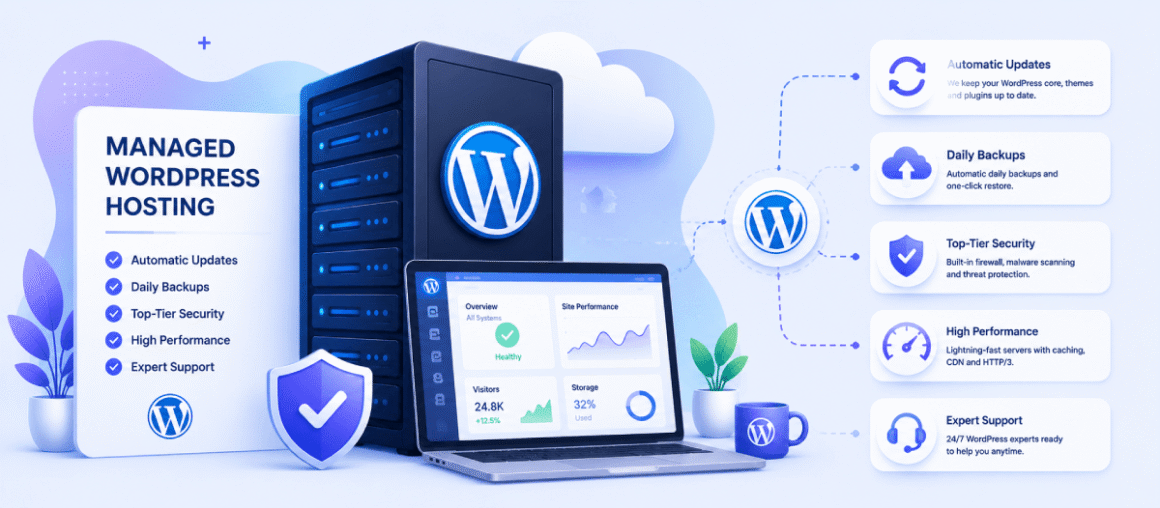
Managed WordPress hosting handles your updates. It handles backups too. It also takes care of security. This works well for website owners who do not want to deal with the technical side.
Who should choose it?
Businesses fit here. So do WooCommerce stores. Growing websites do too. Anyone who wants hosting to run itself belongs here as well.
Pros
- Updates and backups run automatically
- Security and performance both improve
- Expert WordPress support
Cons
- Higher monthly cost
- Less server control than VPS hosting
A good example
A website that brings in leads or sales benefits the most here. The maintenance runs in the background, and your attention stays on the business instead of the server.
Top Managed Hosting Providers
WP Engine and Kinsta are among the most popular premium managed WordPress hosting providers, frequently chosen by professional bloggers and scaling business owners.
VPS WordPress Hosting
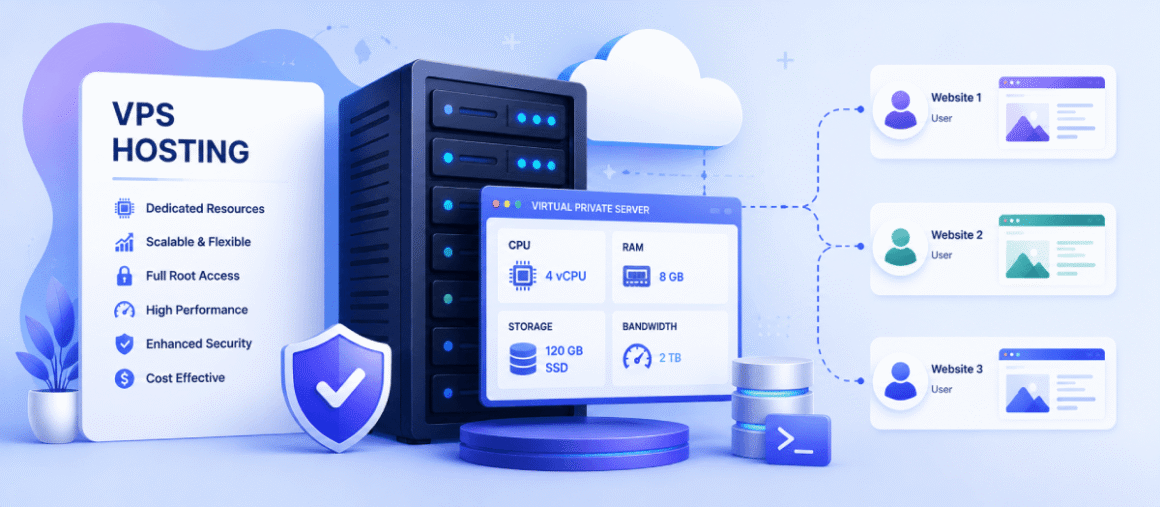
VPS WordPress hosting gives your website its own space inside a virtual server. This runs better than shared hosting. You also get more control over how things are set up.
Who should choose it?
Growing websites and online stores need this. So do businesses that need more room to grow.
Pros
- Better performance and stability
- More control over server settings
- Performance holds steady, even under load
Cons
- Costs more than shared hosting
- May require some technical knowledge
A good example
Say your website gets steady traffic every day. Or maybe you expect fast growth next year. Either way, VPS gives you room to grow. You will not need to jump to a whole new hosting platform.
Top VPS Hosting Providers
DigitalOcean and Godlike.Host are among the top choices when it comes to specialized VPS hosting providers built for technical performance.
Cloud Hosting

Cloud hosting uses a network of connected servers to host websites. There is no single physical server used here, unlike other hosting types. This allows WordPress websites to scale resources as their traffic grows. It also provides better uptime, especially during traffic spikes.
Pros
- Easy to scale as traffic grows
- Better uptime and reliability
- Handles traffic spikes well
- Flexible resource usage
Cons
- Costs can vary
- More expensive than shared hosting
- Setup may require technical knowledge
- Performance depends on configuration
A Good Example
A WordPress e-commerce website running a major sale can use cloud hosting to increase server resources during peak traffic and reduce them afterwards.
Top Cloud Hosting Providers
Cloudways and Kinsta are the two most widely used cloud hosting providers. While Cloudways provides hosting on AWS, Google Cloud, and DigitalOcean, Kinsta provides managed WordPress hosting on cloud infrastructure.
If you’re comparing these two platforms, see our detailed Cloudways vs Kinsta comparison, where we break down their pricing, performance, features, and hosting approach.
Dedicated WordPress Hosting
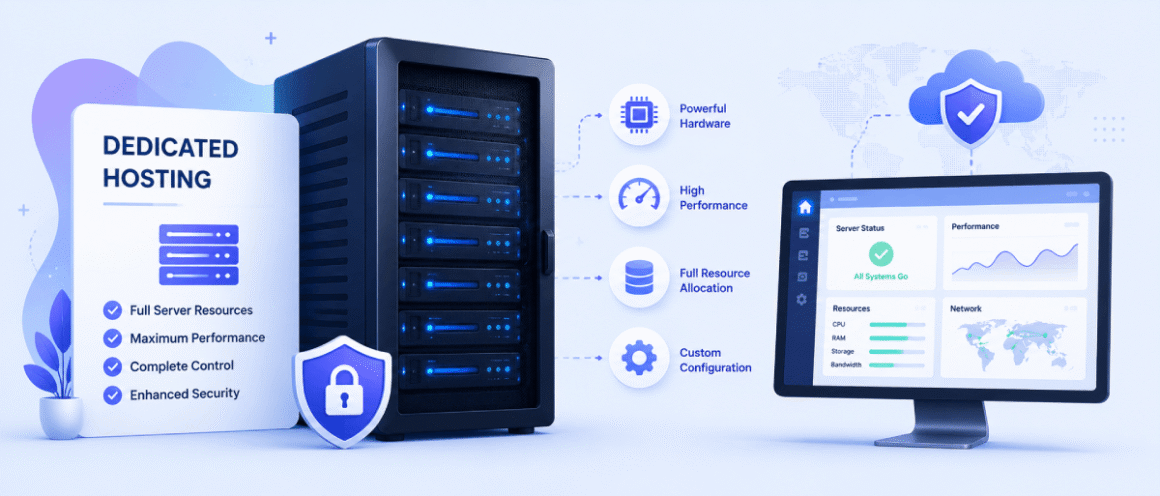
Dedicated WordPress hosting gives your website an entire physical server. No other website shares it with you. That is what makes it the fastest, most controlled option available.
Who should choose it?
Large businesses fit here. So do enterprise websites. So do high-traffic platforms that need serious performance.
Pros
- Maximum performance
- Full control over the server
- Excellent reliability for busy websites
Cons
- Most expensive hosting option
- Usually requires server management experience
A good example
Maybe your website gets thousands of visitors a day. Or maybe it runs something that cannot go down. Either way, dedicated hosting has the resources to keep performance steady, even under heavy load.
Top VPS Hosting Providers
Liquid Web and Godlike.Host are top-tier choices when you need maximum power and your own dedicated server hardware.
| Hosting Type | Best For | Cost | Performance | Technical Knowledge |
| Shared WordPress Hosting | Personal blogs, portfolios, and small websites | Low | Good for low to moderate traffic | Low |
| Managed WordPress Hosting | Business websites and growing websites | Medium to High | High | Very Low |
| VPS WordPress Hosting | Growing websites and online stores | Medium | Very High | Medium |
| Dedicated WordPress Hosting | Large businesses and high-traffic websites | High | Excellent | High |
| Cloud Hosting | Growing websites, high-traffic websites, and businesses that need scalability | Medium to High | Very High | Medium |
8 Things to Look for Before Choosing WordPress Hosting
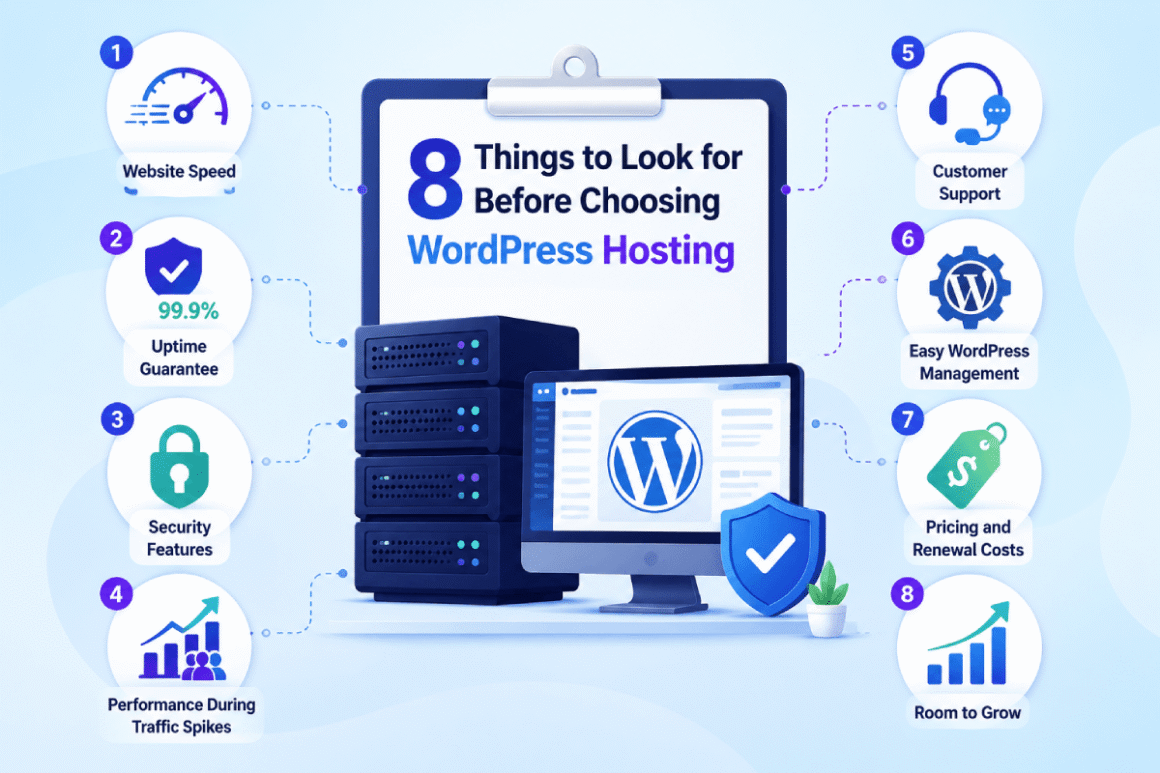
As there are so many WordPress hosting providers, with most of them offering the same things, it’s important to look for things like speed, security, and possibilities to scale. Here are 8 important things that will help you decide on the right WordPress hosting.
1. Website Speed
Page speed decides whether someone stays or leaves. A slow page pushes people away before they see anything. A fast one keeps them reading. If speed matters to your site, look for hosting built around it from the ground up.
A fast hosting provider is the foundation of a high-performing website, but hosting alone isn’t enough. To further improve loading times, explore our complete guide on how to speed up your WordPress website, where you’ll learn practical techniques like caching, image optimization, CDN setup, database optimization, and Core Web Vitals improvements.
Look for:
- SSD or NVMe storage
- Built-in caching
- CDN integration
- Data centers close to your target audience
These give your site a strong starting point, though your theme, plugins, and image sizes still carry real weight. Hosting alone will not fix a bloated page.
2. Uptime Guarantee
Visitors do not stick around for a site that keeps dropping offline, and neither does trust in your business. No provider can promise perfect uptime. 99.9% has become the benchmark most hosts are measured against.
A good provider gives you:
- At least a 99.9% uptime guarantee
- Reliable server monitoring
- Quick response to server issues
3. Security Features
Good hosting provides built-in security rather than leaving it to you to patch together with separate tools.
Look for:
- Free SSL certificates
- Malware scanning
- Automatic backups
- Firewall protection
The common threats get caught. Cleanup gets easier too, on the rare day something slips past anyway.
4. Performance During Traffic Spikes
Traffic does not climb in a straight line. One post goes viral. One campaign works better than planned. Hundreds of people can land on your site within an hour. Your hosting either holds up or breaks. Running regular promotions? Expecting a seasonal rush? Look for a plan built for that kind of load.
5. Customer Support
Even people who have run sites for years get stuck sometimes. The difference between good and bad support is the difference between a five-minute fix and an afternoon of guessing what went wrong.
Look for:
- 24/7 support
- Live chat, email, or phone assistance
- Staff with WordPress knowledge
6. Easy WordPress Management
Running a blog should not require a sysadmin’s skill set. The best hosts quietly handle the boring parts in the background.
Useful features include:
- One-click WordPress installation
- Automatic updates
- Staging environments for testing changes
- Simple backup and restore options
7. Pricing and Renewal Costs
Pay attention to the year-one discount trick. You will see the real cost once the renewal time comes, and that cost will be much higher than what you signed up for. Check the total value over the sticker price. It is better to buy a plan that costs more upfront sometimes because it is cheaper when you factor in the features it includes.
8. Room to Grow
What your site needs today rarely matches what it will need a year out. More visitors eventually demand more storage. More bandwidth too. More server power, sooner than you would guess.
Find a host that lets you scale in place. A provider switch eats into real time and carries a real risk of downtime along the way.
Is Free WordPress Hosting Worth It?
Free hosting has its place. It is just not every place. Look at what your site needs over the next few months before you decide.
When is it okay?
Learning WordPress? Testing an idea? Running something small with barely any visitors? Free hosting covers that, and it costs nothing to try.
When should you avoid it?
A business site, an online store, or a blog you actually want to grow needs more than a free plan can give. A paid plan brings stronger performance, better security, and support you can actually rely on.
Common limitations
Free WordPress hosting tends to come loaded with restrictions:
- Limited storage and bandwidth
- Slower website performance
- Fewer security features
- No priority customer support
- Advertisements or branding on your website
A free plan can get you off the ground, but most sites eventually outgrow what it offers. Real traffic changes the math. So does real growth. Once either shows up, a paid plan tends to pay for itself.
Which WordPress Hosting Is Right for You?
Your current site tells you most of what you need to know. Where it is headed tells you the rest.
Personal Blog
Shared hosting is usually the right starting point. It costs little, takes almost no effort to manage, and covers what most personal blogs and hobby sites actually need. There is little reason to pay for advanced features before you need them.
Business Website
Staying online, loading fast, and keeping customer data safe, a business site cannot skip any of these. Managed WordPress hosting covers all three at once. Updates and backups are done automatically, along with security. That frees up time for running the business instead of the server.
WooCommerce Store
Busy shopping periods put real strain on an online store, so uptime and stable performance matter more here than almost anywhere else. Most WooCommerce stores do well on managed hosting. High traffic or a large product catalog? VPS hosting deserves a look.
Agency
Juggling several client sites takes tools that actually hold up under that load. Look for staging environments, automated backups, and simple site management built in. Managed hosting works well for agencies after convenience, while VPS hosting hands over more control for larger projects.
High-Traffic Website
When traffic grows, the hosting needs to grow with it. Most sites do well on VPS as they get bigger. But if the traffic gets very high or the database gets large, a VPS might not be enough. That is when dedicated hosting is the better option.
If you’re comparing hosting options specifically for a high-traffic WordPress website, see our guide to the best WordPress hosting for high-traffic websites, where we compare suitable providers for demanding sites.
Common Mistakes When Choosing WordPress Hosting
This whole decision gets simpler once you know the traps people fall into. Price grabs most of the attention early on, along with whatever a provider happens to promise on its homepage. The features that actually matter, the ones you notice once the site is live and running, tend to get skipped over entirely in that first pass.
Choosing only by price
A cheap number on the signup page rarely tells you the full picture. Something usually gives on a budget plan, whether that shows up as a slower server, tighter storage limits, or missing features you will wish you had six months in. Read through what a plan actually includes, not just what it costs, before you hand over your card details.
Ignoring renewal costs
Introductory pricing looks great right up until the first billing cycle ends. That is when most providers quietly switch you over to the real rate. Take a minute to check the renewal price before you sign anything. Skip that step, and the bill that shows up later can catch you off guard, sometimes by a wide margin.
Buying more resources than you need
A new website rarely needs VPS or dedicated hosting. Paying for resources you will not use increases your costs without improving your website. Start with a plan that fits your current traffic and upgrade when necessary.
Skipping backups
Something breaks eventually. A plugin update goes sideways. Malware finds its way in through some forgotten vulnerability. Someone deletes a page they meant to edit instead. Automatic backups are what save you in that moment, sitting there in the background until you actually need them. No backups included with your plan? Set up your own schedule, even if it means a separate tool doing that job for you.
Not checking customer support
No hosting provider gets it right every single time, not even the good ones. A slow response turns a small problem into a lost afternoon. A fast one fixes it before lunch. Look up their support hours before you sign up. Not after something breaks. Make sure a real person answers too, not just a bot.
Money and time both take a hit when these mistakes happen. Avoid them early, and you save on both fronts. You also stay put with your current provider longer, instead of scrambling to switch somewhere new before you meant to.
Our Final Verdict
Look at your website honestly: what it needs right now and where you expect it to be in a year. Beginners do fine on shared hosting. Business sites that are growing usually move to managed hosting once maintenance starts eating up too much time. Things change when an influx of traffic becomes high or a website begins using heavy applications. In such scenarios, it’s better to choose between a VPS and dedicated hosting.
Frequently Asked Questions
What is the best WordPress hosting for beginners?
Shared hosting is the most popular choice for beginners. Here is why: setup takes minutes, not hours, and the price is on the lower side. Personal blogs do well on it. Small business sites do too.
What is the difference between shared and managed WordPress hosting?
Shared hosting keeps your monthly cost down, but nearly all the maintenance work lands on your shoulders. Managed hosting flips that arrangement. Updates happen without you asking. Backups happen on their own, too. So do security patches and performance tuning.
Is VPS WordPress hosting better than shared hosting?
VPS hosting gives you more dedicated resources and stronger performance. It also gives you more control over your setup. Sites with rising traffic tend to need that extra headroom. Smaller or newer sites usually do fine on shared hosting instead.
Can I host a WordPress website for free?
Got an idea you just want to test out first? Free hosting works there. Once real traffic or real ambitions enter the picture, though, the gaps start to show. Speed drops. Security thins out. Support disappears entirely. A paid plan closes those gaps fast.
What is the fastest WordPress hosting?
Speed is not a fixed number stamped on a provider’s homepage. It depends on the plan, the hardware, and what technology runs underneath it. SSD or NVMe storage matters. So does built-in caching. So does CDN support and infrastructure that has actually been kept current, rather than a bold claim sitting on a marketing page with nothing behind it.
How can I host a WordPress website?
Choose a hosting provider first. Then, select a plan that fits your website. If you have a domain registered, install WordPress from the hosting dashboard. No domain yet? Register one and then do the same.