Disclosure: Some links on Themezhub are affiliate links. We may earn a commission if you make a purchase through them.

Best For: Advanced WordPress customization, agencies, freelancers & WooCommerce stores
- Header & Footer Builder
- Mega Menu Pro
- Global Design Controls
- Advanced Site Builder
- Advanced WooCommerce
- Responsive Design Tools
$99.0/Yr
Starting yearly price at
If you’re building a WordPress site, Astra is probably on your shortlist. It’s fast, it works nicely with Elementor and the block editor, and the free version is genuinely good. Which brings up the question almost everyone asks sooner or later: do you actually need to pay for Pro?
Short answer: not always. Most blogs and simple business sites run perfectly well on the free theme. Pro starts to make sense when you want things like a sticky header, a mega menu, custom layouts, or a properly tuned WooCommerce store.
In this guide we compare Astra Pro vs Free side by side, go through what Astra costs in 2026 (the pricing has changed quite a bit), and help you decide whether the upgrade is worth your money. Prices and features were checked against Astra’s official website in September 2026.
Astra Free vs Pro at a Glance
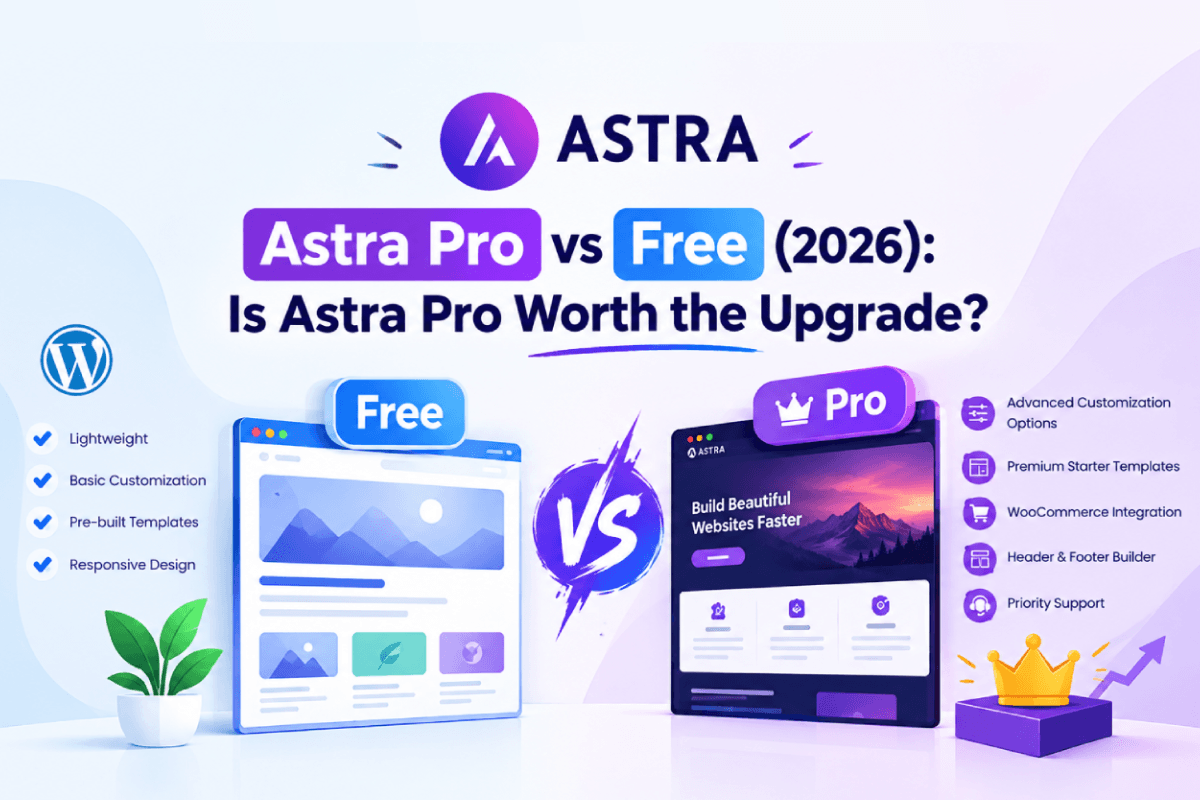
| Feature | Astra Free | Astra Pro |
| Price | $0 | From $69/year or $249 lifetime |
| Drag-and-drop header and footer builder | Yes | Yes, with more elements |
| Transparent and mobile headers | Yes | Yes |
| Sticky and shrinking headers | No | Yes |
| Mega menu | No | Yes |
| Custom headers, footers and 404 pages (Site Builder) | No | Yes |
| Masonry blog layout | No | Yes |
| WooCommerce quick view, AJAX cart, 2-step checkout | No | Yes |
| White label branding | No | Yes |
| Support | Community help | Premium support |
What Is the Astra Theme?
Astra is a WordPress theme from Brainstorm Force, and it’s now used on more than 2 million websites. People like it for a simple reason: it’s light. Pages load quickly, and you can change layouts, colors and fonts right from the WordPress Customizer without writing a line of code.
What You Get With Astra Free
The free version covers more than most people expect. You get a drag-and-drop header and footer builder, transparent and mobile header options, blog and sidebar layouts, color and typography controls, and a library of free starter templates that you can import in one click.
It also works with the big page builders (Elementor, Gutenberg, Beaver Builder, Divi Builder and others), comes with schema markup for SEO, and supports WooCommerce for basic stores, including a dropdown cart and sale badge styling.
For a blog, a portfolio, or a small business site, that’s often all you need.
Still comparing options? Here are 10 other free WordPress themes worth trying.
What Does Astra Pro Add?
Astra Pro isn’t a separate theme. It’s an add-on plugin that you install on top of the free one, so upgrading doesn’t mean rebuilding your site. Here’s what actually changes.
Better headers and menus
The free header builder is solid, but Pro gives you headers that behave. Think sticky headers, headers that shrink as you scroll, or ones that hide when the visitor scrolls down. The mega menu can hold widgets and templates built with Gutenberg, Elementor, Beaver Builder and other builders. You also get flyout and full-screen off-canvas menus, plus slide and full-screen search.
Site Builder for custom layouts
This is the feature many freelancers and agencies buy Pro for. Site Builder lets you design custom headers, footers, 404 pages, and page headers, then decide exactly where each one appears using display rules and hooks. It has also been keeping up with Elementor: A recent update added support for Elementor’s newer Editor V4 styles in Custom Layouts.
If you’d rather design everything visually, take a look at the best drag-and-drop website builders.
More control over your blog
Pro adds masonry and grid layouts, the option to highlight your first post, read-time labels, an author box, and autoloading of the next post as readers scroll. If content is your main business, these little touches add up.
A stronger WooCommerce store
Quick view, AJAX add-to-cart, an off-canvas filter sidebar, infinite scroll, 2-step or distraction-free checkout, image zoom and vertical product galleries all come with Pro. If you sell online, this is usually where Pro earns its price.
Design control, branding and support
You also get full typography, color and spacing controls for every device, white label branding (handy if you build sites for clients), a scroll-to-top button, CSS file generation for speed, styling for LearnDash, LifterLMS and Easy Digital Downloads, and access to premium support.
What’s New With Astra in 2026?
If you last looked at Astra a year or two ago, a few things are different now:
- AI site builder. Astra’s ZipWP platform can generate a complete WordPress site from a short description, with layouts, images, and copy already in place. You can rewrite sections with prompts and start from premium AI designs.
- Hosting and a domain in the box. The new “+ AI” plans include live-hosted WordPress sites and a free domain for the first year (up to a $14 value).
- Tools for agencies. Blueprint sites let you save a setup and reuse it, Sandbox sites give you a safe place to test, and the AI Site Planner turns a brief into a wireframe you can show a client. The site planner is on the business plan.
- More bundled plugins. The Toolkit plans now include Spectra Pro, 300+ premium starter templates, and Ultimate Addons for Elementor. Business also adds SureForms Agency.
- Site limits. Plans are now capped at 310 or 1,000 websites depending on the tier. If you’ve read older reviews that mention unlimited sites, that’s no longer how it works.
- Up to date with WordPress. Astra is tested with WordPress 7.1, so updating core shouldn’t catch you off guard.
See how it compares with other top AI website builders in 2026.
Astra Pro Pricing in 2026
Astra’s paid plans are now sold as “+ AI” bundles, along with an add-on-only option if you just want the Pro theme features. All prices below are in USD and come from Astra’s official pricing page (September 2026). Promotions change often, so check the current price before you buy.
| Plan | Best for | Annual (1st year → renewal) | Lifetime | Sites |
| Astra Pro (add-on only) | You already have hosting and a domain | $69/year | $249 (usually listed at $349) | 3 |
| Astra Pro + AI | Solo builders and personal projects | $99 → $149/year | $279 | 3 |
| Essential Toolkit + AI | Freelancers with several client sites | $199 → $299/year | $549 | 10 |
| Business Toolkit + AI | Agencies with many client sites | $279 → $429/year | $799 | 1,000 |
What’s inside each plan?
- Astra Pro (add-on only): the Pro add-on for up to 3 sites plus premium support. No AI tools, hosting or domain.
- Astra Pro + AI: the add-on, AI site generation, 1 hosted site and a free domain for the first year.
- Essential Toolkit + AI: everything above, plus Spectra Pro, 300+ premium templates, Ultimate Addons for Elementor, 2 hosted sites, 5 Blueprint sites and 5 Sandbox sites.
- Business Toolkit + AI: everything in Essential, plus the AI Site Planner, SureForms Agency, 24/7 VIP support, 5 hosted sites and licenses for up to 1,000 websites.
Things to know before you buy
- First-year prices are introductory. Annual plans renew at the higher rate shown in the table. Astra says that the renewal rate is fixed when you purchase.
- “Lifetime” has a small catch. The Astra Pro add-on and the bundled plugins are yours for good, with updates and support. The AI platform included hosting run for 3 years, then renewed annually.
- If you skip a renewal, your sites keep working. You lose plugin updates, support, AI features, and the included hosting, and a hosted site goes offline when the plan ends.
- Staging and dev sites count toward your site limit.
- Elementor Pro isn’t included. The Toolkit’s Ultimate Addons for Elementor works with the free version of Elementor.
- You’re covered by a 14-day refund, and you can upgrade later (or switch from annual to lifetime) by paying only the difference.
Is Astra Pro Worth It?
It depends on what you’re building. Here’s an honest way to think about it.
Pro is worth it if you…
- want a sticky header, mega menu, or custom header and footer layouts
- run a WooCommerce store and want better product pages and checkout
- Build sites for clients and need white label branding
- Want premium support and regular Pro updates behind you
You can probably skip Pro if you…
- run a personal blog, portfolio, or simple brochure site
- are happy with the default header and blog layouts
- are testing an idea and don’t want a yearly bill yet
A good rule of thumb: start free, and upgrade when you hit something the free version can’t do. Because Pro is an add-on, you lose nothing by waiting.
Pros and Cons
Astra Free
Pros:
- costs nothing
- Loads fast
- Easy to set up
- Regular updates
Cons:
- Limited control over headers
- Footers and blog archives
- No mega menu & sticky header
- Support mostly comes from the community
Astra Pro
Pros:
- More design flexibility
- Site Builder
- Advanced WooCommerce features
- White label branding
- AI site builder
- Bundled plugins
- Premium support
Cons:
- Renewals cost more than the first year
- Every plan has a site limit
- Some of the advanced features take a bit of time to learn
Which Astra Plan Should You Choose?
- Astra Free: a personal blog, portfolio, or simple small business site.
- Astra Pro (add-on only): you have your own hosting and just want the advanced theme features.
- Astra Pro + AI: you’re a solo builder who wants AI site generation, a hosted site, and a domain included.
- Essential Toolkit + AI: you’re a freelancer managing up to 10 client sites.
- Business Toolkit + AI: You’re an agency with many client sites and need the AI Site Planner and VIP support.
Best For: Advanced WordPress customization, agencies, freelancers & WooCommerce stores
- Header & Footer Builder
- Mega Menu Pro
- Global Design Controls
- Advanced Site Builder
- Advanced WooCommerce
- Responsive Design Tools
$99.0/Yr
Starting yearly price at
Frequently Asked Questions
Can I start with Astra Free and upgrade to Pro later?
Yes. Your existing work stays as it is, and the Pro features become available as soon as you activate the add-on.
Is Astra Pro a separate theme or a plugin?
It’s a plugin (add-on) that works on top of the free Astra theme. You don’t need to start over.
Will Astra Pro slow down my website?
Astra Pro is built to stay lightweight, and you only turn on the modules you need. Every feature you enable adds a little code, so keep the ones your site really uses.
Is Astra Pro worth it if I only use Elementor?
It can be. Pro adds site-wide options that Elementor alone doesn’t cover, like sticky headers, mega menus, header and footer layouts, and advanced WooCommerce controls.
For a full breakdown, read our Astra vs Elementor comparison.
How many websites can I use Astra Pro on?
It depends on the plan: 3 sites for Astra Pro and Astra Pro + AI, 10 for the Essential Toolkit and 1,000 for the Business Toolkit. Staging and development sites count too.
What happens if I don’t renew?
Your sites keep running. You’ll stop getting updates, support, AI features and included hosting. Lifetime plans don’t renew the Astra Pro add-on, but the AI platform and hosting renew after 3 years.
Does Astra offer a refund?
Yes. Every plan has a 14-day money-back guarantee.
Final Thoughts
The free version of Astra is strong enough for a lot of websites, so don’t feel pushed to upgrade on day one. If you find yourself wanting a sticky header, a mega menu, custom layouts or a better store experience, that’s the moment Pro starts paying off. And if you’d also like AI-built sites, hosting, and premium templates in one package, the Toolkit plans cover that.
Either way, you can begin with the free theme and upgrade whenever you’re ready. Before you buy, take a minute to check the latest prices on Astra’s pricing page, since offers change regularly.