

Disclosure: Some links on Themezhub are affiliate links. We may earn a commission if you make a purchase through them.


$4/mo
- Unlimited Websites
- 100 GB NVMe Storage
- 1X CPU Priority
- Unlimited Traffic
- 10 Databases
- Free Domain (1 Year)
- Free SSL Certificate
- 30-Day Money-Back Guarantee
Renews at $8/mo


$3.99/mo
- 1GB RAM
- 1 vCPU
- 25GB SSD Storage
- 1TB Transfer Bandwidth
- Lightning Stack

- Unlimited Visits
- Unlimited Websites
- 5 Days Free Trial


Renews at $9.99/mo
While choosing a hosting provider, you need to take several factors into consideration. Some would finalize a hosting provider seeing its starting price, but it’s important to consider other factors like website performance, renewal costs, and features included in each plan. IONOS and Bluehost are two popular hosting providers, but they differ in pricing and features. They also differ in the type of users they cater to. If you have been searching for a reliable hosting provider, then this IONOS vs Bluehost comparison is worth taking a look.
Both companies offer shared and WordPress hosting. They also provide several tools to help users build and manage their websites. But, both providers take different approaches when it comes to hosting plans, pricing, and included features. IONOS offers a range of shared and managed WordPress hosting plans. Bluehost, on the other hand, focuses on beginner friendly setup and tools for managing multiple websites.
In this Bluehost vs IONOS comparison, we are going to examine their hosting plans, renewal costs, and website speed. Along with these, we will also check the WordPress features, security, and customer support offered by both providers. By the end of the comparison, you will be in a better position to make an informed decision.
IONOS vs Bluehost: Quick Comparison
IONOS vs Bluehost: At a Glance
| Factor | IONOS Essential | Bluehost Starter |
| Introductory price | $4/month | $4.24/month |
| Initial billing term | 12 months | 12 months |
| Renewal price | $8/month | $11.99/month |
| Storage | 100 GB NVMe SSD | 10 GB NVMe |
| Free domain | 1 year | 1 year |
| SSL | Included | Included |
| Malware protection | Website malware scanner | Malware scanning |
| CDN | Not included | Included |
| Customer support | 24/7 support | 24/7 chat support |
| Money back guarantee | 30 days | 30 days |
Prices are shown as monthly rates for 12 month plans. Go through Bluehost’s checkout page to find the latest renewal rates.
What Do These Differences Mean?
The two plans have similar introductory prices, but they cater to different needs. IONOS is more suitable if you prioritize storage and lower renewal costs. Bluehost may be a better fit if you need to manage multiple websites and want its website management tools.
IONOS vs Bluehost: Pricing and Hosting Plans
IONOS Hosting Plans and Pricing
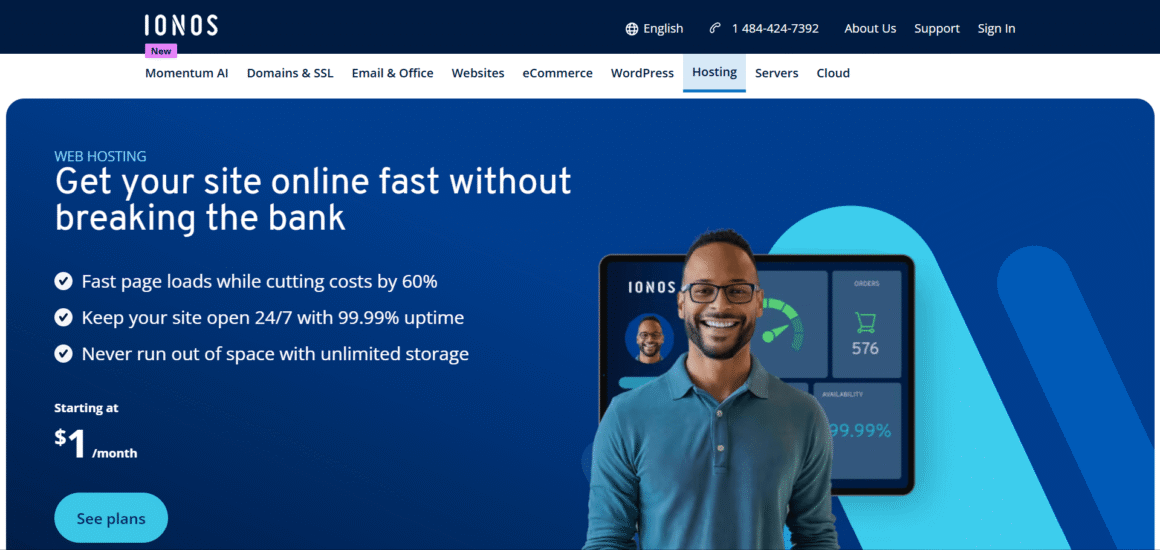
IONOS offers four main shared hosting plans in the US. The IONOS hosting plans differ in storage capacity, server resources, and included features. This allows website owners to choose from several options.
| Feature | Details |
|---|---|
| Price | $4/month |
| Websites | Unlimited |
| NVMe SSD Storage | 100 GB |
| CPU Priority | 1X |
| MariaDB Databases | 10 |
| Email Accounts | 1 |
| Free Domain | 1 Year |
| Free SSL | Yes |
| Unlimited Traffic | Yes |
| Money-Back Guarantee | 30 Days |
| Renewal Price | $8/mo |
| Feature | Details |
|---|---|
| Price | $6/month |
| Websites | Unlimited |
| NVMe SSD Storage | 200 GB |
| CPU Priority | 3X |
| MariaDB Databases | 100 |
| Email Accounts | 2 |
| Free Domain | 1 Year |
| Free SSL | Yes |
| Unlimited Traffic | Yes |
| Money-Back Guarantee | 30 Days |
| Renewal Price | $10/mo |
| Feature | Details |
|---|---|
| Price | $1/month |
| Websites | Unlimited |
| NVMe SSD Storage | 350 GB |
| CPU Priority | 5X |
| MariaDB Databases | 250 |
| Email Accounts | 4 |
| Free Domain | 1 Year |
| Free SSL | Yes |
| Unlimited Traffic | Yes |
| CDN | Yes |
| Money-Back Guarantee | 30 Days |
| Renewal Price | $14/mo |
| Feature | Details |
|---|---|
| Price | $10/month |
| Websites | Unlimited |
| NVMe SSD Storage | 500 GB |
| CPU Priority | 10X |
| MariaDB Databases | 500 |
| Email Accounts | 5 |
| Free Domain | 1 Year |
| Free SSL | Yes |
| Unlimited Traffic | Yes |
| CDN | Yes |
| Malware Scanner | Pro + Auto Repair |
| Money-Back Guarantee | 30 Days |
| Renewal Price | $18/mo |
These promotional prices apply to a one-year term. The Essential plan can work for smaller websites, while Starter caters to bigger websites that need more storage. Plus and Ultimate offer more storage than the lower tier plans. Ultimate also includes automatic malware repair, which adds another layer of protection.
The IONOS plans also include a custom domain and SSL. You will get a website malware scanner with Essential, Starter, and Plus plans. In the Ultimate plan, malware scanning is included along with automatic repair. All the plans except Essential also come with CDN support.
IONOS also provides email accounts with its shared hosting packages. The number of accounts increases with the selected plan. If you are not impressed with the service, the hosting provider provides a 30-day money-back guarantee.
Website limits and resource allowances can vary according to the package you choose, so check the specifications of your preferred plan before purchasing.
Bluehost Hosting Plans and Pricing
Bluehost hosting plans include three main options in the US shared hosting category. Here are their details:
| Feature | Details |
|---|---|
| Introductory Price | $3.99/month |
| Renewal Price | $9.99/month |
| Billing Term | 36 Months |
| Websites | 10 |
| NVMe SSD Storage | 10 GB |
| Monthly Visits | Up to 40,000 |
| Free Domain | 1 Year |
| Free SSL | Yes |
| Free CDN | Yes |
| Free Site Migration | Yes |
| Malware Scanning | Yes |
| Malware Detection & Removal | Yes |
| Weekly Backups | Yes |
| Managed WordPress Updates | Yes |
| WordPress Staging | Yes |
| SSH & WP-CLI | Yes |
| 24/7 Chat Support | Yes |
| Phone Support | No |
| Money-Back Guarantee | 30 Days |
| Feature | Details |
|---|---|
| Introductory Price | $6.99/month |
| Renewal Price | $13.99/month |
| Billing Term | 36 Months |
| Websites | 50 |
| NVMe SSD Storage | 50 GB |
| Monthly Visits | Up to 200,000 |
| Free Domain | 1 Year |
| Free SSL | Yes |
| Free CDN | Yes |
| Free Site Migration | Yes |
| Malware Scanning & Removal | Yes |
| Web Application Firewall | Yes |
| DDoS Protection | Yes |
| Domain Privacy | 1 Year |
| Weekly Backups | Yes |
| Managed WordPress Updates | Yes |
| WordPress Staging | Yes |
| SSH & WP-CLI | Yes |
| 24/7 Chat Support | Yes |
| Phone Support | Yes |
| Money-Back Guarantee | 30 Days |
| Feature | Details |
|---|---|
| Introductory Price | $14.99/month |
| Renewal Price | $21.99/month |
| Billing Term | 36 Months |
| Websites | 100 |
| NVMe SSD Storage | 100 GB |
| Monthly Visits | Up to 400,000 |
| Free Domain | 1 Year |
| Free SSL | Yes |
| Free CDN | Yes |
| Free Site Migration | Yes |
| WooCommerce | Included |
| Secure Payment Processing | Yes |
| Product Subscriptions | Yes |
| Visitor Memberships | Yes |
| Paid Courses | Yes |
| Affiliate Program | Yes |
| Malware Scanning & Removal | Yes |
| Web Application Firewall | Yes |
| DDoS Protection | Yes |
| Domain Privacy | 1 Year |
| Weekly Backups | Yes |
| WordPress Staging | Yes |
| SSH & WP-CLI | Yes |
| 24/7 Chat Support | Yes |
| Phone Support | Yes |
| Money-Back Guarantee | 30 Days |
The eCommerce Essentials renewal price comes from the 12-month pricing displayed here. It can change, so check the final amount at checkout.
The introductory rates apply to a 12-month term. If you have a smaller website or blog, Starter should do the job. Business adds storage and security features, and eCommerce Essentials is the one that includes WooCommerce tools for online stores.
A free domain for the first year comes with Bluehost, and eligible plans include SSL. Its shared hosting also has CDN support and staging tools. On support, Starter offers 24/7 chat, while phone support comes with Business and eCommerce Essentials. The 30-day money-back guarantee covers eligible hosting purchases.
IONOS vs Bluehost: Which Provider Offers Better Value?
At the entry level, both providers offer competitive pricing, but their plans serve different requirements.
IONOS is a good option if you need more storage and want to keep renewal costs low. Bluehost may offer better value if you manage multiple websites and need its website management tools.
Your choice will depend on whether storage and long-term costs matter more to you than website management features.
Performance and Website Speed Compared
Server Infrastructure and Data Centre Locations
IONOS operates data centres in several locations around the US. Some of the popular locations include Newark, Las Vegas, and Lenexa. These locations form part of its wider cloud infrastructure. However, there is no clear confirmation from IONOS regarding the selection of a specific server location on standard shared hosting plans.
Bluehost also operates hosting infrastructure, but its standard shared hosting plans don’t clearly offer the same level of data centre selection to its customers. Also, the server location can affect response times, especially when most website visitors come from a particular region.
If your audience is mainly based in the US, it’s better to choose a hosting provider with suitable infrastructure and content delivery options. These can help improve the experience for visitors.
Website Speed and Performance
Website speed depends on several factors like server resources and website configuration. It also depends on page size and caching. The hosting provider is only a part of the equation.
When it comes to the performance of IONOS hosting, it will depend on the resources available to each plan and how a website is configured. The shared hosting packages of IONOS come with NVMe storage along with HTTP/2 and server-side compression support. However, CDN support is not included with the Essential plan. It is available with higher-tier shared hosting plans.
When it comes to Bluehost hosting, its current shared hosting plans come with NVMe storage. There’s CDN functionality across its shared hosting offerings too, which helps distribute cached content to different locations. Its caching tools can reduce loading times as well. Caching stores copies of frequently requested content, so the server doesn’t have to generate every page from scratch. How much of an improvement you’ll see will depend on the website, how it’s configured, and where its visitors are located.
Another useful performance measure is Time to First Byte (TTFB). It measures how long a browser takes to receive the first byte of data from a server after making a request. A lower TTFB generally indicates a faster server response. But, it doesn’t measure the time needed to load the complete webpage.
The speed of the provider varies from website to website. A website can work slowly when there are too many large images and plugins. Even poorly optimized code can slow down a website despite being on a good hosting plan. So unless both hosting providers are tested under the same conditions, it is hard to determine a better performing platform. Both providers have features that can support website performance.
Uptime and Reliability
IONOS advertises a 99.99% uptime guarantee for its web hosting plans, and Bluehost provides the same 99.99% guarantee for eligible shared hosting services. But there are some conditions attached to these guarantees. Bluehost, for example, excludes scheduled maintenance. It also excludes several external or customer-related issues. The compensation for qualifying downtime is limited to a hosting credit.
These figures are a good starting point, but they don’t prove that both providers deliver the same uptime in practice. An advertised uptime guarantee is not the same as measured uptime. Reliability can only be checked by monitoring a website over a long period of time. If your website generates leads or sales, uptime should be an important part of your hosting decision. Even a short downtime can affect your visitors and potential customers.
WordPress Hosting: IONOS vs Bluehost
The two providers offer different types of WordPress hosting. IONOS provides dedicated managed WordPress hosting plans, while the Bluehost plans covered in this comparison are shared hosting plans with WordPress management features. This is an important difference to consider when comparing their features and pricing.
IONOS WordPress Hosting Features
IONOS offers three managed WordPress hosting plans in the US. Each plan supports one website, but storage varies. Check the table below to know the details of three managed WordPress hosting plans offered by IONOS.
| Feature | Details |
|---|---|
| Introductory Price | $5/month |
| Renewal Price | $8/month |
| Websites | 1 |
| Storage | 25 GB |
| Email Accounts | 1 |
| Free Domain | 1 Year |
| Free SSL | Yes |
| Automatic Backups | Yes |
| WordPress Updates | Yes |
| 24/7 Support | Yes |
| Feature | Details |
|---|---|
| Introductory Price | $1/month |
| Renewal Price | $12/month |
| Websites | 1 |
| Storage | 50 GB |
| Email Accounts | 5 |
| Free Domain | 1 Year |
| Free SSL | Yes |
| Automatic Backups | Yes |
| WordPress Updates | Yes |
| 24/7 Support | Yes |
| Feature | Details |
|---|---|
| Introductory Price | $12/month |
| Renewal Price | $17/month |
| Websites | 1 |
| Storage | 75 GB |
| Email Accounts | 10 |
| Free Domain | 1 Year |
| Free SSL | Yes |
| Automatic Backups | Yes |
| WordPress Updates | Yes |
| 24/7 Support | Yes |
All three IONOS WordPress hosting plans include automatic WordPress updates and automatic backups. The plans also include SSL and Website Cockpit. This management interface allows users to handle important WordPress settings from their hosting account. Developers also find it easier to manage websites by using SSH, SFTP, and WP-CLI.
For those choosing higher plans, they can enjoy additional features. Users going for Grow and Boost plans will get 12 months of Jetpack Vault, which adds another backup option. These plans also include IONOS AI Assistant tools for creating website content. All three plans come with a malware detection feature, with Boost offering automatic malware removal as well.
All three plans include an AI Website Builder as well. This tool can help users create website layouts without having to start from scratch. It’s a very useful feature for those looking to launch a WordPress website but don’t have much design experience.
Bluehost Shared Hosting Plans with WordPress Features
The Bluehost plans discussed here are Starter, Business, and eCommerce Essentials. These are shared hosting plans that support WordPress and include website management features. However, they are not dedicated managed WordPress hosting plans like those offered by IONOS. Check the table below to see the storage and website limits of each plan.
| Feature | Details |
|---|---|
| Introductory Price | $3.99/month |
| Renewal Price | $9.99/month |
| Billing Term | 36 Months |
| Websites | 10 |
| Storage | 10 GB NVMe |
| Monthly Visits | 40,000 |
| Free Domain | 1 Year |
| Free SSL | Yes |
| Free CDN | Yes |
| Automatic WordPress Updates | Yes |
| Weekly Backups | Yes |
| 24/7 Support | Chat |
| Feature | Details |
|---|---|
| Introductory Price | $6.99/month |
| Renewal Price | $13.99/month |
| Billing Term | 36 Months |
| Websites | 50 |
| Storage | 50 GB NVMe |
| Monthly Visits | 200,000 |
| Free Domain | 1 Year |
| Free SSL | Yes |
| Free CDN | Yes |
| Automatic WordPress Updates | Yes |
| Weekly Backups | Yes |
| 24/7 Support | Chat & Phone |
| Feature | Details |
|---|---|
| Introductory Price | $14.99/month |
| Renewal Price | $21.99/month |
| Billing Term | 36 Months |
| Websites | 100 |
| Storage | 100 GB NVMe |
| Monthly Visits | 400,000 |
| Free Domain | 1 Year |
| Free SSL | Yes |
| Free CDN | Yes |
| WooCommerce | Included |
| Automatic WordPress Updates | Yes |
| Weekly Backups | Yes |
| 24/7 Support | Chat & Phone |
All three plans include WordPress installation and managed updates. There is no need to manually handle every update. The plans also feature a staging environment, which is useful for testing changes to themes, plugins, or website layouts before applying them to a live site.
Bluehost also has its own WordPress Website Builder. This tool uses AI to generate website design options, and users can customize them before publishing. Developers also find it easier to manage their websites by using SSH and WP-CLI.
For better content delivery, the plans come with static and object caching along with CDN support. Those going for the eCommerce Essentials plan get WooCommerce tools for online stores as well.
Which Provider Is Better for WordPress Websites?
The choice depends on the type of WordPress hosting you need. IONOS offers dedicated managed WordPress plans, while the Bluehost plans discussed here are shared hosting packages that support WordPress.
IONOS managed WordPress plans include automatic updates and backups. Bluehost also offers staging and developer tools, which can be useful when managing websites and testing changes.
So, if your requirements involve a single WordPress website along with managed setup, IONOS is a suitable option. However, if you want to manage multiple websites and need staging and development tools, Bluehost is worth considering.
Features and Website Management
Website Builder and Site Creation Tools
IONOS offers an AI Website Builder for users who want to create a website without working directly with WordPress. There are several templates and editing tools in this website builder, which can be used to build business websites and personal projects.
Bluehost also offers an AI Website Builder using which users can generate websites based on the prompt they share. It supports different types of projects, including blogs, business websites, and online stores. Users can also choose its WordPress Website Builder, which creates website designs that they can customize through WordPress.
The main difference is that both providers offer website creation tools. But, Bluehost gives users the choice between a separate AI website building experience and a WordPress based setup.
Website Migration and Transfer Assistance
Moving a website involves more than just transferring its files. You may also need to move databases and configure the domain. If there are email accounts, then those may have to be moved too.
Bluehost offers a WordPress migration tool for eligible websites. It can help users transfer their websites without having to move every file and database manually. Users who need professional assistance or have more complex migration requirements can explore paid migration services by Bluehost.
IONOS provides guidance and tools for migrating WordPress websites. Moving other types of websites may require additional steps, such as transferring files and databases manually. Users should check the available migration options before switching providers.
Scalability and Hosting Resource Limits
Both providers offer different hosting plans for websites with varying resource requirements. In IONOS hosting plans, you will see storage and service resources getting increased throughout their shared hosting tiers. Higher plans will also provide users with more email accounts and additional features.
Bluehost hosting has Business and eCommerce Essentials plans where users can get higher storage limits and website capacity. Both are shared hosting plans, so there will be resource limits like the rest of Bluehost’s shared accounts. If your website starts using more resources, you may have to upgrade your plan or consider a different hosting solution.
If your website is experiencing regular traffic growth, check the available server resources before selecting a plan. The number of websites a package supports does not necessarily mean that it can handle unlimited traffic or resource usage.
Security, Backups, Domains, and Email
The shared hosting plans offered by IONOS come with SSL and malware scanning features. Its Ultimate plan adds automatic malware repair. The packages also include email accounts, although the number of accounts would depend on the plan you choose.
Bluehost also includes SSL and malware scanning with its shared hosting plans. However, as you go for higher tier plans, you will get an additional feature, i.e., malware removal. Security features can therefore vary depending on the package you select.
With both providers, you will get a free domain for the first year with eligible hosting plans. IONOS Essential includes one email account with 2 GB of mailbox storage. It also provides email forwarding and webmail access. Bluehost Starter includes cPanel email hosting with 100 MB of storage per mailbox. Users who need more email storage may have to upgrade their plan or use a separate email service.
Backup availability is another important factor to consider. IONOS provides daily backups for its Linux web hosting packages. These backups are retained for 14 days, and users can restore selected files and folders through the File Recovery option in their account.
Bluehost offers Basic Weekly Backup on eligible accounts. It keeps one restore point at a time and allows users to restore their complete website, individual files, or databases through the Bluehost Portal. However, email data is not included in this backup. IONOS’s recovery documentation covers website files and folders but does not clearly confirm whether mailbox contents are included.
| Feature | IONOS Essential | Bluehost Starter |
| Email storage | 2 GB | 100 MB per mailbox |
| Email access | Webmail | cPanel webmail |
| Email forwarding | Included | Available |
| Backup frequency | Daily | Weekly, where eligible |
| Backup retention | 14 days | One restore point |
| Website restoration | Selected files and folders | Website, files or databases |
| Email included in automatic backup | Not confirmed | No |
Before making a purchase, also check domain renewal costs because they can be overwhelming at times. Keeping a separate copy of important website files and emails is also a sensible precaution.
Ease of Use and Customer Support
Account Setup, Control Panel, and Ease of Use
IONOS comes with a central account dashboard where you can easily manage hosting, domains, and email, etc. You can access hosting settings along with managing different parts of your website from there. But, it may take some time before you get familiarized with the dashboard.
Bluehost offers a more guided setup experience. It comes with a dashboard too, which allows you to manage hosting settings and domains easily. Even emails and WordPress management tools can be accessed from the dashboard. The design of the interface is user-friendly, so you won’t have to deal with too many technical settings just to run the websites.
Both dashboards offer basic tools that can be used to easily manage a website. However, the overall experience is subjective. It will depend on how familiar you are with hosting accounts and website management.
Customer Support and Technical Assistance
Customer support is a key feature when comparing two hosting providers. If you are setting up your first website, then don’t ignore customer support at any cost.
Both IONOS and Bluehost offer 24/7 customer support, although the available contact options differ depending on the provider and plan. IONOS provides 24/7 support through phone and live chat. It also has a Help Center where users can find answers to common hosting and account related questions. Users can contact its support team for assistance with technical issues, including domain settings and hosting configuration.
Bluehost offers 24/7 live chat support as well. On Business and eCommerce Essential plans, they also offer phone support. The starter plan only comes with 24/7 live chat support.
Documentation and Knowledge Base
Both providers maintain online help resources for users who want to solve issues by themselves. The IONOS Help Center includes product guides, setup instructions, and troubleshooting information. Bluehost’s Knowledge Base includes tutorials and step by step guides covering WordPress, domains, hosting, and account management.
For beginners, these resources can be useful when setting up a website or dealing with common hosting issues. They can also help experienced users find answers without contacting customer support.
IONOS vs Bluehost: Pros and Cons
IONOS Pros and Cons
Pros:
- You get a lot of storage on the shared hosting plans.
- The introductory price is low, and the renewal price on Essential is lower than Bluehost Starter.
- SSL is included, and so is malware scanning.
- Managed WordPress hosting comes with automatic updates.
- Eligible shared hosting plans have CDN support.
Cons:
- Beginners may need some time to get used to the control panel.
- Each managed WordPress plan supports only one website.
- Some advanced features need a higher-tier plan.
Bluehost Pros and Cons
Pros:
- The dashboard is easy for beginners, and WordPress setup is guided.
- Its shared hosting plans let you host multiple websites.
- CDN support is included for content delivery.
- Supported plans come with staging and developer tools.
- You can use its WordPress migration tools.
Cons:
- Renewal prices are higher than the introductory rates.
- Starter has less storage than IONOS Essential.
- Some security and support features are only on the higher-tier plans.
Which Hosting Provider Should You Choose?
The choice between IONOS and Bluehost depends on your website and budget. There are plenty of useful features in both providers, but their plans cater to slightly different needs.
Choose IONOS If…
IONOS is the better option if storage matters to you. Its shared plans have more space, and the entry-level price is low. Then there are the managed WordPress packages, which take care of updates and backups.
Choose Bluehost If…
Bluehost is the better option if you are new to hosting and want a guided setup. You can run several websites on its shared plans too. It also has staging and developer tools for regular changes.
$4/mo
- Unlimited Websites
- 100 GB NVMe Storage
- 1X CPU Priority
- Unlimited Traffic
- 10 Databases
- Free Domain (1 Year)
- Free SSL Certificate
- 30-Day Money-Back Guarantee
Renews at $8/mo
$3.99/mo
- 1GB RAM
- 1 vCPU
- 25GB SSD Storage
- 1TB Transfer Bandwidth
- Lightning Stack
- Unlimited Visits
- Unlimited Websites
- 5 Days Free Trial
Renews at $9.99/mo
Final Verdict: IONOS vs Bluehost
Both IONOS and Bluehost are good hosting options. Each one is better at something different. Here is a quick comparison of how they perform across the main categories:
| Category | Winner | Reason |
| Pricing | IONOS | Lower introductory and renewal prices on the entry level plan |
| Storage | IONOS | 100 GB on Essential compared with 10 GB on Bluehost Starter |
| WordPress Hosting | IONOS | Offers dedicated managed WordPress plans |
| Multiple Websites | Bluehost | Starter supports up to 10 websites |
| Ease of Use | Bluehost | Offers a more guided setup and beginner friendly dashboard |
| Customer Support | IONOS | Offers 24/7 phone and live chat support, while Bluehost Starter provides 24/7 chat support |
If you want managed WordPress hosting and more storage, IONOS is the better option. Its renewal cost at the entry level is lower too. Bluehost fits better if you need to manage multiple websites and want a guided setup.
Look at the features and the renewal cost of the plan you want before buying. Your website requirements and how you plan to manage the site should make the final call.
Frequently Asked Questions
Is IONOS better than Bluehost?
It depends on what you need. If storage is important to you, IONOS is the better option, It also has a low renewal price at the entry level. Bluehost is the better option if you want a guided setup and need to manage multiple websites. So the right choice really comes down to your budget and hosting requirements.
Which is cheaper, IONOS or Bluehost?
The two are quite close at the start. IONOS Essential costs $4 per month on a one-year term, while Bluehost Starter costs $4.24 per month on a 12-month term. Both go up when the plan renews, so it is worth checking what you will pay after the introductory period before you choose.
Does Bluehost have a Website Builder?
Yes. You can use Bluehost’s AI Website Builder to generate a website from your description. There is a WordPress Website Builder too, for creating and customizing WordPress websites.
Can I host multiple websites with IONOS and Bluehost?
Both providers have plans for multiple websites, though the limits vary with package. On Bluehost, Starter supports up to 10 websites, whereas Business and eCommerce Essentials support 50 and 100 websites respectively. For IONOS, you should check the current plan specifications for the package you want.