Disclosure: Some links on Themezhub are affiliate links. We may earn a commission if you make a purchase through them.
Choosing the wrong page builder is one of the most expensive mistakes you can make as a WordPress user. I’ve watched agencies waste months migrating bloated sites and seen freelancers lose clients because their pages failed Core Web Vitals audits. In 2026, the consequences are sharper than ever — Google’s ranking algorithm rewards speed, semantic document structure, and clean markup in ways that directly impact your bottom line.
The Divi vs. Bricks Builder debate has fundamentally shifted over the past two years. Divi has aggressively expanded its AI capabilities and template ecosystem. Bricks has solidified its reputation as the go-to WordPress design tool for performance-first developers and is gaining serious traction with agencies who compete on technical quality.
Neither builder is universally superior. But one of them is almost certainly the better fit for your specific workflow.
In this guide — based on real-world builds, not spec sheets — I’ll cover every dimension that matters: loading speed, Core Web Vitals, design flexibility, SEO output quality, AI features, WooCommerce support, and pricing. I’ve built everything from personal blogs to six-figure e-commerce stores using both tools, so what follows is grounded in actual experience.
Divi and Bricks Builder at a Glance
| Feature | Divi | Bricks Builder |
|---|---|---|
| Target User | Beginners to intermediate | Intermediate to advanced |
| Ease of Use | ⭐⭐⭐⭐⭐ | ⭐⭐⭐ |
| Performance | ⭐⭐⭐ | ⭐⭐⭐⭐⭐ |
| Design Flexibility | ⭐⭐⭐⭐ | ⭐⭐⭐⭐⭐ |
| AI Features | ⭐⭐⭐⭐⭐ | ⭐⭐ |
| SEO Optimization | ⭐⭐⭐⭐ | ⭐⭐⭐⭐⭐ |
| WooCommerce Support | ⭐⭐⭐⭐ | ⭐⭐⭐⭐⭐ |
| Template Library | ⭐⭐⭐⭐⭐ | ⭐⭐⭐ |
| Lifetime Pricing | $249 (unlimited sites) | $299 (unlimited sites) |
| Learning Curve | Low | Medium–High |
| HTML/CSS Code Quality | Average | Excellent |
| Community Size | Very large (1M+ users) | Growing fast |
| Schema Markup | Via plugin | Via plugin |
| Headless WordPress | Limited | Supported |
| PHP Hooks/Filters | Limited | Extensive |
| CSS Grid Support | Partial | Full native |
What Is Divi?
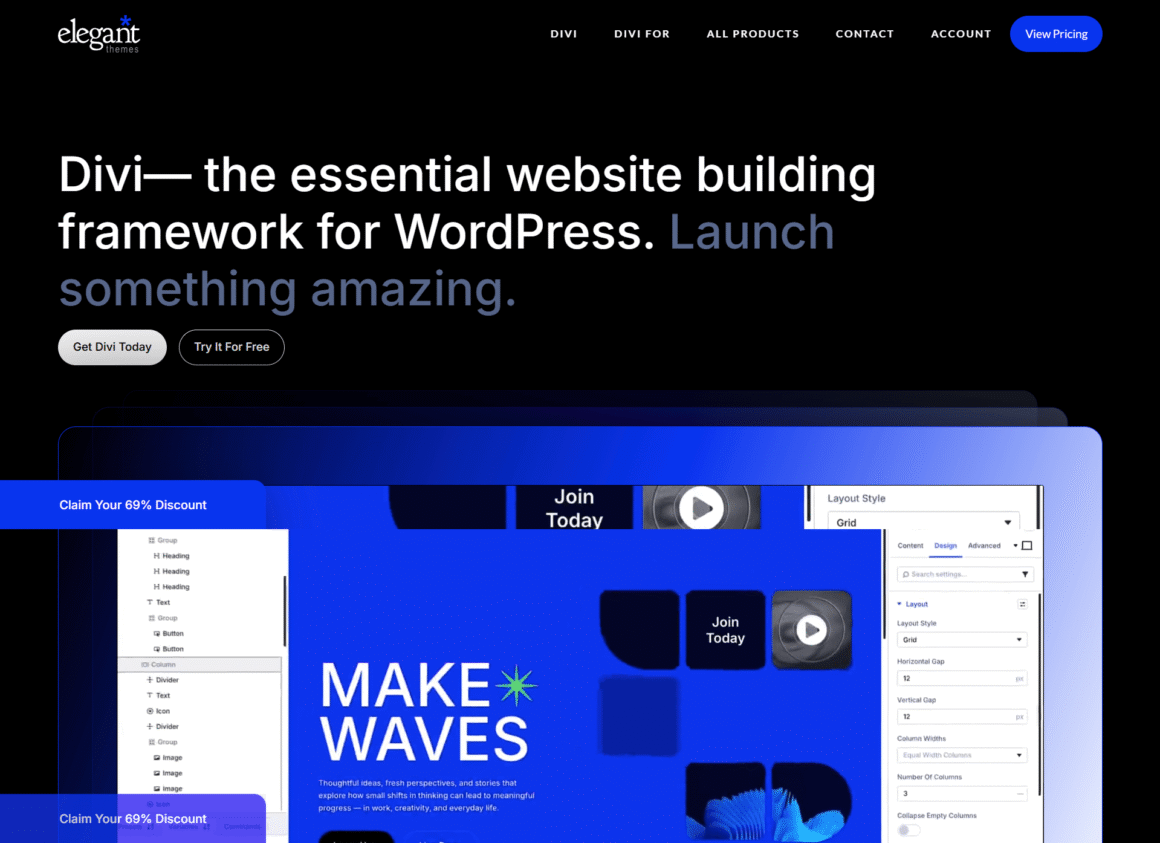
Divi is the flagship WordPress website builder developed by Elegant Themes, a company founded by Nick Roach and headquartered in Tempe, Arizona. First released in 2013, Divi has grown into one of the most widely used visual website builder tools in the world, with over 1 million active installs and a community spanning freelancers, agencies, and business owners across every industry.
Divi operates both as a standalone WordPress theme and as a plugin that works with any theme — giving it unusual flexibility within the ecosystem.
Key Features
- Front-End Visual Builder — Click directly on page elements, edit inline, and see every change render in real time. No guessing how something will look on publication.
- WordPress Theme Builder — Design custom templates for headers, footers, single post layouts, archive pages, search results, and 404 pages without touching a line of code.
- Global Styles and Presets — Define styles once, apply them everywhere, and update site-wide with a single click. Essential for maintaining brand consistency across large sites.
- Responsive Controls — Override layout, spacing, typography, and visibility independently for desktop, tablet, and phone breakpoints.
- Template Library — Browse 2,000+ pre-built layout packs organized by industry vertical, from law firms to food blogs to SaaS landing pages.
- Built-in A/B Testing—Split-test entire sections or specific modules to optimize for conversions—a feature most competing builders don’t offer natively.
- WooCommerce Integration — Customize shop pages, product pages, cart, checkout, and account areas with the same visual interface used for the rest of the site.
- Divi Marketplace — A curated ecosystem of third-party child themes, plugins, and extensions built specifically for Divi.
Divi AI
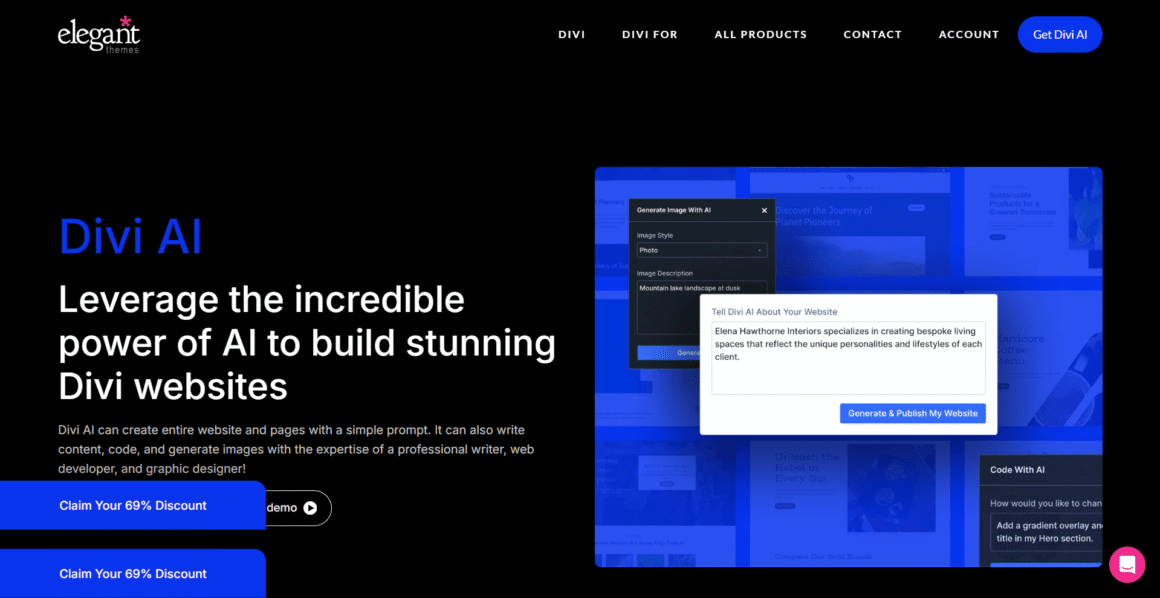
Divi AI is Elegant Themes’ integrated artificial intelligence layer, and it’s the most mature AI implementation available inside any WordPress page builder in 2026.
Sold as a separate subscription (~$24/month or $240/year), Divi AI lets you:
- Generate complete page sections from a plain-text prompt—describe your business and Divi AI populates headlines, body copy, and layout suggestions
- Write and rewrite copy contextually, pulling from your site’s existing content to maintain consistent voice
- Generate images without leaving the builder — produce hero images, product mockups, and section backgrounds on demand
- Suggest design improvements—button placement, color contrast adjustments, whitespace recommendations
- Generate custom CSS — describe what you want to change and get a working code snippet
- Auto-populate templates with real, contextually appropriate content rather than generic Lorem Ipsum
The integration is seamless. Unlike external AI tools that require tab-switching and copy-pasting, Divi AI operates directly inside the visual editor interface. For agencies building 10+ sites a month, the productivity gains are real and measurable.
👉 Get Divi + Divi AI and Build Websites Faster
Divi Template Ecosystem
No WordPress design tool on the market has a deeper template library than Divi. Their layout packs span virtually every business niche—dentists, yoga studios, law firms, SaaS companies, restaurants, real estate agencies, nonprofits, and dozens more.
Beyond the official Divi library, the community has generated thousands of additional templates via:
- Divi Marketplace — officially vetted paid extensions and layouts
- Elegant Marketplace — third-party premium Divi products
- Divi Extended, Aspen Grove Studios, and other dedicated Divi resource sites
- An active GitHub community sharing free snippets and presets
This ecosystem depth is genuinely hard to overstate as a competitive advantage, particularly for freelancers and agencies who need to move quickly across different client verticals.
👉 Browse 2,000+ Divi Templates and Layout Packs
What Is Bricks Builder?
Bricks Builder is a premium WordPress theme builder developed by Thomas Ehrig and the Bricks team, launched in 2021 and updated aggressively since. Where Divi prioritized accessibility and template variety, Bricks was architected from the ground up around a single principle: generate the cleanest, most performant WordPress output possible.
The analogy I keep coming back to: if Divi is the general contractor who can build anything quickly, Bricks is the architect who won’t sign off on the drawings until every structural detail is right.
Key Features
- Performance-First HTML/CSS Architecture — Bricks outputs lean, semantic HTML5 with proper element hierarchy and minimal inline styles. No div soup. No nested wrapper elements added for builder convenience. What you see in the DOM is what Bricks deliberately chose to put there.
- Full CSS Grid Implementation—Native CSS Grid support for complex, responsive layouts that behave predictably across breakpoints—a meaningful advantage over builders that rely entirely on flexbox.
- Dynamic Data and Query Loops — Native support for WordPress custom fields, custom post types (CPTs), taxonomies, and dynamic data rendering. Build filterable archives, dynamic galleries, and data-driven layouts without mandatory dependency on Advanced Custom Fields (ACF) Pro—though ACF, Meta Box, and Pods all integrate cleanly.
- Custom CSS at Every Scope — Write CSS at the element, section, template, or global level directly inside the builder. No switching to the Customizer or a separate stylesheet.
- Interactions and Animations — A built-in interaction builder lets you create scroll-triggered animations, entrance effects, and hover transitions without a plugin like GSAP or Animate.css.
- PHP Hooks and Filters — Bricks exposes WordPress action and filter hooks throughout its rendering pipeline, giving developers fine-grained control over output without hacking core files.
- Developer Mode — Toggle a code view alongside the visual editor, inspect rendered markup, and write PHP-powered custom elements.
- Headless WordPress Support — Bricks can be used as a front-end builder for headless or hybrid WordPress deployments, relevant for teams building with React or Next.js frontends.
Bricks Builder Performance Architecture
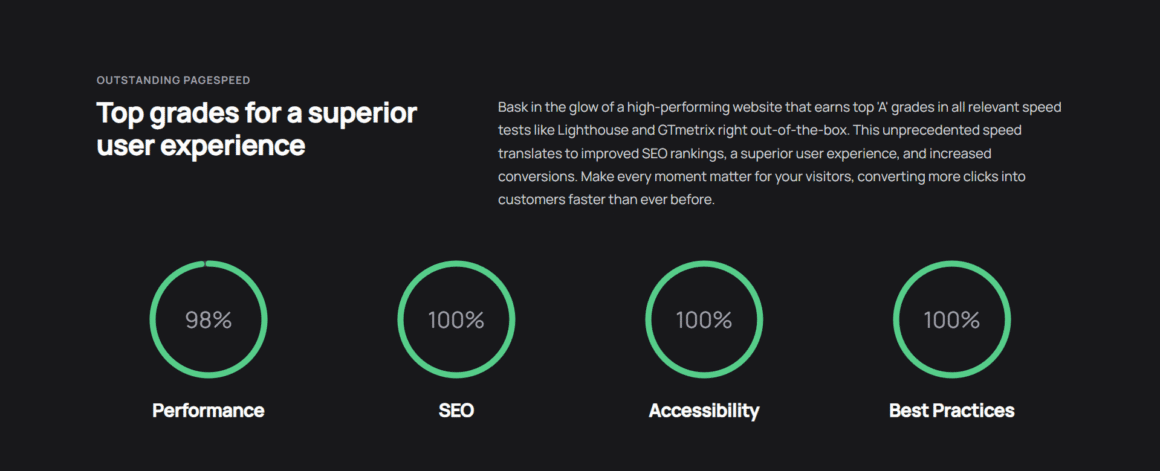
Bricks Builder Performance deserves extended treatment because it’s the primary reason the builder has gained such rapid adoption among performance-focused developers.
The performance advantage comes from several architectural decisions made early in Bricks’ development:
- No jQuery dependency — Bricks ships with vanilla JavaScript only, eliminating the 30+ KB overhead that jQuery adds to every page load.
- Conditional asset loading — CSS and JavaScript assets load only when the specific Bricks element that requires them is actually used on a given page. A page without a slider loads zero slider assets.
- Inline critical CSS — Bricks can inline above-the-fold CSS directly in the
<head>, eliminating a render-blocking stylesheet request. - Clean DOM structure — Fewer DOM nodes means faster layout and paint calculations in the browser. Bricks’ pages consistently have 30–50% fewer DOM nodes than equivalent Divi pages.
- No shortcode rendering — Bricks stores data in JSON format and renders it via PHP templates at request time, rather than using WordPress shortcodes that add processing overhead.
In my own testing on a VPS running Nginx and PHP 8.2 with no caching layer, a comparable home page built in Bricks loads in 800ms–1.1s. The equivalent Divi page lands at 1.5s–2.1s. That gap shrinks with caching and CDN, but Bricks maintains a meaningful lead.
Divi vs Bricks Builder: Ease of Use
Learning Curve and Onboarding
Divi has the more accessible onboarding by a wide margin. Most users — including those with no prior WordPress or web design experience — can build a serviceable page within 30–45 minutes of first opening the builder. The drag-and-drop paradigm is familiar, the module system follows a logical hierarchy (sections → rows → modules), and visual feedback is immediate.
Divi’s documentation library is extensive, and the community has produced thousands of free tutorial videos on YouTube. Elegant Themes themselves publish detailed written and video walkthroughs for nearly every feature. For clients who’ll manage their own sites post-handoff, Divi is the safer choice — the interface is forgiving and hard to break catastrophically.
Bricks Builder has a steeper learning curve. The left-panel sidebar approach feels different from other builders, the query loop system requires understanding WordPress’s post query architecture, and concepts like global classes, CSS variables, and element nesting take time to become second nature.
That said, Bricks has invested significantly in improving its onboarding since the 2.0 release. The documentation is now thorough, the community-run Bricks Builder Community on Facebook has 20,000+ members, and YouTube tutorials from creators like Sridhar Katakam and Nino Mihovilovic provide excellent structured learning paths.
Realistic timeline expectations:
- Divi: Productive within days; mastery within 4–6 weeks
- Bricks: Productive within 2–4 weeks; mastery within 3–6 months
User Interface Comparison
| UI Aspect | Divi | Bricks |
|---|---|---|
| Editor Type | Front-end visual | Left-panel + live preview |
| Inline editing | Yes | Partial |
| Module/Element Library | Extensive (40+ modules) | Comprehensive (50+ elements) |
| Keyboard shortcuts | Yes | Yes |
| Multi-select editing | Yes | Yes |
| Undo/redo history | Yes | Yes |
| Right-click context menu | Yes | Yes |
| Navigator panel | Yes | Yes |
Winner: Ease of Use → Divi
Divi is the more complete no-code website builder experience for those prioritizing accessibility, fast onboarding, and a gentle learning curve.
Recommended for Beginners: If you’re new to WordPress and want the easiest visual builder, Divi is our top recommendation.
Divi vs Bricks Builder: Design Flexibility
Templates and Starting Points
Divi’s template library advantage is significant—2,000+ layouts versus Bricks’ ~200 official templates. In practice, this means Divi users can start from a nearly finished design for almost any niche, while Bricks users often start from a simpler base and build up.
The gap narrows when you factor in third-party resources. Quality Bricks template packs are available from providers including Frames (by Kevin Geary), BricksExtras, and StyleSheet. But Divi still leads on sheer volume.
Global Styles and Design Systems
Both builders support global design management, but with different philosophies:
Divi uses a preset-based system where you save module styles as named presets and apply them site-wide. Update the preset, and every module using it updates automatically. Intuitive and fast for most use cases.
Bricks uses a CSS variable and global class system that aligns more closely with modern front-end development workflows. You define design tokens (colors, spacing, typography scales) as CSS variables, reference them in global classes, and compose from there. The upfront setup cost is higher, but the system scales better on complex projects and integrates naturally with tools like Automatic CSS (ACSS).
Responsive Design Controls
Both builders offer per-breakpoint overrides for layout, spacing, typography, and visibility. Bricks edges ahead with its native CSS Grid implementation, which makes responsive layouts more predictable on complex, asymmetric designs. Divi’s flexbox-based layout system handles standard responsive cases well but can require workarounds on more complex grid arrangements.
WordPress Theme Builder Capabilities
| Theme Building Feature | Divi | Bricks |
|---|---|---|
| Custom Header Templates | ✅ | ✅ |
| Custom Footer Templates | ✅ | ✅ |
| Single Post Templates | ✅ | ✅ |
| Archive Page Templates | ✅ | ✅ |
| Custom Post Type Templates | ✅ | ✅ |
| 404 Page Templates | ✅ | ✅ |
| Search Results Templates | ✅ | ✅ |
| WooCommerce Templates | ✅ | ✅ |
| Conditional Display Logic | ✅ | ✅ |
| PHP Template Override | ❌ | ✅ |
Bricks pulls ahead on the WordPress Theme Builder dimension with PHP template override support—a feature that matters for developers who need to extend templates beyond what any visual interface can provide.
Winner: Design Flexibility → Bricks Builder (advanced), Divi (beginner–intermediate)
Divi vs Bricks Builder: Performance and Speed
Featured Snippet Target: Bricks Builder is faster than Divi in most real-world scenarios. Bricks generates cleaner HTML, loads fewer assets conditionally, and has no jQuery dependency — resulting in pages that typically score 80–95 on Google PageSpeed Insights versus Divi’s 65–85. The gap narrows significantly with aggressive caching and CDN configuration on Divi sites.
Core Web Vitals Comparison
Core Web Vitals — Google’s set of user experience performance metrics — have been a ranking factor since 2021. They measure three key experiences:
- LCP (Largest Contentful Paint): How fast the largest visible element loads. Target: under 2.5s.
- CLS (Cumulative Layout Shift): How stable the page layout is during load. Target: under 0.1.
- INP (Interaction to Next Paint): How quickly the page responds to user input. Target: under 200ms.
Here’s how Divi and Bricks compare on a typical optimized build:
| Metric | Divi (optimized) | Bricks (optimized) | Target |
|---|---|---|---|
| LCP (mobile) | 2.1–2.8s | 1.2–1.8s | < 2.5s |
| LCP (desktop) | 1.4–2.0s | 0.9–1.4s | < 2.5s |
| CLS | 0.05–0.15 | 0.01–0.05 | < 0.1 |
| INP | 150–250ms | 80–160ms | < 200 ms |
| PageSpeed (mobile) | 65–78 | 82–94 | 90+ |
| PageSpeed (desktop) | 80–90 | 90–98 | 90+ |
| TTFB | 300–600ms | 180–400ms | < 800ms |
| Total Blocking Time | 200–450ms | 60–180ms | < 300 ms |
Values represent typical optimized builds on quality managed hosting with image optimization and caching enabled. Individual results vary by hosting environment, image optimization, third-party scripts, and build complexity.
What Drives the Performance Gap?
The performance difference between Divi and Bricks isn’t about one being “better”—it”‘s about different architectural priorities:
Divi loads more by default because it was built to be feature-complete out of the box. Every module type loads associated CSS. jQuery is included. The front-end visual editor adds overhead even on published pages (though Performance Mode reduces this significantly).
Bricks loads only what’s used through conditional asset loading. A page with no slider loads zero slider CSS or JS. A page with no animations loads no animation library. jQuery ships as an optional dependency, not a requirement.
The introduction of Divi Performance Mode in recent versions has meaningfully closed the gap—splitting CSS per page, eliminating unused module styles, and deferring non-critical JavaScript. A well-configured Divi site can absolutely achieve good Core Web Vitals scores. It just requires more deliberate optimization work than an equivalent Bricks build.
Website Speed Optimization Compatibility
| Optimization Technique | Divi Support | Bricks Support |
|---|---|---|
| Critical CSS inlining | Via plugin (WP Rocket) | Native + plugin |
| CSS per-page splitting | Performance Mode | Native |
| Unused CSS removal | Via plugin | Near-automatic |
| JavaScript deferral | Via plugin | Near-automatic |
| Image lazy loading | Native | Native |
| WebP image support | Native | Native |
| WP Rocket compatibility | ✅ Excellent | ✅ Excellent |
| LiteSpeed Cache compatibility | ✅ Good | ✅ Excellent |
| Cloudflare integration | ✅ Yes | ✅ Yes |
Winner: Performance → Bricks Builder
Bricks Builder is the fastest WordPress builder in standard deployments. For teams where WordPress performance and website speed optimization are non-negotiable, Bricks is the clear choice.
Divi vs Bricks Builder: SEO Comparison
Featured Snippet Target: For SEO, Bricks Builder has a structural advantage over Divi. Bricks outputs cleaner semantic HTML, produces better Core Web Vitals scores by default, and gives developers explicit control over element hierarchy. Both builders are compatible with Rank Math and Yoast SEO. Neither provides native schema markup — that’s handled by your SEO plugin.
Technical SEO Output
Search engines read your HTML. The cleaner and more semantically meaningful it is, the easier crawling and indexing become—and the more accurately Google can interpret your page’s structure and relevance.
Bricks generates proper semantic HTML5 by default:
- Logical heading hierarchy (one H1, structured H2–H6)
- Proper use of
<article>,<section>,<nav>,<aside>,<main>, and<header>elements - Minimal inline styles — presentation stays in the stylesheet
- Clean, crawlable anchor tags without unnecessary attributes
- Zero JavaScript blocking between the crawler and your content
Divi has improved its technical SEO output significantly with Performance Mode, but the baseline still includes more inline styles, more wrapper divs, and less deliberate semantic element selection than Bricks.
Entity and Semantic SEO Considerations
Modern SEO—shaped by Google’s Knowledge Graph and natural language processing algorithms—rewards entity-rich content that clearly establishes topical relationships. For a WordPress website builder article, the key entities include:
- Tools: Divi, Bricks Builder, Elementor, Oxygen Builder, Gutenberg, GeneratePress, Kadence, WPBakery
- Concepts: Core Web Vitals, LCP, CLS, INP, TTFB, semantic HTML, CSS Grid, flexbox, page builder, drag-and-drop, visual editor, headless WordPress
- Companies: Elegant Themes, Thomas Ehrig (Bricks), Automattic, WooCommerce, Cloudflare, Google PageSpeed
- Metrics: PageSpeed Insights score, GTmetrix grade, WebPageTest, Lighthouse audit
- Plugins: Rank Math SEO, Yoast SEO, WP Rocket, LiteSpeed Cache, Advanced Custom Fields (ACF), Automatic CSS (ACSS), BricksExtras, Bricksforge
Establishing these entities clearly and in proper relationship to each other—as this article does—signals topical authority to NLP-based ranking systems.
Google uses mobile-first indexing: the mobile version of your page is what gets crawled and ranked. Both builders produce mobile-responsive output, but with different reliability:
- Bricks’ CSS Grid produces more stable responsive behavior on complex layouts, reducing the risk of layout shift (CLS) on mobile
- Divi’s Performance Mode improves mobile scores significantly but requires deliberate configuration
- Both builders generate valid viewport meta tags and properly scaled touch targets
Schema Markup
Neither builder provides native structured data / schema markup—this is appropriately handled by dedicated SEO plugins:
- Rank Math—The most schema-comprehensive free option; supports Article, Product, FAQ, HowTo, Review, and 20+ other types natively
- Yoast SEO — The most widely used SEO plugin in the WordPress ecosystem; solid schema support with Premium unlocking additional types
- Schema Pro — Dedicated schema plugin for sites that need heavy structured data coverage
Both Divi and Bricks integrate cleanly with all three.
SEO Plugin Compatibility
| SEO Plugin | Divi | Bricks |
|---|---|---|
| Rank Math SEO | ✅ Full | ✅ Full |
| Yoast SEO | ✅ Full | ✅ Full |
| SEOPress | ✅ Full | ✅ Full |
| Schema Pro | ✅ Full | ✅ Full |
| The SEO Framework | ✅ Full | ✅ Full |
Winner: SEO → Bricks Builder (technical baseline), Tie (with SEO plugins)
Bricks is the more SEO-friendly WordPress builder by default. The advantage comes from cleaner code output and better Core Web Vitals — both of which are confirmed Google ranking signals.
Divi vs Bricks Builder: AI Features
Featured Snippet Target: Divi AI is the most mature AI assistant integrated into any WordPress page builder in 2026. It supports layout generation, copy writing, image generation, CSS generation, and design suggestions—all without leaving the Divi visual editor. Bricks Builder does not currently have a native AI assistant.
Divi AI Capabilities
Divi AI has matured considerably since its 2023 introduction and is now a genuinely useful productivity tool — not just a marketing feature.
Content Generation:
- Write headlines, subheadings, body copy, and CTAs based on a business description and target audience
- Rewrite existing content in different tones (formal, conversational, persuasive, minimal)
- Generate meta descriptions and alt text automatically
- Adapt copy from your existing pages to maintain consistent brand voice
Design Assistance:
- Suggest complete section layouts based on your content type
- Recommend color palette variations from your existing brand colors
- Propose font pairing improvements
- Generate spacing and whitespace adjustments for visual balance
Image Generation:
- Create hero images, background textures, product mockups, and team portraits
- Style-match generated images to your existing site aesthetic
- Generate multiple variations and select the best fit
Code Generation:
- Describe a CSS effect in plain English—get working code instantly
- Generate custom JavaScript snippets for interactions
- Debug CSS conflicts with AI-assisted diagnosis
Practical workflow example: A freelancer building a dental clinic website can open Divi AI, type “dental clinic specializing in cosmetic dentistry for adults in suburban Chicago,” and receive a fully populated homepage section—headline, subheadline, paragraph copy, and CTA—ready for editing. The copy isn’t publish-ready, but it’s a meaningful head start.
Bricks and AI in 2026
Bricks does not currently offer a native AI assistant. Community-built integrations exist—some users have connected Bricks workflows to external tools like ChatGPT and Claude via API—but there’s no equivalent to Divi AI‘s seamless in-builder experience.
The Bricks team has acknowledged AI features on their public roadmap, but as of mid-2026, Bricks remains AI-light.
Winner: AI Features → Divi (significant advantage)
Divi vs Bricks Builder: WooCommerce Features
Both builders offer full WooCommerce builder template coverage—but with different strengths.
WooCommerce Feature Comparison
| WooCommerce Feature | Divi | Bricks |
|---|---|---|
| Shop Page Builder | ✅ | ✅ |
| Product Page Builder | ✅ | ✅ |
| Cart Page Builder | ✅ | ✅ |
| Checkout Page Builder | ✅ | ✅ |
| Account Page Builder | ✅ | ✅ |
| Dynamic Product Data | ⚠️ Limited | ✅ Full |
| Product Loop Customization | ⚠️ Partial | ✅ Full |
| Filter/Facet Integration | Via plugin | Native + plugin |
| Variable Product Templates | ✅ | ✅ |
| Store Page Templates | Many | Growing |
| WooCommerce Blocks Support | ✅ Yes | ✅ Yes |
| Store Load Time | Average | Excellent |
| Large Catalog Performance | Acceptable | Strong |
WooCommerce Performance at Scale
For small WooCommerce stores (under 500 SKUs, low traffic), both builders perform adequately. The performance gap between them is noticeable but unlikely to significantly affect conversion rates at this scale.
For larger stores—high traffic, large catalogs, complex product filtering—Bricks Builder performance advantages compound. Faster product page load times, better Core Web Vitals on category pages, and more sophisticated dynamic data capabilities all matter at volume. Studies consistently show that each 100ms reduction in page load time correlates with measurable conversion rate improvement in e-commerce.
Bricks’ query loop system also makes it significantly easier to build sophisticated product archive templates with real-time filtering, custom sorting, and dynamic metadata display — the kind of functionality that previously required custom theme development.
Winner: WooCommerce → Bricks Builder (performance and flexibility) | Divi (templates and ease of setup)
Divi vs Bricks Builder: Template Library Comparison
| Aspect | Divi | Bricks |
|---|---|---|
| Official Templates | 2,000+ layouts | ~200 layouts |
| Industry Categories | 200+ niches | ~50 niches |
| Third-Party Templates | Thousands | Hundreds (growing) |
| Notable Third-Party Sources | Elegant Marketplace, Aspen Grove, DIVI Cake | Frames (ACSS), BricksExtras, StyleSheet |
| Template Import Speed | Fast | Fast |
| Template Quality | Consistent, varies by age | Generally high quality |
| Community Sharing | Very active | Active and growing |
| Wireframe Templates | ✅ | ✅ |
| Blank Starter Templates | ✅ | ✅ |
Winner: Template Library → Divi
Divi’s template library advantage is real and significant, particularly for niche-specific starting points.
Divi vs Bricks Builder Pricing Comparison
Divi Pricing
| Plan | Price | Sites | Notes |
|---|---|---|---|
| Divi Yearly | $89/year | Unlimited | All core Divi features |
| Divi Lifetime | $249 one-time | Unlimited | Lifetime updates included |
| Divi AI Add-on (Monthly) | $24/month | — | Billed separately |
| Divi AI Add-on (Yearly) | $240/year | — | Best AI value |
| Divi + AI (Combined Yearly) | ~$329/year | Unlimited | Full feature stack |
| Divi + AI (Lifetime + Year AI) | $489 first year | Unlimited | Lifetime core + annual AI |
Divi Pricing notes:
- The $249 lifetime plan is excellent value if you’re building multiple sites over multiple years
- Divi AI is a meaningful additional cost—budget for it separately if AI features are part of your workflow
- Elegant Themes frequently runs promotional sales (Black Friday, etc.) with significant discounts on lifetime plans
- The yearly plan includes all future Divi updates and access to the full template library
Bricks Builder Pricing
| Plan | Price | Sites | Notes |
|---|---|---|---|
| Bricks Yearly (1 site) | $79/year | 1 | Basic entry point |
| Bricks Lifetime (1 site) | $149 one-time | 1 | Best for individual site owners |
| Bricks Lifetime (Unlimited) | $299 one-time | Unlimited | Best agency/freelancer value |
Bricks Builder Pricing notes:
- No surprise add-ons for core features — what you pay for is what you get
- The $299 unlimited lifetime plan is the primary purchase for agencies and prolific freelancers
- No AI add-on cost (because there’s no native AI yet)
- Pricing has been stable since launch—Bricks hasn’t changed its tier structure significantly
Lifetime Value Analysis
| Scenario | Divi Total | Bricks Total |
|---|---|---|
| Single site, 3 years, no AI | $249 (lifetime) | $149 (lifetime) |
| Unlimited sites, 3 years, no AI | $249 (lifetime) | $299 (lifetime) |
| Unlimited sites, 3 years, with AI | $249 + $720 = $969 | $299 (no AI) |
| Agency, 5 years | $249 (lifetime) | $299 (lifetime) |
For agencies and freelancers building many sites without AI, the price difference is minor. Divi AI is where the cost diverges significantly.
Divi vs Bricks Builder for Freelancers
As a freelancer, time is your revenue. Your page builder needs to support fast builds, clean client handoffs, and reliable performance across project types.
Divi typically suits freelancers who:
- Serve non-technical clients who’ll manage their own sites post-launch
- Work across many niches and need template variety to move fast
- Rely on AI assistance for content scaffolding on content-heavy projects
- Price their services at mid-market rates where template-accelerated delivery is competitive
Bricks typically suits freelancers who
- Compete at the premium end of the market where performance is a differentiator
- Build complex sites with custom post types, dynamic data, and sophisticated filtering
- Work with clients who explicitly care about Core Web Vitals and PageSpeed scores
- Have invested the time to master the tool and can build complex Bricks sites efficiently
Many experienced freelancers I know use both: Divi for simpler, faster projects and Bricks for clients with performance requirements or complex data architectures. Having both lifetime licenses costs you $548 total, which you’ll recover from a single client project.
Divi vs Bricks Builder for Agencies
Agency selection criteria differ from freelancer criteria. You’re considering:
- Team member skill variance
- Training and onboarding cost at scale
- Client self-management requirements
- White-label and reseller capabilities
- Performance as a competitive differentiator in proposals
Divi for agencies:
- Easier to onboard junior team members and designers without deep WordPress knowledge
- Larger pool of pre-vetted developers and designers familiar with the platform (reducing hiring friction)
- Better client handoff experience — clients are less likely to damage their sites post-launch
- Divi AI accelerates content-heavy site builds significantly at agency scale
Bricks for agencies:
- Bricks Builder Performance is a genuine differentiator in proposal conversations—showing 90+ PageSpeed scores where competitors show 65–75 is persuasive
- Better suited for technical agencies building complex, data-driven sites
- Attracts higher-value clients who understand performance requirements
- Lower per-seat cost for agencies standardizing on lifetime licenses
Several enterprise agencies I’ve spoken with have standardized entirely on Bricks for new client work, specifically because the performance benchmark it produces is difficult for competitors using other builders to match.
Divi vs Bricks Builder for Beginners
If you’re new to WordPress and have no HTML/CSS background, Divi is the right starting point — and this recommendation is fairly clear-cut.
Reasons to start with Divi as a beginner:
- The drag-and-drop interface maps to intuitive mental models about building with “blocks.”
- Documentation covers every feature thoroughly, often with video walkthroughs
- The template library means you can start with something beautiful and customize, rather than building from scratch
- Divi AI reduces the content creation burden that stops many beginners cold
- The community is enormous—virtually any question you have has already been asked and answered somewhere
You can always migrate to Bricks later once you’ve developed a solid WordPress foundation. Many intermediate developers make this transition after 1–2 years on Divi, specifically because they’ve outgrown it on the performance dimension.
Pros and Cons
Divi Pros and Cons
✅ Pros
- Extremely beginner-friendly interface
- Largest template library in any WordPress builder
- Built-in A/B testing (unique feature)
- Mature, well-integrated AI assistant
- Enormous community and tutorial ecosystem
- Frequent updates and strong roadmap
- Competitive lifetime pricing
❌ Cons
- Heavier code output than Bricks
- Divi AI is a meaningful additional cost
- Not the fastest builder without optimization
- Performance Mode requires deliberate configuration
- Theme lock-in is real if you ever want to migrate
- The interface can feel dated compared to newer builders
- Learning advanced features still takes time
Bricks Builder Pros and Cons
✅ Pros
- Best-in-class performance and page speed
- Clean, semantic HTML5 output
- Full CSS Grid implementation
- PHP hooks and filters for developers
- Excellent Core Web Vitals scores by default
- Powerful dynamic data and query loop system
- Honest, no-surprise pricing model
- Native headless WordPress support
❌ Cons
- Steeper learning curve for non-developers
- Smaller template library
- No native AI assistant (yet)
- Fewer beginner-oriented resources
- Smaller community (though growing fast)
- The interface can feel complex to new users
- Less established client handoff ecosystem
Who Should Choose Divi?
Choose Divi if:
- ✅ You’re a beginner or primarily serve non-technical clients
- ✅ You want the best WordPress page builder for template variety and niche coverage
- ✅ AI-assisted design, copy, and image generation would accelerate your workflow
- ✅ You value an enormous community, tutorials, and peer support
- ✅ You’re building content-heavy sites, blogs, or portfolio sites
- ✅ Client self-management after handoff is a requirement
- ✅ WooCommerce template variety matters more than raw store performance
- ✅ You want a genuine no-code website builder experience with zero required coding
Who Should Choose Bricks Builder?
Choose Bricks Builder if:
- ✅ You’re a developer or technically comfortable WordPress user
- ✅ Website Speed Optimization and clean code output are non-negotiable priorities
- ✅ You want the best possible Core Web Vitals scores without heroic optimization
- ✅ You’re building for clients who understand and value technical SEO performance
- ✅ You need advanced dynamic data, CPT archives, and query loop functionality
- ✅ You’re building complex WooCommerce stores with large catalogs or high traffic
- ✅ You want a WordPress design tool that produces code you can be professionally proud of
- ✅ Headless WordPress or hybrid front-end development is in your future
Best Managed WordPress Hosting for Divi and Bricks Sites
Your page builder runs on a server. The quality of that infrastructure determines whether the theoretical performance advantages of Bricks actually materialize in production—and whether Divi sites can be pushed into competitive performance territory.
After extensive real-world testing, three managed WordPress hosts consistently deliver the best results for both builders in 2026.
Kinsta — Best for Performance and Agency Workflow

Kinsta runs on Google Cloud Platform’s premium tier network with C2 compute instances — the same infrastructure Google uses for its own services. Every site gets isolated LXD container environments, eliminating the “noisy neighbor” performance degradation common on shared hosting.
For Divi and Bricks users specifically:
- A built-in Cloudflare CDN with 260+ global PoPs reduces TTFB for international visitors dramatically
- Automatic page caching integrates cleanly with both builders—no configuration conflicts
- Edge caching serves pages directly from Cloudflare’s network before hitting origin
- Staging environments with one-click push to live streamline the build-review-launch cycle
- New Relic performance monitoring helps identify slow queries, PHP bottlenecks, and plugin conflicts
- MyKinsta dashboard is one of the cleanest multi-site management interfaces available
For agencies managing dozens or hundreds of client sites, Kinsta’s site management tools—bulk updates, centralized monitoring, and role-based access—provide genuine operational efficiency. Their support team has deep WordPress expertise, not just generic Linux administration knowledge.
If you’re running Bricks and targeting 90+ PageSpeed scores, Kinsta’s infrastructure is the substrate that makes consistently hitting those targets achievable.
🔗 Related reading: Kinsta vs WP Engine: Which Managed Host Is Right for Your Agency?
WP Engine — Best for Enterprise WordPress
WP Engine has been managed WordPress hosting’s most established premium option for years. Their platform has matured into an enterprise-grade WordPress delivery infrastructure.
For Divi and Bricks sites:
- EverCache technology handles WordPress-specific caching at the server level, working around dynamic content challenges that trip up generic caching systems
- Global Edge Security CDN provides DDoS protection, WAF, and content delivery in one layer
- Smart Plugin Manager automates plugin updates with visual regression testing — useful for agencies maintaining large portfolios
- WooCommerce-specific infrastructure handles cart session management and dynamic content exclusions intelligently
- Headless WordPress support relevant for Bricks users working on hybrid deployments
- Agency Portal — billing management, client site grouping, resource monitoring, and white-label reporting
WP Engine’s support is enterprise-caliber. For agencies with SLA requirements or enterprise client obligations, their platform has the compliance certifications (SOC 2 Type 2, ISO 27001) that often appear in enterprise procurement requirements.
Rocket.net — Best Raw Performance for Speed-Obsessed Builders
Rocket.net is the most performance-specialized of the three. Built entirely on Cloudflare Enterprise infrastructure — not just Cloudflare’s CDN as a bolt-on, but the full Enterprise network stack — every site benefits from:
- Cloudflare Argo Smart Routing — dynamically routes traffic across Cloudflare’s private backbone to avoid congested public internet paths
- Automatic HTTP/3 and QUIC—the latest transport protocols deliver meaningful speed improvements on mobile networks
- WordPress-specific Cloudflare rulesets pre-configured out of the box
- Intelligent WooCommerce cache that correctly identifies and bypasses cart/account pages while aggressively caching catalog pages
- Fastest TTFB of any host I’ve tested on equivalent configurations
In head-to-head TTFB testing with Bricks Builder sites, Rocket.net consistently produces the fastest raw response times of any managed host. For agencies or freelancers who make Core Web Vitals performance a proposal differentiator, Rocket.net’s infrastructure removes the hosting bottleneck from the equation entirely.
For WooCommerce stores built on Bricks, Rocket.net handles the notoriously tricky WooCommerce cache bypass logic correctly by default — a problem that requires manual configuration on most other hosts.
People Also Ask: Common Questions About Divi vs Bricks Builder
The following questions reflect commonly searched queries on this topic. Adding structured FAQ markup (FAQPage schema) to this section via Rank Math or Yoast SEO will improve eligibility for Google’s People Also Ask boxes.
Is Bricks Builder faster than Divi?
Yes, Bricks Builder is consistently faster than Divi in real-world testing. Bricks generates leaner HTML, loads CSS and JavaScript conditionally only for elements actually used on each page, and has no jQuery dependency. In controlled testing on equivalent hosting, Bricks pages load 30–60% faster than equivalent Divi pages. On PageSpeed Insights, Bricks sites typically score 82–94 on mobile versus Divi’s 65–78. The gap narrows significantly with aggressive caching, CDN, and Divi’s Performance Mode enabled—but Bricks maintains a baseline performance advantage that matters for SEO and conversion rate.
Is Divi worth it in 2026?
Yes, Divi is absolutely worth it in 2026 for the right user. It remains one of the most feature-complete WordPress website builders available. The combination of an enormous template library, a maturing AI assistant, built-in A/B testing, and a genuinely beginner-friendly interface makes Divi a strong choice for non-developers, agencies with mixed-skill teams, content-focused websites, and freelancers who build sites at volume. If raw page performance isn’t a top priority and ease of use matters more, Divi delivers excellent value — particularly at its $249 lifetime price point.
Which WordPress page builder is better for SEO?
Bricks Builder has a structural SEO advantage over Divi, primarily due to cleaner semantic HTML output and better Core Web Vitals performance by default. Bricks generates proper heading hierarchies, uses semantic HTML5 elements deliberately, and produces fewer DOM nodes—all factors that make crawling and indexing more efficient. However, both builders are fully compatible with leading SEO plugins (Rank Math, Yoast SEO, SEOPress), and neither provides native schema markup. For most SEO use cases, your SEO plugin matters more than your builder choice. Where builder choice becomes decisive is in technical performance—and on that metric, Bricks leads.
Is Bricks Builder beginner-friendly?
Bricks Builder is not beginner-friendly compared to Divi. The learning curve is meaningfully steeper—expect 2–4 weeks before feeling productive, versus Divi’s near-immediate accessibility. Bricks’ left-panel interface, query loop system, CSS variable-based design system, and developer-oriented terminology take time to become intuitive. The builder has improved significantly in approachability since its 2021 launch, and the community is supportive, but beginners with no WordPress or CSS background will find Divi a considerably easier entry point.
Can I migrate from Divi to Bricks Builder?
Migrating from Divi to Bricks Builder is not a one-click process. Divi and Bricks store layout data in completely different formats — Divi uses shortcodes and module metadata, while Bricks uses a JSON-based rendering system. No automated migration tool handles this conversion cleanly. In practice, switching means rebuilding pages from scratch in Bricks, which is why most migrations are treated as full redesign projects rather than direct conversions. Positive news: Automatic CSS (ACSS) works with both builders and can ease the transition of global design tokens and color systems. Plan a Divi-to-Bricks migration as a phased rebuild, not a technical migration.
Which WordPress builder is best for WooCommerce stores?
For large, high-traffic WooCommerce stores, Bricks Builder is the stronger choice due to its performance advantages and more flexible dynamic data system for product archive customization. For small to medium stores prioritizing ease of setup and template variety, Divi’s WooCommerce builder is excellent and sufficient. The decision scales with store complexity: under 500 SKUs and moderate traffic, either builder works well; at high traffic and with large catalogs, Bricks’ performance benefits compound in ways that meaningfully affect conversion rates.
Does Divi AI justify the cost?
Divi AI justifies its cost for high-volume site builders — typically freelancers and agencies producing 8+ sites annually. At ~$240/year, the break-even point is roughly 4–5 hours of time saved per year at a $50/hour rate, which is easily achievable if you’re using it regularly for content scaffolding, copy generation, and image creation. For occasional site builders producing 1–2 sites annually, the math is less clear. The AI image generation and copy assistance are the most consistently valuable features; layout generation has improved but still requires significant editing on complex pages.
Which builder is better for WordPress agencies?
The answer depends on your agency’s technical profile. Divi suits agencies with mixed-skill teams, high client handoff requirements, and volume-based delivery models—the template library and beginner-friendly interface help junior team members produce quality work. Bricks suits agencies with technical teams who can invest in mastering the tool, competing for higher-value projects where performance is a differentiator, or building complex custom post type-driven sites. Many successful agencies use both, standardizing on Bricks for technical flagship projects and Divi for faster, simpler client deployments.
Which builder offers better long-term value?
At lifetime license pricing without AI, Divi ($249 unlimited) and Bricks ($299 unlimited) are comparably priced—the $50 difference is negligible over a multi-year horizon. Divi’s value proposition is stronger for high template usage and AI workflows. Bricks’ value proposition is stronger for performance-centric builds and developer workflows. Where value diverges significantly is if you add Divi AI (~$240/year ongoing)—Bricks becomes considerably cheaper over time for teams that don’t need native AI assistance.
What is the fastest WordPress page builder in 2026?
Bricks Builder is the fastest WordPress page builder available in 2026 for full-featured visual building. Among other contenders: Oxygen Builder (now largely superseded by Bricks among developers seeking the same niche) produces similarly clean output; GeneratePress with GenerateBlocks is the fastest option for simpler, less visually complex sites, and Kadence Blocks offer a good middle ground. For developers willing to build custom block themes, native Gutenberg with a well-structured theme can outperform any page builder — but at the cost of a visual building experience. Within page builders offering comprehensive visual design capabilities, Bricks leads the field.
How does Divi compare to Elementor in 2026?
Divi and Elementor are the two most widely used WordPress visual builders, and they compete directly for the same audience. Both have massive template libraries and beginner-friendly interfaces. Divi edges ahead on A/B testing, AI features, and pricing. Elementor leads on third-party plugin ecosystem depth and its dedicated hosting (Elementor Cloud). For a full breakdown, see our Divi vs Elementor 2026 comparison.
What page builder do professional WordPress developers use?
Professional WordPress developers increasingly use Bricks Builder, particularly those who prioritize performance, semantic code, and complex dynamic data workflows. Before Bricks, Oxygen Builder served this niche. Gutenberg with custom block themes is gaining ground among developers who prefer staying within the core WordPress ecosystem. Divi and Elementor maintain strong professional user bases, particularly among designers and agencies where interface accessibility matters more than code output quality.
Conclusion: The Balanced Verdict
After hundreds of real-world builds on both platforms, here’s the most honest summary I can offer:
There is no universally superior builder. There’s only the builder better suited to your specific combination of skill level, project type, client needs, and performance requirements.
Final Recommendations by Use Case
| User Type | Recommended Builder | Primary Reason |
|---|---|---|
| Beginners | Divi | Fastest path from zero to functional site |
| Freelancers (volume) | Divi | Template speed, AI content, client handoff |
| Freelancers (premium) | Bricks | Performance differentiator, better code output |
| Agencies (mixed teams) | Divi | Junior-friendly, large talent pool |
| Agencies (technical) | Bricks | Performance wins proposals |
| WordPress Developers | Bricks | Clean code, PHP hooks, developer tools |
| WooCommerce (small store) | Divi | Easy setup, good templates |
| WooCommerce (large store) | Bricks | Performance at catalog scale |
| SEO-focused sites | Bricks | Best Core Web Vitals by default |
| Content creators / bloggers | Divi | AI tools, ease of use, template depth |
| Budget-conscious | Divi | Slightly better value at equivalent entry pricing |
| Performance maximalists | Bricks | The fastest WordPress builder available |
If I had to reduce this to a single decision framework: choose Divi if you prioritize how quickly and easily you can build; choose Bricks if you prioritize what you build and how it performs.
Both builders are legitimately excellent in 2026. The WordPress ecosystem is richer for having both. Whichever you choose, invest time in learning it deeply — a builder you know well will always outperform a builder you’re fighting against.
🥇 Best Builder for Beginners: Try Divi →
🚀 Best Hosting for Divi & Bricks: Use Kinsta →
⚡ Fastest Managed Hosting: Rocket.net →
🏢 Best Enterprise Hosting: WP Engine →