Disclosure: Some links on Themezhub are affiliate links. We may earn a commission if you make a purchase through them.

Best For: Growing websites, agencies & developers
- Managed Cloud Hosting
- Multiple Cloud Providers
- Lightning Stack
- Backups & Staging
- 24/7 Expert Support
- Free SSL
$14.0/mo
Starting monthly price at

Best For: Business & high-traffic WordPress sites
- Managed WordPress Hosting
- Google Cloud Infrastructure
- Cloudflare CDN
- Enterprise DDoS Protection
- Backups & Staging
- 24/7 Expert Support
$30.0/mo
Starting monthly price at
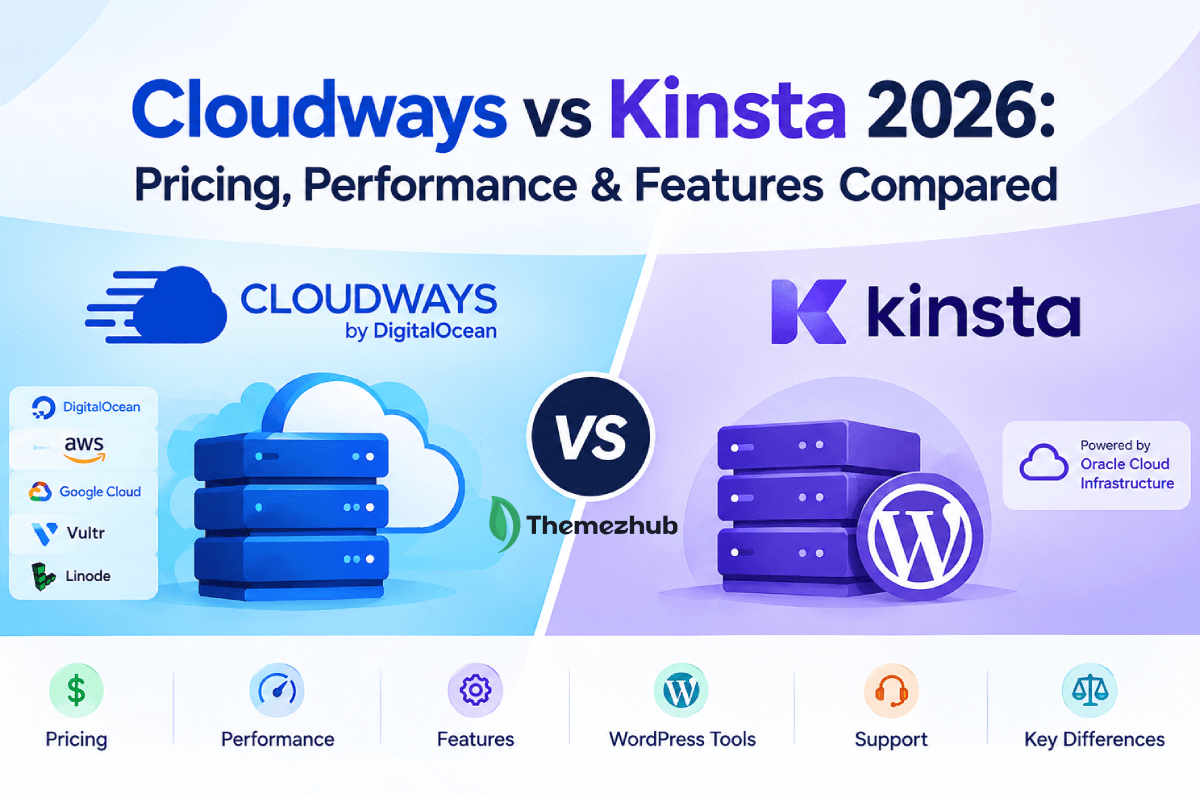
Two managed hosts, both claiming strong performance. Both say they’ll take the technical work off your hands. Whether that holds up is what this Cloudways vs Kinsta comparison gets into.
Cloudways builds on infrastructure from outside providers. DigitalOcean and AWS are two of them. Google Cloud is in there too, and so are Vultr and Linode. You pick the server and resources. Cloudways manages the underlying server environment. Kinsta works differently. It was built around WordPress from the ground up. The platform handles the infrastructure and security itself, so you can just focus on the site.
Pricing and performance come first here. Features and WordPress-specific tools come next, then support and how each platform actually feels to use.
A lot of Cloudways review or Kinsta review content treats this as a features contest, counting up who has more tools. That misses the real decision. You’re really choosing between managing your own cloud infrastructure or handing that off so WordPress is the only thing you have to think about.
Cloudways vs Kinsta: Quick Comparison
As you start to compare both cloud hosting providers, you will see an obvious difference in their controls. Cloudways lets you pick the cloud infrastructure behind your site. Kinsta skips that choice. It builds everything around WordPress instead. The table below lays out where they differ before we go section by section.
| Feature | Cloudways | Kinsta |
| Starting price | From $11/month | From $35/month |
| Hosting type | Managed cloud hosting | Managed WordPress hosting |
| Infrastructure | DigitalOcean, Vultr, Linode, AWS, Google Cloud | Oracle Cloud Infrastructure (OCI) |
| WordPress support | WordPress, WooCommerce, Magento, Laravel, and PHP | WordPress-focused |
| Performance features | Varnish, Redis, Memcached, PHP-FPM, CDN options | Edge caching, server caching, Cloudflare CDN |
| Backups | Automated and on-demand backups | Daily automatic backups |
| CDN | Cloudflare CDN available | Free Cloudflare CDN included |
| Support | 24/7 live chat and ticket support | 24/7 human support |
| Scalability | Vertical scaling with flexible server resources | Upgrade plans as resource needs grow |
| Ease of use | More flexibility with more technical choices | Simpler WordPress-focused management |
Cloudways vs Kinsta: How Their Hosting Works
The two platforms put the management layer in different places, and that’s the real split between them. Cloudways gives you managed access to cloud infrastructure from several providers. Kinsta goes narrower, built specifically around WordPress. That one difference decides how much control you get over the hosting environment. It also decides how much of the infrastructure Cloudways or Kinsta actually handles for you.
Cloudways Hosting
With Cloudways hosting, you pick the cloud provider yourself. The data center and server resources, too, all through the Cloudways platform. Current options include DigitalOcean and Vultr. Linode is on the list too, and so is AWS, with Google Cloud as the fifth choice. Cloudways then layers its management on top of whatever you choose.
You manage servers and applications through the Cloudways dashboard. You never touch the underlying cloud environment directly. Need more resources as your site grows? You can add them. Cloudways manages routine server-level maintenance, including operating system patches and security management, while you stay responsible for the website itself and how it’s configured.
That’s what makes managed cloud hosting worth it. You get more control over the infrastructure without taking on all the server admin yourself.
Kinsta Hosting
Kinsta hosting takes the opposite approach. It’s built purely around WordPress, so the platform is designed to host and manage WordPress sites rather than hand you a choice of cloud providers. Kinsta now operates on Oracle Cloud Infrastructure (OCI). Its hosting environment is built specifically for WordPress sites.
Every WordPress site gets its own isolated container, with the resources and software it needs to run. Kinsta handles the hosting environment itself. Infrastructure-level security falls under that. Backups do too. You still manage the WordPress side yourself, things like content and themes. Plugins and any custom development stay on your plate as well.
The difference comes down to this: Kinsta takes most infrastructure choices off your plate. Cloudways leaves them on it. That makes Kinsta feel simpler if you’re only running WordPress, while Cloudways gives you more room to work with if control over the hosting setup matters to you.
Cloudways vs Kinsta Pricing
Cloudways pricing depends mostly on two things. One is the cloud infrastructure you pick, and the other is the server resources that come with it. With Cloudways Flexible, you choose an infrastructure provider first. A server configuration comes next. DigitalOcean Standard starts at $11/month with 2GB RAM. You will get 1 vCPU, 50GB storage, and 2TB transfer in the plan. Its premium plans start at $14/month.
| Provider | Starting Price | RAM | Storage | Bandwidth | Best For |
|---|---|---|---|---|---|
| DigitalOcean | From $14/mo* | 1 GB | 25 GB | 1 TB | Small websites |
| Vultr | From $14/mo* | 1 GB | 25 GB | 1 TB | Growing websites |
| Linode | From $14/mo* | 1 GB | 25 GB | 1 TB | Developers |
| AWS | From $38.56/mo* | 2 GB | 20 GB | 2 GB | Business websites |
| Google Cloud | From $37.45/mo* | 1.7 GB | 20 GB | 2 GB | High-performance workloads |
There’s no fixed website count or monthly visit limit built into these configurations. Capacity comes down to the resources and bandwidth you have available instead. Additional bandwidth charges can apply once usage goes past what’s included.
Kinsta pricing follows a more structured plan model. Its current launch plan costs $35/month and includes one WordPress install, 15GB storage, 15GB server bandwidth, and 125GB CDN bandwidth. Launch Plus runs $59/month. Build and expand costs $69 and $99 per month. Moving up a plan means more supported WordPress sites, plus more storage, server bandwidth, and CDN bandwidth.
| Plan | Price/month | Websites | Storage | Monthly Visits |
|---|---|---|---|---|
| Kinsta Launch | $30/mo* | 1 | 15 GB | 75,000 |
| Kinsta Launch Plus | $50/mo | 1 | 25 GB | 125,000 |
| Kinsta Build | $58/mo | 2 | 30 GB | 200,000 |
| Kinsta Expand | $83/mo | 5 | 40 GB | 350,000 |
| Kinsta Scale | $141/mo | 10 | 50 GB | 650,000 |
| Kinsta Single | $250/mo | 20 | 60 GB | 1.5M |
Prices shown are based on annual billing. Kinsta also offers monthly billing at higher rates. Prices exclude tax.
The billing models split here too. Cloudways bills for what you actually use, on a pay-as-you-go basis. Three providers cap that monthly. DigitalOcean caps out monthly this way. Linode and Vultr do too, though only once a server runs the full month. AWS and Google Cloud work differently. Both bill hourly, and neither one caps the total. Kinsta runs on fixed monthly plan pricing instead. Bill annually, and the effective monthly rate drops lower.
Which Is Cheaper: Cloudways or Kinsta?
| Pricing Factor | Cloudways | Kinsta |
|---|---|---|
| Starting Price | From $14/mo* | From $30/mo* |
| Hosting Model | Managed Cloud Hosting | Managed WordPress Hosting |
| Infrastructure Options | DigitalOcean, Vultr, AWS, Google Cloud & more | Google Cloud |
| Entry-Level Setup | 1 GB RAM / 25 GB storage* | 1 site / 15 GB storage |
| Billing Options | Monthly / flexible options | Monthly or annual |
| Free Migration | Yes. | Yes |
| Free SSL | Yes. | Yes |
| CDN | Available | Available |
| Best Suited For | Users wanting cloud-provider flexibility | Users wanting managed WordPress hosting |
At the entry level, Cloudways pricing comes in clearly lower. A basic DigitalOcean configuration starts at $11/month against $35/month for Kinsta Launch. That said, the two prices aren’t covering the same thing. Cloudways hands you a configurable cloud server plus managed infrastructure on top. Kinsta takes a different route: a specialized managed WordPress environment with set limits on sites, storage, bandwidth, and CDN.
Cloudways has the lower advertised starting price, but a lower number doesn’t automatically mean better value. Kinsta’s higher price tag comes down to its WordPress-specific platform, along with the management features baked into every plan.
Cloudways vs Kinsta Performance
Performance depends on more than the hosting provider itself. Server resources matter here. So do storage, caching, and how traffic gets handled across the network. Cloudways hosting and Kinsta hosting both build optimized environments, but they get there differently.
Cloudways gives users allocated server resources first. On top of that sits its NGINX-based Lightning Stack, with caching and performance tools such as Redis and Object Cache Pro. Cloudflare CDN can be integrated too. Vertical scaling comes with flexibility, so users can add server resources as their site grows.
Kinsta’s platform leans WordPress-specific instead. Server-side full-page caching is part of it, and so is Redis. Its CDN handles static assets, while Edge Caching stores cached site content across Cloudflare’s global network. A visitor can pull cached content from a nearby edge location. Kinsta puts the speed gain at up to 40%. That number comes from Kinsta itself, though, not an independent benchmark.
No platform can promise the exact same loading time across every website. Themes, plugins, databases, traffic patterns, and application code still carry a major effect on real-world results.
If your WordPress site is already handling high traffic, see our guide to the best WordPress hosting for high-traffic websites to compare options built for larger traffic volumes.
Speed and Caching
Cloudways uses several performance and caching layers. Its current Lightning Stack is NGINX-based, with tools such as Redis and Object Cache Pro available for caching and performance. Cloudflare CDN can also spread static files across its network.
Kinsta handles server-side full-page caching for its WordPress sites too. Redis and its CDN are also part of the platform. Edge caching stores cached site content across Cloudflare’s global network, while the CDN handles static assets. Cached content can therefore travel a shorter distance before it reaches a visitor.
WordPress benefits from these caching layers in a specific way. Repeated server processing drops, and response times get faster along with it. What you actually see still depends on the website, its plugins, code, database, and traffic.
Uptime and Reliability
Both platforms provide managed infrastructure and monitoring, but they monitor differently. Cloudways keeps an eye on server and core service health. Kinsta takes a different angle, checking each WordPress site every three minutes. Backups sit on both platforms too, there for recovery if something breaks.
Cloudways advertises 99.99% uptime for its applicable managed cloud hosting services. Kinsta works differently here. Standard plans carry a guarantee of up to 99.9%, and custom plans push that number higher, to 99.99%.
These figures shouldn’t be treated as independent performance results. They’re provider-stated or contractual commitments instead. Actual uptime shifts depending on the website itself. Configuration plays a part too, and so does maintenance, along with a few other factors outside either platform’s control.
Cloudways vs Kinsta for Managed WordPress Hosting
Managed WordPress hosting is available on both platforms. The experience plays out differently on each one, though. Cloudways puts a managed layer over configurable cloud infrastructure, and WordPress users sit on top of that. Kinsta goes the other way, building its whole environment around WordPress from the start. That split shows up everywhere, from site management and caching to staging, migration, security, and developer tools.
Cloudways WordPress
Launching WordPress through Cloudways WordPress starts right in the Cloudways dashboard. You pick your server resources. You pick your infrastructure provider too. Cloudways handles most of the server management from there, while you keep control over application settings and resources. WordPress tools cover staging and backups.
Cloning and migration come with that. Breeze caching, Redis, and Object Cache Pro round out the performance side, and Cloudflare CDN integrates as well. Cloudways Site Manager adds plugin, theme, and user management from the dashboard, bulk updates and WordPress SSO included. Developer tools show up too: WP-CLI, Git, Composer, and cron jobs. Need more capacity? Vertical scaling lets you increase resources whenever the site demands it.
Kinsta WordPress
Kinsta WordPress is built specifically around WordPress, so the management experience stays focused. MyKinsta covers site management, caching, and backups. Staging, migrations, PHP configuration, and performance monitoring fall under that same roof. Every WordPress install comes with a free staging environment. Daily backups ship standard too, alongside Kinsta CDN with Cloudflare edge caching.
Kinsta also runs Application Performance Monitoring, which helps track down slow PHP processes and database queries. SSH access brings Git, Composer, and WP-CLI along with it. On the security side, a managed WAF and Cloudflare DDoS protection are both included. Migrations are free too, and unlimited, for standard WordPress installations.
Which Is Better for WordPress?
For WordPress, control is really what the decision comes down to. How much do you want over the hosting environment? Cloudways WordPress fits well if you want to pick your own infrastructure provider. It also works if you’d rather adjust server resources yourself, or run WordPress right alongside other applications. Its management and developer tools also give agencies and experienced users more flexibility.
Kinsta WordPress takes a more specialized approach. It removes most infrastructure decisions and puts WordPress management, performance, security, and monitoring into one platform. Day-to-day management gets simpler this way, at least when WordPress is the only thing you’re running.
Want more infrastructure flexibility alongside your managed WordPress hosting? Cloudways is worth a look. Want a dedicated WordPress setup with fewer infrastructure decisions to make? Kinsta offers the more focused route.
Cloudways vs Kinsta: Features and Management
The two platforms cover a lot of the same hosting ground, just organized differently. Cloudways hosting gives users a broader server and application management environment. Kinsta hosting takes the opposite route, keeping most of the experience centered on individual WordPress sites. The difference gets more noticeable once you’re managing multiple sites or need access to development and server management tools.
Dashboard and Ease of Management
Cloudways runs on a centralized dashboard for managing servers and applications. Deploying applications happens right there. So do adjusting server settings and monitoring resources. Backups get managed from the same place, and sites are organized through projects and teams. Its current site manager adds another layer for WordPress users: one spot to handle plugins and themes. Users, updates, and performance sit there too. Agencies get the biggest win here, managing multiple WordPress sites from a single interface.
Kinsta uses MyKinsta for site management. Site settings, backups, and staging all live in one interface. Domains do too, alongside performance monitoring and team management. Bulk actions across sites are possible as well. The approach stays more focused overall, since Kinsta doesn’t require users to manage a separate cloud server environment. For WordPress users, that keeps routine tasks easier to handle.
Security and Backups
Security runs at several levels on both platforms. Cloudways covers firewall protection, SSL certificates, and IP controls, with managed security features on top of that. Imunify360-powered server security is included on Cloudways Flexible, while Malware Protection is available as a separate add-on. Backups run on a schedule by default. On-demand backups work too, and both come with the option to restore or download the data afterward.
Kinsta takes a different security route. A managed firewall comes standard, and DDoS protection sits alongside it. Isolated site environments add another layer, and Cloudflare-based security features round out the rest. Daily backups come included, and users restore sites straight from MyKinsta. Kinsta also monitors hosted sites, feeding performance and activity information through its dashboard.
Scaling and Developer Features
Vertical scaling on Flexible lets Cloudways users bump up CPU, RAM, and storage without switching environments, though what’s available shifts depending on the infrastructure provider. SSH and SFTP come with that. Git, WP-CLI, and Composer do too, alongside cron management, cloning, and staging.
Kinsta covers similar ground on its managed WordPress plans: SSH, Git, Composer, and WP-CLI are all included. Staging environments extend things further, and database tools join them. Kinsta API and DevKinsta round out the development side, going beyond basic site management. Scaling works differently here, though. Resources tie to whichever Kinsta plan you’re on, rather than a server configuration you resize on your own.
So where does that leave things overall? Kinsta keeps infrastructure decisions to a minimum. Cloudways goes the other way, handing users more flexibility over how their servers and applications get managed.
Cloudways vs Kinsta Support
A hosting issue hits differently when it’s actually affecting your website, and that’s where support starts to matter. Cloudways hosting and Kinsta hosting both keep support running around the clock, just through different setups.
Live chat and ticket support run around the clock on Cloudways’ standard service. Platform and infrastructure issues fall under that. Server management does too, along with backups, migrations, and SSL. Advanced and Premium support add-ons go deeper still, covering plugin and theme troubleshooting. Performance optimization sits there too, alongside server errors and certain server customizations. Premium support goes a step further, adding a private Slack channel and phone support on top.
Kinsta runs 24/7 support too, through live chat inside MyKinsta. Its team stays focused on WordPress. Platform features fall under their scope, and so do backups, staging, and migrations. Server errors get covered as well, along with a few other issues tied to that same support scope. Phone support isn’t part of the package, though. Technical support is handled through MyKinsta chat.
The scope of technical assistance is really where the two split. Kinsta keeps its support tight, focused entirely on managed WordPress hosting. Cloudways goes wider, adding application and server-level help through its paid support tiers. Neither includes general website development, custom coding, or SEO work as part of standard hosting support.
Need WordPress hosting support specifically? Kinsta’s focused setup covers that well. Need something broader, across the server and application stack? Cloudways gives you more room there.
Cloudways vs Kinsta: Pros and Cons
Both Cloudways and Kinsta have great features worth looking at. It really comes down to how much control you want over your hosting setup.
Cloudways
Pros:
- Choice comes standard with multiple cloud providers, covering both infrastructure and server locations.
- You can scale server resources as your website grows.
- The managed environment handles much of the server administration for you.
- You get more control over server and application settings.
Cons:
- The number of configuration options can make the platform harder to learn.
- Some server settings require more technical knowledge.
- Pricing shifts depending on a few things: the provider, the resources, the location, and whatever services you add on.
Kinsta
Pros:
- Kinsta was built from day one for managed WordPress hosting specifically.
- The platform keeps WordPress management in one place.
- WordPress tools cover tasks such as staging, backups, and site management.
- You do not need to choose or manage the underlying cloud provider.
Cons:
- Kinsta is more specialized around WordPress.
- You cannot choose between different cloud infrastructure providers.
- Resource requirements can push the cost higher as a site grows.
For Cloudways vs Kinsta, the difference comes down to flexibility and specialization. Cloudways gives you more control over the hosting setup. Kinsta keeps things more focused on WordPress.
Cloudways vs Kinsta Alternatives
Flexibility isn’t what every website needs, though. Some are better off with the WordPress-focused setup Kinsta offers instead of what Cloudways hosting brings to the table. What fits comes down to price, simplicity, WordPress management, and how much server control you actually want.
For Cheaper Hosting
Cost matters more than anything for some sites, and simpler hosting handles that well for smaller websites. Hostinger and SiteGround are two options worth a look. Both run shared and WordPress hosting plans that manage easier than a full cloud server setup. You give up some control in return, though that may not matter for a blog or small business website.
For Managed WordPress
WP Engine works as another option here, built around WordPress specifically. Staging tools come with it. Backups do too, along with security and site management. The setup runs more specialized than Cloudways, but there’s less infrastructure to manage on your end.
For Simpler Hosting
Cloud hosting’s extra configuration isn’t necessary for every website. A traditional WordPress plan, or a shared hosting plan, sets up and maintains easier. Traffic and resource needs staying modest is really what makes this work.
For Direct Cloud Infrastructure
Full control is the draw for developers who want it, and DigitalOcean, AWS, or Google Cloud deliver that directly. Managing the cloud environment falls on you instead of a managed platform handling it. More control comes with that trade, but server administration lands on you too. Security, updates, and backups become your job as well.
What you actually want from your hosting decides which Cloudways alternatives or Kinsta alternatives fit best. Simpler hosting suits smaller sites. Managed WordPress fits WordPress-focused projects. Direct cloud infrastructure gives experienced users more control.
Cloudways vs Kinsta: Which Should You Choose?
When does each one actually make more sense? Cloudways vs Kinsta comes down mainly to the type of hosting environment you want. A choice of underlying cloud providers comes with Cloudways. Kinsta takes the opposite route, managing the infrastructure for you while keeping its platform focused on WordPress.
Choose Cloudways if
More choice over your hosting infrastructure is what makes Cloudways worth considering. DigitalOcean is an option. AWS is too. So is Google Cloud, and Vultr and Linode both round things out. Adjusting server resources based on what your website or application needs is possible too.
That flexibility pays off if you’re running more than WordPress. WooCommerce and Magento both run on Cloudways. Laravel does too, and so do custom PHP applications. Keeping those projects on the same managed cloud platform beats managing the underlying infrastructure yourself.
Choose Kinsta if
Kinsta is more specialized. If WordPress is your main focus, managed WordPress hosting gives you a platform built around WordPress sites. Staging, backups, site management, CDN, and other WordPress tools are handled through the Kinsta platform.
You also do not have to choose between different underlying cloud providers. Kinsta manages that infrastructure as part of its hosting service. Its support team also focuses on the platform and WordPress hosting environment.
So Kinsta vs Cloudways is really about flexibility versus specialization. Cloudways hosting gives you more choice over the infrastructure. Kinsta hosting keeps the experience centered on WordPress.
Final Verdict
The type of hosting environment you actually need is what Cloudways vs Kinsta really comes down to. Cloudways hands you more choice over the underlying infrastructure. Five cloud providers are on the table. Server resources adjust as you go, and hosting stretches beyond WordPress into other applications too. Its pay-as-you-go model adds another piece to that, letting you build a server configuration around whatever your project requires.
Kinsta goes the specialized route instead. The managed WordPress experience is its biggest strength. WordPress-focused tools come with that: staging and backups first, then performance monitoring, CDN, and site management on top. Kinsta also takes the underlying infrastructure off your plate entirely, so choosing a cloud provider or handling that layer yourself never comes into play.
Price plays out differently across both platforms. Cloudways costs shift with the infrastructure provider you pick, plus server resources, usage, and any add-ons. Kinsta offers both visitor-based and bandwidth-based plans, with limits on WordPress sites, server bandwidth, storage, and CDN bandwidth. Performance sits outside pricing, though. The website itself matters more here, along with traffic, configuration, and how well things are optimized.
Cloudways hosting ends up fitting users chasing flexibility, the kind who want more control over their hosting environment. Kinsta hosting fits a different crowd, though. People after specialized WordPress management land here, with less infrastructure to think about. Neither one wins outright over the other. Your website’s actual needs are what decide it in the end.
Frequently Asked Questions
Is Cloudways better than Kinsta?
No single answer covers Cloudways vs Kinsta fully. Cloudways offers more choice over cloud providers, server resources, and supported applications. Kinsta narrows in on managed WordPress hosting specifically. Infrastructure flexibility is where Cloudways suits people best, while Kinsta keeps everything centered on WordPress.
Is Kinsta cheaper than Cloudways?
Not always. Kinsta pricing ties to the plan you pick. Newer plans lean on server bandwidth first. Storage comes into it too, along with CDN bandwidth and how many WordPress sites you’re running. Cloudways pricing takes a different shape. The infrastructure provider drives it, and so does server size. Bandwidth usage and paid add-ons factor in too. Whatever number shows up first matters less than what you actually need.
Is Cloudways good for WordPress?
Yes. Cloudways WordPress hosting covers staging and backups. Cloning, caching, migration tools, and server scaling all come with that too. AWS is one provider choice. Google Cloud is another, and so are DigitalOcean, Linode, and Vultr. A managed WordPress environment comes out of that mix, without giving up your say over the cloud infrastructure underneath.
Is Kinsta good for WordPress?
Yes. Kinsta WordPress hosting builds around WordPress from the ground up. Staging and backups are part of the package. CDN, performance tools, and managed infrastructure round it out. Kinsta takes care of the hosting environment itself, and you manage your sites through MyKinsta.
What are the best Cloudways alternatives?
What you’re actually looking for decides the right Cloudways alternatives. Kinsta suits WordPress-focused projects well. So does WP Engine. Simpler hosting works better for smaller websites. DigitalOcean or AWS make sense too, if managing cloud infrastructure yourself is what you’re after.
What are the best Kinsta alternatives?
Kinsta alternatives include Cloudways first. WP Engine comes up too, along with a few other managed WordPress hosts. Cloudways brings more infrastructure choice to the table, plus support stretching beyond WordPress. WP Engine takes the opposite path, staying specialized and WordPress-focused throughout. What decides between them really comes down to how much control and management you need.