In 2026, users searching for one of the best WordPress themes for agencies keep landing on Avada theme review. It’s seen as an everything-you-need kind of tool for building sites on WordPress with no coding needed and lately, more freelancers or teams pick it when they want something sleek and flexible. But does it really deliver?
Designer-focused look at the Avada WordPress theme for agencies, including its tools, performance, pricing, usability, and key pros and cons.
What is the Avada WordPress Theme for Agencies?
The Avada WordPress theme for agencies works well—it’s built for all kinds of projects, packed with smart design features, tons of ready-made layouts, an easy-to-use visual editor, and it also scales smoothly no matter the industry or size. What makes it stand out? You can create nearly anything straight away—a sleek portfolio, a loud brand site, even a full online store—with no coding at all. Freelancers or teams get plenty of room to modify designs exactly how they want and launch custom websites effectively.
Avada Theme Features
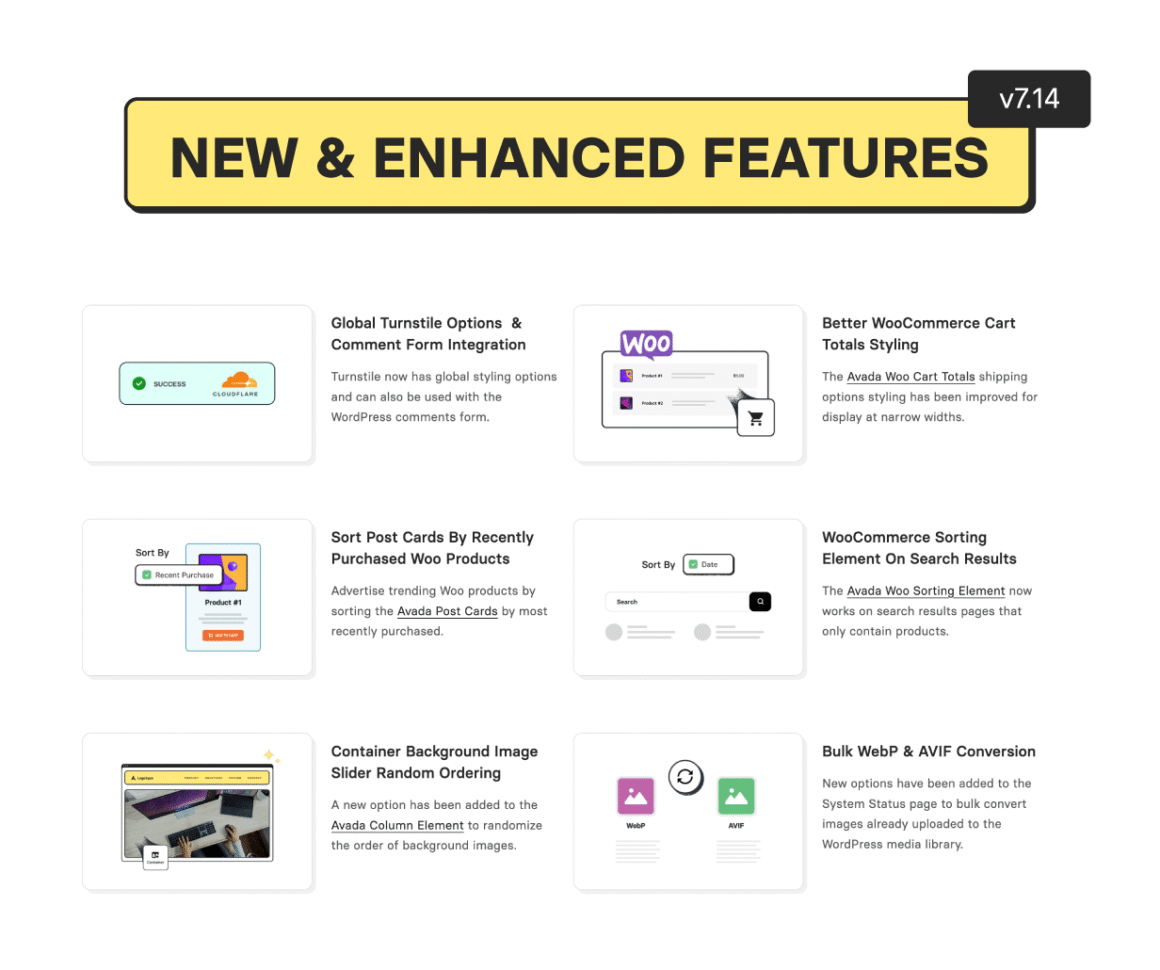
The Avada theme 2026 packs a wide range of tools. Check out what matters most to agencies:
- Avada Live Builder: Watch edits in real time, build page structures, or handle mobile-friendly setups using a point-and-click tool.
- Prebuilt Websites: Get over 90 sleek templates made for creatives, freelancers, teams, or online stores—load any in seconds flat.
- Fusion Core and Form Builder: This means custom post types—like portfolios or testimonials. Get interactive features with cool animations. Use sliders along with smart form tools that block spam.
- Performance tools: Built-in optimization like lazy loading, asset minification, disabling unused scripts, and font rendering options.
- Custom design hub: Full grip on page structure, fonts, tones, top/bottom bars, backdrop visuals, menus—also tweak shared blocks to match your brand’s vibe.
- eCommerce & Multilingual Support: Works straight with WooCommerce, fits WPML, and handles right-to-left text—good for global websites.
- Add Your Own CSS: Toss in custom code or tweak designs down to each pixel—keeps working even when you update the theme.
Loved these features? Avada includes all of them with lifetime updates.
Avada Theme Performance and Customization Review
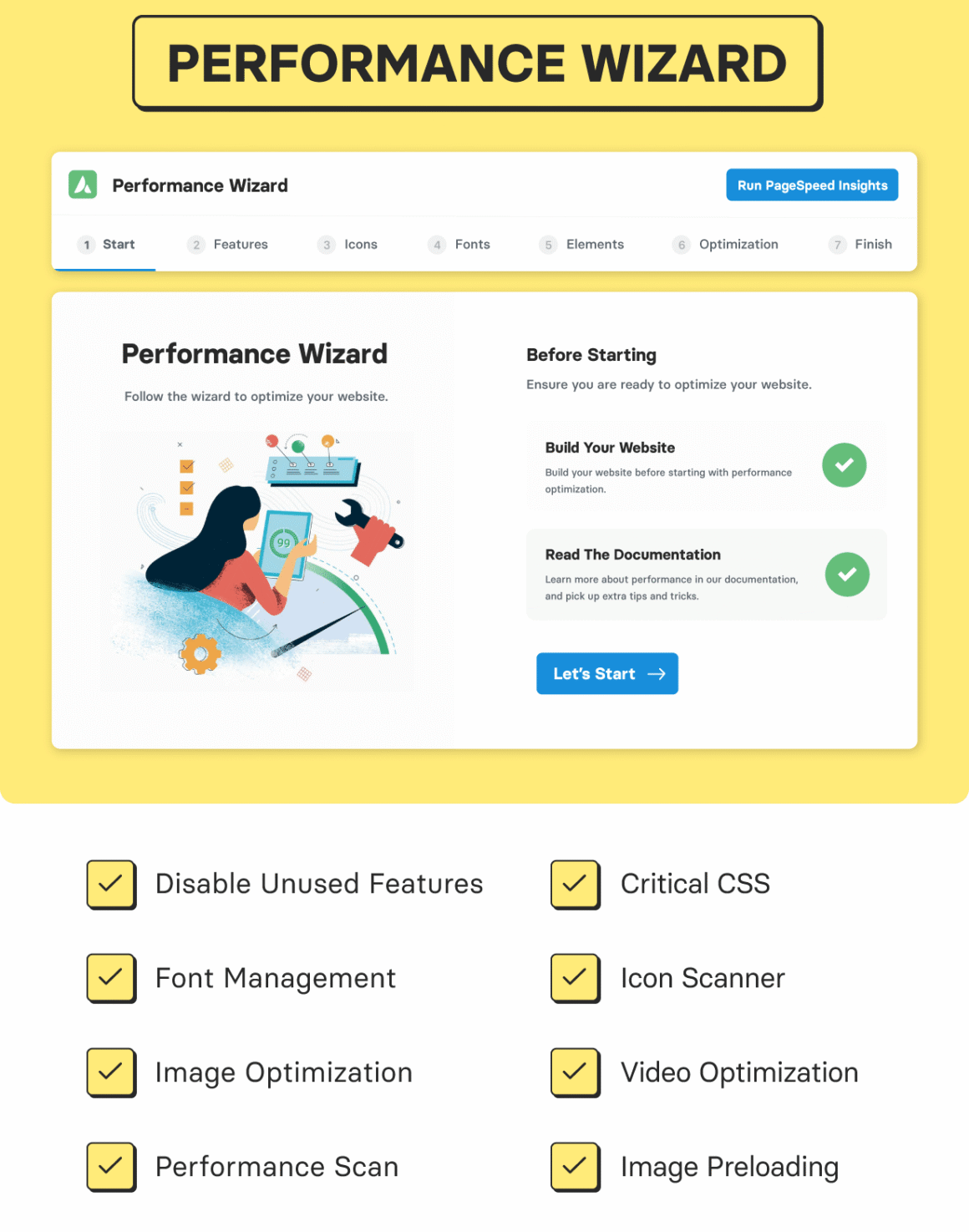
Quick loading matters more than ever now. Once known for being heavy, Avada theme performance and customization review shows its newer versions have actually improved a lot. Out of the box, Avada theme example sites perform greatly:
- GTmetrix might get a B grade, yet LCP sits near 1.3s when everything’s ideal.
- Performance dips happen only when sites get crammed with bulky sliders, autoplay videos, or excessive add-ons.
- Top performance happens when teams turn on Avada’s default tweaks, skip unnecessary extras, or run cache tools.
Avada Theme 2026 is great for those who want to modify things their way. Users who design stuff love how much they can change—like headers, sidebars, even animations—all without wasting time. One special menu lets you adjust everything at once or fix tiny bits one by one, which works well when building sites for brands or reusing templates across different customers.
Avada Multipurpose Theme Review: Is It Really a Fit for Agencies?
The Avada multipurpose theme review usually focuses on its fit for creatives or self-employed users. Since agencies require quick setup, smooth teamwork might matter just as much as adaptability. When it comes to performance, Avada tends to stand out:
- A one-time purchase provides access for every project—whether it’s for clients or your own team stuff.
- Easy-to-use design tools let you test ideas fast, build complete websites, or tweak layouts on any device.
- Pieces like blocks, triggers, or tools to build unique layouts—no coding needed.
- Works closely with tools like WooCommerce, WPML, and LearnDash—helps agencies do more different things.
Avada Theme Real User Experience 2026
Designers say the Avada theme real user experience in 2026 feels smoother—demo setups now click through fast, getting started takes less effort, and the editor flows better. Working together got simpler because layouts adapt quickly, saved designs pop back in place, and guides are clear and handy. Teams at agencies pick it up without hassle; even clients tweak pages live using Avada Live, which cuts delays and lowers how often help’s needed.
Avada Theme Pricing
Agencies like it when prices are clear, also easy to adjust as needed:
Standard license (ThemeForest): $69 lets you use it on any site, keep getting updates forever, and also includes half a year of help.
Ongoing help: Extra fee for a year, great if you’re running client projects through an agency.
Avada gives you every key tool, sample site, and must-have connection—all with updated access without extra fees later on.
On the flip side, agencies running several client websites tend to get more long-term value with extra expenses pop up mainly for added support or pricier third-party tools.
Avada Theme Pros and Cons
Avada Pros
- A hands-on design tool using drag-and-drop—perfect for creatives, whether they write code or not.
- A huge collection of ready-to-use demos and tools that cut down setup time by weeks when working on customer projects.
- Change your header, plus tweak the footer; adjust colors, layout, and logo stuff without losing control.
- Strong link between WooCommerce and plugins—ideal for agency online stores.
- Good speed tweaks—delayed image load, smaller file sizes, fine-tuned behavior—all help pages run smoother.
- Great help from the community, plus tons of guides—perfect for teams working on designs or agency projects.
- One license lets you use it anywhere, a huge win for solo workers, designers, or big groups.
- Good for teams anywhere—like solo workers in India—handling nearby or far-off projects either way.
Avada Cons
- It’s tricky to get the hang of every feature at first, tougher if you’re new to design work.
- Speed might drop when offices pack pages with endless carousels, clips, or bulky outside tools.
- A bit heavy compared to others needs fine-tuning if you want fast loading times.
- Too many choices in the settings might delay quick testing while people learn the system.
- Pay more after the first half year if you need help later—this matters when working with clients for a while.
Why Is Avada Suitable for Agencies and Freelancers?
Why Avada is suitable for agencies and freelancers is clear; let’s see how.
It gives agencies the tools they need—flexibility included—to handle recurring tasks without overspending. Instead of starting from scratch, teams use the drag-and-drop editor to build pages fast. Reusable blocks save time when managing multiple client projects at once. Pre-made layouts look sharp and load quickly, helping launch sites sooner. With one license covering every project, studio leads keep costs down while offering tailored designs. Strong performance meets real-world demands, so designers stay focused on creativity—not code. Customization runs deep, yet it stays user-friendly under pressure. And for comparison, many teams also look at options like a Divi theme review to evaluate how Avada measures up in real workflows.
Is Avada the Best WordPress Theme for Agencies?
For users who need something solid and packed with tools, Avada still stands out among the best WordPress themes for agencies this year. Thanks to faster speeds, full layout freedom, plus support no matter where you are, it’s trusted by solopreneurs, designers, and crews alike—anyone after clean processes and sharp brand looks.
Conclusion
The Avada theme review points to one thing, agencies and freelancers gain access to powerful design features, mobile-friendly templates, plus flexible licenses, all bundled together. Designers find fast mockups, brand customization, alongside smooth client workflows built right in.
By 2026, Avada’s updates will lock it into a leading role among versatile WordPress themes for creative teams; success depends on learning its many settings while keeping websites lean and quick.
FAQs
1. Is Avada suitable for beginners or only agencies and designers?
Avada fits both, with visual editing and demos for quick setup and deeper options for advanced agency workflows.
2. Does Avada load quickly compared to other themes?
If you use its built-in optimization, minimize heavy sliders, and optimize images, Avada can reach a competitive speed score.
3. How flexible is Avada’s licensing for agencies?
One license covers unlimited websites ideal for freelancers, agencies, and teams scaling business websites in 2026.
4. What are the main disadvantages for agencies?
Avada’s learning curve and need for careful speed optimization require onboarding new designers and project managers.
5. What makes Avada different from other WordPress themes for agencies?
The depth of design control, demo library, integrated builder, and no extra cost per site make Avada stand out for agencies and freelancers worldwide.
Disclosure: Some links on Themezhub are affiliate links. We may earn a commission if you make a purchase through them.