Disclosure: Some links on Themezhub are affiliate links. We may earn a commission if you make a purchase through them.
Traffic changes everything for a WordPress site. What runs smoothly at a few thousand visits a month can start choking once numbers climb, whether that happens overnight or creeps up over several months. Issues like slow pages and limited server resources can cause problems when traffic jumps. Even poor caching can cause trouble.
A hosting provider becomes even more important when your website starts getting regular traffic spikes. In such periods, the server may have to deal with an unusual number of requests. Caching can reduce that workload. A CDN can help deliver cached content to visitors without sending every request back to the main server. A lot of this comes down to resources. CPU, memory, and whatever else the server has on hand all shape how well a host handles your site once traffic picks up.
In this guide, we compare seven providers to help you find the right WordPress hosting for a high-traffic website. Performance and scalability get most of the attention, since those tend to matter most once a site starts getting busy. Security, reliability, and support come into it as well, alongside features and pricing. Beyond the comparison itself, we get into what to actually check before picking a host and where the fastest WordPress hosting options fit into all of this.
What Should You Look for in High-Traffic WordPress Hosting?
Two thousand visitors a month feels manageable on almost any plan. Twenty thousand does not, and that is usually when hosting problems start showing up. First thing to check: does the host actually give your site enough room to handle its normal workload, or is it going to bump against its limits every other day? CPU, memory, storage, bandwidth—these all play a part, and so does how well the host actually manages them.
Performance and Server Resources
Do not just look at the visitor number a host advertises. Look at what resources actually come with the plan. A busy site tends to need more CPU and memory once it starts processing extra requests, running plugins, or serving dynamic pages. Faster storage can also help with database and file operations.
Caching and CDN
As traffic grows, caching starts pulling more weight, since it cuts down on how much work WordPress and the server have to redo for every single request. A CDN helps from a different angle. It hands off some of that delivery work by serving cached content from a location closer to the visitor instead of routing everything back to the main server.
That makes WordPress hosting with CDN a useful option for websites with visitors spread across different locations. Dynamic content complicates caching, though. A shopping cart page or an account dashboard cannot just get cached the way a regular blog post can, so sites with a lot of that kind of content need their caching set up with more care.
Scalability
Not every site sees traffic climb at a steady pace. Sometimes it is a viral post. Sometimes it is a product launch or a seasonal push, and suddenly you are looking at way more visitors than usual. Scalable hosting exists for exactly that moment, letting you add resources or lean on infrastructure that can absorb the extra demand.
Uptime and Reliability
An outage does more damage to a high-traffic site than a dip in page views. Sales stop. Leads dry up. For anyone who cannot get through to the site, that is time lost, and possibly a customer lost too. This is why the host’s uptime commitments matter, along with how they handle backups, redundancy, and getting things back online after something breaks.
Security
Getting more visitors does not necessarily mean you are more exposed, but when something does go wrong, whether it is an attack or a surge nobody planned for, a busy site is simply harder to keep under control. So it helps to check what protections are actually there, a web application firewall, DDoS protection, and malware scanning are the basics, and backups need to run on their own schedule rather than depending on someone remembering to kick them off manually.
The resources need to be there, and so does infrastructure built for how the site actually behaves once traffic picks up.
How We Evaluated the Hosting Providers
Every provider went through the same set of criteria, so what you see here is not based on just one part of the hosting service. The scoring leans into the areas that actually matter once a WordPress site is dealing with regular traffic and the occasional spike.
| Performance and Speed | 25% |
| Scalability and Resources | 20% |
| Reliability and Uptime | 15% |
| Security | 15% |
| Features | 10% |
| Support | 10% |
| Pricing and Value | 5% |
Performance and Speed: 25%
This score considers the performance tools and hosting infrastructure described in each provider’s current plans. This includes caching, CDN options, server resources, and other features that can affect how efficiently a site handles requests.
Scalability and Resources: 20%
A high-traffic site needs room to grow. We looked at the resources that came with each plan. Just as important was how easily you could add more capacity once traffic started climbing.
Reliability and Uptime: 15%
Uptime commitments got a close look here, along with backup options, redundancy, and how recovery actually works when something goes down. These become more important when a website is generating sales, leads, or regular readership.
Security: 15%
Security was another major part of the comparison. We checked for firewalls and DDoS protection first. Malware scanning and SSL came next. Ongoing security monitoring rounded out what we looked at here.
Features: 10%
We considered the WordPress tools that make a hosting plan easier to manage. Staging, migrations, developer access, backups, and site management tools all factor into this score.
Support: 10%
We looked at support availability and the type of help each provider offers. A hosting issue can become more serious when a busy website is involved, so access to knowledgeable support matters.
Pricing and Value: 5%
Price gets the smallest share of the score because cost matters, but it should not outweigh the factors that affect a high-traffic website. We consider the resources, features, and plan limits available at each provider’s published price.
We did not run independent speed, uptime, or load tests for this comparison. The scores are based on the infrastructure, features, resources, security, support, and pricing information published by each provider. This means we are not presenting a hosting company’s own performance claims as results from our testing.
7 Best WordPress Hosting Providers for High-Traffic Websites
1. Kinsta
Best For: Best Overall
Our Rating: ⭐ 9.5/10
Key Features
- Isolated container-based infrastructure
- 30 data center locations
- Edge caching
- Staging environments
- Managed WAF and DDoS protection
- Resource monitoring through MyKinsta
- Cloudflare-powered CDN
- Free site migrations
- Automated backups
$30
Per Month
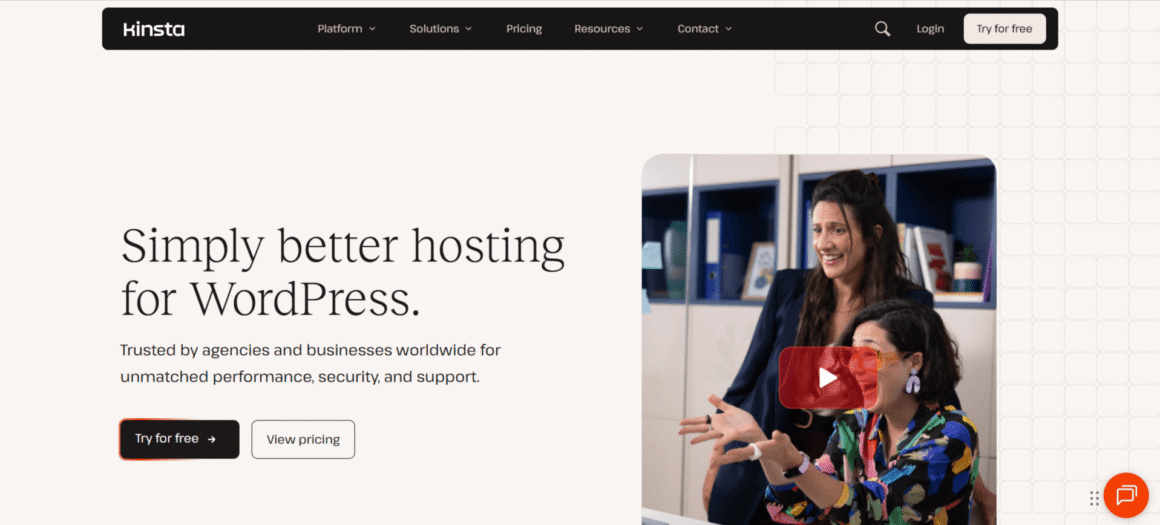
When your basic hosting is unable to support your WordPress site, you need a bigger and better hosting like Kinsta. This provider runs each website in its own isolated container. You are not sharing software resources with whatever else happens to be on the same platform. There are 30 data center locations to choose from too, along with a Cloudflare-powered CDN and edge caching. That combination works well when your visitors are spread across different regions.
Performance
Container-based infrastructure, edge caching, and a Cloudflare-powered CDN, Kinsta runs all three together. The payoff is content served from somewhere closer to the visitor. That takes some of the load off the main server. MyKinsta also provides resource and traffic data that can help identify unusual usage.
Scalability
Plans here are built around a few factors: visits, storage, CDN bandwidth, and how many WordPress sites you are running. Move up a tier and you get more resources, and custom options exist for anyone with bigger requirements.
Security
Kinsta includes a managed web application firewall along with DDoS protection through its Cloudflare integration. Automated protection against brute force attacks comes with it too.
Support
Support runs 24/7 through a team focused specifically on WordPress. MyKinsta gives you a central place to manage sites. You can also check how much of your resources you are using.
Pros and Cons
Pros:
- Isolated site resources
- Global CDN and edge caching
- Strong security setup
- Multiple data center locations
Cons:
- Higher cost than basic hosting
- High-traffic sites may need higher-tier plans
2. Cloudways
Best For: Best for Flexible Scaling
Our Rating: ⭐ 9.4/10
Key Features
- Multiple cloud infrastructure options
- Vertical scaling
- Cloudflare CDN options
- Staging and cloning
- Server-level firewall
- Object Cache Pro on eligible configurations
- Built-in caching
- Automated backups
- 24/7 support
$14
Per Month
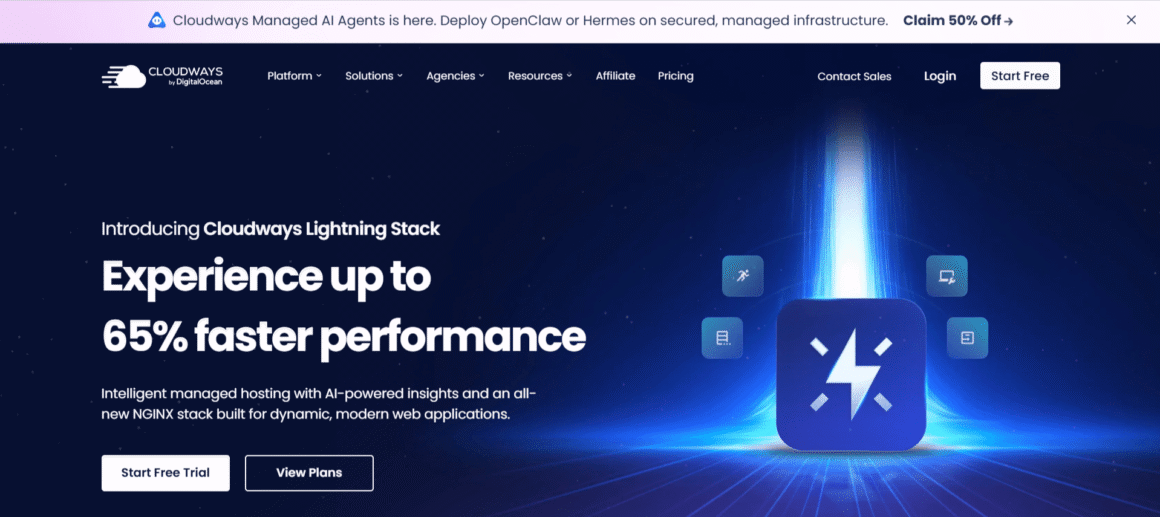
Cloudways works a bit differently. You pick the cloud provider yourself from a wide range of options like AWS, Google Cloud, DigitalOcean, etc. Once chosen, Cloudways sets everything up from there. Switch providers, and not much changes on the server side. This type of setup is immensely popular with business owners and developers. They get more say over their resources but do not have to run the infrastructure themselves. There is also a separate autonomous platform built specifically for high-traffic WordPress sites. Autoscaling and load balancing come included with it.
Performance
Several caching layers sit behind Cloudways hosting, Nginx, Varnish, Redis, and Memcached among them. Its WordPress setup also comes with the Breeze caching plugin. Cloudflare can add another caching and delivery layer for sites with visitors in different locations.
Scalability
This is one of Cloudways’ stronger areas. Flexible plans let you increase server resources as your website grows. Cloudways Autonomous takes that further with Kubernetes-based autoscaling and load balancing, built to absorb changing traffic without anyone stepping in manually.
Security
A server-level firewall comes standard, along with brute-force protection, bot protection, SSL, and DoS protection. Autonomous adds a few more layers on top: Cloudflare Enterprise, WAF, and DDoS protection.
Support
Support runs 24/7. The managed platform covers migration assistance too, along with backups, staging, and server management tools. You do not have to do every hosting task yourself.
Pros and Cons
Pros:
- Flexible cloud infrastructure
- Strong scaling options
- Good caching and CDN choices
- Autoscaling available for high-traffic sites
Cons:
- More choices can make setup less straightforward
- Costs vary with infrastructure and resources
- Some advanced services are separate from the standard setup
3. Rocket.net
Best For: Best for Performance
Our Rating: ⭐ 9.3/10
Key Features
- Cloudflare Enterprise CDN
- Edge caching
- Free SSL
- Automated daily backups
- Staging
- Enterprise WAF
- Unlimited PHP workers
- Malware protection
- Free migrations
- 24/7 support
$30
Per Month
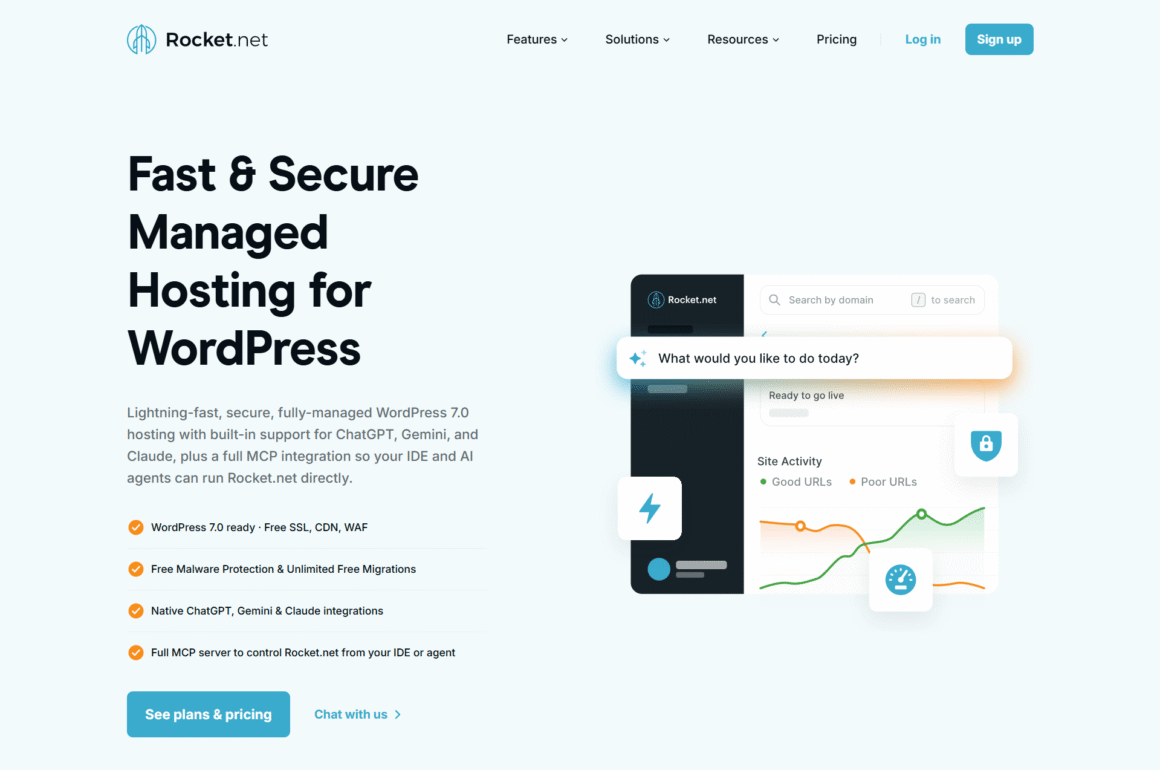
Performance and security sit at the core of what Rocket.net builds. One tool covers both fronts at once: Cloudflare Enterprise runs the CDN and handles the website firewall. Caching happens right at the edge. That setup makes Rocket.net particularly relevant for websites that receive visitors from different locations or deal with sudden traffic increases. The company also offers higher-capacity plans for larger sites, while its standard plans include unlimited PHP workers.
Performance
That CDN and caching layer sits close to visitors thanks to Cloudflare Enterprise. Full-page caching cuts down on requests too, so fewer of them need to reach the origin server in the first place. Unlimited PHP workers are also included on its standard managed WordPress plans.
Scalability
The standard plans support different numbers of WordPress sites and storage limits, while larger plans provide more resources. Rocket.net also offers enterprise servers for sites with much higher resource requirements.
Security
Rocket.net includes a website firewall, malware protection, SSL, and DDoS protection as part of its hosting setup. Backups run daily as well, with 30-day retention on the standard plans.
Support
Support runs 24/7. WordPress migrations come free on top of that. Staging is part of the platform too, giving site owners somewhere separate to test changes before they hit a live site.
Pros and Cons
Pros:
- Enterprise CDN and WAF included
- Strong caching setup
- Unlimited PHP workers
- Free migrations
- Useful for high-traffic websites
Cons:
- Higher starting price than basic hosting
- Storage and bandwidth limits vary by plan
- Larger workloads may require enterprise pricing
4. WP Engine
Best For: Best for Enterprise
Our Rating: ⭐ 9.3/10
Key Features
- EverCache caching
- Staging and development environments
- Managed WordPress updates
- DDoS protection
- Global CDN
- Daily and on-demand backups
- SSL and SSH access
- Security monitoring and patching
$27
Per Month
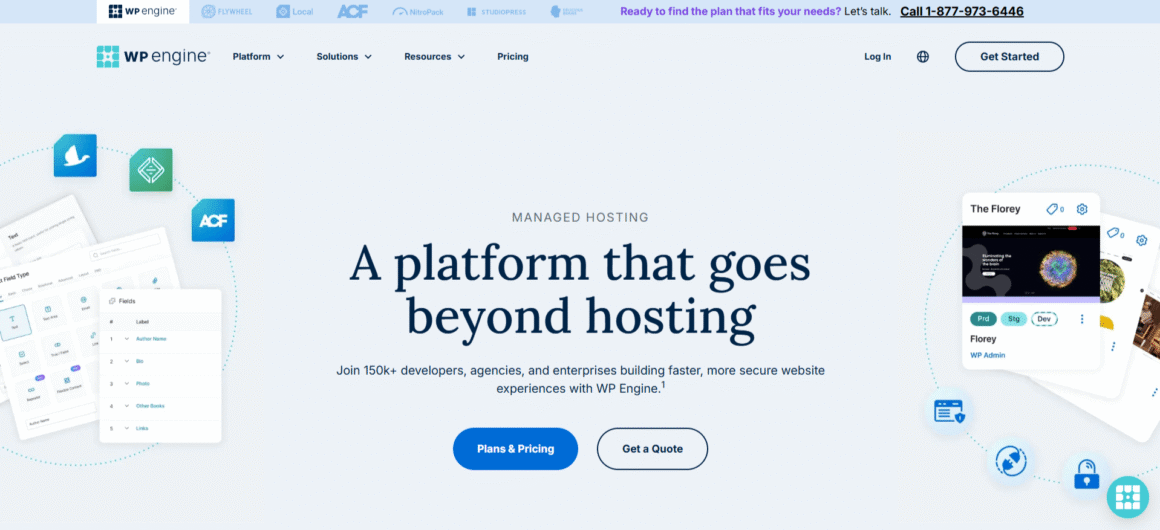
WP Engine is built specifically around WordPress, aimed at businesses, agencies, and site owners who need more than basic hosting can offer. EverCache comes with the platform, and so does a global CDN, staging environments, backups, and a set of security features. Higher-capacity plans are available for sites with greater traffic and resource requirements. One detail matters for high-traffic websites: WP Engine treats its published visitor figures as estimates, so the actual workload of your site should be considered when choosing a plan.
Performance
EverCache handles the caching side, built to reduce how many requests actually reach the server. A global CDN comes with it too, delivering that cached content to visitors no matter where they are.
Scalability
Plans shift in what they allow for visitors, storage, and bandwidth. Start on the entry-level tier and you get up to 25,000 visits a month. That number climbs the higher you go. Enterprise and custom options exist too, for sites with heavier demands.
Security
Security features include real-time threat protection, security patching, plugin risk scans, SSL, and DDoS protection. For anyone needing something more advanced, additional security options are available on top of that.
Support
WP Engine offers 24/7 WordPress support, and higher plans unlock additional support options. Staging and development environments come with it too. Teams get somewhere to work through changes before pushing them live.
Pros and Cons
Pros:
- WordPress-focused infrastructure
- Built-in caching and CDN
- Strong security features
- Useful staging tools
Cons:
- Visitor limits vary by plan
- Higher-traffic sites may need a more expensive plan
- Some advanced features cost extra
5. Liquid Web
Best For: Best for Resource-Heavy Sites
Our Rating: ⭐ 9.2/10
Key Features
- Managed WordPress hosting
- Cloudflare Enterprise
- Web Application Firewall
- Staging sites
- Migration tools
- Object Cache Pro
- DDoS protection
- Daily backups
- Automatic WordPress updates
- 24/7/365 support
$4
Per Month
Liquid Web is a good option when your website cannot be managed in shared hosting. Traffic volume decides which plan fits. Liquid Web has plans that support from 50K to 400K visitors. Object Cache Pro is part of the package. So is Cloudflare Enterprise, DDoS protection, and a web application firewall. Once a business outgrows even that, dedicated or enterprise hosting is the next step up.
Performance
Liquid Web uses caching and CDN tools to improve content delivery, while Object Cache Pro can help reduce repeated database work. Its higher-end hosting options can also use load balancers and multiple servers when a single server is no longer enough.
Scalability
Scalability is one of Liquid Web’s stronger areas. Its managed WordPress plans go up to 400,000 monthly visitors, while dedicated and enterprise options provide considerably more resources. Liquid Web also offers cloud autoscaling that can add PHP workers when usage increases on supported plans.
Security
Every managed WordPress plan includes DDoS protection, a WAF, Performance Shield, and security tools. Daily backups and automatic WordPress updates are also included, although backup retention varies by plan.
Support
Liquid Web provides 24/7/365 support through chat and support cases. Managed support also covers server and operating system assistance, useful for anything that goes beyond WordPress itself.
Pros and Cons
Pros:
- Plans built around higher traffic levels
- Strong security included
- Good caching and CDN options
- Autoscaling available
- Dedicated and enterprise options
Cons:
- More than a small website may need
- Higher-resource plans can become expensive
- Some advanced infrastructure requires a higher-tier setup
6. Nexcess
Best For: Best for WooCommerce
Our Rating: ⭐ 9.2/10
Key Features
- Scalable PHP resources
- Staging and development environments
- Daily backups
- CDN options
- Managed WordPress hosting
- Multiple global data center locations
- Free migration service
- Performance and security tools
- WooCommerce hosting
$5
Per Month
Nexcess is worth considering when a WordPress site needs more resources than a typical small business site. Its managed WordPress plans are designed to scale, with 10 or more PHP workers per site depending on the plan. Nexcess also has a strong WooCommerce offering, which makes it relevant for online stores that expect traffic to grow. The platform provides several global data center locations and managed hosting tools, so you do not have to handle every server task yourself.
For online stores, you may also want to compare these options with our guide to the best WooCommerce hosting providers, especially if your website handles a large number of dynamic requests.
Performance
Nexcess allocates 10 or more PHP workers per WordPress site, with the number increasing on higher plans. Its platform also supports caching and CDN options. This gives busy sites more resources to work with as their traffic grows.
Scalability
Scalability is one of Nexcess’s stronger points. Higher plans provide additional PHP workers and other resources, while its cloud infrastructure offers room for larger workloads. Nexcess also has options for businesses that need more customized infrastructure.
Security
Nexcess provides managed security features alongside its hosting services. Backups are available for WordPress sites, while additional security and performance services can be added when needed. Its platform also supports tools for protecting web applications from bots and other threats.
Support
Nexcess provides managed hosting support and offers free migration assistance with eligible paid hosting plans. Some problems go beyond what the WordPress dashboard can fix. That is where the support team steps in on the hosting side.
Pros and Cons
Pros:
- Scalable PHP resources
- Good fit for WooCommerce
- Multiple data center locations
- Free migration assistance
Cons:
- Some advanced services cost extra
- Larger resource requirements can increase the hosting cost
7. ScalaHosting

Best For: Best Managed Cloud VPS
Our Rating: ⭐ 9.1/10
Key Features
- Managed cloud VPS hosting
- NVMe SSD storage
- WordPress staging and cloning
- Free WordPress migration
- SPanel control panel
- Dedicated CPU and RAM
- Free CDN
- Automatic backups
- WP-CLI and SSH access
- Real-time security monitoring
$29.95
Per Month
ScalaHosting is a little different from the other providers in this comparison because its WordPress offering is built on managed cloud VPS infrastructure. That means dedicated CPU and RAM instead of the shared resources you would get with basic hosting. It suits a WordPress site that has outgrown shared hosting but is not quite ready for a full enterprise setup. High-traffic sites are supported as well. Resource scaling is built in as workloads increase.
If you need more flexibility and dedicated resources, you can also explore our guide to the best VPS hosting providers for growing and resource-intensive websites.
Performance
ScalaHosting uses NVMe storage and offers OpenLiteSpeed with LiteSpeed Cache on supported configurations. Object caching is also available. These tools can help reduce the work involved in serving WordPress pages and handling database requests.
Scalability
Scalability is one of ScalaHosting’s main strengths. Managed cloud VPS resources can be increased as a website grows, and the company says resources can be added without changing servers or experiencing downtime. This makes it relevant for sites where traffic can change over time.
Security
ScalaHosting includes its SShield security system with managed WordPress cloud hosting. Real-time malware protection comes with the platform too, along with free SSL certificates.
Support
Managed WordPress cloud plans include 24/7/365 support. Free WordPress migration assistance is part of that as well, which takes some of the hassle out of moving a busy site over.
Pros and Cons
Pros:
- Dedicated cloud resources
- Easy resource scaling
- NVMe storage and caching options
- Good developer tools
Cons:
- More technical than basic managed WordPress hosting
- Cloud VPS pricing can be higher than shared hosting
- Some performance features depend on the selected configuration
7 Best WordPress Hosting Providers Compared
By now you have a clearer picture of what sets these seven hosts apart. Kinsta and WP Engine lean heavily into managed WordPress. Cloudways hands you more control over the cloud infrastructure running underneath. Rocket.net leans into edge delivery and security. Nexcess and Liquid Web work best for sites that need more resources. And ScalaHosting takes the managed cloud VPS route.
| Provider | Best For | Scaling | CDN | High-Traffic Focus |
| Kinsta | Managed WordPress sites | Higher plans and custom options | Yes | Strong |
| WP Engine | Businesses and agencies | Higher plans and enterprise options | Yes | Strong |
| Cloudways | Flexible cloud hosting | Vertical scaling and autoscaling options | Yes | Strong |
| Rocket.net | Performance and security | Higher-capacity plans | Yes | Strong |
| Nexcess | WordPress and WooCommerce | Higher resource plans | Yes | Strong |
| Liquid Web | Resource-heavy websites | Cloud, dedicated, and enterprise options | Yes | Very strong |
| ScalaHosting | Managed cloud VPS | Expandable cloud resources | Yes | Strong |
Which WordPress Hosting Is Best for High-Traffic Websites?
The right WordPress hosting is determined by two things. First, how your website handles traffic, and second, how much control you want over the hosting setup. If your website already has steady traffic, then your requirements would be something different from someone whose website gets sudden spikes from certain product launches or a viral post.
Best Overall: Kinsta
If you want managed WordPress hosting without touching server administration, Kinsta works well. It comes with isolated resources, a CDN, edge caching, and monitoring tools. That combination suits an established business site well.
Best for Enterprise WordPress: WP Engine
WP Engine fits businesses and agencies that need WordPress-specific tools alongside higher-capacity hosting. Staging, caching, a CDN, and security features come with the platform. All of it helps a team managing a busy website.
Best for Flexible Scaling: Cloudways
Cloudways is the pick when you want more say over the cloud infrastructure behind your website. Its scaling options also make it worth considering if your traffic changes often.
Best for Performance and CDN: Rocket.net
Rocket.net is worth a look if fast content delivery and security top your list. Cloudflare Enterprise comes built into the platform. So does edge caching. So does a WAF.
Best for WooCommerce: Nexcess
Nexcess makes sense for stores and WordPress sites that need more server resources as they grow. For online stores specifically, its WooCommerce hosting is the real edge.
Best for Resource-Heavy Websites: Liquid Web
If your website requires larger resources, then Liquid Web is a better option. Its higher-capacity managed WordPress plans and dedicated hosting options give growing businesses more room to scale.
Best Managed Cloud VPS: ScalaHosting
ScalaHosting is worth considering if you want managed hosting but also want dedicated cloud resources. The managed VPS approach hands you more control than typical shared WordPress hosting does.
How Much Traffic Can WordPress Hosting Handle?
There is no magic visitor number where a WordPress host suddenly stops being enough. Two sites pulling in the same monthly traffic can put very different demands on their servers. A blog with mostly cached pages is usually easier to handle than a WooCommerce store. WooCommerce stores are different because visitors keep on browsing and shopping on these websites. As a result, dynamic requests continue to generate the entire time.
Around 10,000 to 50,000 Monthly Visitors
A website that is correctly configured would run efficiently on a solid managed hosting plan. Caching helps when many people are looking at the same pages. A CDN can help with that too.
Around 50,000 to 100,000 Visitors
Here, the resources included with your plan start to matter more. CPU, memory, PHP workers, database performance, and caching can all affect how the site handles busy periods.
100,000+ Monthly Visitors
Once traffic reaches six figures, do not choose a plan based on its visitor allowance alone. Look at how the host handles resource usage and what options are available when your site needs more capacity.
1 Million+ Visitors
A site receiving millions of visitors may need a more advanced setup. That can include dedicated resources, multiple servers, load balancing, or infrastructure that can scale with demand.
The important part is that WordPress hosting high traffic is not simply about reaching a particular visitor count. Your page size, plugins, database activity, caching, traffic patterns, and type of website all affect how much work the server has to handle.
Fastest WordPress Hosting: What Actually Matters
You can’t trust a host just because it claims to be the fastest. Your own site plays a bigger role. The theme you pick, the plugins you install, your images, your database queries, and how caching is set up—all of it shapes load times more than any marketing claim does.
Still, the hosting environment matters too, especially once traffic gets heavy. Look for enough CPU and memory to handle dynamic requests. Good server-side caching can also reduce the amount of work required for pages that do not change often.
A CDN is another useful part of the setup. It can deliver cached files from locations closer to visitors instead of sending every request back to the main server. That becomes more useful when your audience is spread across different regions.
Each provider handles this a bit differently. Rocket.net relies on Cloudflare Enterprise for most of its delivery and caching. Kinsta goes a different way. It pairs container-based infrastructure with edge caching and a Cloudflare-powered CDN. WP Engine uses its EverCache system alongside a global CDN.
We are not ranking these providers based on independent speed tests because we did not run those tests. We looked at the infrastructure and performance features each host currently offers instead.
Managed vs. Unmanaged Hosting for High-Traffic WordPress Sites
Managed hosting removes several technical burdens. The provider takes care of server maintenance. Most managed plans also come with tools for backups, security, and WordPress updates.
Unmanaged hosting flips that. You get more control, but more responsibility lands on you as well. Managing the server, setting up security, handling updates—all of it becomes your job.
For a high-traffic site, it usually comes down to who you want in charge of the technical side. If there is no developer on staff, managed WordPress hosting tends to make more sense, since there is less server work to deal with. A developer or technical team, on the other hand, might lean toward a VPS or cloud server for the extra control it gives them.
Cost is another factor. Unmanaged hosting can give you more resources for the money, but you need to account for the time and technical work involved. Managed hosting costs more, but that difference can be easier to justify when the website is important to the business.
Final Verdict
So which host actually wins here? It depends on your site. How you use resources and how much control you want over the hosting environment both play into it. Kinsta and WP Engine make sense if managed WordPress hosting with less server work sounds appealing. Want more control over your cloud infrastructure instead? Cloudways gives you that. Rocket.net pulls ahead on CDN and edge caching.
Nexcess and Liquid Web are better suited to sites with larger resource needs, while ScalaHosting is worth considering if you prefer managed cloud VPS hosting. Before choosing, look beyond visitor limits and compare the resources and scaling options. Comparison should also include security and support because these will help determine how fast your website returns to normal in case anything goes wrong.
Frequently Asked Questions
What is high-traffic WordPress hosting?
It is a hosting that is built for websites that receive a lot of visitors or visitor numbers that swing around a lot. These plans usually come with more resources and better tools for getting through busy stretches.
How much traffic can WordPress hosting handle?
There is no single answer here. It really depends on the site itself. Take a content site with solid caching. It handles traffic differently than a WooCommerce store, even when both websites handle the exact same number of visitors every month.
What is the fastest WordPress hosting?
No provider wins that title for every website out there. Your CDN plays a role. Your theme and plugins do too, along with whatever server resources sit behind them.
Is shared hosting good for high-traffic websites?
Shared hosting is good for smaller websites with moderate traffic. Things change once traffic and resource usage start climbing. That is when shared hosting begins to feel tight. A high-traffic site usually does better with dedicated resources.
Does a CDN help with high traffic?
Yes. A CDN serves cached content from somewhere closer to the visitor. That cuts down on requests hitting the main server, and it helps most when your audience is spread across different regions.
Can WordPress handle millions of visitors?
Yes, when the hosting environment and the site itself are set up properly. Caching, database performance, server resources, and traffic management all matter more at that scale.
How do I choose WordPress hosting for high traffic?
Do not just look at your monthly visitor count. Look at how your website actually uses resources, and check what scaling options the host offers. The real goal is to find a plan that keeps your website running when traffic is higher than usual.
Is managed WordPress hosting worth it for a high-traffic site?
For most websites, it’s a good option. Managed WordPress hosting can manage the infrastructure on its own while the team focuses on the website.