

Disclosure: Some links on Themezhub are affiliate links. We may earn a commission if you make a purchase through them.


DreamHost Launch
$2.89/mo
- 25 Websites
- 25 GB NVMe Storage
- Daily Backups
- Free Domain
- Free SSL
- Better Value
Renewal: $10.99/mo


Bluehost Starter
$4.24/mo
- 10 Websites
- 10 GB NVMe Storage
- Weekly Backups
- Free Domain
- Free CDN
Renewal: $11.99/mo
DreamHost and Bluehost are two hosting providers you will often come across when looking for WordPress hosting. Both have shared hosting plans, but the features you get are not quite the same. Their pricing, storage limits, website allowances and WordPress tools are worth comparing before you decide which one to use.
This Dreamhost vs Bluehost comparison focuses on their hosting plans, performance, and renewal costs. Other important points include WooCommerce features and customer support. If you are searching for a suitable WordPress hosting provider, then this Bluehost vs Dreamhost comparison is certainly going to help you. When you understand the main differences between the two providers, choosing the right hosting providers eventually becomes easy.
DreamHost vs Bluehost: Quick Comparison
The table below compares the entry level shared hosting plans from both providers. All prices are based on 12-month subscriptions paid upfront. The figures were checked in November 2026 and may change as hosting providers update their plans.
| Comparison factor | DreamHost Launch | Bluehost Starter |
| First-year price | $2.89/month | $4.24/month |
| Renewal price | $10.99/month | $11.99/month |
| Billing duration | 12 months | 12 months |
| Storage | 25 GB NVMe SSD | 10 GB NVMe SSD |
| Website allowance | 25 websites | 10 websites |
| Monthly visit allowance | 40,000 | Around 40,000 |
| Free domain | 1 year | 1 year |
| SSL certificate | Free SSL | Free SSL |
| Automatic backups | Daily | Weekly |
| CDN | Paid add-on | Free CDN |
| WordPress features | Liftoff AI Website Builder | Managed updates and staging |
| Website migration | Free WordPress migration plugin | Free migration tool |
| Customer support | 24/7 live chat and email | 24/7 chat support |
| Money back guarantee | 30 days | 30 days |
Both providers offer the basic features needed to start a WordPress website. Dreamhost offers more storage along with a higher website allowance on its entry level plan. The introductory price is also on the lower side, and so is the cost of renewal.
Bluehost, on the other hand, includes a free CDN, WordPress management tools and staging. When you opt for its Starter plan, you get a free domain for the first year.
The main differences between the two are the resources included with each plan. You will get more storage with DreamHost, whereas Bluehost is going to offer useful management features. The choice ultimately comes down to the number of websites you plan to host and the tools you need.
How We Compared DreamHost and Bluehost
We went through the hosting plans on both websites and compared what you get for the price. We used 12-month plans for this exercise, looking at both the introductory rates and renewal costs. We also spent time checking the WordPress features along with support options offered by each hosting provider. Security and backup features were part of the review as well. We haven’t carried out our own speed tests, so we have avoided calling either host faster or more reliable.
DreamHost and Bluehost Shared Hosting Plans and Pricing
It’s important to look beyond the starting price when comparing DreamHost hosting plans with Bluehost shared hosting. The main difference makers are, in fact, storage, website limits, and visitor allowances. Even renewal costs and included features are important points to consider.
Both providers have multiple hosting packages in the offing. So, the decision to go for Dreamhost or Bluehost depends on the websites you are looking to manage and the resources they would need.
DreamHost Shared Hosting Plans and Pricing
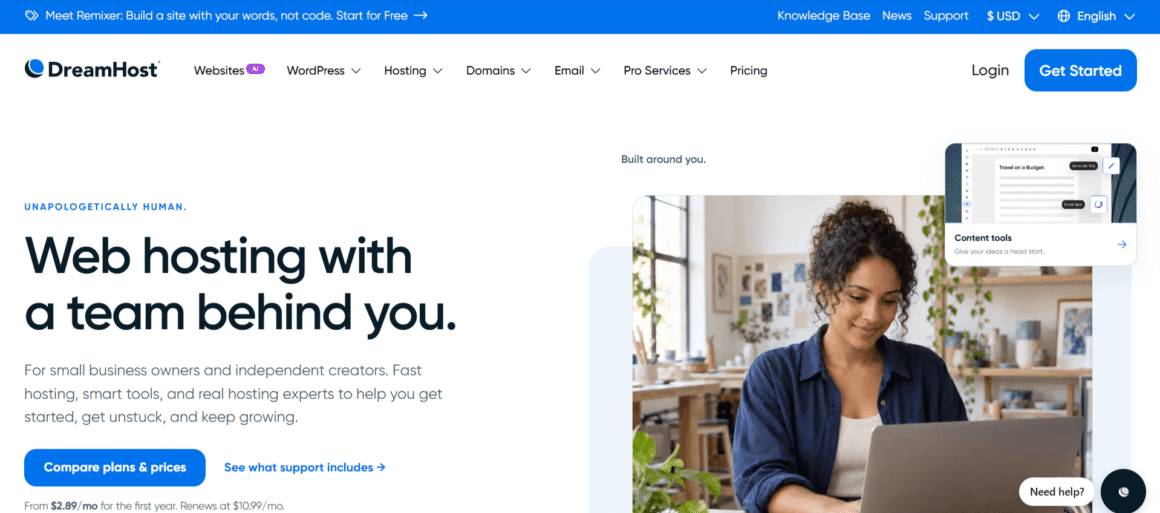
DreamHost currently offers three shared hosting plans: Launch, Growth, and Scale. Each plan has a different website allowance and storage limits. The monthly visitor capacity also varies in each plan.
| Features | Details |
|---|---|
| Introductory Price | $2.89/month |
| Renewal Price | $10.99/month |
| Websites | 25 |
| NVMe SSD Storage | 25 GB |
| Monthly Visits | 40,000 (estimated) |
| Bandwidth | Unmetered |
| Free SSL | Unlimited |
| Daily Backups | Yes |
| AI Website Builder | Liftoff |
| Email Accounts | 20 mailboxes (3 months free) |
| Free Domain | 1 year |
| Money-Back Guarantee | 30 days |
| Features | Details |
|---|---|
| Introductory Price | $3.99/month |
| Renewal Price | $12.99/month |
| Websites | 50 |
| NVMe SSD Storage | 50 GB |
| Monthly Visits | 200,000 (estimated) |
| Bandwidth | Unmetered |
| Free SSL | Unlimited |
| Daily Backups | Yes |
| AI Website Builder | Liftoff |
| Email Accounts | 40 mailboxes (3 months free) |
| Free Domain | 1 year |
| Money-Back Guarantee | 30 days |
| Features | Details |
|---|---|
| Introductory Price | $9.99/month |
| Renewal Price | $25.99/month |
| Websites | 100 |
| NVMe SSD Storage | 100 GB |
| Monthly Visits | 400,000 (estimated) |
| Bandwidth | Unmetered |
| Free SSL | Unlimited |
| Daily Backups | Yes |
| AI Website Builder | Liftoff |
| Email Accounts | 60 mailboxes (3 months free) |
| Free Domain | 1 year |
| Money-Back Guarantee | 30 days |
When it comes to features, then all three DreamHost website hosting plans include daily automated backups and unmetered bandwidth. You will also get free SSL certificates and a free domain for the first year. They also include DreamHost’s AI website builder called the Liftoff.
Each plan gets you a professional email free of cost for the first three months. After that, you need a paid email plan to continue using the service.
These prices are based on annual billing. DreamHost charges for the full year upfront, so the monthly figure is an equivalent price rather than a monthly payment. The visitor figures are estimates to help you choose a suitable plan, so don’t consider them as strict traffic limits.
Bluehost Shared Hosting Plans and Pricing
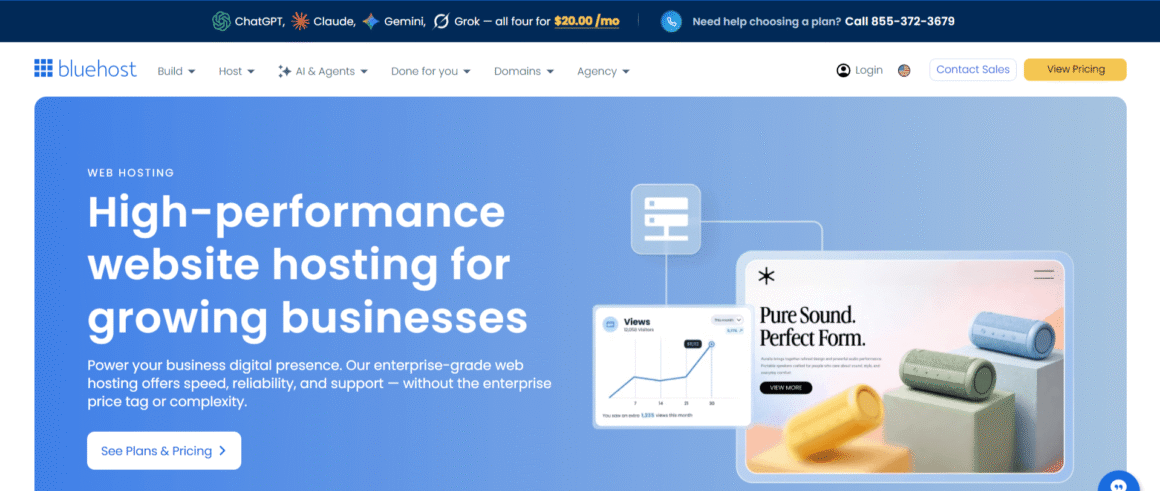
Bluehost hosting offers shared hosting packages such as Starter, Business, and eCommerce Essentials. Each plan provides different levels of storage, website capacity, and support.
| Features | Details |
|---|---|
| Introductory Price | $4.24/month |
| Renewal Price | $11.99/month |
| Websites | 10 |
| NVMe SSD Storage | 10 GB |
| Monthly Visits | 40,000 (estimated) |
| Free SSL | Yes |
| Free Domain | 1st year |
| Free CDN | Yes |
| Site Migration | Free migration tool |
| Website Backups | Weekly |
| Malware Scanning | Yes |
| WordPress Staging | Yes |
| SSH & WP-CLI | Yes |
| Customer Support | 24/7 Chat |
| Money-Back Guarantee | 30 days |
| Features | Details |
|---|---|
| Introductory Price | $6.79/month |
| Renewal Price | $15.99/month |
| Websites | 50 |
| NVMe SSD Storage | 50 GB |
| Monthly Visits | 200,000 (estimated) |
| Free SSL | Yes |
| Free Domain | 1st year |
| Free CDN | Yes |
| Site Migration | Free migration tool |
| Website Backups | Weekly |
| Malware Scanning | Yes |
| Malware Detection & Removal | AI-powered |
| Web Application Firewall | Yes |
| DDoS Protection | Yes |
| Domain Privacy | Free 1st year |
| WordPress Staging | Yes |
| SSH & WP-CLI | Yes |
| Customer Support | 24/7 Chat + Phone |
| Money-Back Guarantee | 30 days |
| Features | Details |
|---|---|
| Introductory Price | $15.99/month |
| Renewal Price | $23.99/month |
| Websites | 100 |
| NVMe SSD Storage | 100 GB |
| Monthly Visits | 400,000 (estimated) |
| Free SSL | Yes |
| Free Domain | 1st year |
| Free CDN | Yes |
| Site Migration | Free migration tool |
| Website Backups | Weekly |
| Malware Detection & Removal | AI-powered |
| Web Application Firewall | Yes |
| DDoS Protection | Yes |
| Domain Privacy | Free 1st year |
| WooCommerce | Auto-install |
| Payment Processing | Secure payment processing |
| Product Subscriptions | Yes |
| Visitor Memberships | Yes |
| Paid Courses | Yes |
| Affiliate Program | Yes |
| Custom Email Templates | Yes |
| Customer Support | 24/7 Chat + Phone |
| Money-Back Guarantee | 30 days |
The prices above are based on a 12-month subscription, and the provider charges the full yearly cost upfront. Bluehost offers a free domain for the first year along with features like SSL and a CDN. Its shared hosting plans also include weekly website backups and WordPress management tools.
Every package comes with a different set of features. The starter includes 24×7 chat support and staging but does not include phone support or the domain privacy feature shown on the business plan. Business and eCommerce Essentials include malware scanning and removal along with domain privacy for one year. You will also get chat and phone support.
The eCommerce Essentials plan also includes WooCommerce and additional online selling tools.
Which Provider Offers Better Value?
If more storage is your preference along with a higher website allowance on the entry-level plan, then DreamHost is a better option. You will also get the option to take daily backups, plus the introductory price is also less compared to Bluehost Starter.
Bluehost offers free CDN and WordPress staging tools. The Starter plan has limited features, but if you go for the Business plan, you will get better security and support features. If you are planning to launch an online store, then you can opt for the eCommerce Essentials plan, which comes with the tools required for online stores.
DreamHost is a better value option if you are launching a small WordPress website because it offers ample storage along with website allowance. The price is also on the low side. Bluehost, on the other hand, may suit those who want a single dashboard and management tools to manage multiple websites hassle-free.
However, it’s important to compare the full 12-month cost and renewal charges before choosing. This will give you a clearer picture of long-term DreamHost pricing and Bluehost pricing.
Managed WordPress Hosting: DreamHost vs Bluehost
With managed hosting, maintaining a WordPress website becomes easier because the provider handles certain technical tasks. In both DreamHost and Bluehost WordPress hosting, management features are included, but their dedicated services are different.
DreamHost Managed WordPress Hosting
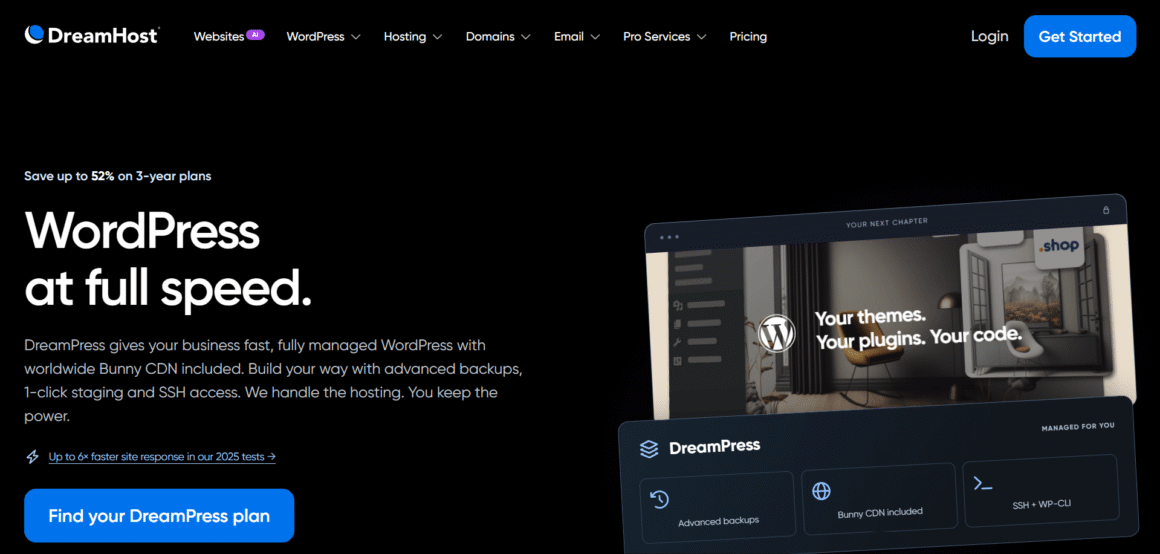
DreamHost offers managed WordPress hosting through DreamPress. It provides a hosting environment designed specifically for WordPress. You will find features like automatic management along with one-click staging and developer tools.
DreamPress also comes with six different plans, giving options for individual website owners, businesses, and agencies.
| Plan | First-year price | Renewal price | Websites | Storage | Monthly visit allowance |
| DreamPress 1 | $14.99/month | $19.99/month | 1 | 15 GB | 40,000 |
| DreamPress 2 | $17.99/month | $24.99/month | 2 | 25 GB | 80,000 |
| DreamPress 3 | $20.99/month | $28.99/month | 3 | 30 GB | 125,000 |
| DreamPress 5 | $29.99/month | $40.99/month | 5 | 50 GB | 175,000 |
| DreamPress 10 | $47.99/month | $65.99/month | 10 | 100 GB | 350,000 |
| DreamPress 20 | $77.99/month | $107.99/month | 20 | 200 GB | 700,000 |
These are monthly equivalent prices based on annual billing, with the full year’s payment charged upfront.
DreamPress plans include several useful features like daily backups, staging, SSH, and WP CLI access. They also include Bunny CDN and WordPress-focused support. As you choose higher plans, you will get more storage and support for additional websites.
DreamPress is useful for those running a business website that depends on WordPress. The plan offers more than the basic features with shared hosting.
Bluehost WordPress Hosting Plans
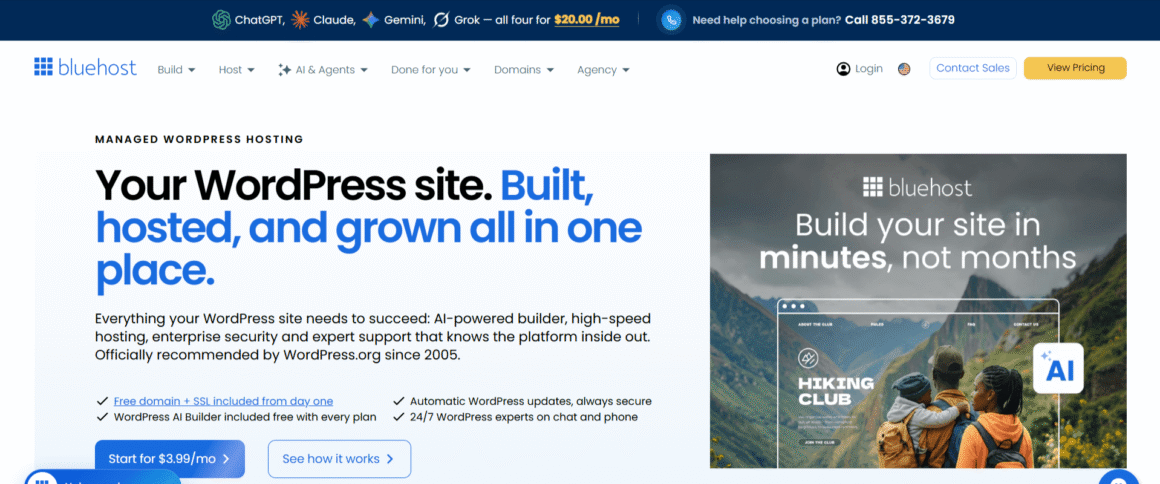
Bluehost includes many useful features in its Starter, Business, and eCommerce Essentials plans. Its shared hosting plans include managed WordPress updates, staging, SSH and WP-CLI access. You can install WordPress and manage your website through the Bluehost dashboard.
But keep in mind that these are shared hosting plans with WordPress management features. They are different from a dedicated managed WordPress service such as DreamPress.
Bluehost also offers Bluehost Cloud, a separate cloud hosting service for websites that need more resources. This service includes features like automatic scaling, daily backups, and global edge caching.
Website Speed, Performance, and Uptime Compared
When comparing DreamHost and Bluehost on speed, make sure to check their server infrastructure, caching, storage, and CDN availability. With these features, a website can load faster. However, the actual performance would also depend on the plugins, traffic, and server location.
Server Infrastructure and Data Centre Locations
DreamHost operates data centres in Ashburn, Virginia; Hillsboro, Oregon; Amsterdam, Netherlands; and Singapore. You can check the server location through the DreamHost panel and can also request a change by contacting the support.
Bluehost also advertises global data center infrastructure, but its public documentation doesn’t clearly identify the locations available to customers on each shared hosting plan.
Both providers on their current entry level hosting plans use NVMe SSD storage. This offers faster data access than traditional hard drives, but that’s not the only thing which determines website speed.
Website Loading Speed and Performance
DreamHost recommends WP Super Cache for standard shared hosting. DreamPress uses built-in server caching through NGINX, but if you go a step above and choose DreamPress Pro, you will get Redis object caching.
Bluehost provides static content and object caching with its shared hosting plans. It also comes with a free CDN to help deliver static files like images, CSS, and JavaScript from servers closer to visitors.
DreamPress plans include Bunny CDN. If you choose a standard DreamHost hosting, then you will have to buy a paid CDN add on.
Uptime and Reliability
DreamHost advertises a 100% uptime guarantee. In case, the hosting service fails to meet the uptime guarantee, you will get service credits. But, there are certain conditions to qualify for this offer.
Bluehost offers a 99.99% uptime guarantee for eligible shared hosting services. Customers may qualify for a credit for up to 5% of their monthly hosting fee if uptime falls below the stated threshold. Exclusions and claim conditions apply.
Both companies publish uptime guarantees, but we haven’t tested their uptime ourselves. So, we can’t say which provider has fewer service interruptions.
WooCommerce Hosting: DreamHost vs Bluehost
Both providers support WooCommerce hosting, but take different approaches to eCommerce features.
DreamHost WooCommerce Hosting
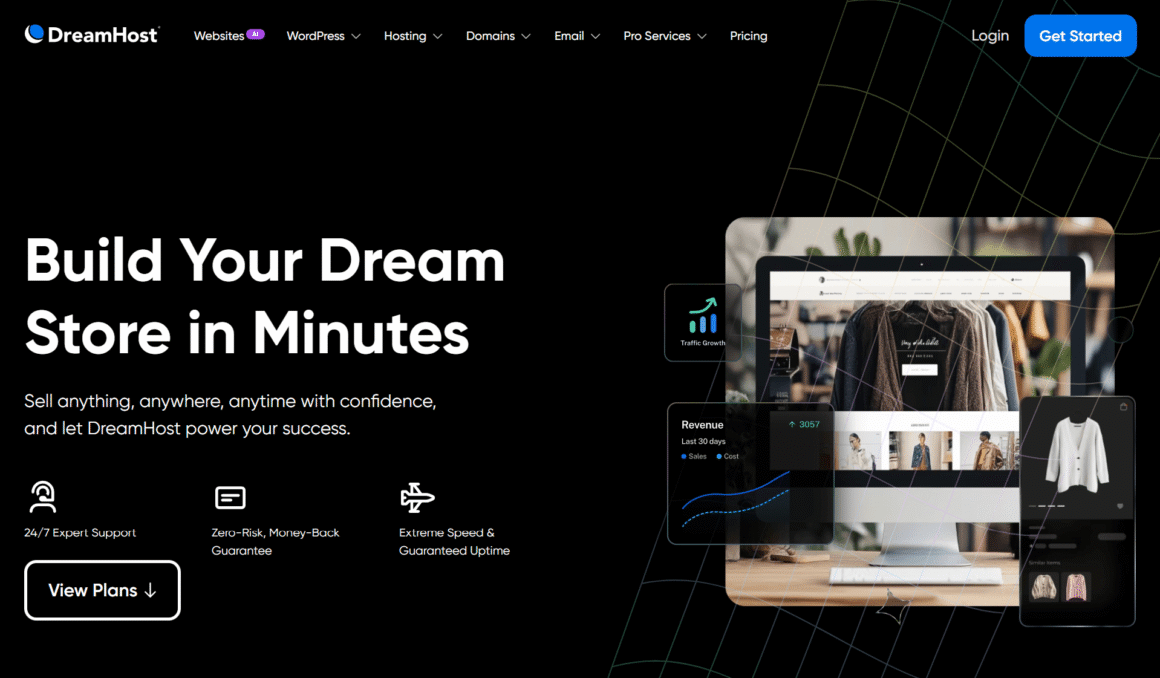
DreamHost does not offer a separately branded WooCommerce hosting plan. You just need to install the free WooCommerce plugin on a WordPress website hosted with DreamHost.
If you have a smaller store, then shared hosting will be enough for you. If you are running a growing online store, managed WordPress hosting through DreamPress may be a better option. Websites requiring more server resources can also move to VPS hosting.
WooCommerce comes with basic store management features such as product listings, order management, and payment integrations. If you want to include subscriptions, advanced shipping or any other function, then you will have to get paid extensions for them. The total cost depends on the hosting plan and the tools you add.
Bluehost WooCommerce Hosting
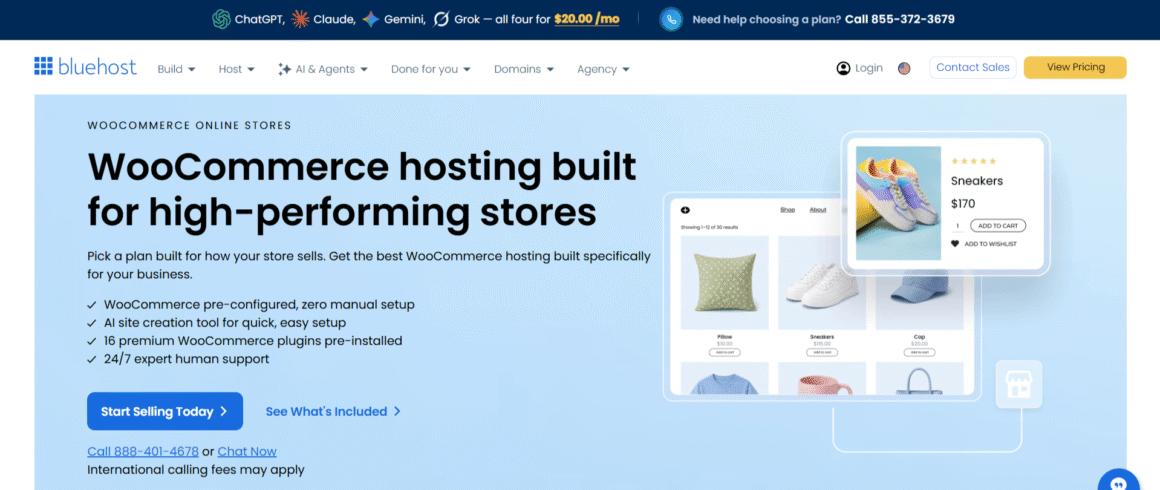
Bluehost offers dedicated eCommerce hosting through its eCommerce Essentials and eCommerce Premium plans.
| Plan | First year price | Renewal price |
| eCommerce Essentials | $15.99/month | $23.99/month |
| eCommerce Premium | $24.99/month | $33.99/month |
Both plans include WooCommerce and tools for selling online. The Essentials plan provides features such as subscriptions, memberships, secure payments and options for selling digital products and courses.
The Premium plan adds features such as multi channel inventory management, appointment bookings, gift cards and additional selling tools.
These prices are based on 12 month subscriptions.
Bluehost and DreamHost Website Builder Compared
Both providers come with AI website builders on their own, but they work differently. The DreamHost website builder works within WordPress. Bluehost, on the other hand, comes with WordPress based tools and a separate conversational AI builder.
DreamHost Website Builder
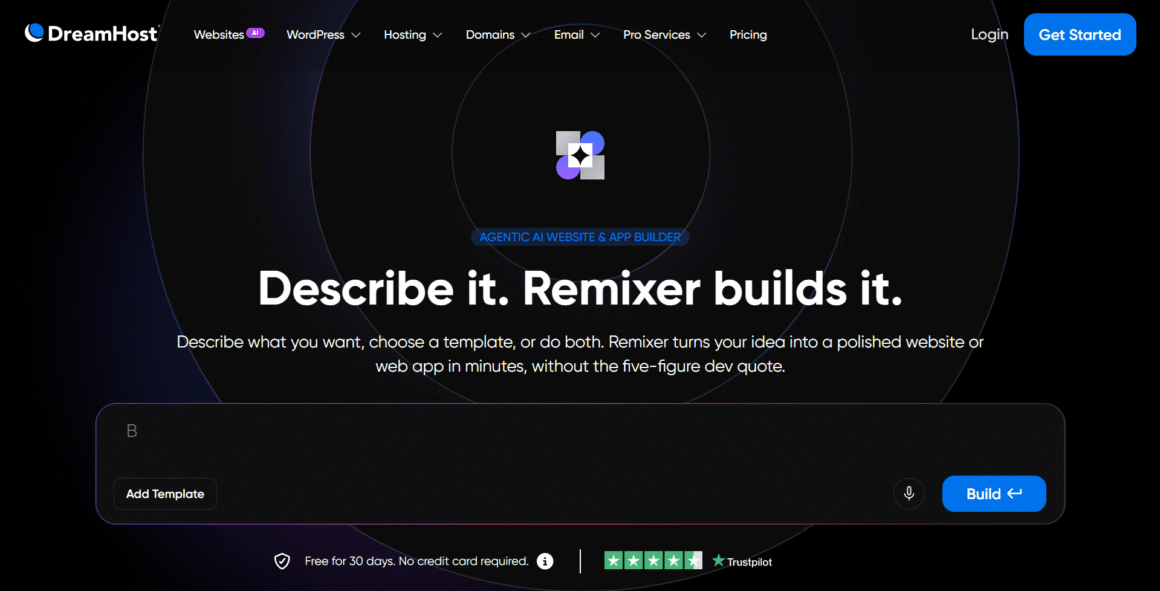
DreamHost offers an AI powered DreamHost site builder for WordPress called Liftoff. Using this tool, you can generate a website based on details about your business or project. You can then edit text, images, and colors. You can also choose different layouts through the WordPress editor.
Liftoff is equipped with amazing design patterns and AI content tools. Beginners will find these useful as they don’t have to get into the hassle of setting up things manually.
Another advantage of this tool is that your website remains within the WordPress environment. You can continue to use WordPress themes, plugins, and editing tools as your website grows.
Bluehost Website Builder
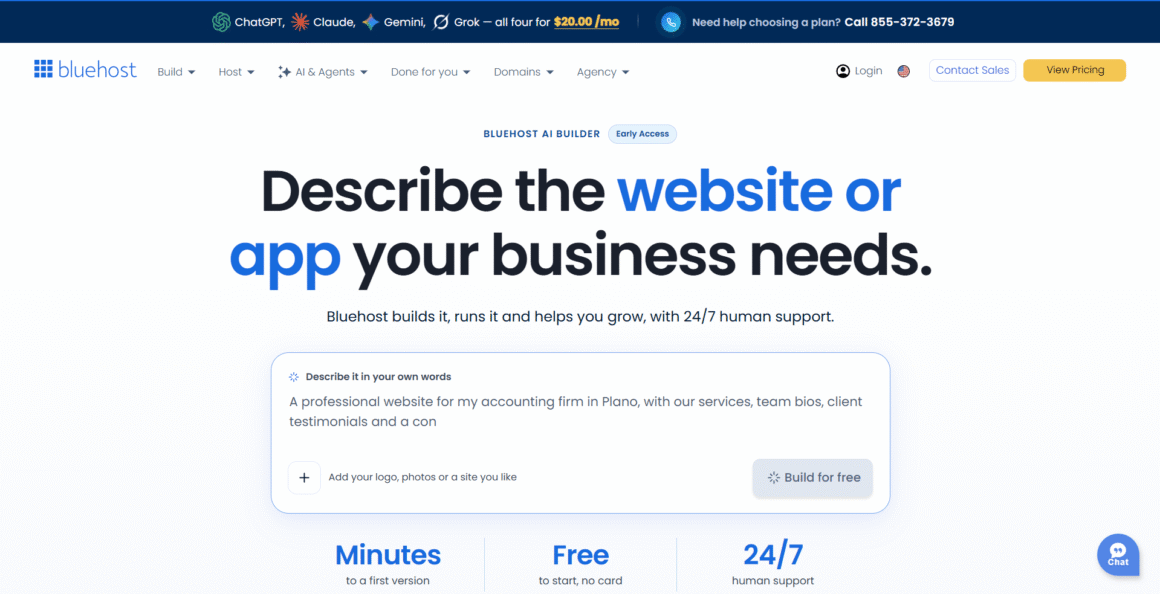
Bluehost also offers a WordPress AI builder that uses guided questions to generate website designs. You can pick the design as per your choice and customize it through WordPress.
You will like the conversational experience in its newer AI Website Builder. All you need is to describe the website you want to create and the AI will do the rest. You can make changes by chatting with AI. It offers a whole new website creation experience that you’ve never experienced before.
Which Website Builder Is Easier to Use?
DreamHost Liftoff is useful if you want AI assistance within WordPress. Bluehost makes more sense if you want choices along with a guided WordPress builder. It also offers a separate conversational tool using which you can set up a website easily.
In the end, both providers have useful features, and it all depends on how you wish to create and manage your website.
Security, Backups and Website Migration
Don’t choose a hosting provider until you know what type of website security they offer. Backups also pay a key role in getting websites back online after a major incident. Both hosting providers offer basic protection, but their backup and migration options differ.
Security and Malware Protection
DreamHost offers a handful of security features like free SSL certificates, DDoS protection, two-factor authentication, and server monitoring. You will also get DreamShield, but as a paid add-on. This tool provides advanced malware protection by scanning websites and then sending alerts after detecting suspicious activity.
Bluehost comes with free SSL certificates with its shared hosting plans. All three Bluehost shared hosting plans include malware scanning. However, malware detection and removal are included only with Business and eCommerce Essentials.
Backup and Restoration Options
Shared hosting plans on DreamHost come with daily automated backups. The provider keeps website backups for around two weeks and database backups for around five days.
DreamPress offers a more complete backup system with daily automated backups and on demand backups. I also liked the one-click restoration feature of the tool. Its plans include 14 days of backup retention.
Bluehost includes weekly automated website backups with its shared hosting plans. This gives users regular backup points, but DreamHost provides more frequent backups on its shared hosting plans.
Website Migration and Transfer Assistance
DreamHost comes with a free WordPress migration plugin for users who want to move their websites on their own. It also provides professional migration services, which costs $99 per website for migrating a WordPress website to standard hosting. Users can also migrate to DreamPress, but it depends on the eligibility and plan limits.
Bluehost provides a free site migration tool along with paid professional migration services. It also allows email migration, but that’s a separate service altogether.
Switching hosts is easy, still you need to ensure that you have a separate copy of your website files, database, and email. This gives you another recovery option if anything goes wrong during the transfer.
Ease of Use and Customer Support
Both hosting providers offer dashboards using which users can manage websites and hosting settings. However, the control panels and support options on each dashboard are different.
Account Setup and Control Panel
DreamHost uses a custom control panel that allows you to manage domains, hosting, email, databases, and WordPress installations. The dashboard is quite different from cPanel, so people who have been using the latter may take some time to get used to its layout.
The dashboard offered by Bluehost suits beginners a lot. They can access WordPress, domains, hosting settings and several website tools from one account. The provider offers guided setup as well, which helps users get started without dealing with too many technical settings.
Customer Support and Technical Assistance
DreamHost customer support is available 24/7 through live chat and email. They even offer callback support to customers who opted for DreamPress and Dedicated Server. Although the number of free callbacks is limited. Other customers can purchase the service. Callback availability is limited to customers in the US and Canada.
Bluehost also offers 24/7 live chat support. Phone support is included but only in Business and eCommerce Essentials plans. Users who have opted for higher plans can discuss their problems or account questions with a support representative.
Scalability and Hosting Options for Growing Websites
When a website starts receiving more visitors, it may need additional server resources. When comparing WordPress hosting for high traffic websites, you need to pay attention to storage, processing power, memory, and available upgrade options.
You get the option to move beyond shared hosting in both DreamHost and Bluehost, but their options serve different needs.
Hosting for High Traffic WordPress Websites
DreamHost offers higher shared hosting tiers – DreamPress and Managed VPS. In Managed VPS, you will get protected RAM and allocated CPU resources for websites with heavier workloads.
Bluehost offers higher tier WordPress plans and Bluehost Cloud. The cloud platform is designed for high traffic websites and online stores. It comes with scalable computing resources and global infrastructure.
Both providers give you the option to upgrade when your website outgrows shared hosting. Which provider you choose depends on the resources needed by your website and the server management you want to handle.
VPS Hosting Options
DreamHost’s self managed VPS plans are called Stack 4, Stack 8, Stack 16 and Stack 32. In these plans, the RAM starts from 4 GB and goes up to 32 GB. Users will also get full root access in these plans. In all these plans, users manage their own software, server configuration and security.
DreamHost also offers Managed VPS, where it maintains server software and security. This option does not include root access.
Bluehost offers Managed VPS and Self Managed VPS. In its Managed VPS, you will get cPanel and WHM, while the server management is handled by its Advanced Hosting team. Self Managed VPS is for developers, as it offers them more control over server settings.
The main difference between the two is the level of server management. Self managed VPS gives experienced users more control whereas managed hosting reduces the maintenance they need to handle themselves.
Cloud Hosting Options
Bluehost Cloud provides managed WordPress cloud hosting with automatic scaling and global edge caching. You will also enjoy daily backups along with a 100% uptime SLA.
DreamHost offers DreamCompute for cloud computing and DreamObjects for cloud storage. These services are mainly designed for developers who need computing and storage resources. They are different from Bluehost’s managed WordPress cloud hosting.
If you are looking for a managed WordPress cloud hosting, then Bluehost has a more direct option. If you want better computing and storage resources, then go for DreamHost’s cloud services.
DreamHost Vs Bluehost: Pros and Cons
Both providers have useful hosting features, but they cater to different types of website owners.
DreamHost Pros and Cons
Pros:
- You can get both shared and managed WordPress hosting from DreamHost.
- DreamPress comes with staging and daily backups. You also get a Bunny CDN.
- If you need to grow, there are Managed VPS, self-managed VPS, and dedicated hosting.
- A free WordPress migration plugin is available.
- The Launch plan has 25 GB storage and supports 25 websites.
- Daily automated backups come with shared hosting too.
Cons:
- Features and resources are different from plan to plan.
- DreamPress costs more than basic shared hosting.
- The custom control panel may take some time to learn.
- Standard shared hosting does not include a CDN.
Bluehost Pros and Cons
Pros:
- The WordPress setup is beginner friendly, and so are the management tools.
- You can host multiple websites on its shared hosting plans.
- There is dedicated WooCommerce hosting.
- Bluehost also has managed WordPress cloud hosting.
- A free CDN is included with shared hosting.
- Business and eCommerce Essentials come with malware scanning and removal.
- Phone support is included on the higher shared hosting plans.
Cons:
- Renewal prices are higher than the introductory rates.
- Some advanced security and commerce features need a higher-tier package.
- Starter does not include phone support.
- Starter has less storage than DreamHost Launch.
Final Verdict: DreamHost vs Bluehost
The right choice depends on what you need from your hosting plan. DreamHost offers more storage and daily backups on its entry level plan, while Bluehost includes a free CDN and dedicated eCommerce features.
| Category | Advantage | Reason |
| Entry level price | DreamHost | Launch has a lower first year price than Bluehost Starter. |
| Entry level storage | DreamHost | Launch includes 25 GB compared with 10 GB on Bluehost Starter. |
| Website allowance | DreamHost | Launch supports 25 websites, while Bluehost Starter supports 10. |
| CDN on shared hosting | Bluehost | Includes a free CDN, while standard DreamHost hosting requires a paid add on. |
| Automatic backups | DreamHost | Provides daily backups, compared with weekly backups on Bluehost shared hosting. |
| Managed WordPress hosting | DreamHost | DreamPress is a dedicated managed WordPress service. |
| WooCommerce hosting | Bluehost | Offers dedicated eCommerce plans with built in store features. |
| Phone support | Bluehost | Business and eCommerce Essentials include phone support. |
| Scalability | Depends on requirements | Both offer VPS and cloud hosting options. |
When Should You Choose DreamHost?
DreamHost is the better option if you want more storage on an entry-level plan. You get room for more websites too. The introductory price on a 12-month subscription is lower too. You also get daily automated backups. If you want dedicated managed WordPress hosting, there is DreamPress, and if your site grows, you can move from shared hosting to Managed VPS or dedicated hosting.
When Should You Choose Bluehost?
Bluehost is a more suitable option if you are new to WordPress and want a guided setup. The management tools are beginner friendly too. Its shared hosting comes with a free CDN. Phone support is available with Business or eCommerce Essentials. If you plan to run an online store, there are dedicated WooCommerce features. As your website grows, Bluehost Cloud is the next step.
For a new WordPress website, DreamHost Launch is good value. For an online store, Bluehost’s eCommerce plans are worth a look, since they have more built-in selling tools. Check the features and the renewal cost of the plan before you choose.
Frequently Asked Questions
Is DreamHost better than Bluehost for WordPress?
It depends on what you need. If you want more storage on the entry-level plan, DreamHost is the better option. DreamPress gives you dedicated managed hosting, and you get daily backups too. Bluehost is the better option if you want a guided setup and a free CDN. Its website management tools are built in too.
Which is cheaper, DreamHost or Bluehost?
DreamHost is cheaper at the start. Take the 12-month subscription. Launch starts at $2.89 per month and renews at $10.99. Bluehost Starter starts at $4.24 and renews at $11.99. So the renewal price is lower with DreamHost too.
Does DreamHost offer managed WordPress hosting?
Yes. DreamHost WordPress hosting comes in the form of DreamPress plans. They include daily backups and staging, and you get Bunny CDN and the WordPress management features too. The higher plans give you more storage and more websites.
Does Bluehost offer managed WordPress hosting?
Yes, in a way. Its shared hosting plans include WordPress management features like automatic updates and staging. For websites that need more resources, there is also Bluehost Cloud, which is a separate managed WordPress cloud hosting service.
Which provider is better for WooCommerce websites?
Bluehost is the better option if you want dedicated WooCommerce hosting with built-in eCommerce features. DreamHost also supports WooCommerce through its regular WordPress hosting plans, which include DreamPress. The selection between the two providers depends on the features you need, the budget you have and number of resources required.