Disclosure: Some links on Themezhub are affiliate links. We may earn a commission if you make a purchase through them.

- Header Builder
- Site Builder
- WooCommerce
- Footer Builder
- Integrations and responsive controls
- Colors & Typography
- Blog Layouts

- Theme Builder
- Dynamic Content
- Form Builder
- Popup Builder
- Custom Code & CSS
- WooCommerce Builder
- e-commerce widgets
The Astra vs. Elementor debate confuses many WordPress beginners. Most individuals usually ask themselves, ‘Are they making the right decision in choosing one out of two products? However, the reality is that they complement each other. Astra is a minimalistic WordPress theme. Elementor is a page-building plug-in. They complement each other very well, but they are used differently.
This myth is because of the absence of knowledge of what each tool does. The majority of newcomers think that they are forced to choose between the two. That’s not how it works. It is time to set the confusion aside and get the best WordPress setup. Eventually, you will understand how to utilize these tools to your advantage.
Astra vs Elementor at a Glance
| Feature | Astra Pro | Elementor Pro |
|---|---|---|
| Type | WordPress Theme | WordPress Website Builder |
| Free Version | Yes | Yes |
| Starting Paid Price | $99/year introductory pricing* | $60/year Essential* |
| Renewal Price | $149/year* | Renews at regular/list price* |
| Website Limit | 3 sites with the Astra Pro + AI plan | 1 site with Essential |
| Visual Drag & Drop Builder | Header/Footer & theme customization | Full visual page/site builder |
| Theme Builder | Site Builder/theme-level customization | Theme Builder |
| Header & Footer Builder | Yes | Yes with applicable Pro features |
| WooCommerce Controls | Advanced WooCommerce customization | WooCommerce Builder |
| Global Colors & Typography | Yes | Yes |
| Dynamic Content | Theme integrations/custom layouts | Advanced Dynamic Content |
| Popup Builder | — | Yes |
| Form Builder | — | Yes |
| Best suited for | Lightweight, customizable WordPress sites | Highly visual, custom page/site designs |
What Is Astra?
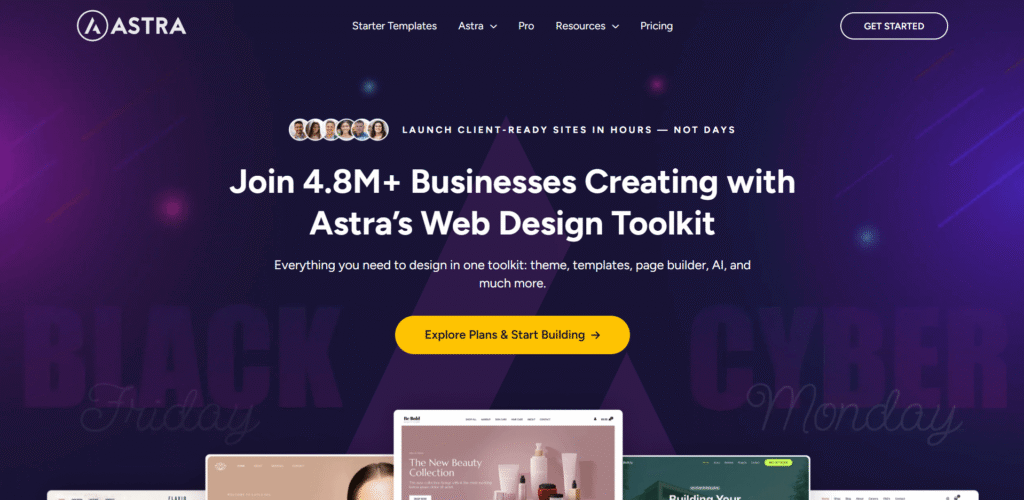
Astra is your website foundation. It controls the overall architecture of your site, the way your header is designed, the way your footer is designed, and your global architecture. Suppose that it is the skeleton of your site.
It is lightweight and quick to load up. It offers personalization through WordPress Customizer. Colors, typography, and layouts are at your disposal. Astra does not strive to do everything. That’s its strength. It is a master of performing core theme functions.
It contains a free version and a pro version of the theme. The free version is adequate for small websites. Pro allows adding such professional characteristics as custom layouts and header settings.
What Is Elementor?

Elementor is a drag-and-drop page builder. It allows you to create single pages using graphics. You get to see what you are constructing on screen. Elementor page builder is highly rated in terms of its performance in the WordPress ecosystem. It supplies the use of a widget, templates, and flexibility in design, which cannot be given by themes alone.
You drag things to your page. You customize them visually. No coding required. Changes appear instantly. Elementor is compatible with any themes that are well-coded. Nevertheless, other themes are more successful. Functionality and performance are issues of compatibility.
The cost of the plugin is also free and pro. Free Elementor offers rudimentary blocks. Pro gives the option of theme building, pop-up building, and advanced widgets.
If you’re more interested in building a website with AI-assisted tools rather than designing everything manually, you can also check our guide to the best AI website builders in 2026.
Astra vs Elementor
This is the point: Astra theme vs. Elementor website builder is not a good comparison. They’re not competitors. Their activities are in two different realms. Astra deals with site-wide features. Your header is present on all pages. Your footer is constant. Everywhere global colors are applicable. That’s their territory.
Elementor builds particular pages. You construct your layout of your home page. You design pages that are custom-made. You create distinctive content areas. That’s builder territory. The combination of the two establishes the ultimate WordPress environment that Astra and Elementor users do not stop praising. Stability of the themes and the flexibility of the builder.
Astra and Elementor are the most common theme and builder that are used by many professionals. This integration provides responsiveness, agility, and control. It has been an industry-standard arrangement. Imagine that it is house construction. Astra gives the framework and the basis. Elementor can be used to design and ornament individual rooms. Both are essential.
Astra vs Elementor Performance
Performance matters a lot in any Astra vs Elementor performance comparison, though the two products work in completely different ways. Astra is a WordPress theme. Elementor is a page builder. You can use them together too, with Astra handling the theme and Elementor handling the visual page building.
Astra keeps the theme lightweight by design. That comes from a modular setup, letting you turn on only the features you need instead of loading everything on every site. Astra also includes performance settings for things such as CSS files and local font loading.
Elementor adds more functionality to the page-building process. That doesn’t automatically make a site slow, though. How you build the page matters more than the builder itself. Large images add to page weight. So do animations, third-party addons, too many widgets, and layouts that aren’t optimized well.
Does Elementor slow down WordPress? Performance takes a hit sometimes, but Elementor isn’t the only reason why. Hosting plays a role. So does caching, images, plugins, scripts, and the overall page structure.
Elementor has added several features aimed at improving elementor speed and reducing unnecessary loading. These include optimized control loading, element caching, optimized image loading, and lazy loading options.
The latest Elementor 4.0 also introduces its Atomic Editor, which uses a different approach to how Elementor handles its editor architecture and performance. New installations have the Atomic features enabled by default, while existing sites can enable them as they become available.
For Astra vs Elementor performance, the better way to compare them is to look at the complete website. Astra brings a lightweight theme foundation to the table. Elementor brings more control over page design instead. A well-built Elementor site can still perform well. The same applies to any WordPress site. Poor optimization can slow a site down, regardless of the theme or page builder you use.
Check the actual page itself if you’re evaluating Elementor performance, rather than judging the builder alone. Page weight, Core Web Vitals, image sizes, scripts, caching, and server response time are all worth checking.
If you’re building a larger Elementor website or expecting higher traffic, hosting becomes even more important. Our guide to the best WordPress hosting for high-traffic websites covers hosting options designed for sites that need more server resources and performance.
Astra vs Elementor for SEO
When comparing Astra vs Elementor SEO, it helps to remember that neither product is an SEO plugin. Astra works as a WordPress theme. Elementor works as a page builder instead. Both can build an SEO-friendly WordPress site, just from different angles.
An SEO-friendly theme foundation is what Astra provides. Structured data covers different parts of a site, things like pages, posts, navigation, and organization information. The lightweight approach helps too, keeping the theme itself from adding unnecessary page weight.
Astra SEO doesn’t take care of everything though. Titles still need handling. Meta descriptions need handling too, along with content, internal links, indexing, and other SEO tasks. Something like Yoast SEO, Rank Math, or AIOSEO can cover many of these controls instead.
Elementor SEO runs on a similar principle. It gives you control over the content and page structure. That said, a dedicated SEO plugin still does more. Pair it with Yoast, Rank Math, or AIOSEO for the rest.
How you build pages in Elementor can affect SEO indirectly too. Headings, content, images, links, and responsive layouts all get controlled from the editor. Unnecessary elements or heavy design features cut into performance though, and that’s one piece of the larger SEO picture.
Is Elementor good for SEO? Yes, it builds SEO-friendly WordPress websites just fine. Astra can too. Neither guarantees rankings though, and neither should replace an actual SEO strategy.
Where each product works marks the main difference. The theme foundation comes from Astra. Page and site building comes from Elementor. Using both together works too, with an SEO plugin handling tasks that sit outside either one.
How the website actually gets built matters more for most sites. Good content matters. So does clear site structure, proper indexing, internal links, useful pages, and solid performance, more than picking Astra or Elementor alone ever will.
If you’re comparing Elementor with other visual website-building platforms, our guide to the best drag-and-drop website builders covers several popular options and explains what each builder is best suited for.
Astra Pro vs Elementor Pro
Astra Pro vs Elementor Pro isn’t really a theme-versus-theme comparison. The Astra WordPress theme gets extended by Astra Pro. Elementor Pro adds advanced features to the Elementor page builder instead.
Theme customization and site-wide controls are where Astra Pro features mostly focus. Headers and footers get more options. So do colors, typography, layouts, blog designs, and WooCommerce. Astra Pro works alongside Elementor too, so you can run it as the theme while Elementor handles page design.
Visual page and site building is where Elementor Pro features focus instead. Depending on the plan, Elementor Pro adds more tools to the page builder. These include Theme Builder and Dynamic Content. Some plans also include Popup Builder, forms, custom CSS and code, and e-commerce features. Theme Builder lets you create different parts of a site from the Elementor editor. You can use it for headers and footers. It also works with archive pages and single post templates.
The two products can also work together. The theme and its global settings stay with Astra, while the visual design shifts over to Elementor. Using one doesn’t force a choice against the other.
What you want to control decides the main difference here. Astra Pro adds more options within the Astra theme. Elementor Pro gives you more visual building tools inside Elementor.
Elementor Pro plans differ from each other too. Popup Builder isn’t included the same way across every plan. Neither are custom code and CSS, dynamic content, or e-commerce tools. Checking the specific plan before buying is worth doing because of that.
So, Elementor Pro vs Astra Pro depends on how you build your WordPress site. If you want to extend Astra’s theme controls, Astra Pro is the relevant upgrade. If you want advanced visual editing and site-building tools, Elementor Pro is the relevant upgrade.
If you’re also comparing Astra with another popular WordPress theme and visual builder, check out our detailed Astra vs Divi comparison.
Astra vs Elementor Pricing
| Plan | Astra | Elementor |
|---|---|---|
| Free Version | Yes | Yes |
| Entry Paid Plan | Astra Pro + AI — $99/year | Essential — $60/year |
| Monthly Equivalent | ~$8.25/mo | $5/mo |
| Sites | Up to 3 websites | 1 website |
| Advanced Theme/Site Builder | Yes | Yes |
| Header & Footer Builder | Yes | Yes |
| WooCommerce Features | Yes | Yes |
| Money-Back Guarantee | 14 days | 30 days |
| Renewal | $149/year | Regular renewal pricing applies |
| Lifetime Option | Available | Not listed for Pro plugin plans |
Figuring out Astra vs Elementor pricing gets confusing fast, since you’re paying for two completely different types of products. Astra is a WordPress theme. Elementor is a page builder. Both offer free versions, with paid plans adding more on top.
Astra Pro Pricing
| Astra Plan | Price | Websites | What’s Included |
|---|---|---|---|
| Astra Pro + AI | $99/year | 3 | Astra Pro + AI features + premium tools |
| Essential Toolkit + AI | $199/year | 10 | Astra Pro + Spectra Pro + additional tools |
| Business Toolkit + AI | $279/year | Up to 1,000 | Full toolkit for large-scale/client use |
| Astra Pro – Addon Only | $69/year | 3 | Advanced Astra theme features |
| Astra Pro – Lifetime | $249 one-time | 3 | Astra Pro without recurring renewal |
Astra also offers larger bundles that include other products. These cost more because they include additional products, so they shouldn’t be compared directly with Astra Pro + AI.
Elementor Pro Pricing
| Elementor Plan | Price | Websites | Best suited for |
|---|---|---|---|
| Essential | $60/year | 1 | Basic websites |
| Advanced Solo | $84/year | 1 | Professional & ecommerce website |
| Advanced | $108/year | 3 | Multiple professional/ecommerce sites |
| One | $180/year | 1 | Complete create, optimize & manage toolkit |
| One Agency | $432/year | Unlimited | Agencies |
The plans also differ in features. Essential includes Theme Builder and Pro widgets, while higher plans add features such as Popup Builder, custom code and CSS, dynamic content, and ecommerce tools. Weigh those differences against the Elementor Pro cost before deciding.
Astra Pro vs Elementor Pro Price
The price alone doesn’t tell you which product will cost less for your setup. Astra Pro cost starts higher than Elementor’s Essential plan, but the two products do different jobs.
For one website, Elementor Essential currently costs less than Astra Pro + AI. However, Essential doesn’t include some of Elementor’s more advanced features. Popup Builder, custom code and CSS, and ecommerce tools are available on higher plans.
So, when comparing Astra vs Elementor Pro pricing, look at the features you actually need. Astra Pro + AI extends the Astra theme. Elementor Pro extends the Elementor builder instead. Plan to use both together? Paying for both might be necessary.
Prices and promotions shift on both Astra and Elementor over time, and taxes can apply at checkout too. Check the official pricing pages before purchasing.
Astra vs Elementor Pros and Cons
Astra Pros:
- Lightweight and performance-focused: Astra is designed as a fast WordPress theme with a relatively lean approach to theme functionality.
- Excellent customization options: Astra Pro gives you detailed control over colors, typography, layouts, headers, footers, blog layouts, and other site-wide elements.
- Powerful Header and Footer Builder: You can visually create and customize headers and footers without having to write code.
- Works well with page builders: Astra integrates with Elementor and other popular WordPress builders, so you can combine a lightweight theme with a visual page-building workflow.
- Strong WooCommerce integration: Astra provides dedicated WooCommerce customization options for stores, including product layouts, cart and checkout-related design controls.
- Good choice for content-heavy websites: Its blog and layout controls make it practical for blogs, magazines, business websites, and other content-focused sites.
Astra Cons:
- Not a full visual page builder: Astra gives you extensive theme customization, but it is not designed to replace a dedicated visual builder such as Elementor.
- Advanced features require Astra Pro: Some of the more powerful header, footer, site-building, WooCommerce, and layout controls are available in the paid version.
- Can require an additional builder for complex pages: If you want highly customized landing pages or very detailed page-level designs, you may still want Elementor or another page builder.
- Large number of customization options: Beginners may need some time to understand where different design controls are located.
Elementor Pros:
- Powerful visual editing: Elementor lets you build and customize pages through a visual drag-and-drop editor rather than relying primarily on the WordPress Customizer.
- Excellent design flexibility: You can control layouts, spacing, typography, responsive behavior, animations, widgets, and other visual details directly within the editor.
- Theme Builder: Elementor Pro allows you to create custom headers, footers, single-post templates, archive templates, and other parts of a WordPress website.
- Useful marketing features: Pro includes tools such as Form Builder and Popup Builder on eligible plans, which can be useful for lead generation and marketing campaigns.
- Strong WooCommerce design tools: Elementor Pro can be used to visually customize WooCommerce product, shop, cart, checkout, and other store templates.
- Large template ecosystem: Elementor provides website templates, landing pages, and pre-designed sections that can speed up the initial website-building process.
Elementor Cons:
- Can feel overwhelming at first: The large number of widgets, settings, responsive controls, and design options can take some time for beginners to learn.
- Advanced features require a paid plan: Features such as advanced Theme Builder capabilities, dynamic content, forms, popups, and ecommerce tools depend on the relevant Pro plan.
- May be more than a simple website needs: If you’re building a straightforward blog or basic business website, you may not need all of Elementor’s advanced design features.
- More design control means more maintenance decisions: Highly customized websites can require more attention to templates, global styles, responsive settings, and design consistency.
Who Should Use Astra?
Astra is a good choice for:
Bloggers and content creators
Astra works well when your website is primarily focused on publishing content and you want strong control over typography, layouts, archives, headers, footers, and overall site structure.
Business websites
Small businesses, agencies, freelancers, and service providers can use Astra to create a professional website without necessarily depending on a page builder for every part of the site.
WooCommerce store owners
Astra’s WooCommerce-focused customization makes it a practical option for users who want more control over their store’s appearance while keeping the theme as the foundation.
Users who want a lightweight theme foundation
If your preferred workflow is to use WordPress’s native editor or combine Astra with a page builder such as Elementor, Astra provides a flexible theme layer.
Users who care about global website styling
Astra is particularly useful if you prefer setting your site’s colors, typography, layouts, headers, and footers at the theme level instead of designing every page individually.
Who Should Use Elementor?
Elementor is a good choice for:
Design-focused users
If you want to visually design pages and control individual sections, containers, widgets, spacing, typography, and responsive layouts, Elementor is a natural fit.
Landing page creators
Marketers and businesses creating sales pages, lead-generation pages, campaign pages, and custom landing pages can benefit from Elementor’s visual editing workflow.
Freelancers and agencies
Elementor’s templates, Theme Builder, dynamic content, and reusable design approach can make it useful when building different types of websites for clients. Elementor specifically positions its Pro tools for websites ranging from small businesses to larger and more complex projects.
WooCommerce designers
If visual control over product pages, shop layouts, cart, checkout, and other ecommerce templates is important, Elementor Pro provides dedicated WooCommerce design tools.
Users who need built-in marketing tools
Elementor Pro is particularly useful when you want forms, popups, dynamic content, and other marketing-oriented features within the same website-building ecosystem.
Why Astra is a Perfect Elementor Partnership
Lightweight Foundation
Astra is a good Elementor-compatible WordPress theme due to a number of reasons. It provides little code to your site. This continues to make loading times rapid. Elementor is slowed down by heavy themes. They load superfluous CSS and JavaScript. Your pages become sluggish. Tourists exit before the content loads.
Astra stays out of the way. Even with the complex Elementor designs, your pages load very fast. The theme incorporates just the necessary code. Majority. Astra pages take less than a second to load. It is quite impressive considering a full-fledged theme. Speed is a factor in user experience and SEO ranking.
Seamless Integration
Astra has certain integration with Elementor. Headers and footers on pages can be disabled by Astra. This provides Elementor with full control where necessary.
The theme does not come into conflict with the styling of Elementor. All is in a state of harmony. You will not use hours of troubleshooting problems with layout.
Header/Footer Builder Compatibility
Astra works with the header and footer builder. Astra supports Elementor (Pro version). It is possible to create a customized header with the help of Elementor. Then Astra lists them on the entire site.
This brings uniformity to your whole website. You receive visual editing of international objects. There will be no more coding headers and the use of different plugins.
Astra vs. Elementor: The Complete Dummy’s Guide
It is a decision that beginners have difficulties making. Let’s break it down simply.
Start with Astra Free
The free version of Astra can be downloaded. It offers the requirements of basic sites. You have quick loading, a sleek design, and easy customization. Customize your global colors, footer, and header. Install your simple site structure. This lasts approximately thirty minutes.
The interface is uncomplicated. You will have choices under the WordPress Customizer. Changes preview in real time. It’s beginner-friendly.
Add Elementor Free
Install the Elementor free version next. Begin building your home page using drag and drop. Design some important pages visually. The combination provides beginners with some powerful tools without making it very complex. You are not being inundated with choices. You’re building effectively.
The Elementor interface is easy to use. Drag a widget. Drop it where you want. Customize its settings. See results immediately.
When to Upgrade
Use Astra Pro when you require more options in the header, custom layouts, or WooCommerce functions. The upgrade expenses are affordable. Features open up a lot of possibilities. Install Elementor Pro to construct themes, popups, and high-quality widgets. Ultimately, saved time turns out to be a fast payback on the investment.
Astra vs Elementor Comparison: Breakdown of Features
Customization Approach
Astra is based on WordPress Customizer. It is not new and complex. The changes are applied site-wide automatically. Once you customize world settings. They affect every page. That is effective when it comes to consistency.
Elementor utilizes page-by-page editing. It’s intuitive and powerful. You see results immediately. Each page can look unique. That is strong in landing pages and special content.
Design Templates
Astra offers startup templates. These present full site designs, which are importable. Most of them are Elementor-specific. Click import. Your site is professional at the first glance. Customize from there. You save hours of design work.
Elementor possesses page templates and blocks. These assist in accumulating personal segments in a rapid manner. The library is extensive. Need a pricing table? Use a template. Want a testimonial section? Import a block. Building becomes faster.
E-commerce Support
Both excel with WooCommerce. Astra simplifies the product placement and store pages. It is all simply coincidental. Elementor develops personalized product pages and checkout. You make shopping experiences, which are more transformable.
Their joint venture is to create beautiful online stores. The experience is preferred by customers. Sales increase. That’s a measurable value.
Final Thoughts
It is not a question of choosing one out of the two in Astra vs. Elementor. It is all about understanding how they work together. The most appropriate theme of Elementor is Astra. It is not heavy, can be loaded in a short time, and does not become bulky. There is no competition in terms of the design and visual editing capabilities of Elementor. You get what you think you are.
They combine together to create professional websites that do very well. It is a successful domination of the WordPress ecosystem. The setup operates millions of successful websites. Agencies construct it into the client sites. Freelancers do it as a daily routine. Stop turning them into competitors. Use them like the power team that they are.